
Review Import & Export for Magento 2
Bulk import and export product reviews and ratings via CSV, which is handy for migrations.
Why choose Review Import & Export?
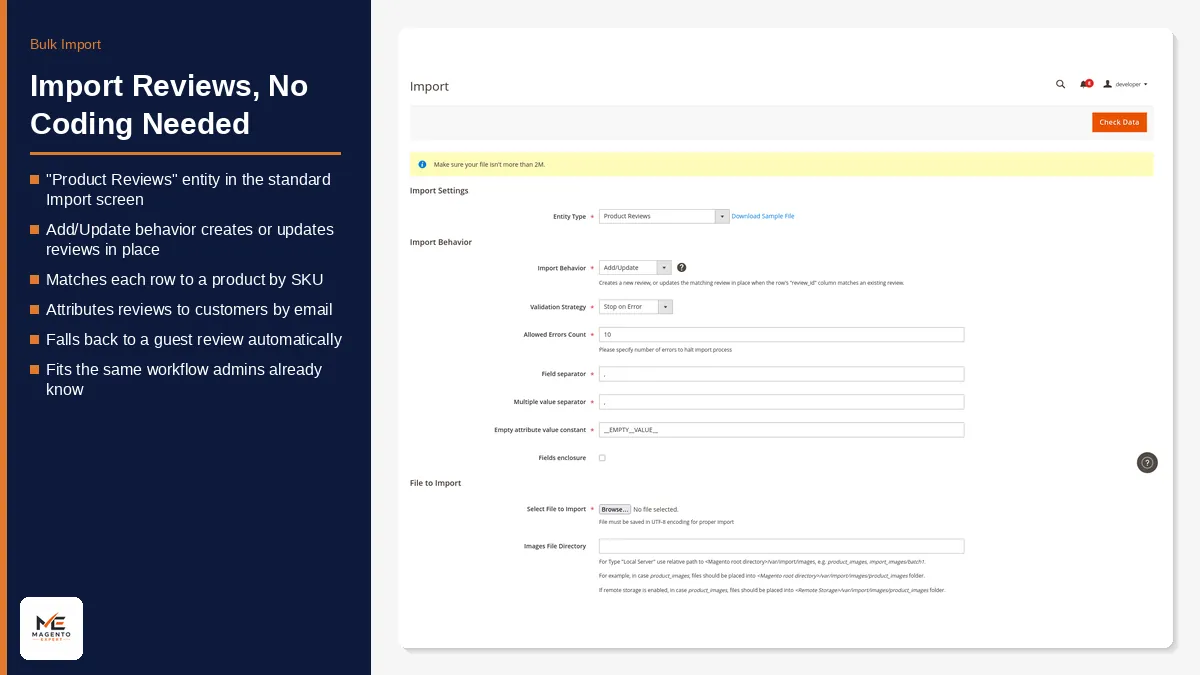
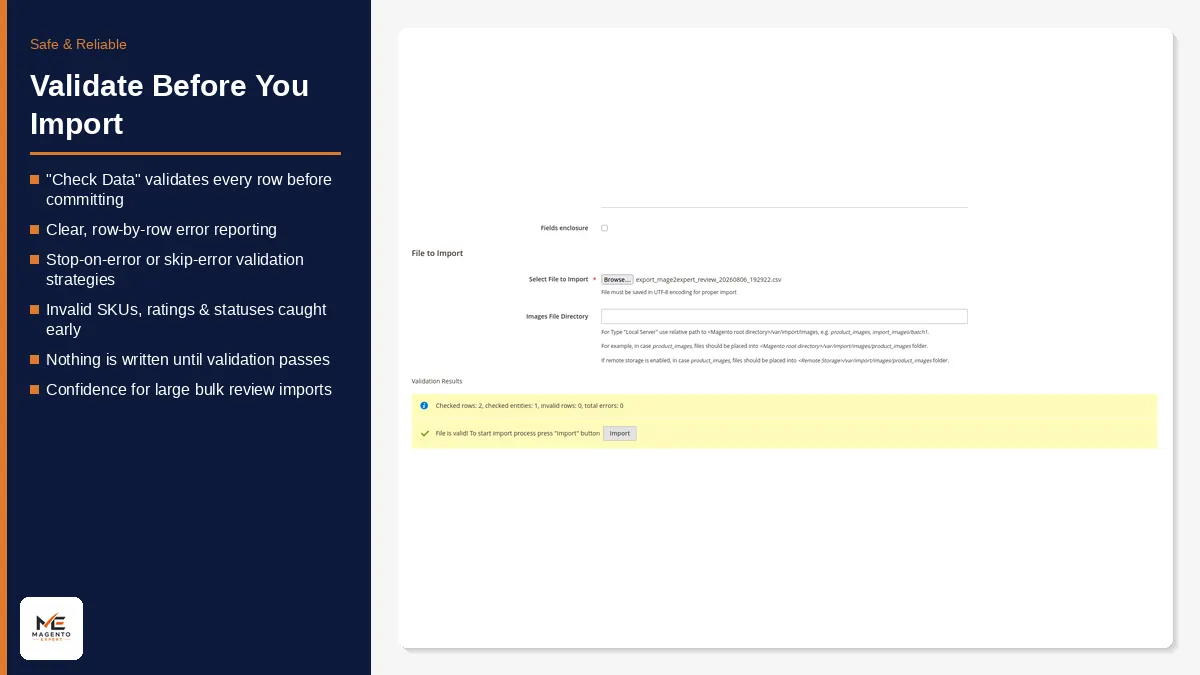
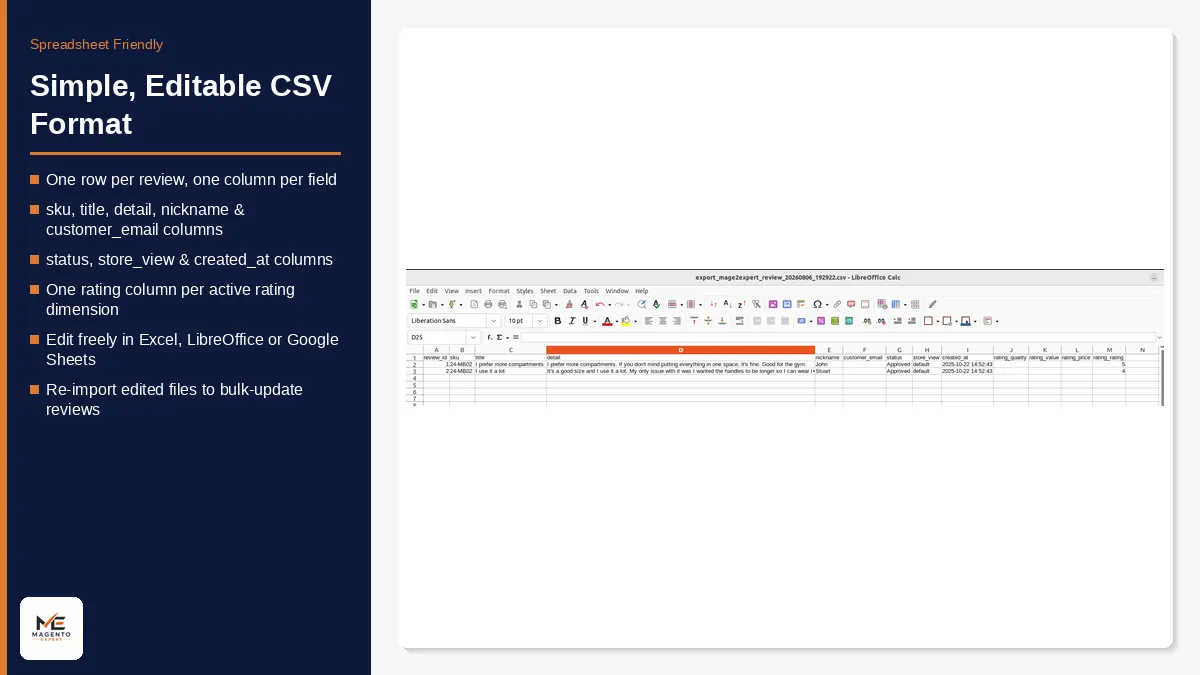
Review Import & Export adds product reviews and ratings to Magento's standard System > Data Transfer import and export screens. You can move reviews between stores, bulk-load reviews from another platform or update existing ones from a CSV, with row-level validation so bad rows are reported instead of breaking the import.
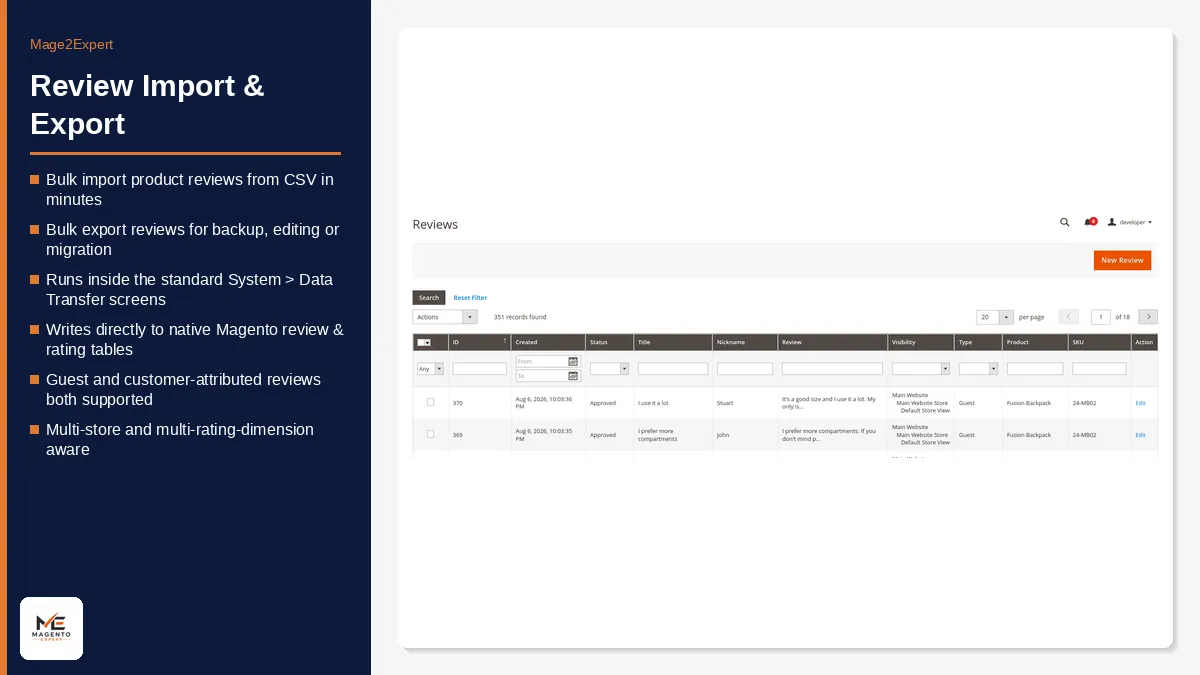
Key features
- CSV Import via the Standard Import Screen
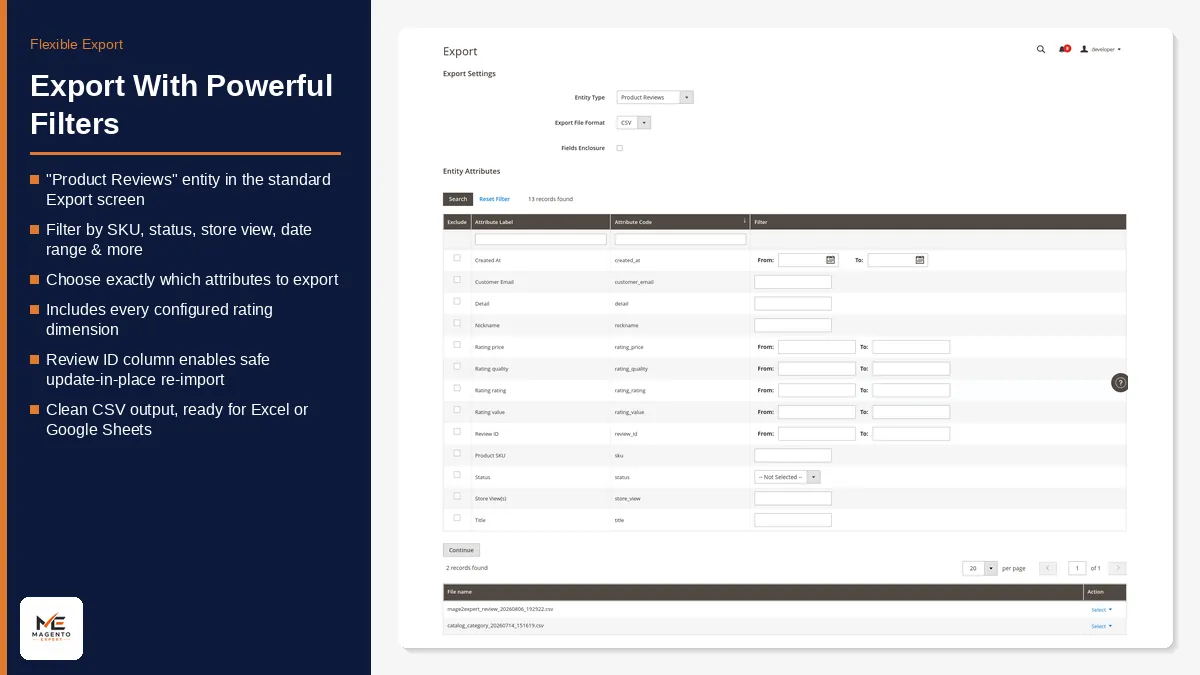
- CSV Export via the Standard Export Screen
- Native Review & Rating Storage
- Guest and Customer Attribution
- Per-Dimension Rating Columns
- Update-in-Place Re-Import
- Row-Level Validation
- Multi-Store Support
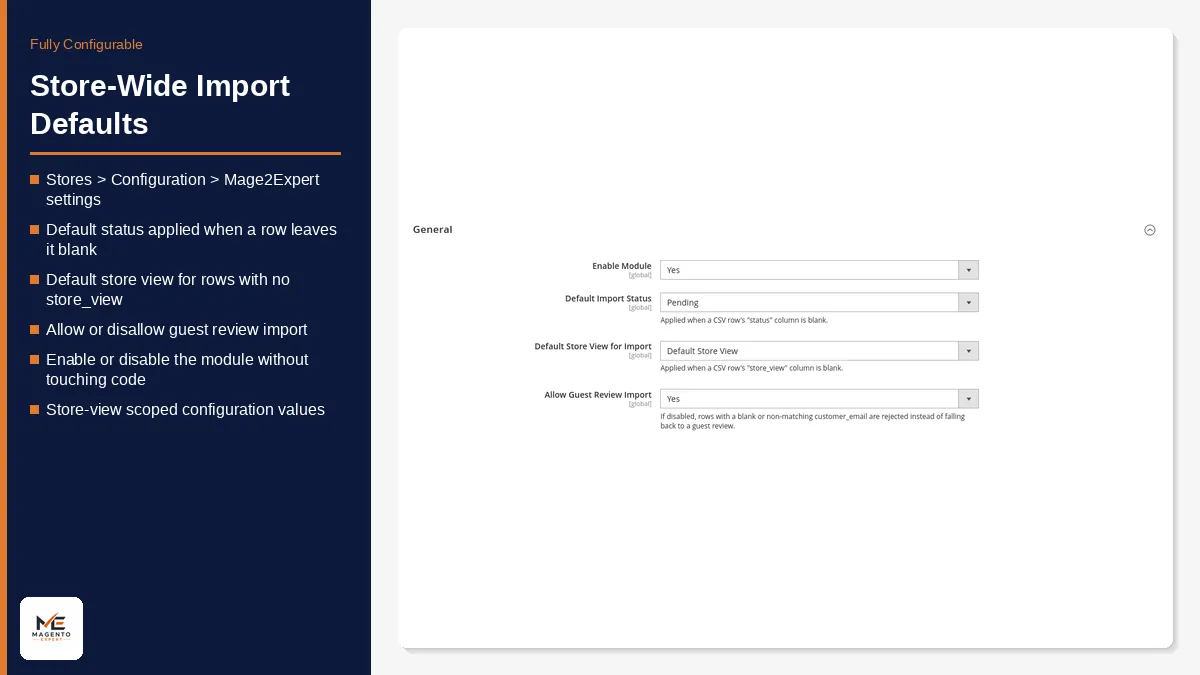
- Configurable Import Defaults
- No New Admin Workflow to Learn
- Zero Core Code Modifications
At a glance
| Module name | Mage2Expert_ReviewImportExport |
|---|---|
| Composer package | mage2expert/module-review-import-export |
| Settings | Stores › Configuration › Mage2Expert › Review Import Export (4 options) |
| Per store view settings | No (global or website level) |
| API | No custom endpoints (uses Magento's standard APIs) |
| PHP | 8.1, 8.2, 8.3, 8.4, 8.5 |
Installation
After purchasing on the Adobe Commerce Marketplace, install it with Composer using your Marketplace access keys:
composer require mage2expert/module-review-import-export
bin/magento module:enable Mage2Expert_ReviewImportExport
bin/magento setup:upgrade
bin/magento setup:di:compile
bin/magento setup:static-content:deploy -f
bin/magento cache:flush
Skip setup:di:compile and static-content:deploy if your store runs in developer mode.
Configuration reference
All 4 options under Stores › Configuration › Mage2Expert › Review Import Export, grouped as they appear in the admin.
General 4
| Setting | Description |
|---|---|
| Enable Module | |
| Default Import Status | Applied when a CSV row's "status" column is blank. |
| Default Store View for Import | Applied when a CSV row's "store_view" column is blank. |
| Allow Guest Review Import | If disabled, rows with a blank or non-matching customer_email are rejected instead of falling back to a guest review. |
Frequently asked questions
How much does Review Import & Export cost?
Which Magento and PHP versions are supported?
Where do I configure Review Import & Export?
Can I switch it off without uninstalling it?
Can it be customised for my store?
More SEO & Content
Related extensions
LLMs.txt Generator
Publish an llms.txt file so AI assistants such as ChatGPT, Claude and Perplexity can understand your store, built from your own catalog.
Blog
A full-featured blog for your store with posts, categories, tags and SEO-friendly URLs.
Auto Meta Tag Generator
Automatically fills blank SEO meta titles and descriptions from templates when products and categories are saved.
Have a Magento project in mind?
Tell me about your store and what you need. I reply to every enquiry within one business day.
Adobe Certified Expert
Adobe Commerce Developer certification, verified on Credly.
15+ years of Magento
From Magento 1 to Magento 2.4.x, Adobe Commerce and Hyvä.
62 Marketplace extensions
Each one reviewed and approved by Adobe.