
Auto Meta Tag Generator for Magento 2
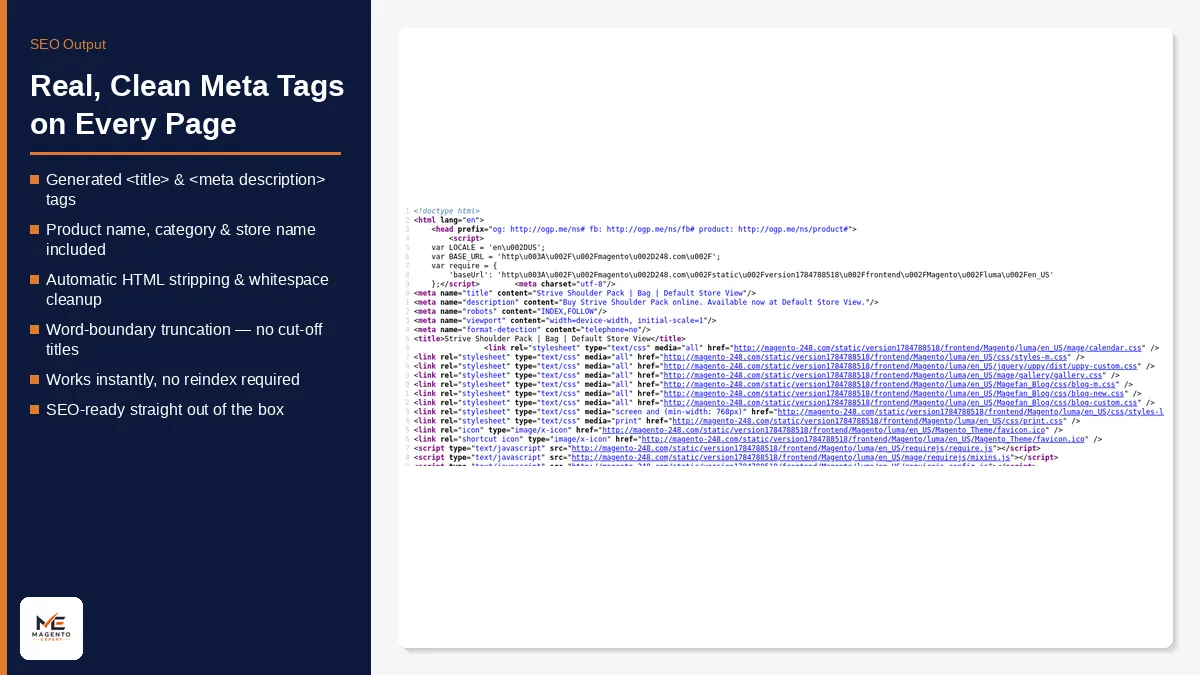
Automatically fills blank SEO meta titles and descriptions from templates when products and categories are saved.
Why choose Auto Meta Tag Generator?
Auto Meta Tag Generator fills in empty meta titles, descriptions and keywords for products and categories from templates such as {{name}} | {{store_name}}. It runs when items are saved, from an admin mass action, from the command line or from a nightly cron job, trims text at word boundaries and never overwrites meta data someone has written by hand.

Key features
- Automatic Generation on Save
- Configurable Placeholder Templates
- Separate Category Templates
- Smart Placeholder Cleanup
- Word-Boundary Truncation
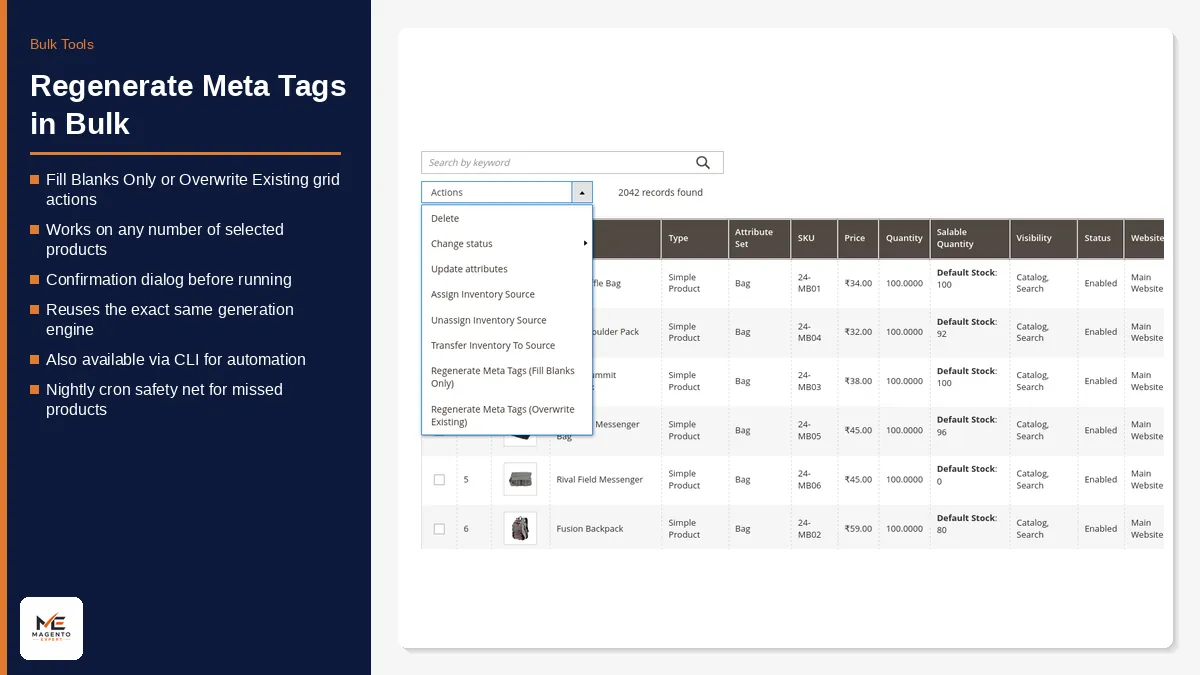
- Admin Mass Action
- CLI Command
- CSV Import Support
- Nightly Cron Safety Net
- Dedicated Logging
- Store-View Scope Throughout
- Zero Core Code Modifications
At a glance
| Module name | Mage2Expert_AutoMetaTagGenerator |
|---|---|
| Composer package | mage2expert/module-auto-meta-tag-generator |
| Settings | Stores › Configuration › Magento Expert › Auto Meta Tag Generator (14 options) |
| Per store view settings | Yes |
| API | No custom endpoints (uses Magento's standard APIs) |
| Scheduled jobs | 1 cron job |
| CLI commands | mage2expert:metatag:regenerate |
| PHP | 8.1, 8.2, 8.3, 8.4, 8.5 |
Installation
After purchasing on the Adobe Commerce Marketplace, install it with Composer using your Marketplace access keys:
composer require mage2expert/module-auto-meta-tag-generator
bin/magento module:enable Mage2Expert_AutoMetaTagGenerator
bin/magento setup:upgrade
bin/magento setup:di:compile
bin/magento setup:static-content:deploy -f
bin/magento cache:flush
Skip setup:di:compile and static-content:deploy if your store runs in developer mode.
Configuration reference
All 14 options under Stores › Configuration › Magento Expert › Auto Meta Tag Generator, grouped as they appear in the admin.
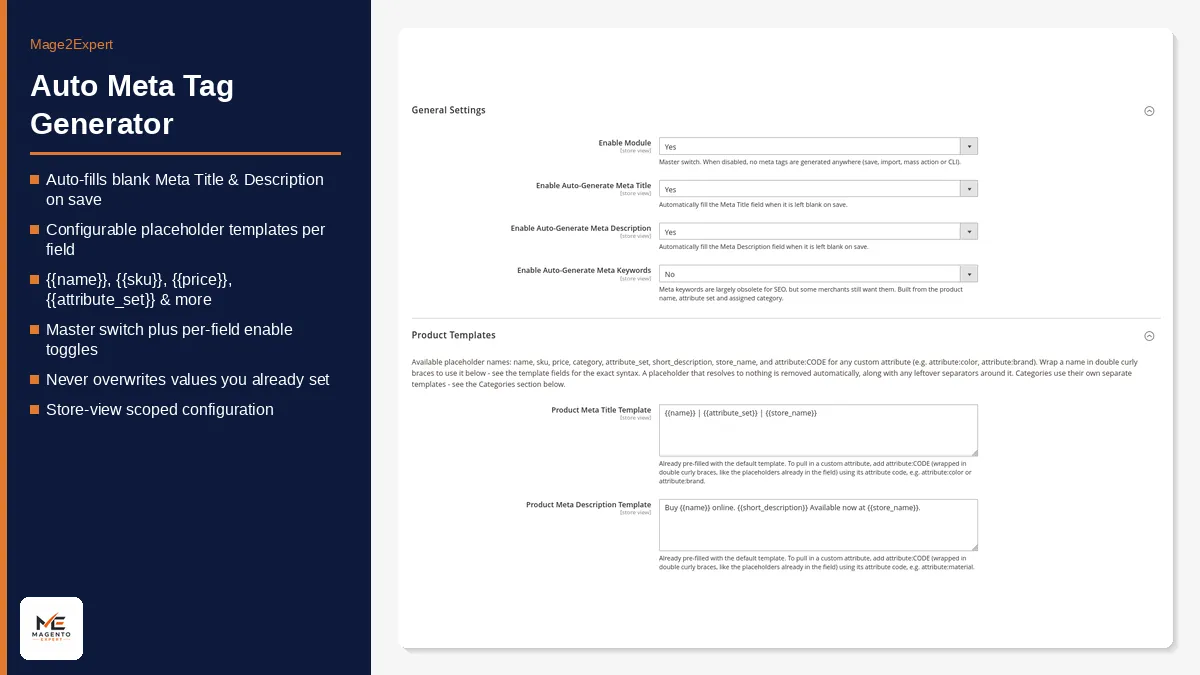
General Settings 4
| Setting | Description |
|---|---|
| Enable Module | Master switch. When disabled, no meta tags are generated anywhere (save, import, mass action or CLI). |
| Enable Auto-Generate Meta Title | Automatically fill the Meta Title field when it is left blank on save. |
| Enable Auto-Generate Meta Description | Automatically fill the Meta Description field when it is left blank on save. |
| Enable Auto-Generate Meta Keywords | Meta keywords are largely obsolete for SEO, but some merchants still want them. Built from the product name, attribute set and assigned category. |
Product Templates 2
| Setting | Description |
|---|---|
| Product Meta Title Template | Already pre-filled with the default template. To pull in a custom attribute, add attribute:CODE (wrapped in double curly braces, like the placeholders already in the field) using its attribute code, e.g. attribute:color or attribute:brand. |
| Product Meta Description Template | Already pre-filled with the default template. To pull in a custom attribute, add attribute:CODE (wrapped in double curly braces, like the placeholders already in the field) using its attribute code, e.g. attribute:material. |
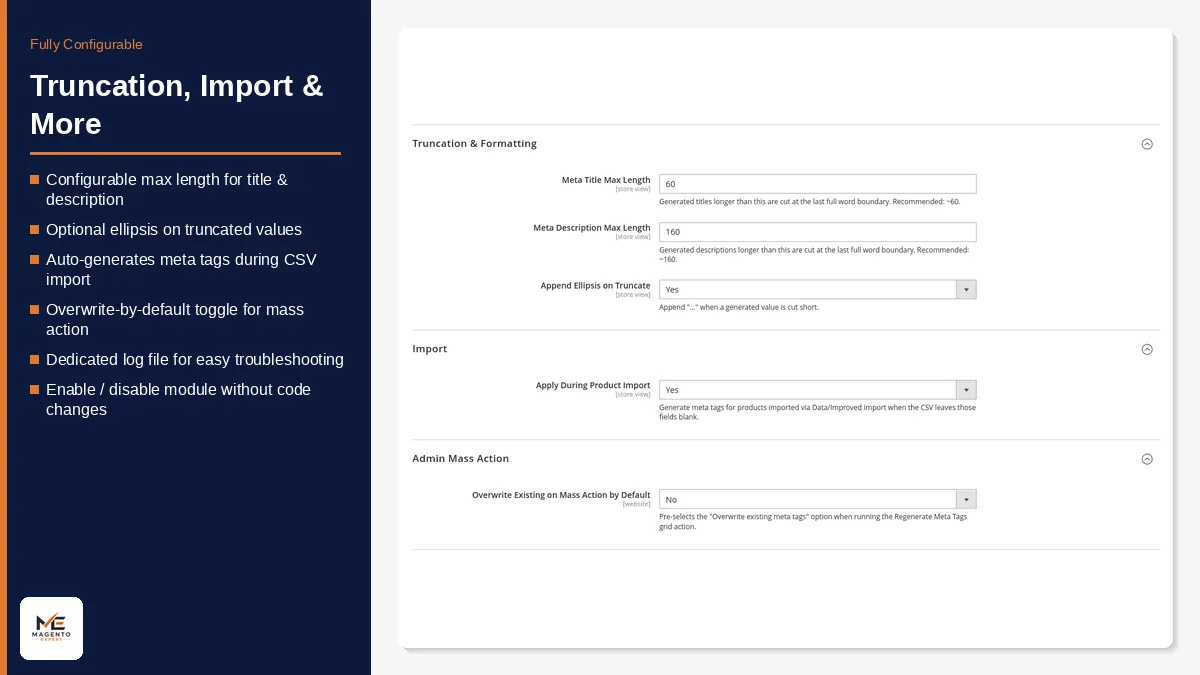
Truncation & Formatting 3
| Setting | Description |
|---|---|
| Meta Title Max Length | Generated titles longer than this are cut at the last full word boundary. Recommended: ~60. |
| Meta Description Max Length | Generated descriptions longer than this are cut at the last full word boundary. Recommended: ~160. |
| Append Ellipsis on Truncate | Append "…" when a generated value is cut short. |
Import 1
| Setting | Description |
|---|---|
| Apply During Product Import | Generate meta tags for products imported via Data/Improved Import when the CSV leaves those fields blank. |
Admin Mass Action 1
| Setting | Description |
|---|---|
| Overwrite Existing on Mass Action by Default | Pre-selects the "Overwrite existing meta tags" option when running the Regenerate Meta Tags grid action. |
Categories (Stretch Goal) 3
| Setting | Description |
|---|---|
| Enable for Categories | Also auto-generate meta title/description for categories, using the templates below. |
| Category Meta Title Template | Already pre-filled with the default template. Supports the same placeholder names as the product templates above (sku and price always resolve empty for categories). For a custom attribute, add attribute:CODE (wrapped in double curly braces |
| Category Meta Description Template | Already pre-filled with the default template. For a custom attribute, add attribute:CODE (wrapped in double curly braces, like the placeholders already in the field) using its attribute code, e.g. attribute:landing_page. |
Developer reference
Cron jobs
| Job | Runs |
|---|---|
mage2expert_automatatag_generate_missing | daily at 03:00 (server time) |
Command line
bin/magento mage2expert:metatag:regenerateFrequently asked questions
How much does Auto Meta Tag Generator cost?
Which Magento and PHP versions are supported?
Where do I configure Auto Meta Tag Generator?
Can I switch it off without uninstalling it?
Can the settings differ per store view?
Does it run background jobs?
Can it be customised for my store?
More SEO & Content
Related extensions
LLMs.txt Generator
Publish an llms.txt file so AI assistants such as ChatGPT, Claude and Perplexity can understand your store, built from your own catalog.
Blog
A full-featured blog for your store with posts, categories, tags and SEO-friendly URLs.
Hreflang Language Tags
Add correct hreflang tags across store views so search engines serve the right language and region.
Have a Magento project in mind?
Tell me about your store and what you need. I reply to every enquiry within one business day.
Adobe Certified Expert
Adobe Commerce Developer certification, verified on Credly.
15+ years of Magento
From Magento 1 to Magento 2.4.x, Adobe Commerce and Hyvä.
62 Marketplace extensions
Each one reviewed and approved by Adobe.