Blog for Magento 2
A full-featured blog for your store with posts, categories, tags and SEO-friendly URLs.
Why choose Blog?
Helpful content is one of the most reliable ways to earn search traffic, but running a separate WordPress site next to Magento adds hosting, logins and SEO headaches. Mage2Expert Blog gives you a full blog inside Magento itself, managed from the same admin as your catalog.
You get categories, tags, multiple authors, moderated comments and social sharing, plus per-post SEO fields, Open Graph tags, article rich snippets and XML sitemap integration. Best for: stores investing in content marketing and organic search.
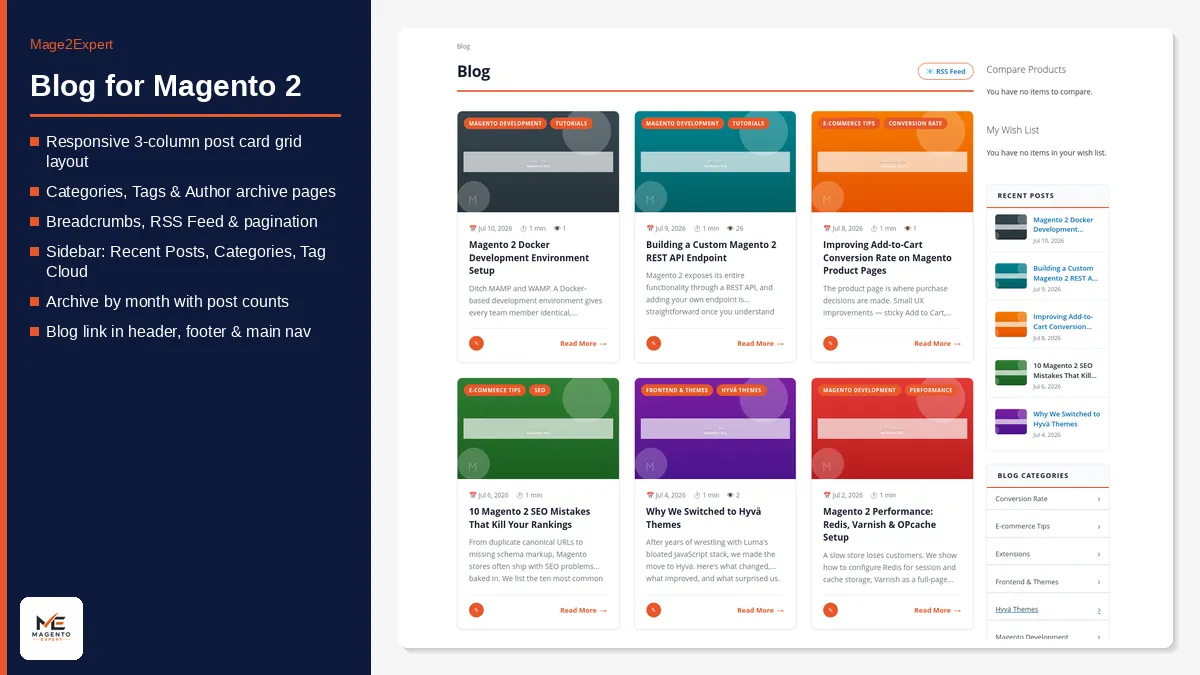
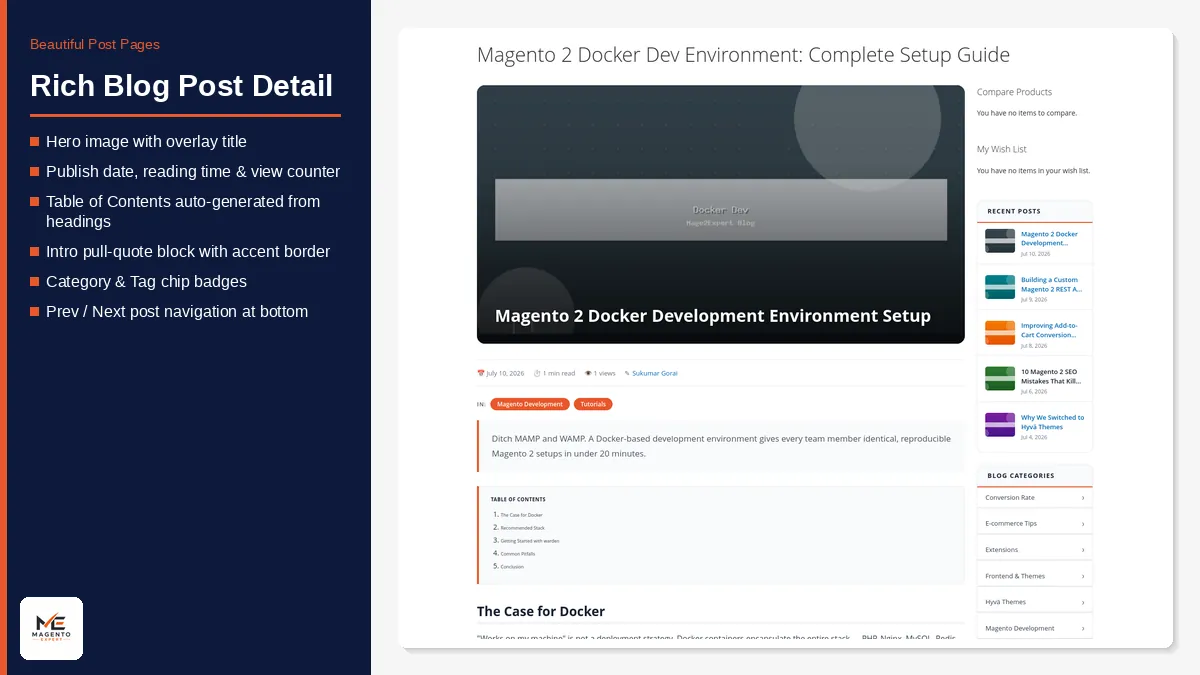
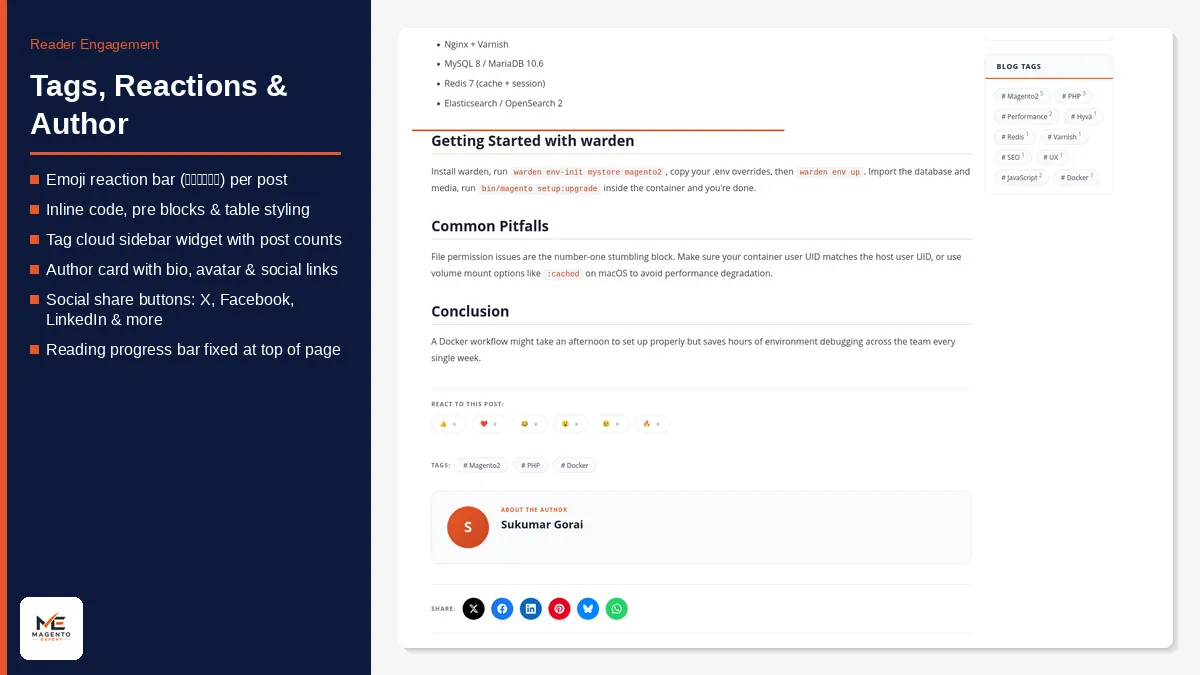
Key features
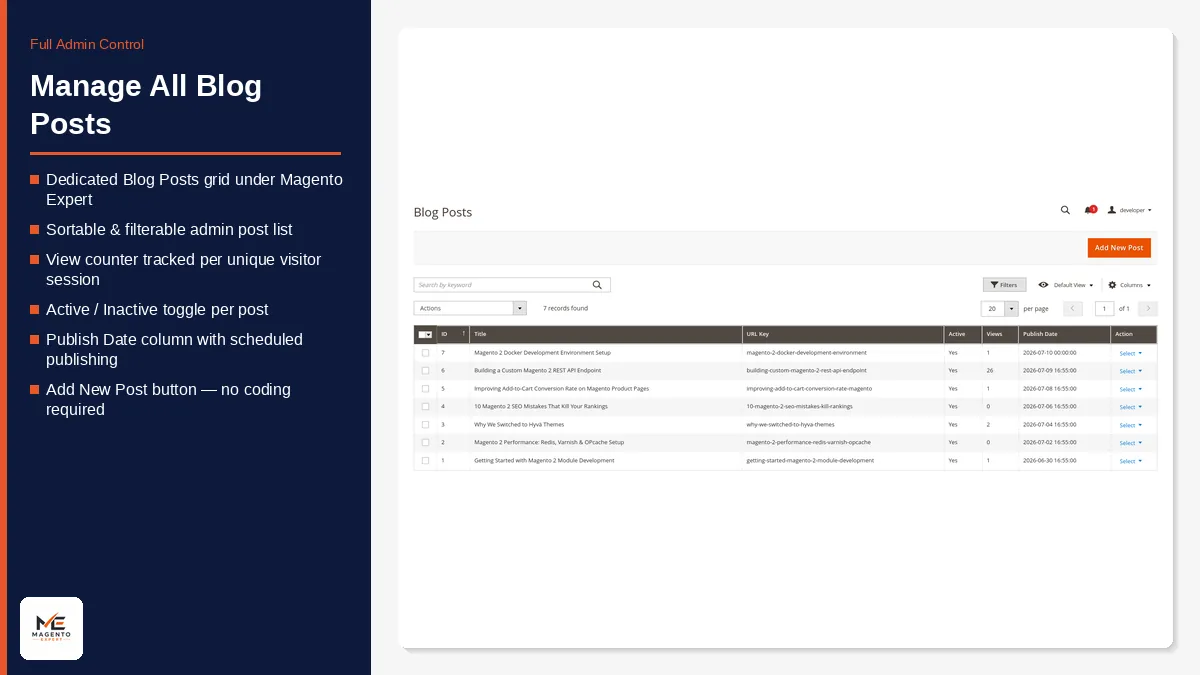
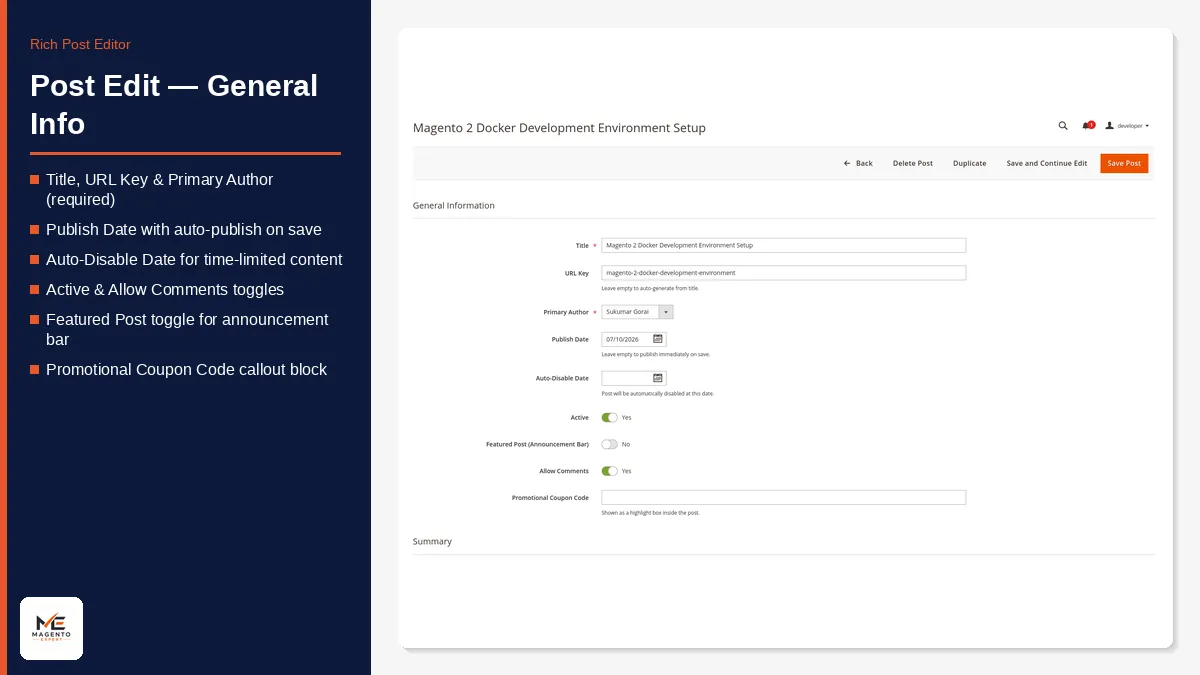
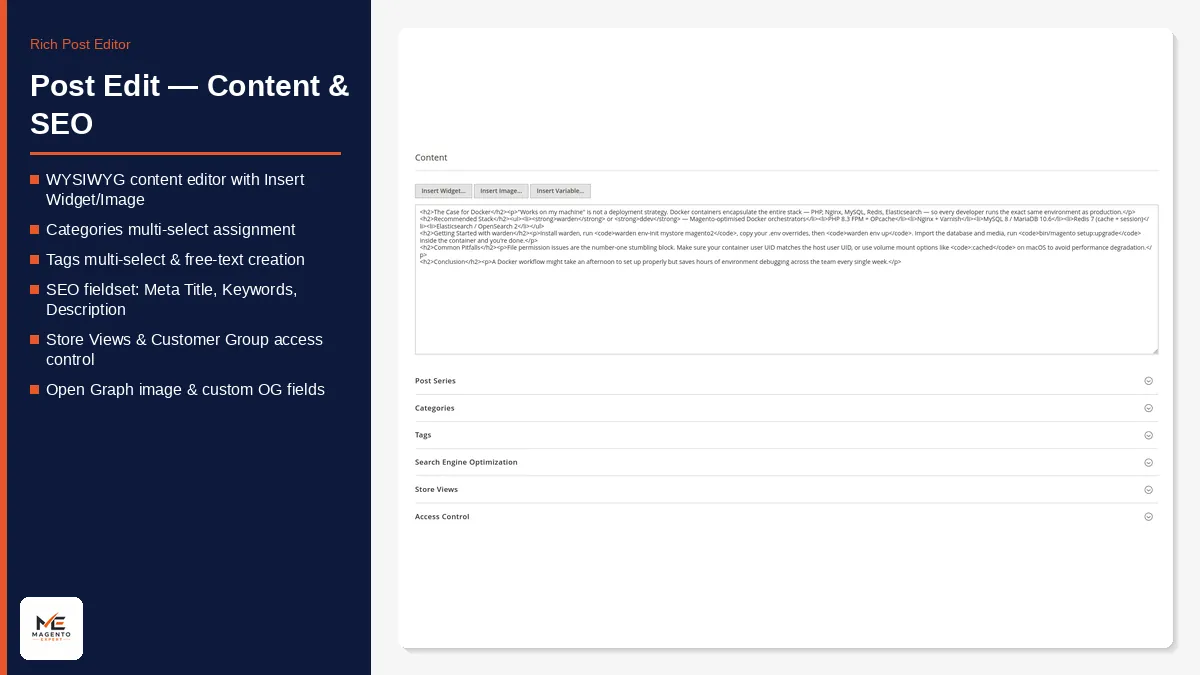
- Post Management with WYSIWYG Editor
- Blog Categories
- Tag Cloud
- Multi-Author Support
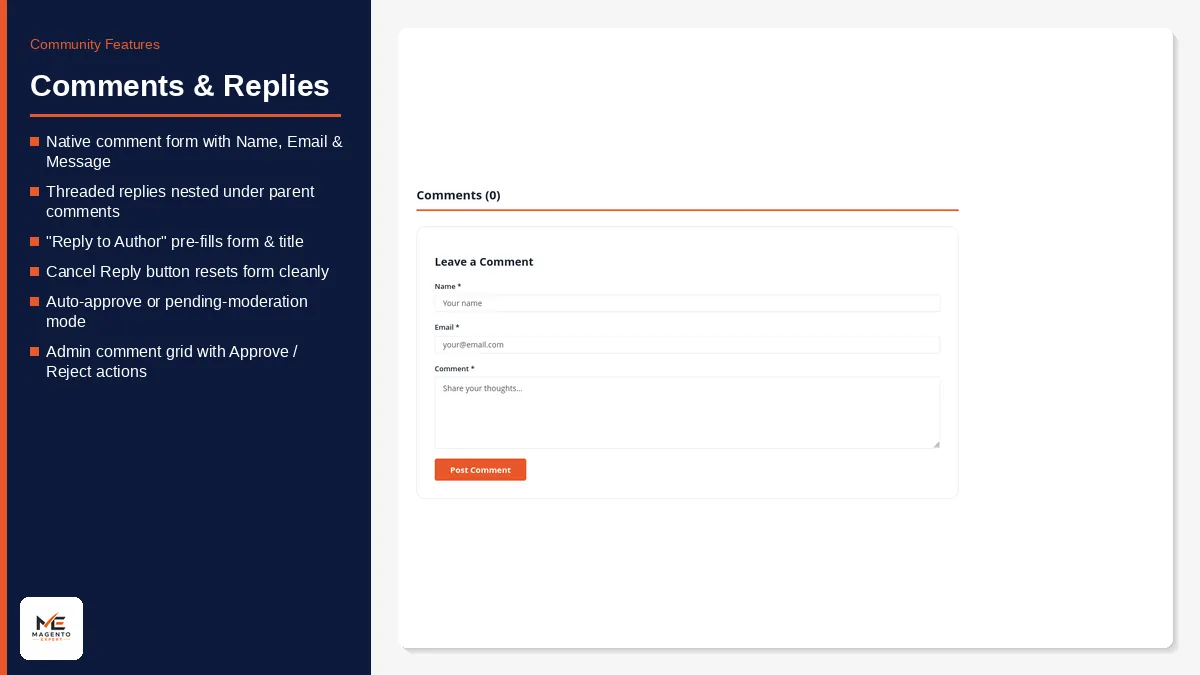
- Threaded Comments
- Comment Moderation & Integrations
- Social Sharing Buttons
- Per-Post SEO Fields
- Open Graph & Twitter/X Card Tags
- Article Rich Snippets (JSON-LD)
- XML Sitemap Integration
- Six Sidebar Widgets
- Navigation Link Injection
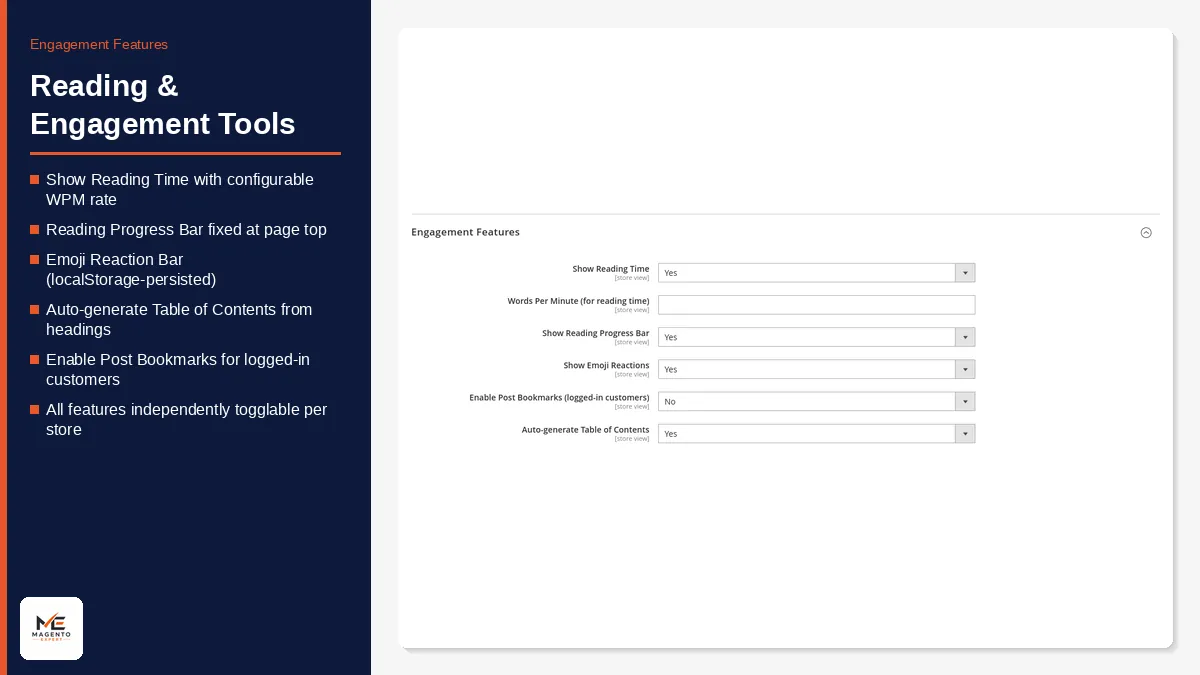
- Reader Engagement Tools
At a glance
| Module name | Mage2Expert_Blog |
|---|---|
| Composer package | mage2expert/module-blog |
| Settings | Stores › Configuration › Mage2Expert › Blog (45 options) |
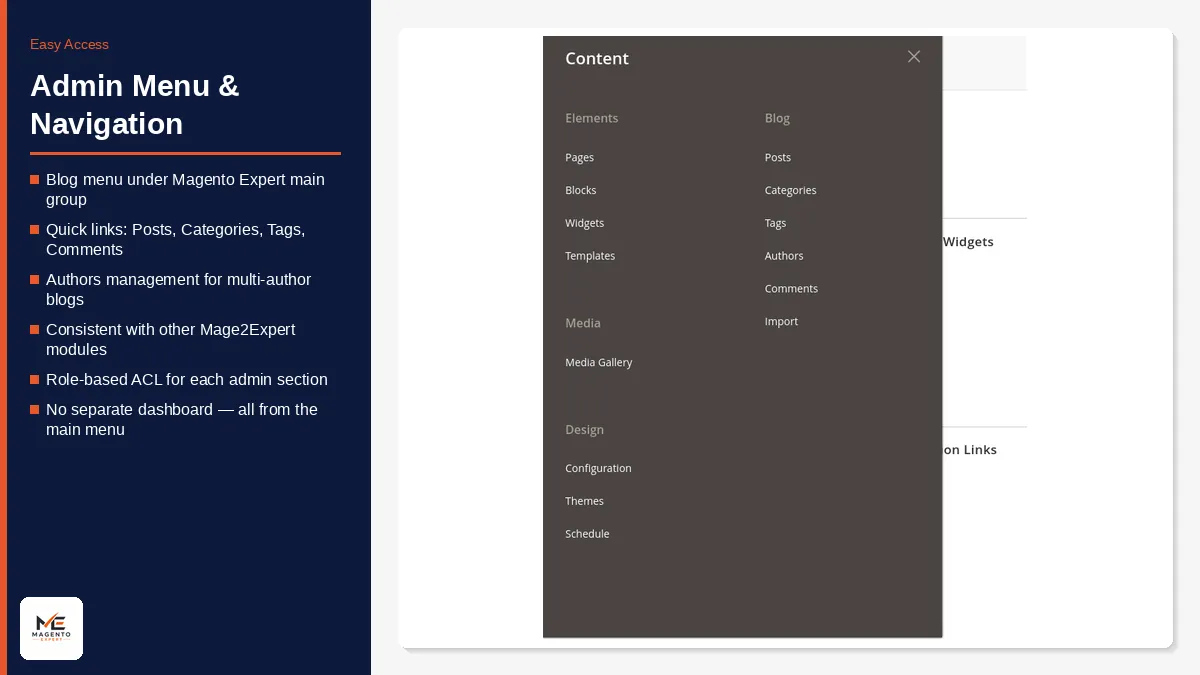
| Admin menu | Content › Blog › Authors Content › Blog › Categories Content › Blog › Comments Content › Blog › Import Content › Blog › Posts Content › Blog › Tags |
| Per store view settings | Yes |
| API | REST: 21 endpoints; GraphQL: 5 operations |
| PHP | 8.1, 8.2, 8.3, 8.4, 8.5 |
Installation
After purchasing on the Adobe Commerce Marketplace, install it with Composer using your Marketplace access keys:
composer require mage2expert/module-blog
bin/magento module:enable Mage2Expert_Blog
bin/magento setup:upgrade
bin/magento setup:di:compile
bin/magento setup:static-content:deploy -f
bin/magento cache:flush
Skip setup:di:compile and static-content:deploy if your store runs in developer mode.
Configuration reference
All 45 options under Stores › Configuration › Mage2Expert › Blog, grouped as they appear in the admin.
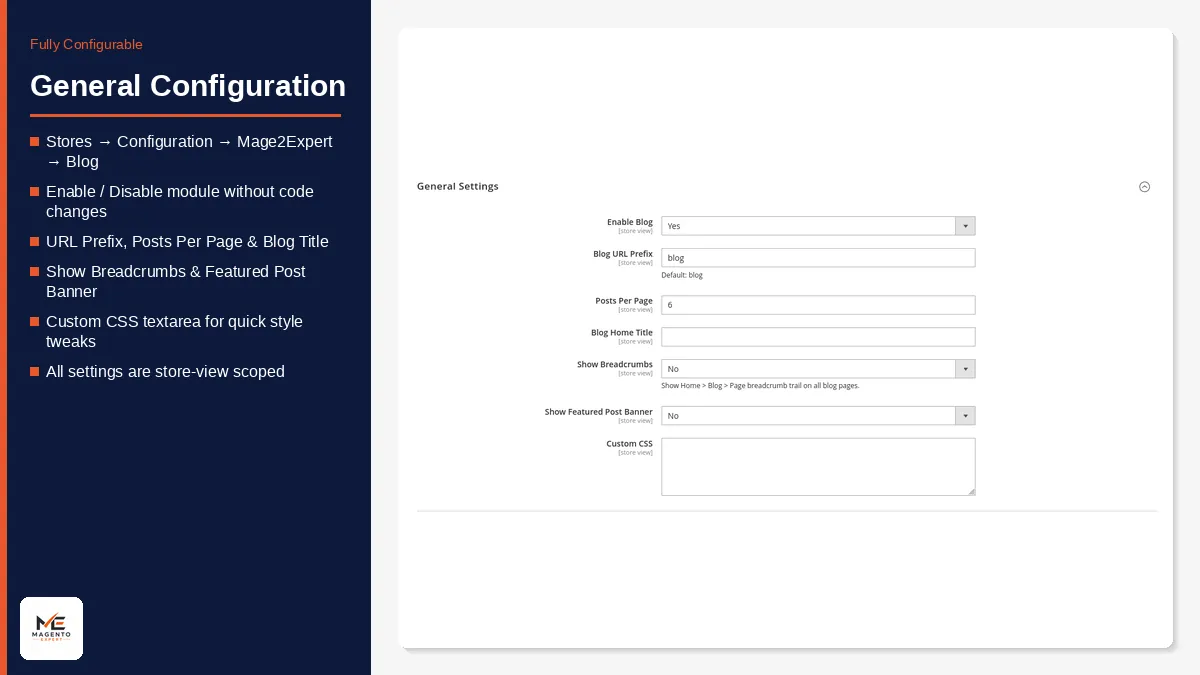
General Settings 7
| Setting | Description |
|---|---|
| Enable Blog | |
| Blog URL Prefix | Default: blog |
| Posts Per Page | |
| Blog Home Title | |
| Show Breadcrumbs | Show Home > Blog > Page breadcrumb trail on all blog pages. |
| Show Featured Post Banner | |
| Custom CSS |
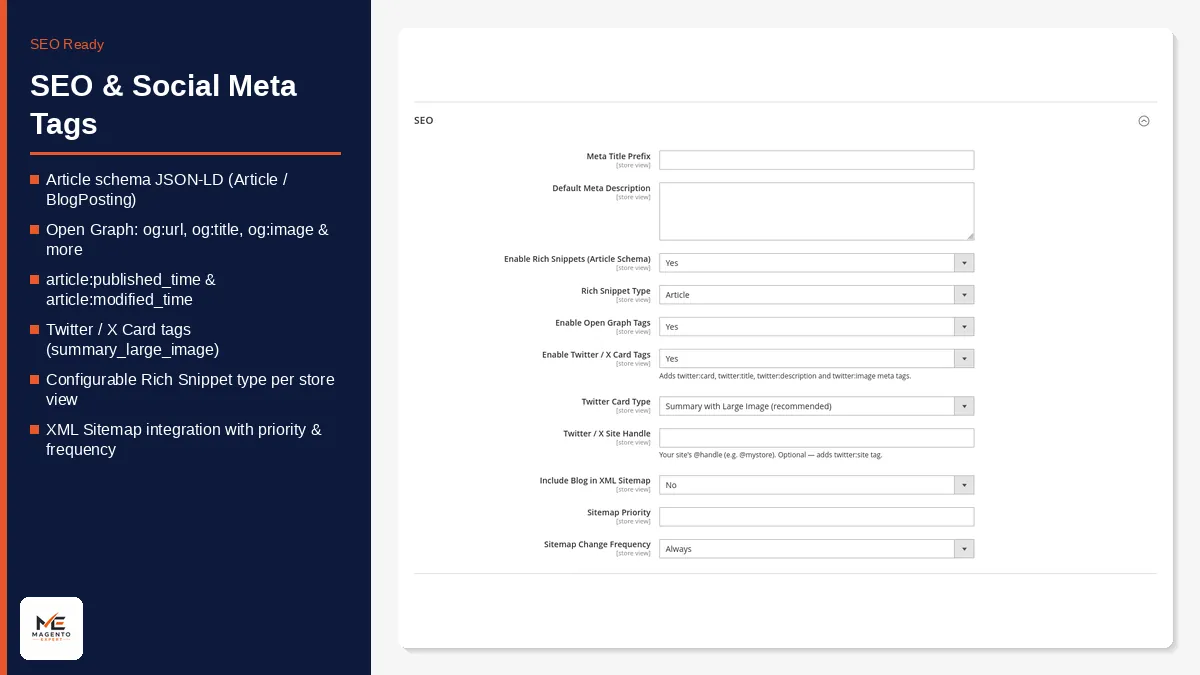
SEO 11
| Setting | Description |
|---|---|
| Meta Title Prefix | |
| Default Meta Description | |
| Enable Rich Snippets (Article Schema) | |
| Rich Snippet Type | |
| Enable Open Graph Tags | |
| Enable Twitter / X Card Tags | Adds twitter:card, twitter:title, twitter:description and twitter:image meta tags. |
| Twitter Card Type | |
| Twitter / X Site Handle | Your site's @handle (e.g. @mystore). Optional — adds twitter:site tag. |
| Include Blog in XML Sitemap | |
| Sitemap Priority | |
| Sitemap Change Frequency |
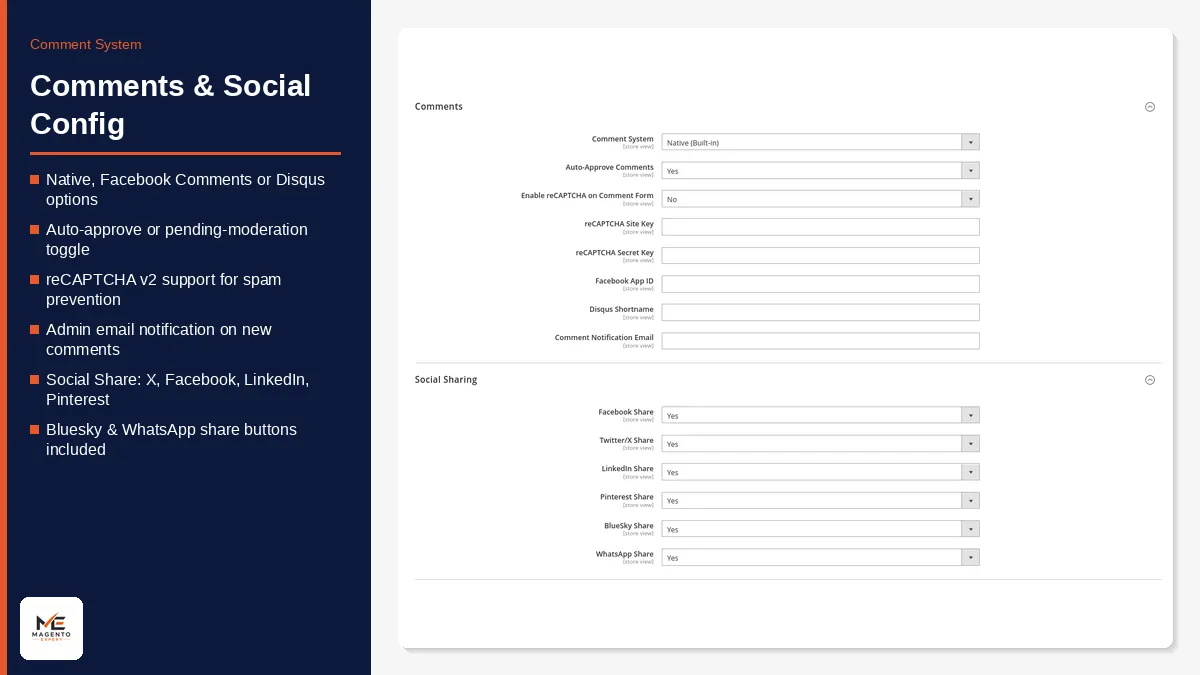
Comments 8
| Setting | Description |
|---|---|
| Comment System | |
| Auto-Approve Comments | |
| Enable reCAPTCHA on Comment Form | |
| reCAPTCHA Site Key | |
| reCAPTCHA Secret Key | |
| Facebook App ID | |
| Disqus Shortname | |
| Comment Notification Email |
Social Sharing 6
| Setting | Description |
|---|---|
| Facebook Share | |
| Twitter/X Share | |
| LinkedIn Share | |
| Pinterest Share | |
| BlueSky Share | |
| WhatsApp Share |
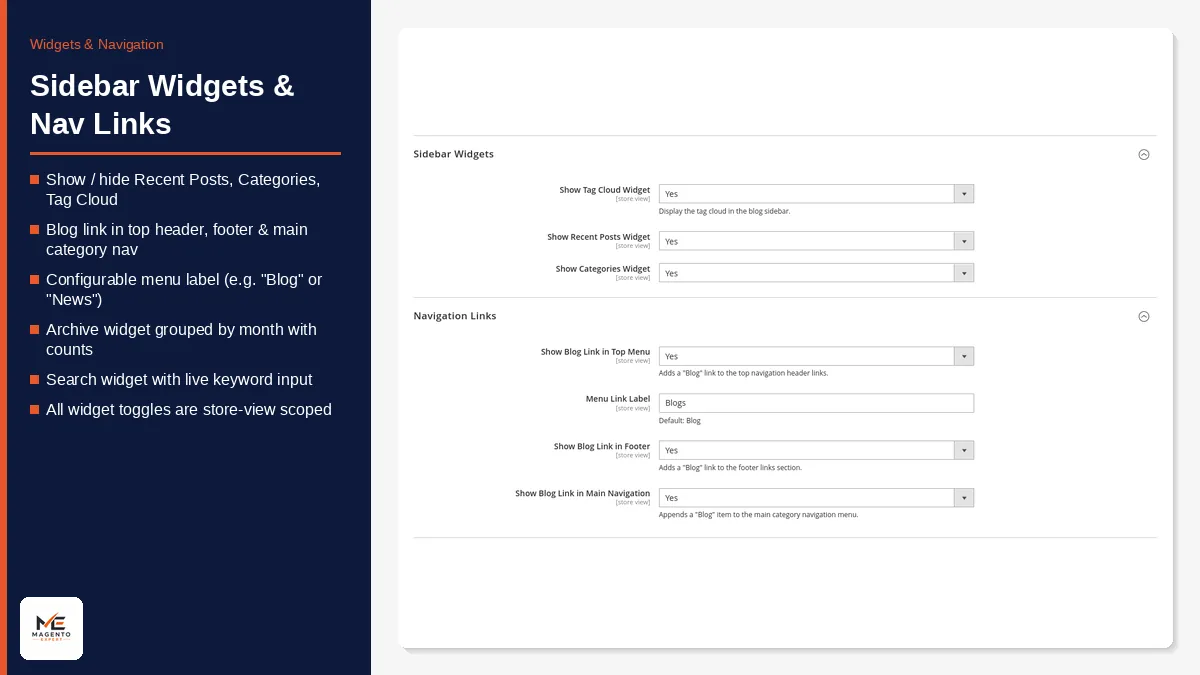
Sidebar Widgets 3
| Setting | Description |
|---|---|
| Show Tag Cloud Widget | Display the tag cloud in the blog sidebar. |
| Show Recent Posts Widget | |
| Show Categories Widget |
Navigation Links 4
| Setting | Description |
|---|---|
| Show Blog Link in Top Menu | Adds a "Blog" link to the top navigation header links. |
| Menu Link Label | Default: Blog |
| Show Blog Link in Footer | Adds a "Blog" link to the footer links section. |
| Show Blog Link in Main Navigation | Appends a "Blog" item to the main category navigation menu. |
Engagement Features 6
| Setting | Description |
|---|---|
| Show Reading Time | |
| Words Per Minute (for reading time) | |
| Show Reading Progress Bar | |
| Show Emoji Reactions | |
| Enable Post Bookmarks (logged-in customers) | |
| Auto-generate Table of Contents |
Developer reference
REST API
| Method | Endpoint |
|---|---|
GET | /rest/V1/blog/posts |
GET | /rest/V1/blog/posts/:id |
POST | /rest/V1/blog/posts |
PUT | /rest/V1/blog/posts/:id |
DELETE | /rest/V1/blog/posts/:id |
GET | /rest/V1/blog/categories |
GET | /rest/V1/blog/categories/:id |
POST | /rest/V1/blog/categories |
PUT | /rest/V1/blog/categories/:id |
DELETE | /rest/V1/blog/categories/:id |
GET | /rest/V1/blog/tags |
GET | /rest/V1/blog/tags/:id |
POST | /rest/V1/blog/tags |
DELETE | /rest/V1/blog/tags/:id |
GET | /rest/V1/blog/authors |
GET | /rest/V1/blog/authors/:id |
POST | /rest/V1/blog/authors |
DELETE | /rest/V1/blog/authors/:id |
GET | /rest/V1/blog/comments |
GET | /rest/V1/blog/comments/:id |
DELETE | /rest/V1/blog/comments/:id |
GraphQL
- Query
blogAuthors - Query
blogCategories - Query
blogPost - Query
blogPosts - Query
blogTags
Frequently asked questions
How much does Blog cost?
Which Magento and PHP versions are supported?
Where do I configure Blog?
Can I switch it off without uninstalling it?
Can the settings differ per store view?
Does it have an API?
Can it be customised for my store?
More SEO & Content
Related extensions
LLMs.txt Generator
Publish an llms.txt file so AI assistants such as ChatGPT, Claude and Perplexity can understand your store, built from your own catalog.
Auto Meta Tag Generator
Automatically fills blank SEO meta titles and descriptions from templates when products and categories are saved.
Hreflang Language Tags
Add correct hreflang tags across store views so search engines serve the right language and region.
Have a Magento project in mind?
Tell me about your store and what you need. I reply to every enquiry within one business day.
Adobe Certified Expert
Adobe Commerce Developer certification, verified on Credly.
15+ years of Magento
From Magento 1 to Magento 2.4.x, Adobe Commerce and Hyvä.
62 Marketplace extensions
Each one reviewed and approved by Adobe.