
Helpdesk for Magento 2
A complete in-store support ticketing system with departments, agent routing and automatic ticket closing.
Why choose Helpdesk?
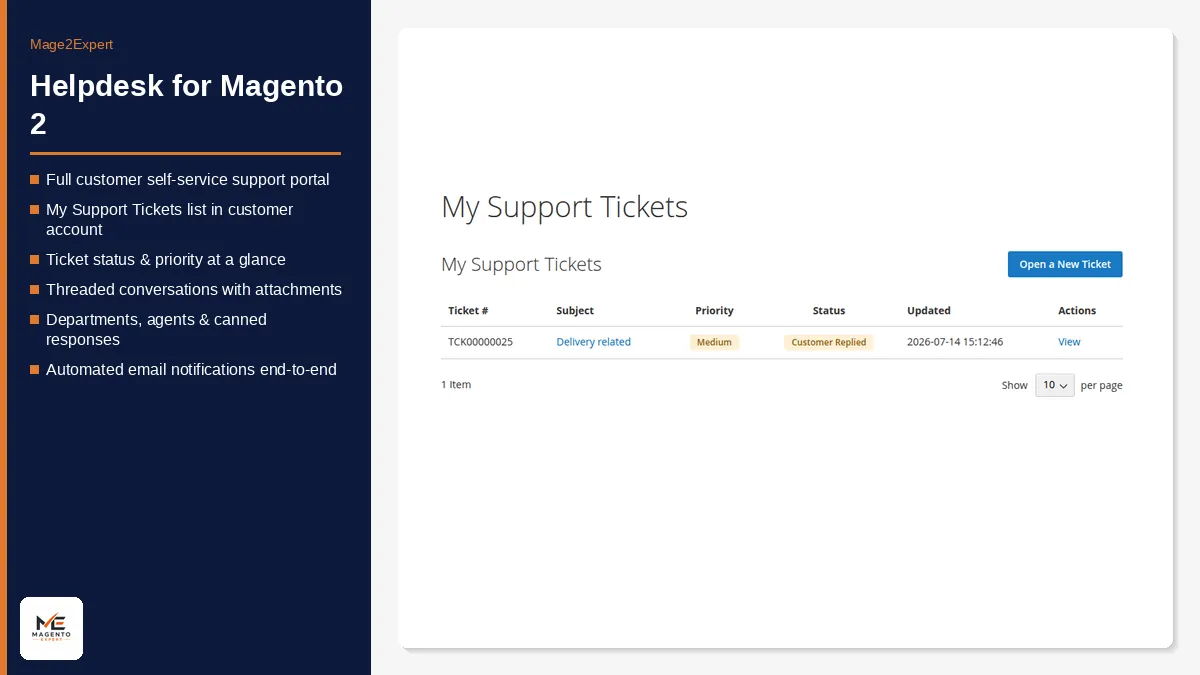
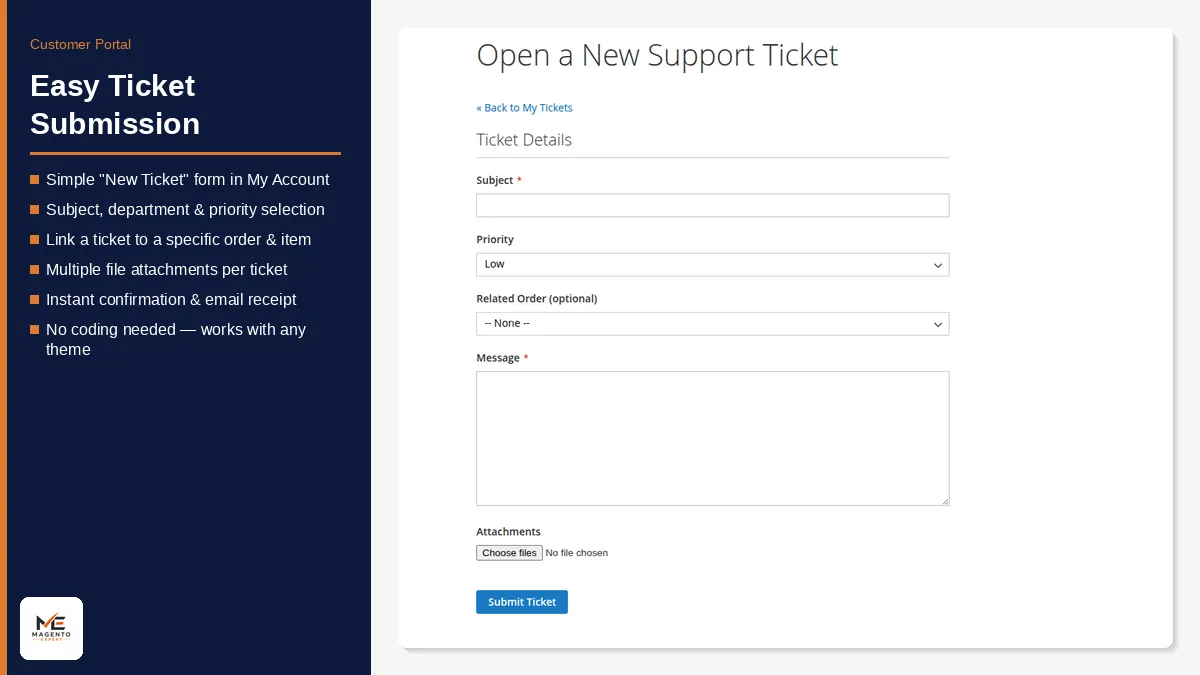
Support requests scattered across inboxes are easy to lose and hard to measure. Helpdesk brings them into a proper ticketing system inside Magento, where customers raise and follow tickets from their account, often linked directly to an order, and your team works from one queue.
Departments, agent assignment, roles, internal notes, canned responses, attachments and a full audit history are built in, and stale tickets can close automatically. Best for: growing support teams and stores replacing a paid third-party helpdesk.
Key features
- Customer Self-Service Portal
- Order-Linked Tickets
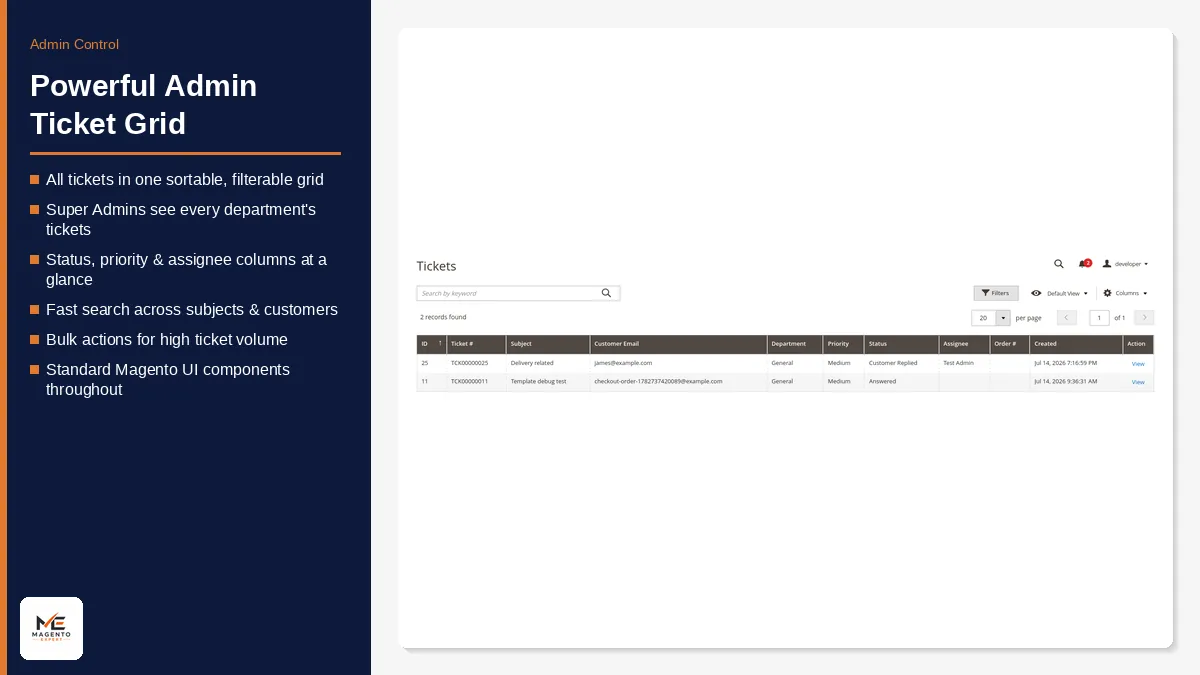
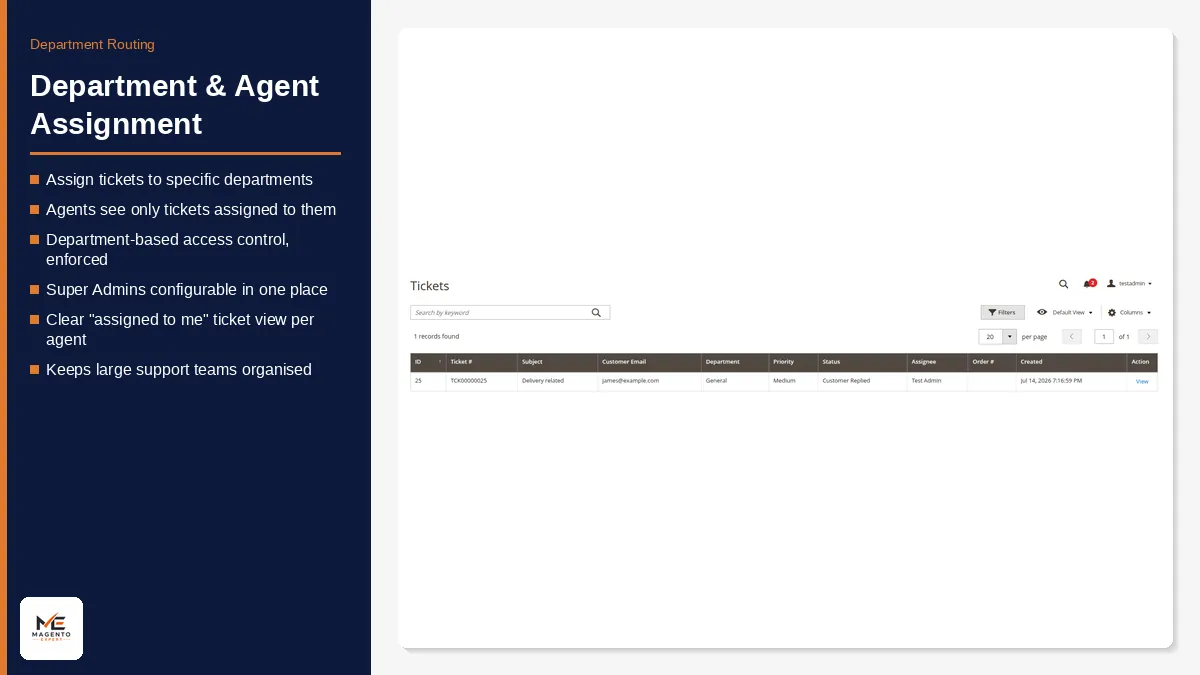
- Departments & Agent Assignment
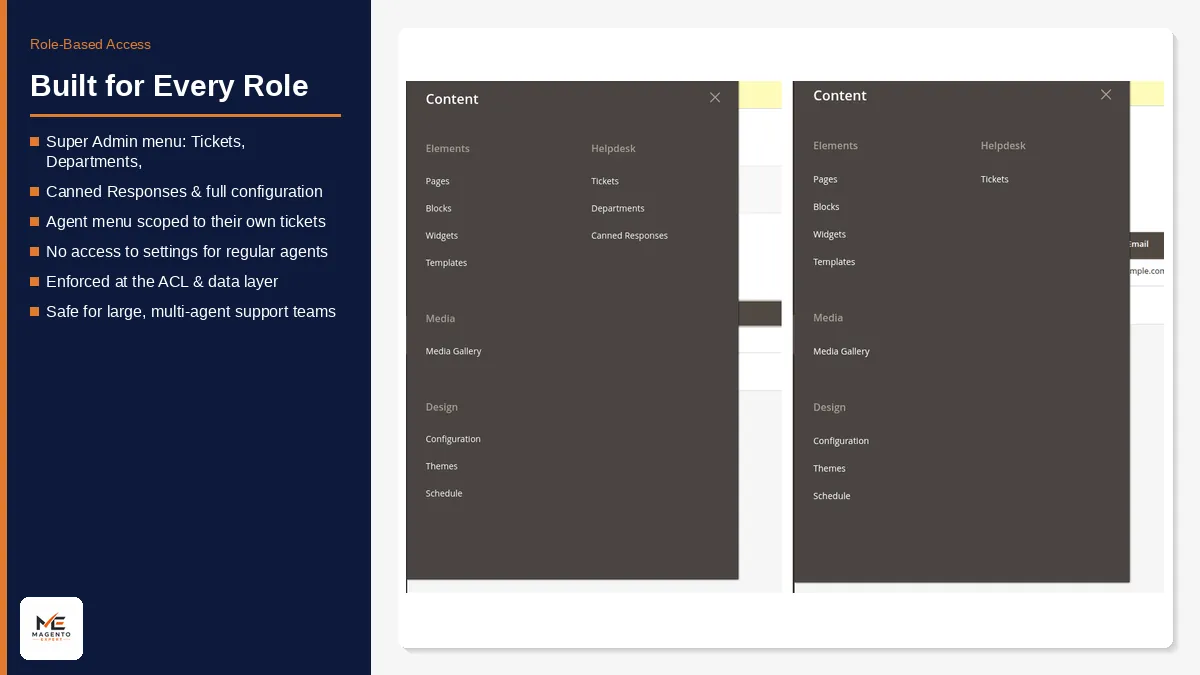
- Role-Based Access Control
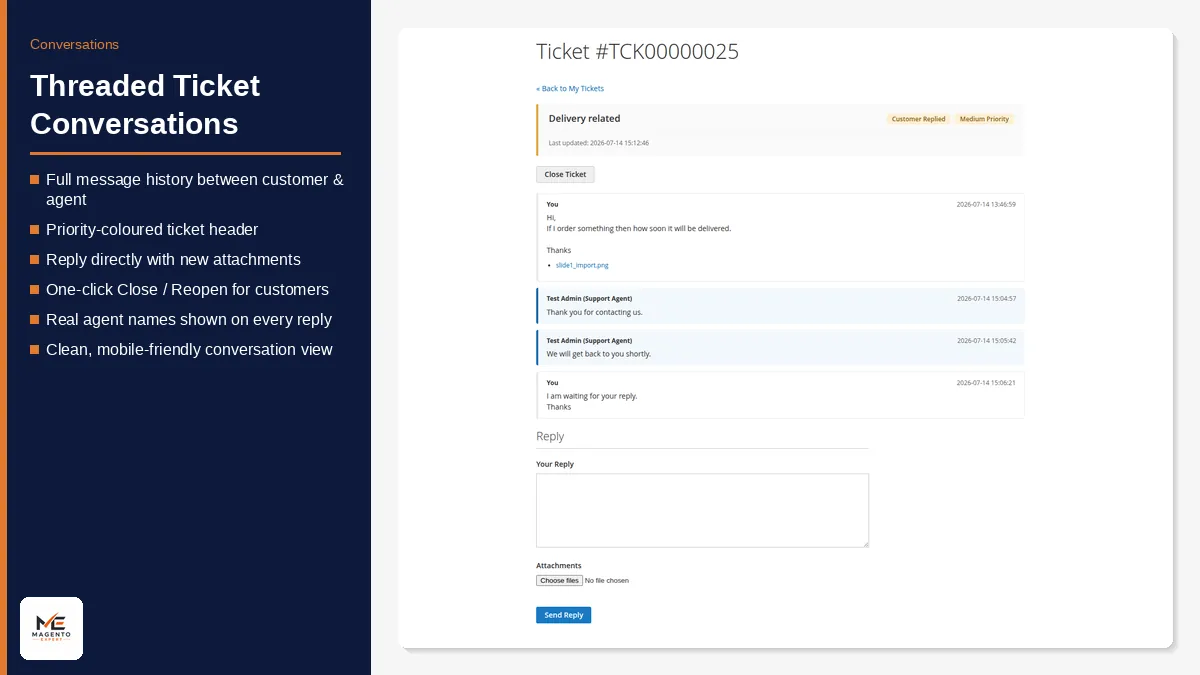
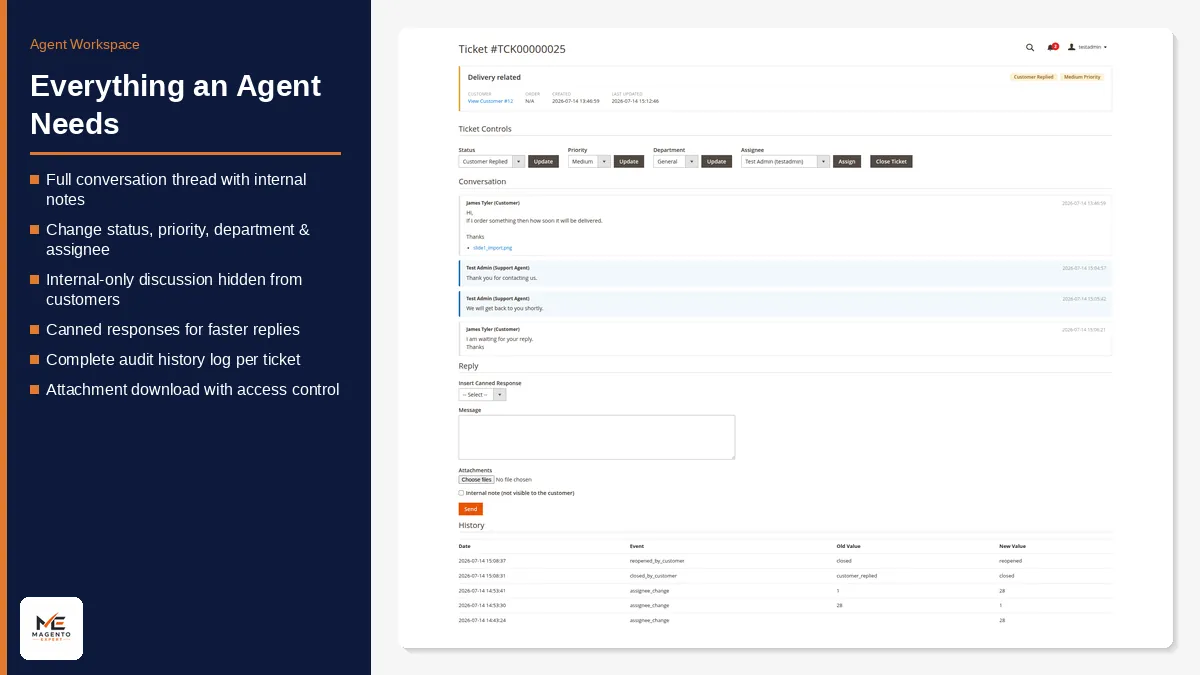
- Threaded Conversations with Real Names
- Internal Agent Notes
- File Attachments with Access Control
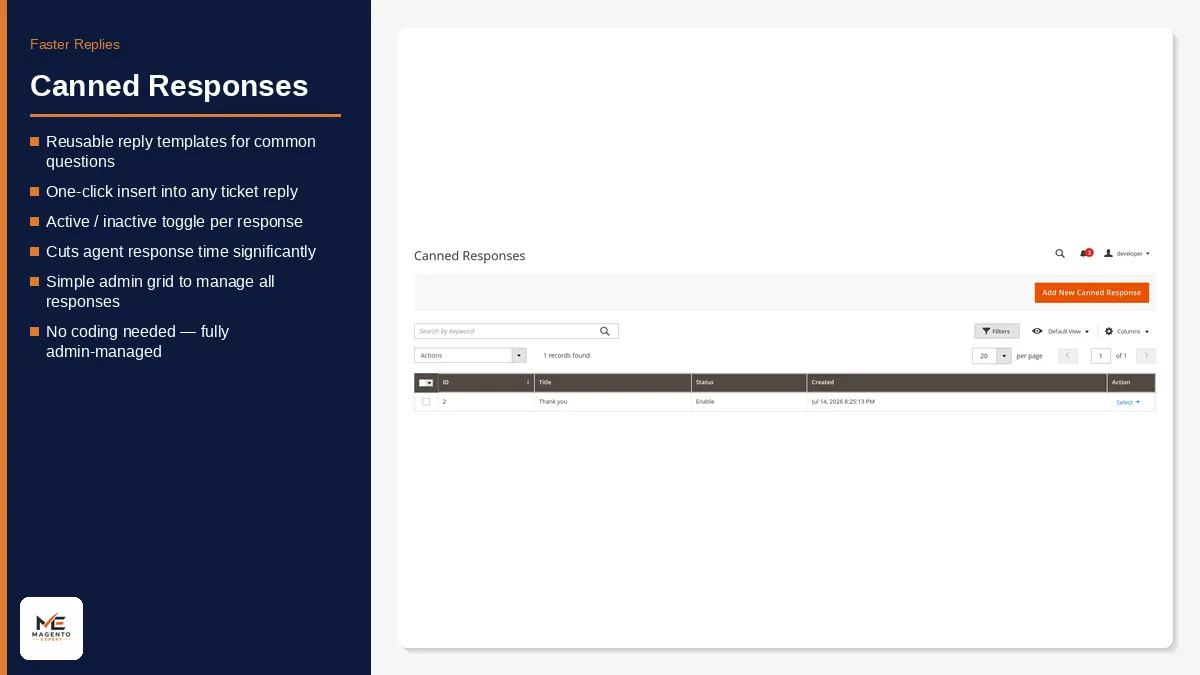
- Canned Responses
- Priority & Status Workflow
- Full Audit History
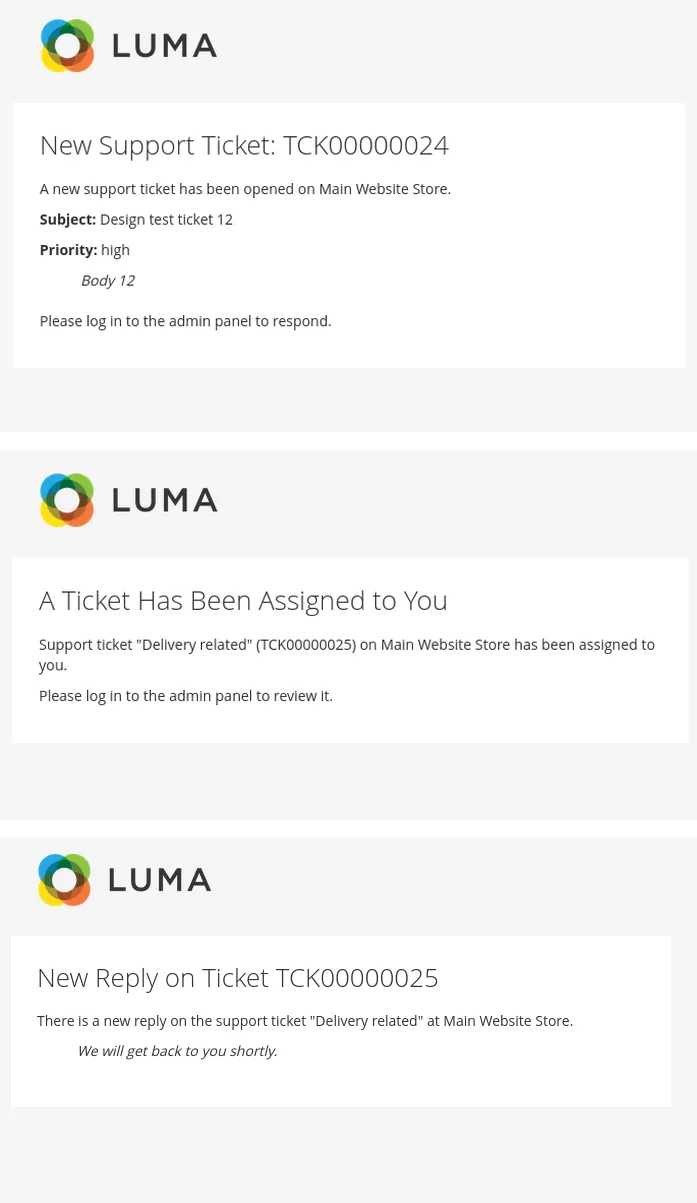
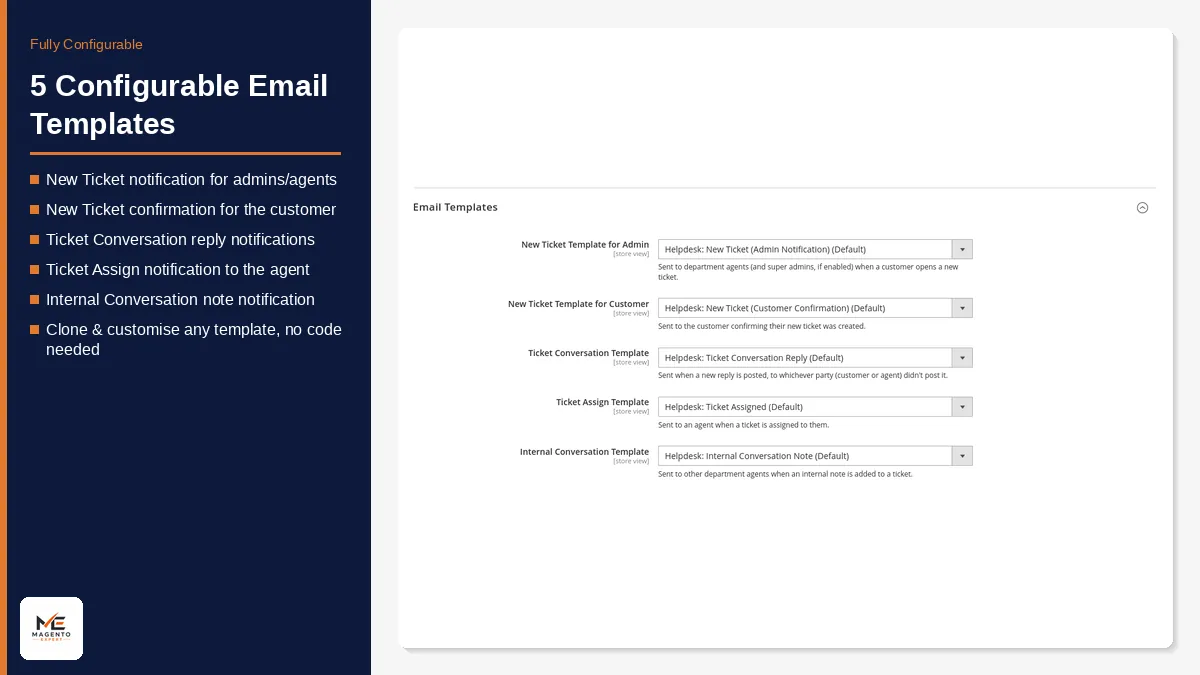
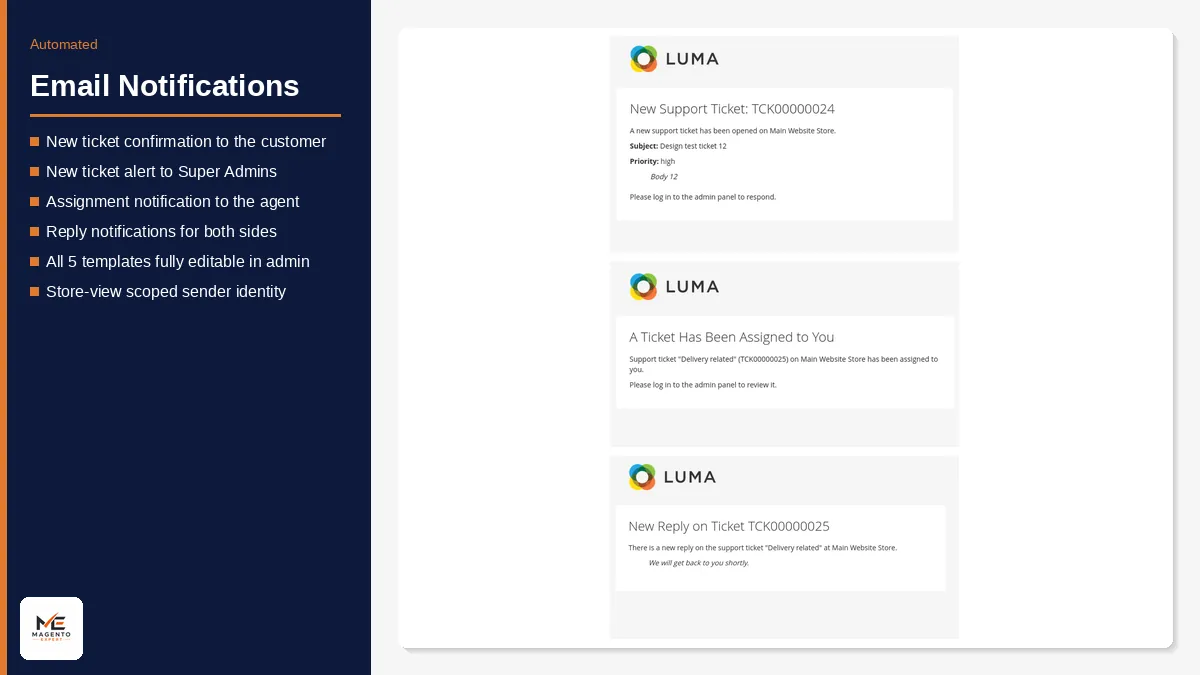
- Five Configurable Email Templates
- Auto-Close Automation
- Enable / Disable without Uninstalling
At a glance
| Module name | Mage2Expert_Helpdesk |
|---|---|
| Composer package | mage2expert/module-helpdesk |
| Settings | Stores › Configuration › Mage2Expert › Helpdesk (15 options) |
| Admin menu | Content › Helpdesk › Canned Responses Content › Helpdesk › Departments Content › Helpdesk › Tickets |
| Per store view settings | Yes |
| API | No custom endpoints (uses Magento's standard APIs) |
| Scheduled jobs | 1 cron job |
| PHP | 8.1, 8.2, 8.3, 8.4, 8.5 |
Installation
After purchasing on the Adobe Commerce Marketplace, install it with Composer using your Marketplace access keys:
composer require mage2expert/module-helpdesk
bin/magento module:enable Mage2Expert_Helpdesk
bin/magento setup:upgrade
bin/magento setup:di:compile
bin/magento setup:static-content:deploy -f
bin/magento cache:flush
Skip setup:di:compile and static-content:deploy if your store runs in developer mode.
Configuration reference
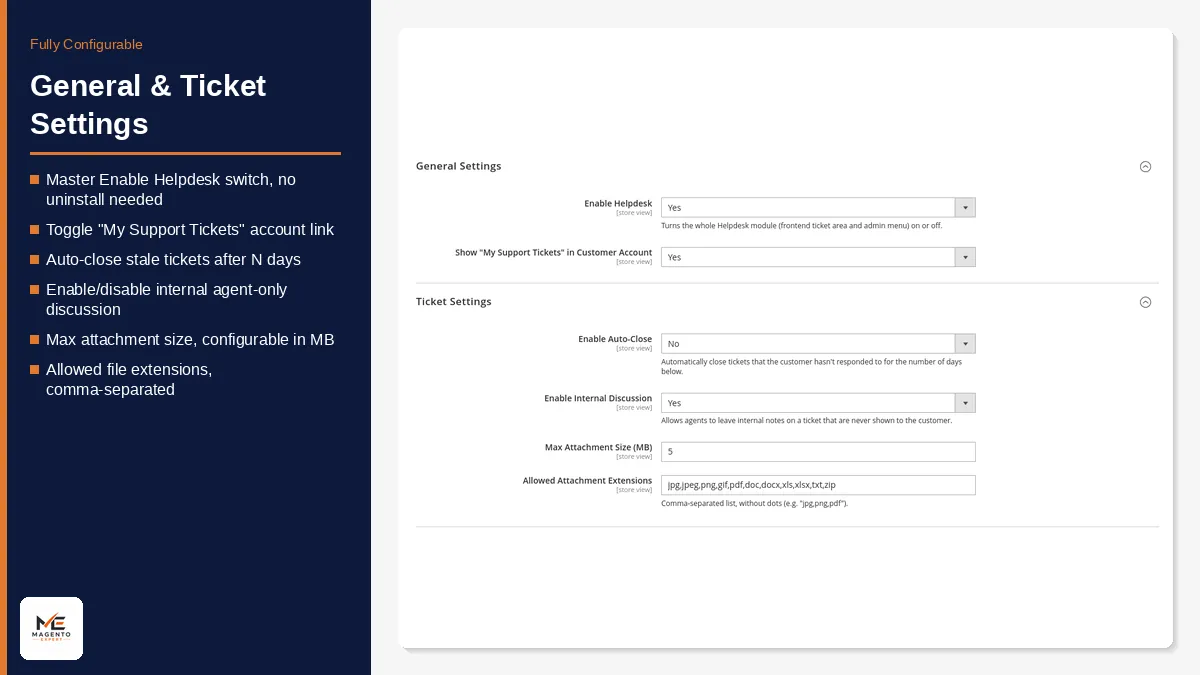
All 15 options under Stores › Configuration › Mage2Expert › Helpdesk, grouped as they appear in the admin.
General Settings 2
| Setting | Description |
|---|---|
| Enable Helpdesk | Turns the whole Helpdesk module (frontend ticket area and admin menu) on or off. |
| Show "My Support Tickets" in Customer Account |
Ticket Settings 5
| Setting | Description |
|---|---|
| Enable Auto-Close | Automatically close tickets that the customer hasn't responded to for the number of days below. |
| Auto-Close After (days) | |
| Enable Internal Discussion | Allows agents to leave internal notes on a ticket that are never shown to the customer. |
| Max Attachment Size (MB) | |
| Allowed Attachment Extensions | Comma-separated list, without dots (e.g. "jpg,png,pdf"). |
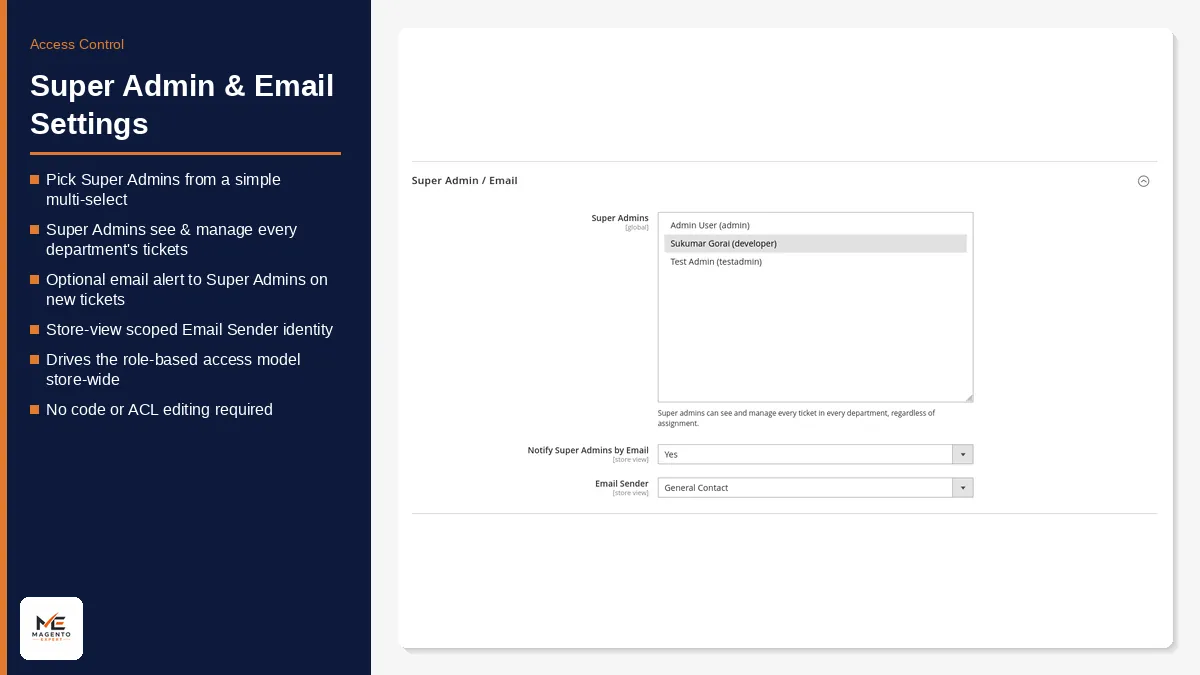
Super Admin / Email 3
| Setting | Description |
|---|---|
| Super Admins | Super admins can see and manage every ticket in every department, regardless of assignment. |
| Notify Super Admins by Email | |
| Email Sender |
Email Templates 5
| Setting | Description |
|---|---|
| New Ticket Template for Admin | Sent to department agents (and super admins, if enabled) when a customer opens a new ticket. |
| New Ticket Template for Customer | Sent to the customer confirming their new ticket was created. |
| Ticket Conversation Template | Sent when a new reply is posted, to whichever party (customer or agent) didn't post it. |
| Ticket Assign Template | Sent to an agent when a ticket is assigned to them. |
| Internal Conversation Template | Sent to other department agents when an internal note is added to a ticket. |
Developer reference
Cron jobs
| Job | Runs |
|---|---|
mage2expert_helpdesk_autoclose_tickets | daily at 01:00 (server time) |
Frequently asked questions
How much does Helpdesk cost?
Which Magento and PHP versions are supported?
Where do I configure Helpdesk?
Can I switch it off without uninstalling it?
Can the settings differ per store view?
Does it run background jobs?
Can it be customised for my store?
More Customer & Support
Related extensions
Google One Tap Sign In
Let shoppers sign in or register with a single tap of their Google account.
Username
Let customers register and sign in with a username as well as their email address.
Force Login
Require customers to log in before browsing the store or selected pages, for B2B and private stores.
Have a Magento project in mind?
Tell me about your store and what you need. I reply to every enquiry within one business day.
Adobe Certified Expert
Adobe Commerce Developer certification, verified on Credly.
15+ years of Magento
From Magento 1 to Magento 2.4.x, Adobe Commerce and Hyvä.
62 Marketplace extensions
Each one reviewed and approved by Adobe.