Google One Tap Sign In for Magento 2
Let shoppers sign in or register with a single tap of their Google account.
Why choose Google One Tap Sign In?
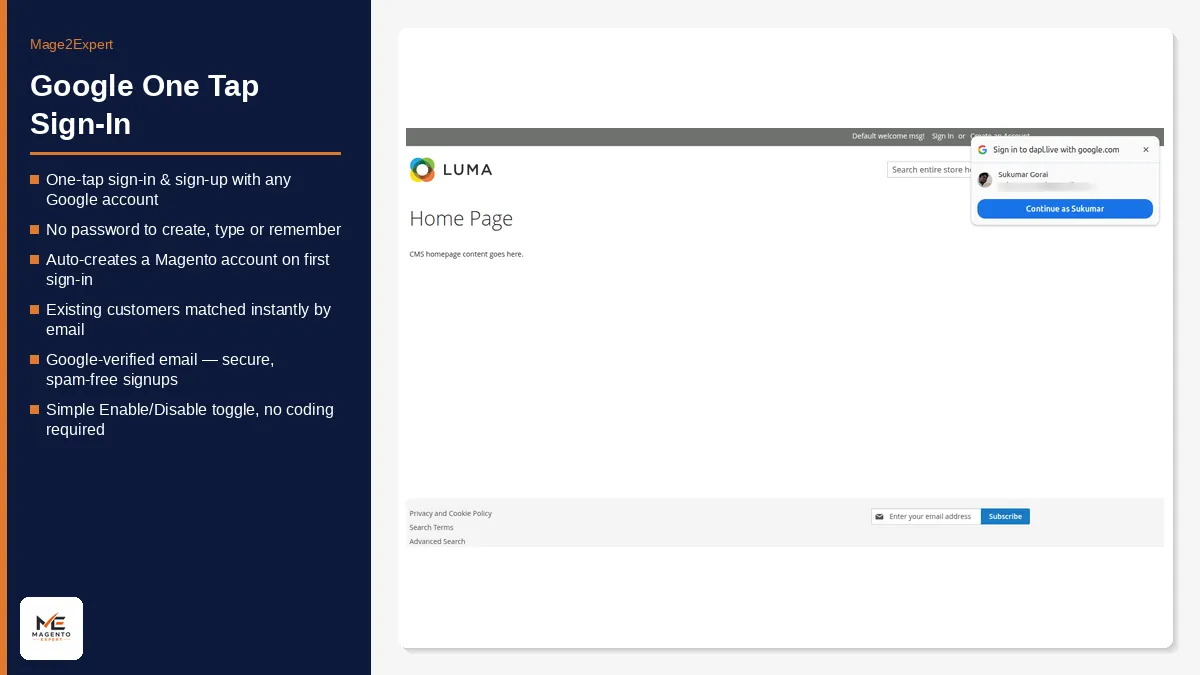
Google One Tap Sign In shows Google's one-tap prompt so shoppers can sign in or create an account with their Google account in a single click. The Google token is verified on the server, existing customers are matched by email, and new accounts can be created automatically. Prompt position, auto sign-in and welcome emails are configurable.
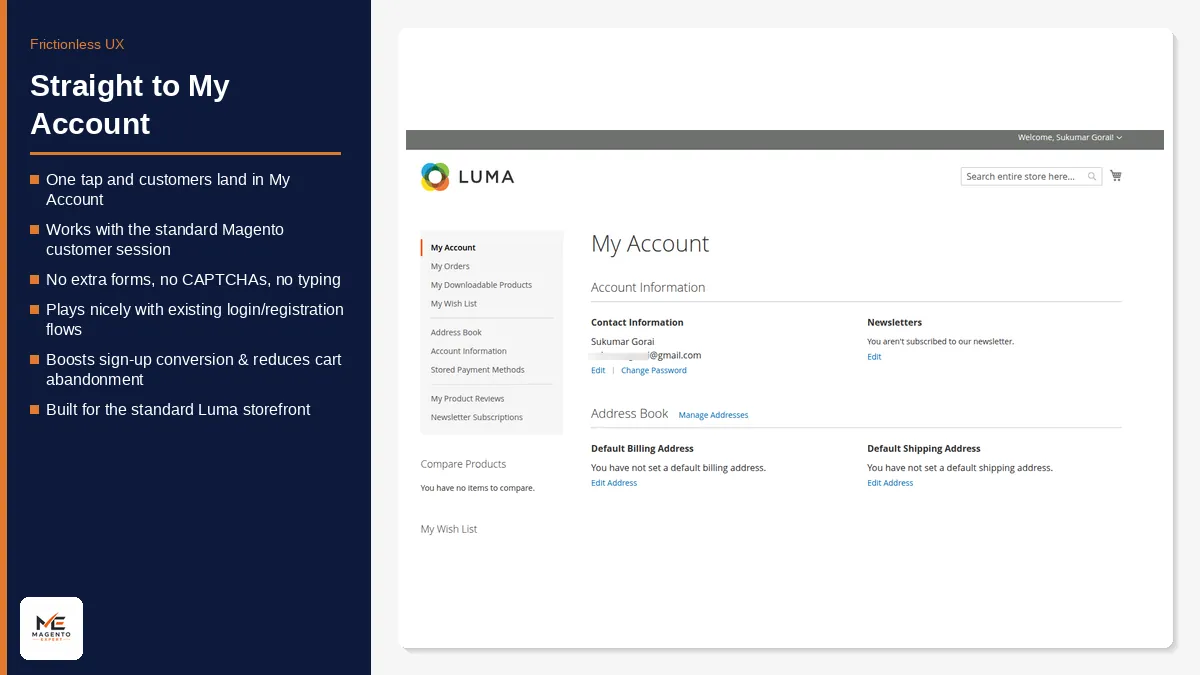
Key features
- One-Tap Sign-In & Sign-Up
- Server-Side Token Verification
- Email-Matched Customer Login
- Automatic Account Creation
- Auto Sign-Up Toggle
- Auto Sign-In for Returning Visitors
- Cancel on Tap Outside
- Configurable Prompt Position
- Welcome Email Control
- Store-View Scope Throughout
- Enable / Disable Without Uninstalling
- Zero Core Code Modifications
At a glance
| Module name | Mage2Expert_GoogleOneTap |
|---|---|
| Composer package | mage2expert/module-googleonetap |
| Settings | Stores › Configuration › Magento Expert › Google One Tap Sign-In (8 options) |
| Per store view settings | Yes |
| API | No custom endpoints (uses Magento's standard APIs) |
| PHP | 8.1, 8.2, 8.3, 8.4, 8.5 |
Installation
After purchasing on the Adobe Commerce Marketplace, install it with Composer using your Marketplace access keys:
composer require mage2expert/module-googleonetap
bin/magento module:enable Mage2Expert_GoogleOneTap
bin/magento setup:upgrade
bin/magento setup:di:compile
bin/magento setup:static-content:deploy -f
bin/magento cache:flush
Skip setup:di:compile and static-content:deploy if your store runs in developer mode.
Configuration reference
All 8 options under Stores › Configuration › Magento Expert › Google One Tap Sign-In, grouped as they appear in the admin.
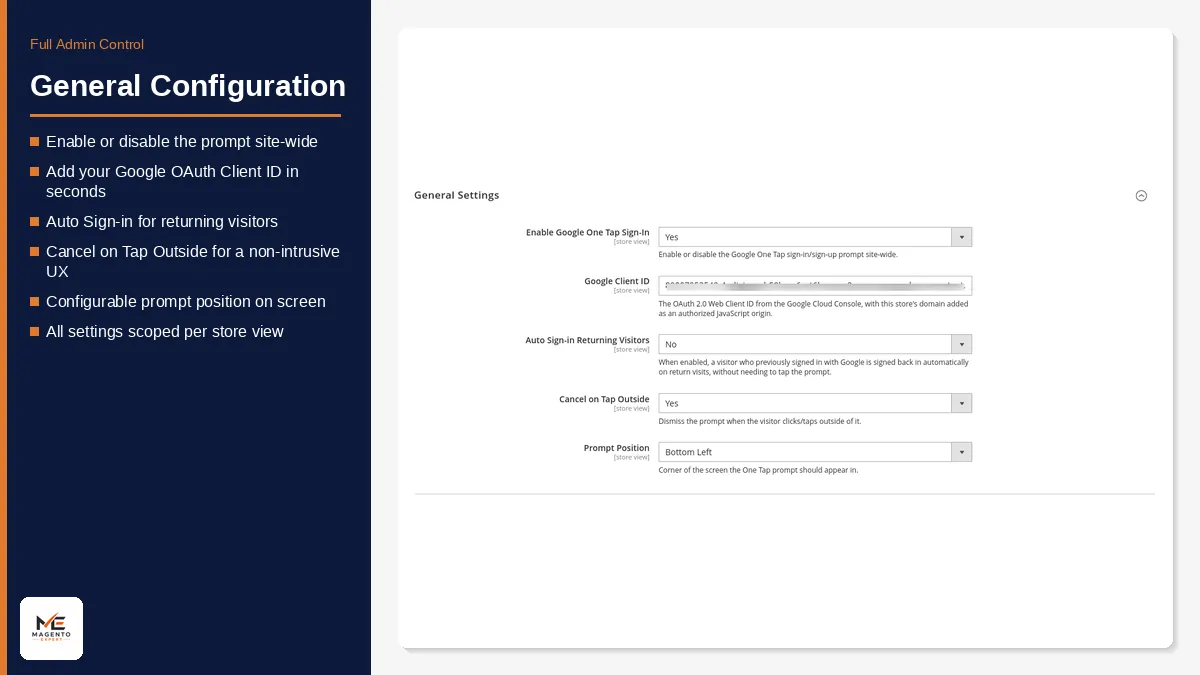
General Settings 5
| Setting | Description |
|---|---|
| Enable Google One Tap Sign-In | Enable or disable the Google One Tap sign-in/sign-up prompt site-wide. |
| Google Client ID | The OAuth 2.0 Web Client ID from the Google Cloud Console, with this store's domain added as an authorized JavaScript origin. |
| Auto Sign-in Returning Visitors | When enabled, a visitor who previously signed in with Google is signed back in automatically on return visits, without needing to tap the prompt. |
| Cancel on Tap Outside | Dismiss the prompt when the visitor clicks/taps outside of it. |
| Prompt Position | Corner of the screen the One Tap prompt should appear in. Note: current Chrome renders One Tap via the browser's native FedCM account picker rather than an element on the page, which cannot be repositioned by any site's CSS - this setting o |
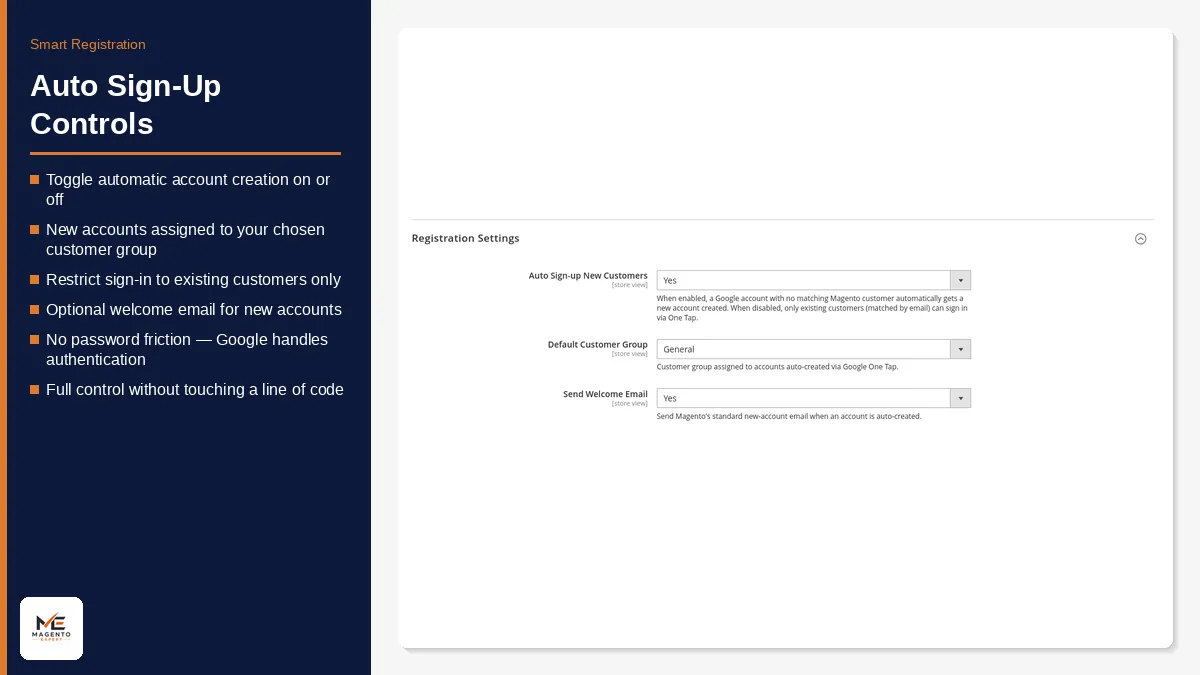
Registration Settings 3
| Setting | Description |
|---|---|
| Auto Sign-up New Customers | When enabled, a Google account with no matching Magento customer automatically gets a new account created. When disabled, only existing customers (matched by email) can sign in via One Tap. |
| Default Customer Group | Customer group assigned to accounts auto-created via Google One Tap. |
| Send Welcome Email | Send Magento's standard new-account email when an account is auto-created. |
Frequently asked questions
How much does Google One Tap Sign In cost?
Which Magento and PHP versions are supported?
Where do I configure Google One Tap Sign In?
Can I switch it off without uninstalling it?
Can the settings differ per store view?
Can it be customised for my store?
More Customer & Support
Related extensions
Helpdesk
A complete in-store support ticketing system with departments, agent routing and automatic ticket closing.
Username
Let customers register and sign in with a username as well as their email address.
Force Login
Require customers to log in before browsing the store or selected pages, for B2B and private stores.
Have a Magento project in mind?
Tell me about your store and what you need. I reply to every enquiry within one business day.
Adobe Certified Expert
Adobe Commerce Developer certification, verified on Credly.
15+ years of Magento
From Magento 1 to Magento 2.4.x, Adobe Commerce and Hyvä.
62 Marketplace extensions
Each one reviewed and approved by Adobe.