Force Login for Magento 2
Require customers to log in before browsing the store or selected pages, for B2B and private stores.
Why choose Force Login?
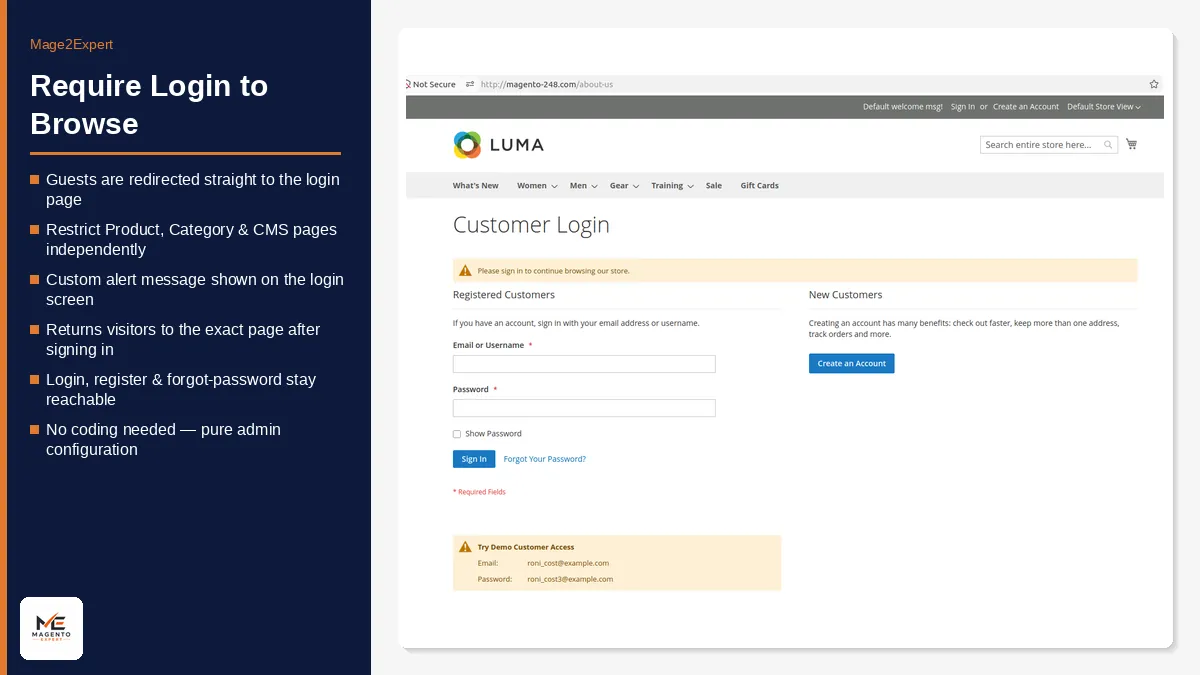
Force Login requires visitors to sign in before they can browse the store, which suits B2B, wholesale and members-only shops. You choose which page types are protected, add exceptions for pages that must stay public, set where customers land after logging in and customise the message they see. APIs are not affected.
Key features
- Master Enable / Disable Switch
- Independent Page-Type Toggles
- Custom URL Paths (Link Manager)
- Configurable Post-Login Redirect
- Custom Alert Message
- Exceptions List
- Safe by Default
- Zero Impact on APIs
- Store-View Scope Throughout
- Zero Core Code Modifications
At a glance
| Module name | Mage2Expert_ForceLogin |
|---|---|
| Composer package | mage2expert/module-force-login |
| Settings | Stores › Configuration › Mage2Expert › Force Login (8 options) |
| Admin menu | Content › Force Login › Custom URL Paths |
| Per store view settings | Yes |
| API | No custom endpoints (uses Magento's standard APIs) |
| PHP | 8.1, 8.2, 8.3, 8.4, 8.5 |
Installation
After purchasing on the Adobe Commerce Marketplace, install it with Composer using your Marketplace access keys:
composer require mage2expert/module-force-login
bin/magento module:enable Mage2Expert_ForceLogin
bin/magento setup:upgrade
bin/magento setup:di:compile
bin/magento setup:static-content:deploy -f
bin/magento cache:flush
Skip setup:di:compile and static-content:deploy if your store runs in developer mode.
Configuration reference
All 8 options under Stores › Configuration › Mage2Expert › Force Login, grouped as they appear in the admin.
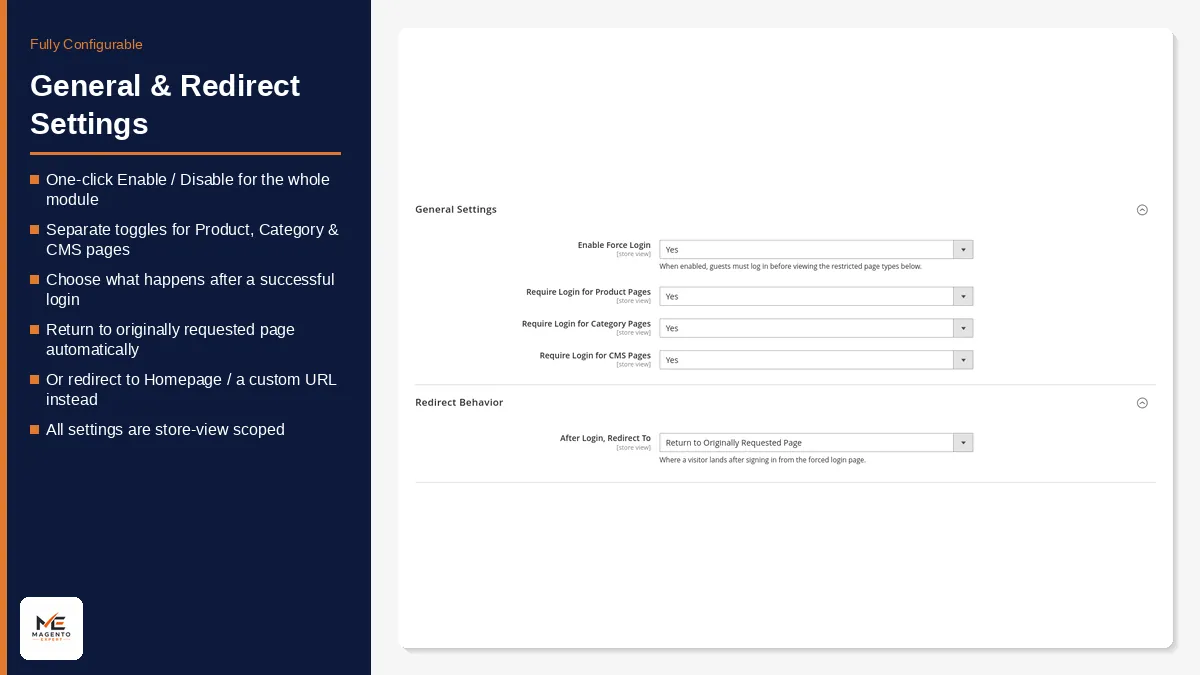
General Settings 4
| Setting | Description |
|---|---|
| Enable Force Login | When enabled, guests must log in before viewing the restricted page types below. |
| Require Login for Product Pages | |
| Require Login for Category Pages | |
| Require Login for CMS Pages |
Redirect Behavior 2
| Setting | Description |
|---|---|
| After Login, Redirect To | Where a visitor lands after signing in from the forced login page. |
| Custom Redirect URL | Relative path (e.g. "special-offers") or absolute URL. Used when the option above is set to "Redirect to Custom URL". |
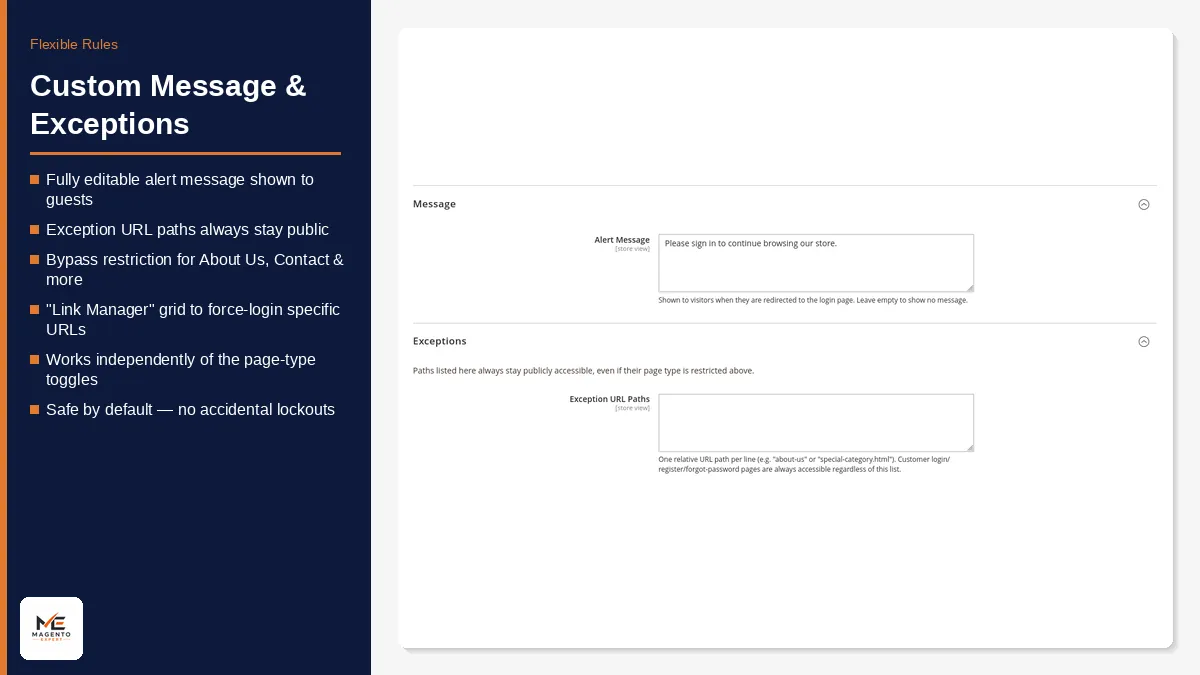
Message 1
| Setting | Description |
|---|---|
| Alert Message | Shown to visitors when they are redirected to the login page. Leave empty to show no message. |
Exceptions 1
| Setting | Description |
|---|---|
| Exception URL Paths | One relative URL path per line (e.g. "about-us" or "special-category.html"). Customer login/register/forgot-password pages are always accessible regardless of this list. |
Frequently asked questions
How much does Force Login cost?
Which Magento and PHP versions are supported?
Where do I configure Force Login?
Can I switch it off without uninstalling it?
Can the settings differ per store view?
Can it be customised for my store?
More Customer & Support
Related extensions
Helpdesk
A complete in-store support ticketing system with departments, agent routing and automatic ticket closing.
Google One Tap Sign In
Let shoppers sign in or register with a single tap of their Google account.
Username
Let customers register and sign in with a username as well as their email address.
Have a Magento project in mind?
Tell me about your store and what you need. I reply to every enquiry within one business day.
Adobe Certified Expert
Adobe Commerce Developer certification, verified on Credly.
15+ years of Magento
From Magento 1 to Magento 2.4.x, Adobe Commerce and Hyvä.
62 Marketplace extensions
Each one reviewed and approved by Adobe.