
No Results Suggestions for Magento 2
Spelling suggestions and a fallback product grid, so a zero-result search never leaves a shopper at a dead end.
Why choose No Results Suggestions?
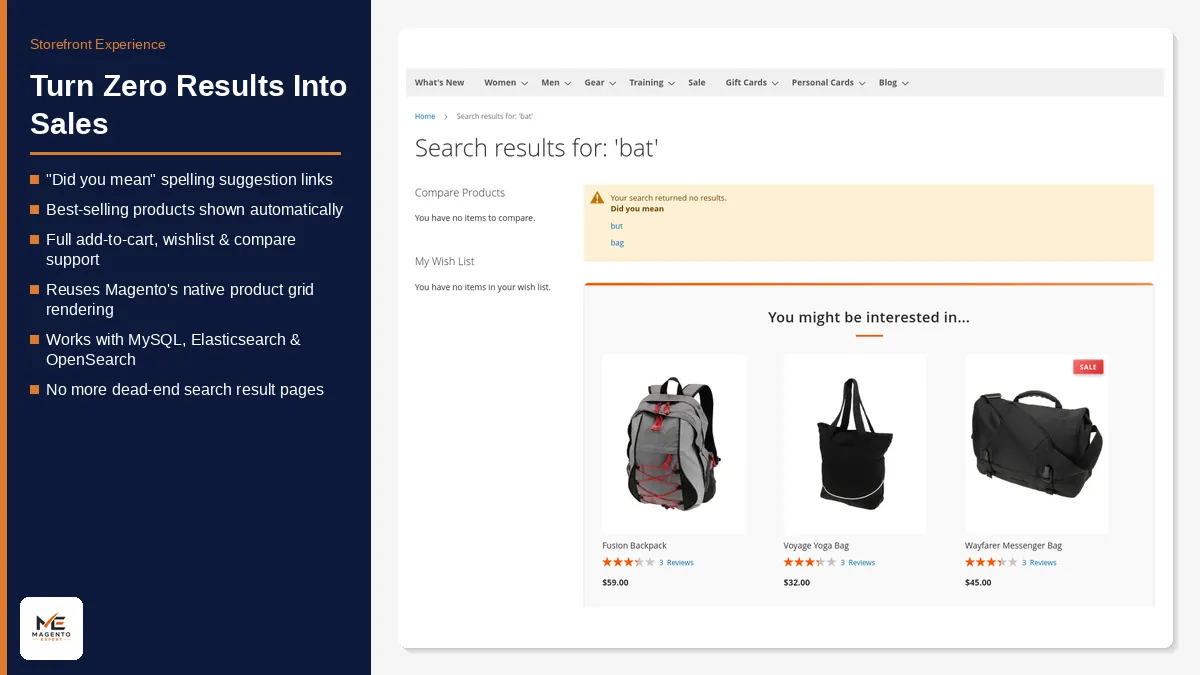
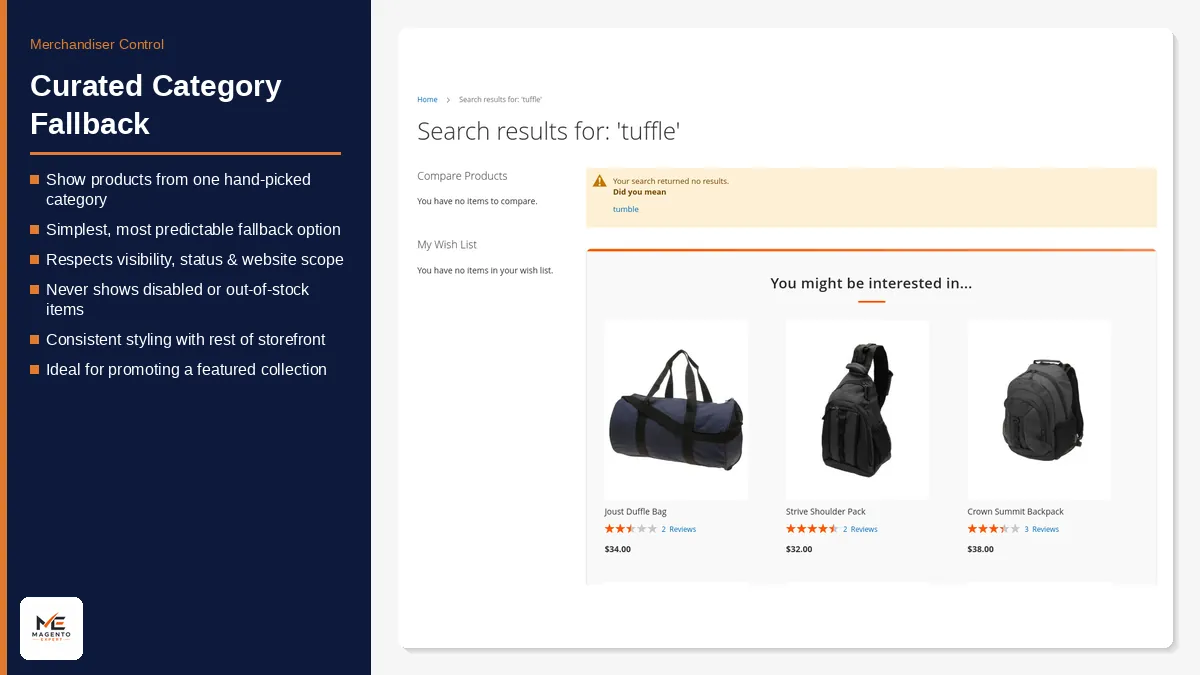
No Results Suggestions changes the empty No results page into something useful. It shows Did you mean spelling suggestions and a fallback grid of products you choose, so a search with a typo still leads somewhere. An admin report lists the search terms that returned nothing, and you can add your own misspelling corrections.
Key features
- "Did You Mean" Suggestions
- Configurable Fallback Product Grid
- Native Product Grid Rendering
- Zero Result Search Terms Admin Report
- Search-Engine Agnostic
- Independent Feature Toggles
- Admin-Defined Misspelling Map
- Store-View Scoped Configuration
- Master Enable Switch
- Zero Core Code Modifications
At a glance
| Module name | Mage2Expert_SearchNoResultsSuggestions |
|---|---|
| Composer package | mage2expert/module-search-no-results-suggestions |
| Settings | Stores › Configuration › Mage2Expert › No Search Results Suggestions (13 options) |
| Admin menu | Marketing › Zero Result Search Terms › Report |
| Per store view settings | Yes |
| API | No custom endpoints (uses Magento's standard APIs) |
| PHP | 8.1, 8.2, 8.3, 8.4, 8.5 |
Installation
After purchasing on the Adobe Commerce Marketplace, install it with Composer using your Marketplace access keys:
composer require mage2expert/module-search-no-results-suggestions
bin/magento module:enable Mage2Expert_SearchNoResultsSuggestions
bin/magento setup:upgrade
bin/magento setup:di:compile
bin/magento setup:static-content:deploy -f
bin/magento cache:flush
Skip setup:di:compile and static-content:deploy if your store runs in developer mode.
Configuration reference
All 13 options under Stores › Configuration › Mage2Expert › No Search Results Suggestions, grouped as they appear in the admin.
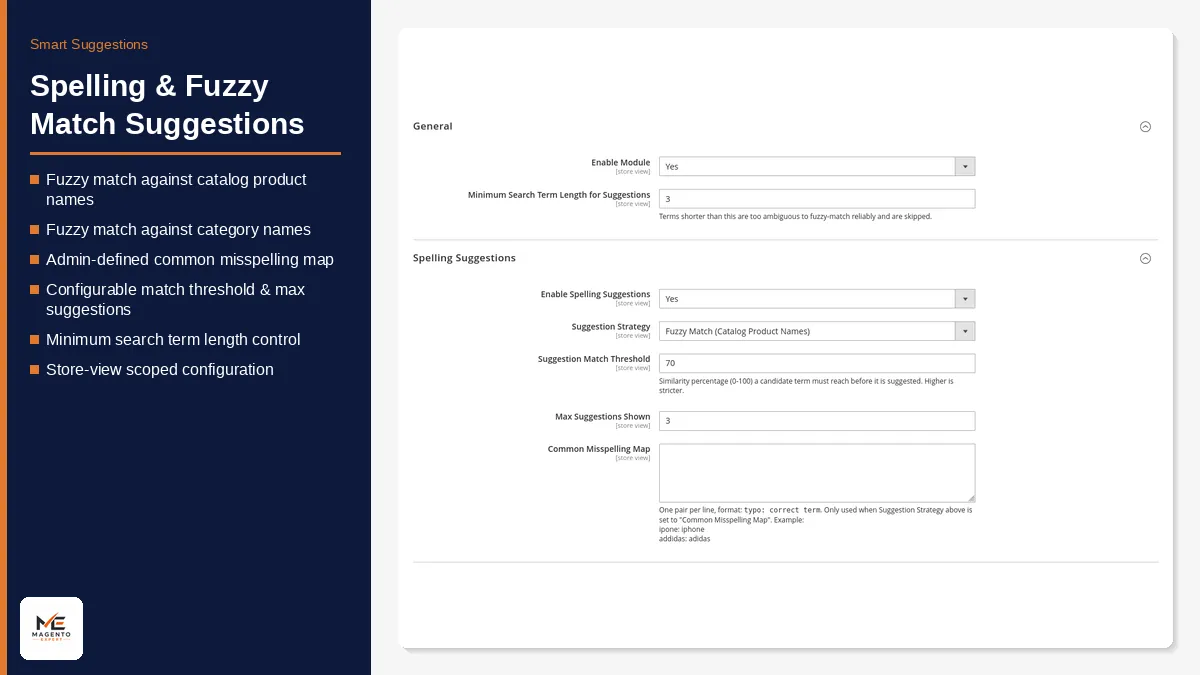
General 2
| Setting | Description |
|---|---|
| Enable Module | |
| Minimum Search Term Length for Suggestions | Terms shorter than this are too ambiguous to fuzzy-match reliably and are skipped. |
Spelling Suggestions 5
| Setting | Description |
|---|---|
| Enable Spelling Suggestions | |
| Suggestion Strategy | |
| Suggestion Match Threshold | Similarity percentage (0-100) a candidate term must reach before it is suggested. Higher is stricter. |
| Max Suggestions Shown | |
| Common Misspelling Map | One pair per line, format: typo: correct term . Only used when Suggestion Strategy above is set to "Common Misspelling Map". Example: ipone: iphone addidas: adidas |
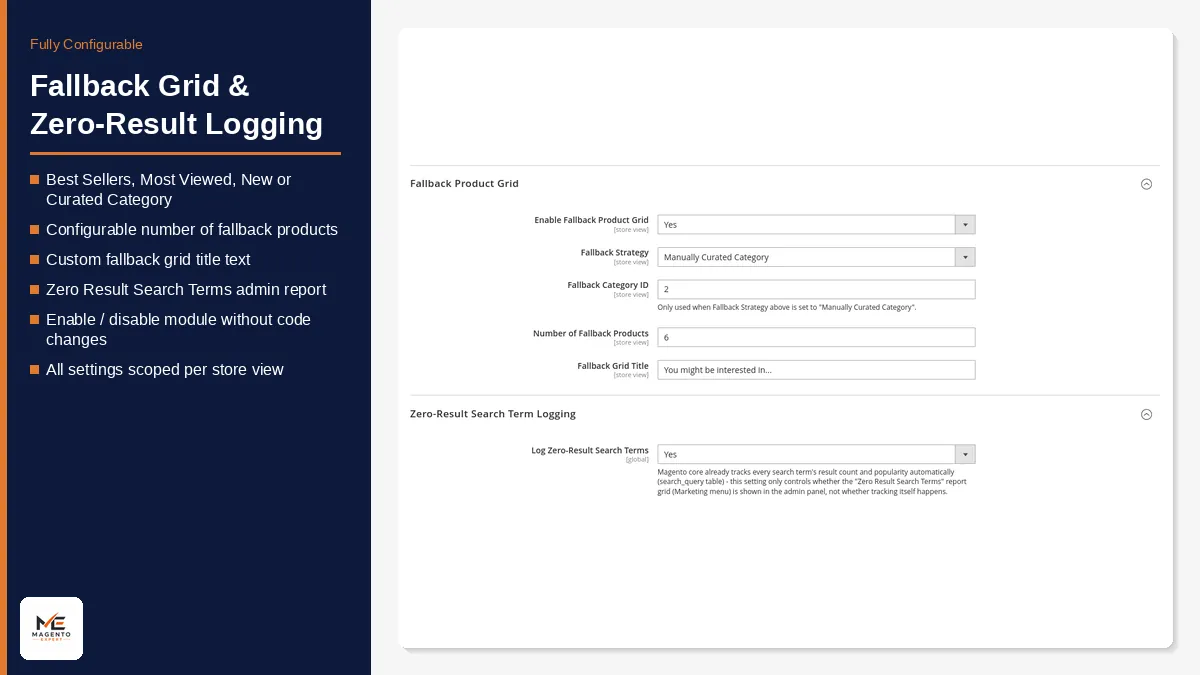
Fallback Product Grid 5
| Setting | Description |
|---|---|
| Enable Fallback Product Grid | |
| Fallback Strategy | |
| Fallback Category ID | Only used when Fallback Strategy above is set to "Manually Curated Category". |
| Number of Fallback Products | |
| Fallback Grid Title |
Zero-Result Search Term Logging 1
| Setting | Description |
|---|---|
| Log Zero-Result Search Terms | Magento core already tracks every search term's result count and popularity automatically (search_query table) - this setting only controls whether the "Zero Result Search Terms" report grid (Marketing menu) is shown in the admin panel, not |
Frequently asked questions
How much does No Results Suggestions cost?
Which Magento and PHP versions are supported?
Where do I configure No Results Suggestions?
Can I switch it off without uninstalling it?
Can the settings differ per store view?
Can it be customised for my store?
More Catalog & Storefront
Related extensions
Ajax Search Autocomplete
Instant search-as-you-type results with products, categories and pages shown in a fast dropdown.
360 Product View
Turn a series of ordinary product photos into an interactive 360° view, so shoppers can turn the product around before they buy.
Product Labels
Rule-based text or image badges such as “New” or “Sale” on product images, everywhere they appear in your store.
Have a Magento project in mind?
Tell me about your store and what you need. I reply to every enquiry within one business day.
Adobe Certified Expert
Adobe Commerce Developer certification, verified on Credly.
15+ years of Magento
From Magento 1 to Magento 2.4.x, Adobe Commerce and Hyvä.
62 Marketplace extensions
Each one reviewed and approved by Adobe.