
360 Product View for Magento 2
Turn a series of ordinary product photos into an interactive 360° view, so shoppers can turn the product around before they buy.
Why choose 360 Product View?
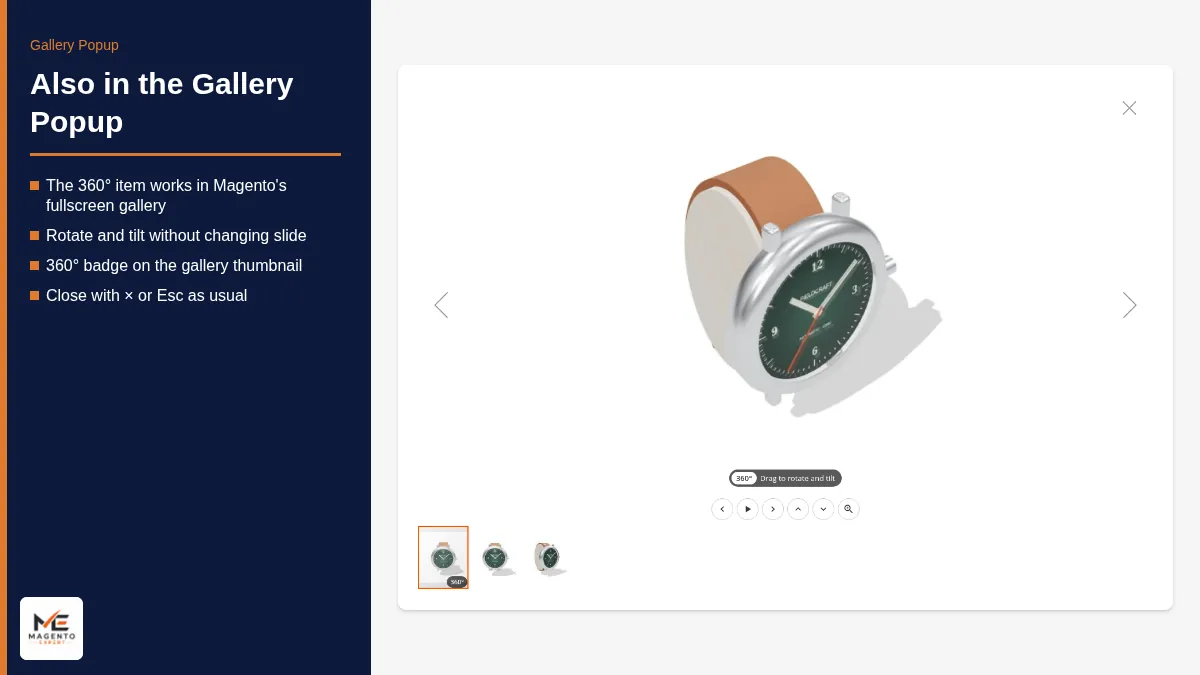
Online shoppers cannot pick a product up, so a 360° view is the next best thing. 360 Product View turns a series of ordinary photos into an interactive viewer that shoppers can drag to rotate, zoom into and open full screen, which builds confidence and helps reduce returns.
It supports horizontal and full 360° spins, converts images to WebP automatically for fast loading, works with configurable products and exposes the data over REST and GraphQL. Best for: fashion, footwear, watches, jewellery, electronics and furniture stores.
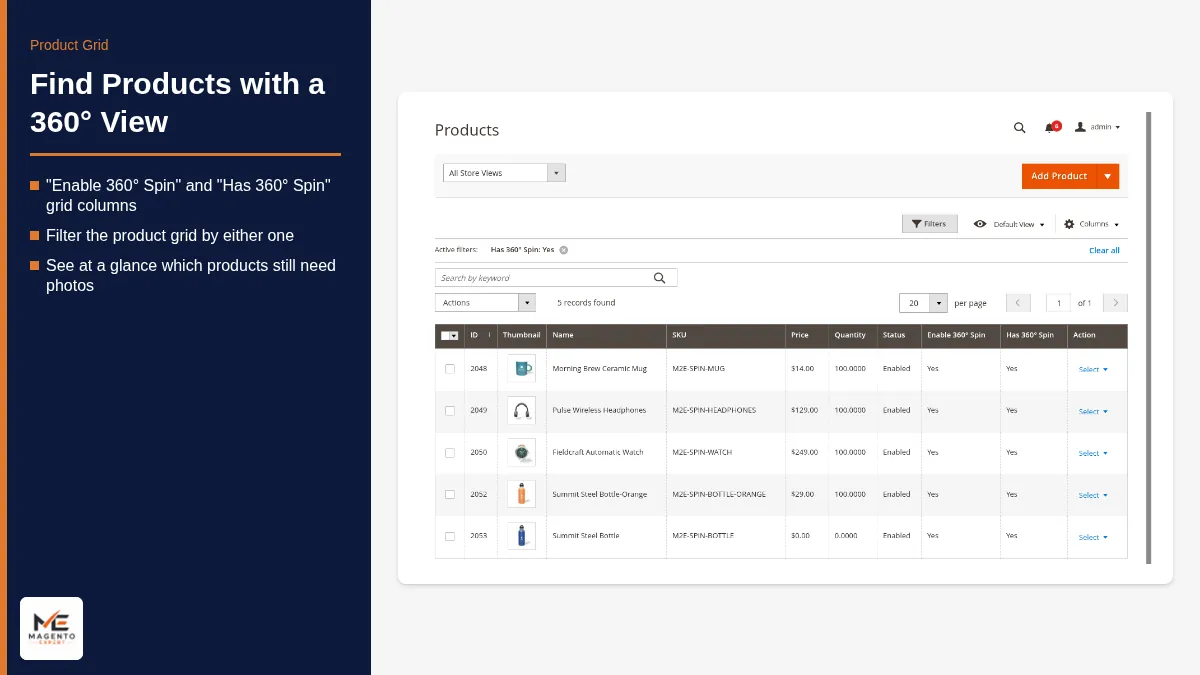
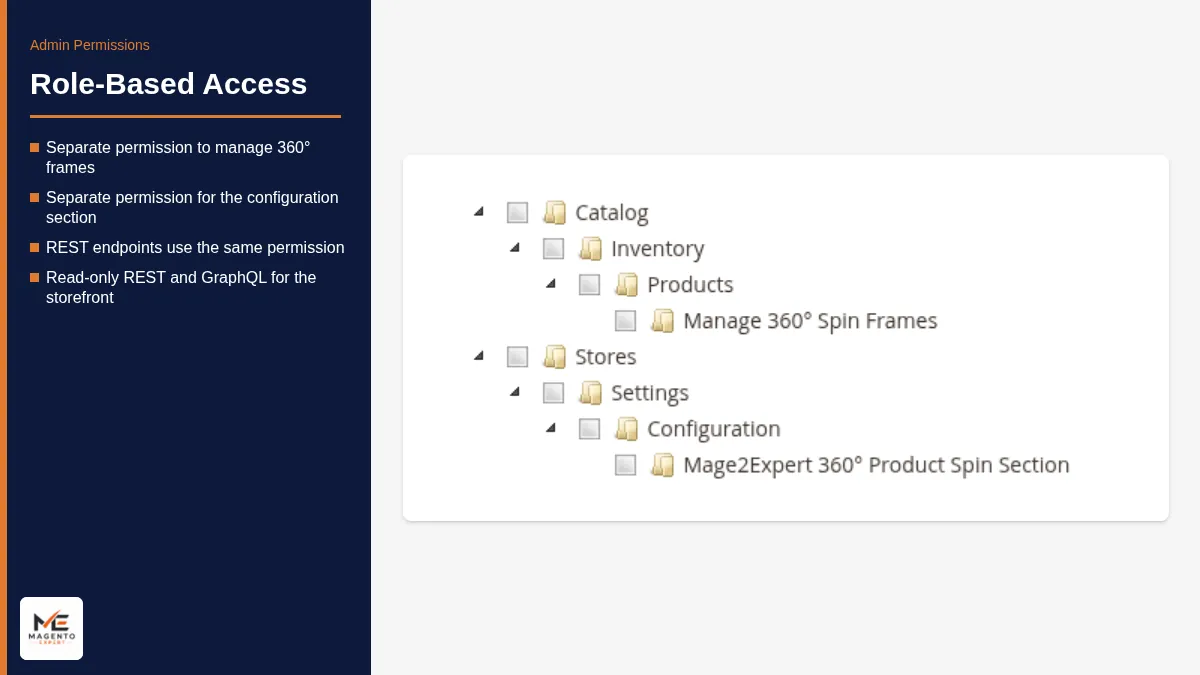
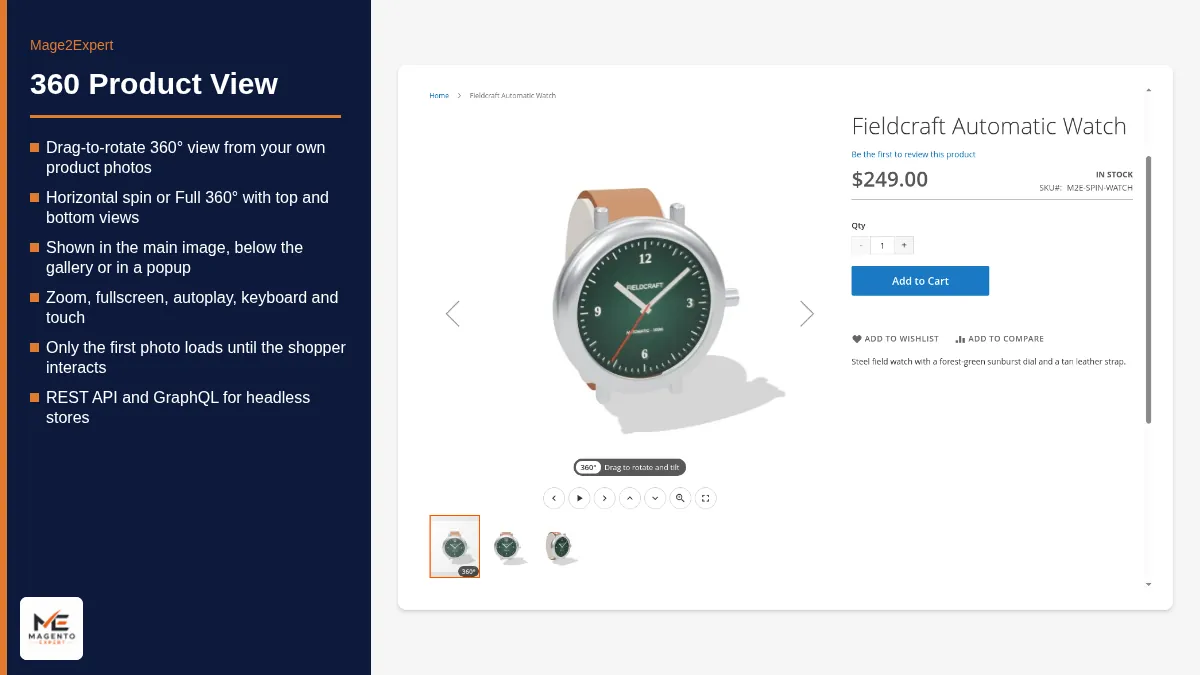
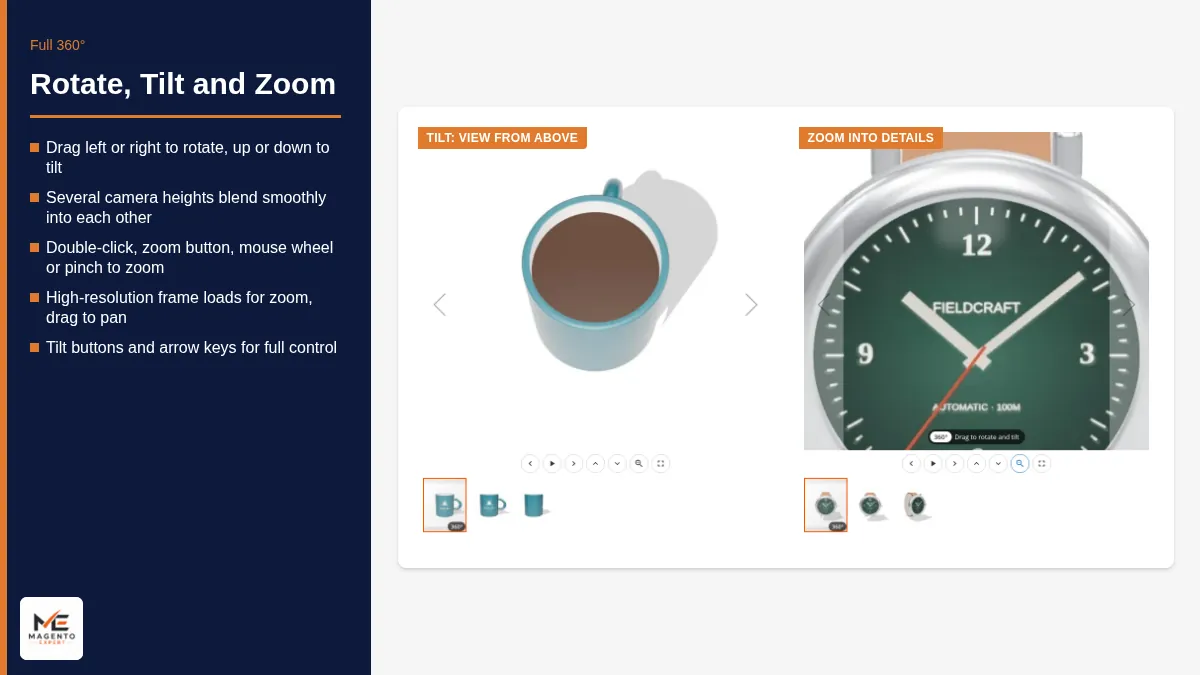
Key features
- Drag-to-Rotate 360° Viewer
- Two Spin Types
- Smooth Rotation
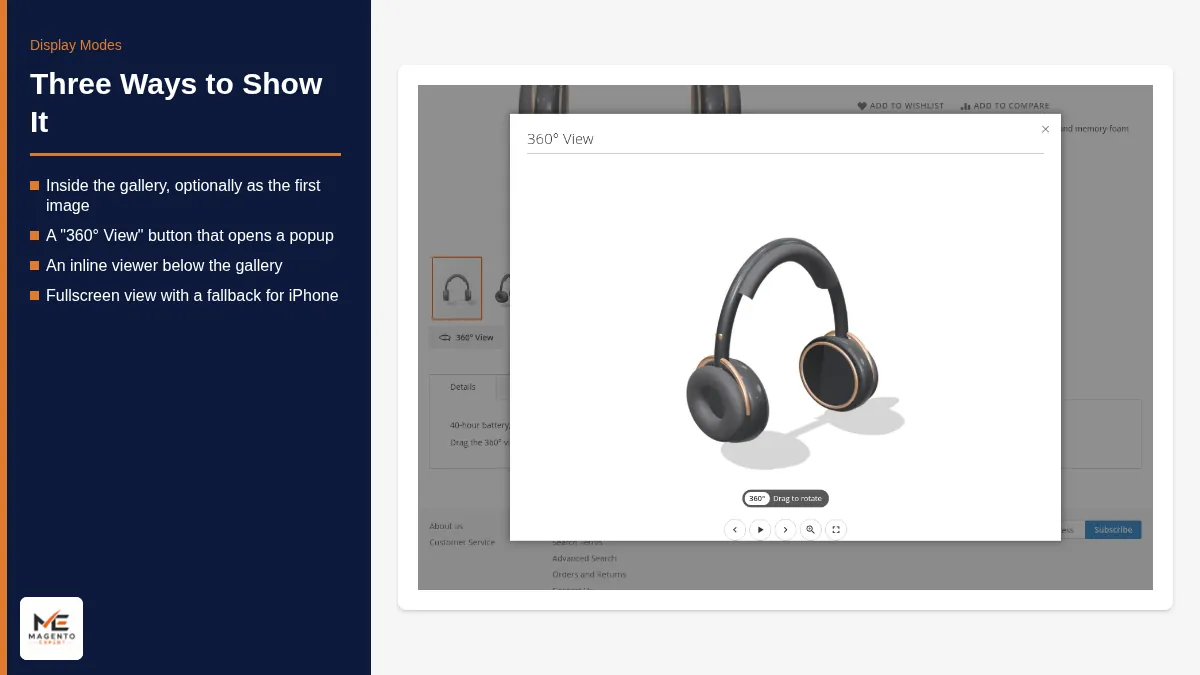
- Three Display Modes
- Gallery Popup Support
- Zoom
- Fullscreen
- Autoplay
- Fast Loading
- Automatic WebP Images
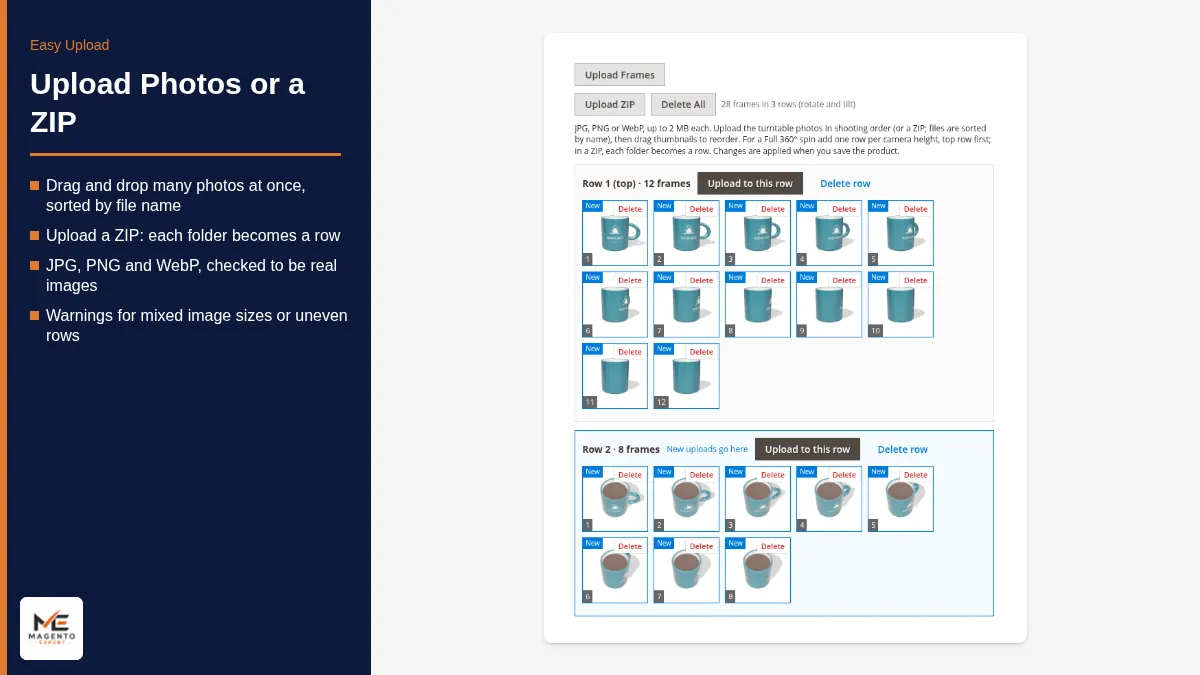
- Easy Upload
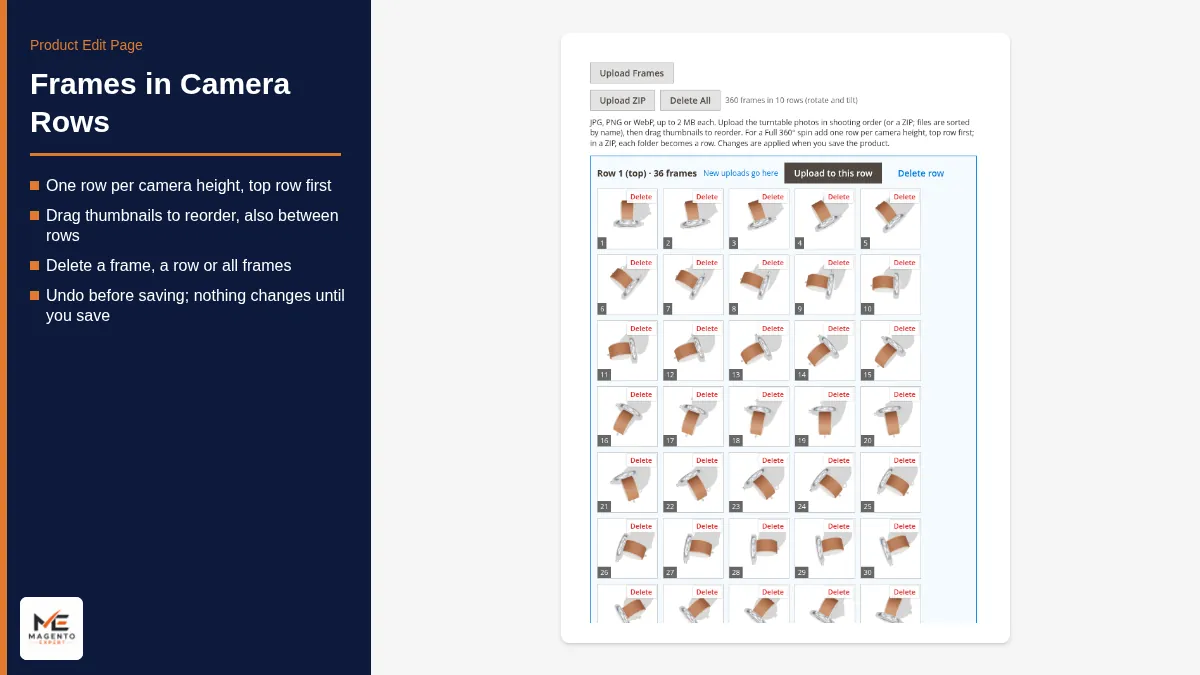
- Camera Rows
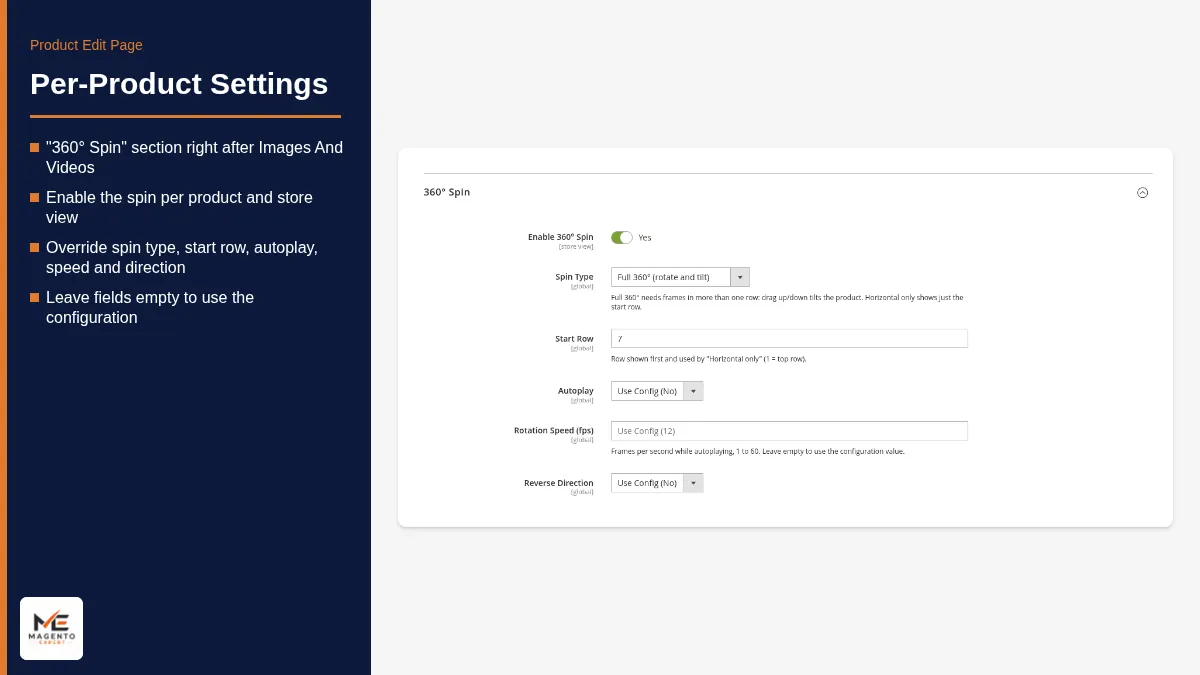
- Per-Product Settings
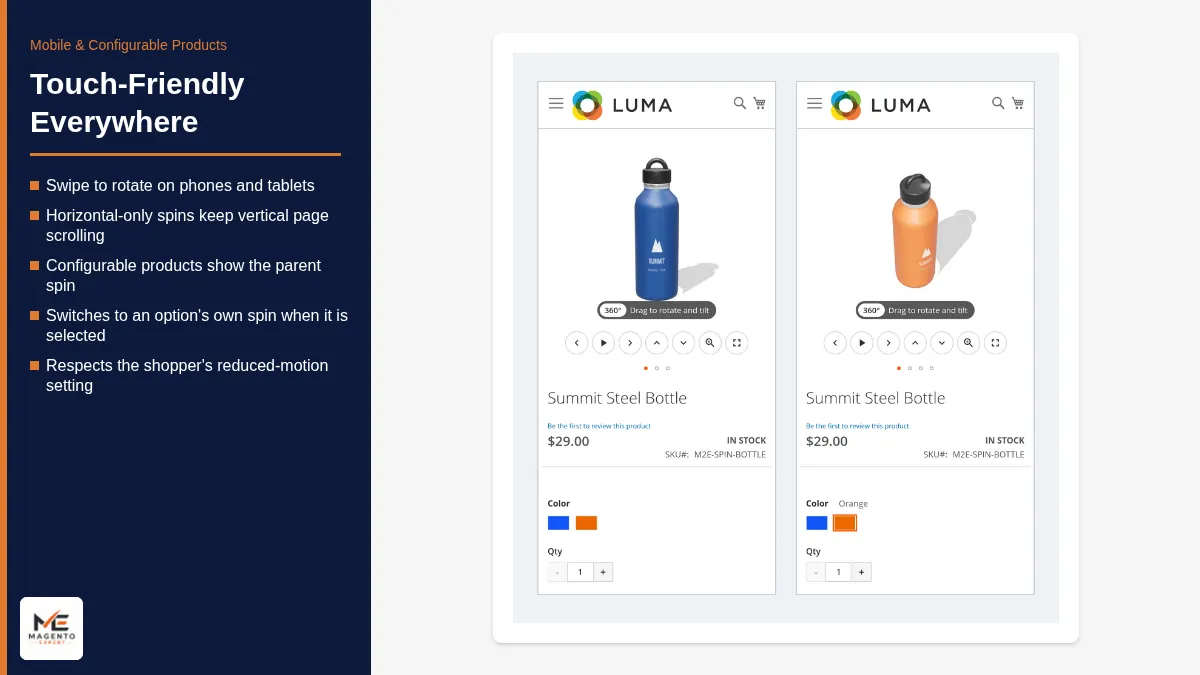
- Configurable Products
At a glance
| Module name | Mage2Expert_ProductSpin |
|---|---|
| Composer package | mage2expert/module-product-spin |
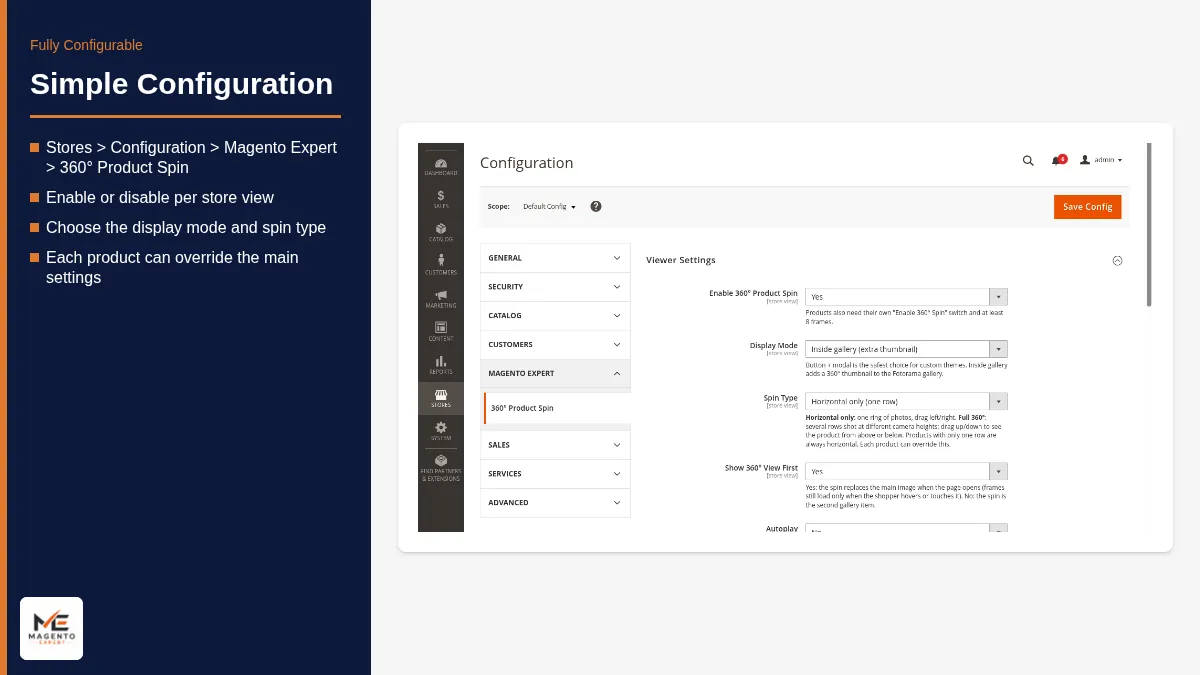
| Settings | Stores › Configuration › Magento Expert › 360° Product Spin (23 options) |
| Per store view settings | Yes |
| API | REST: 3 endpoints; GraphQL: extra fields on ProductInterface |
| Scheduled jobs | 1 cron job |
| PHP | 8.1, 8.2, 8.3, 8.4, 8.5 |
Installation
After purchasing on the Adobe Commerce Marketplace, install it with Composer using your Marketplace access keys:
composer require mage2expert/module-product-spin
bin/magento module:enable Mage2Expert_ProductSpin
bin/magento setup:upgrade
bin/magento setup:di:compile
bin/magento setup:static-content:deploy -f
bin/magento cache:flush
Skip setup:di:compile and static-content:deploy if your store runs in developer mode.
Configuration reference
All 23 options under Stores › Configuration › Magento Expert › 360° Product Spin, grouped as they appear in the admin.
Viewer Settings 17
| Setting | Description |
|---|---|
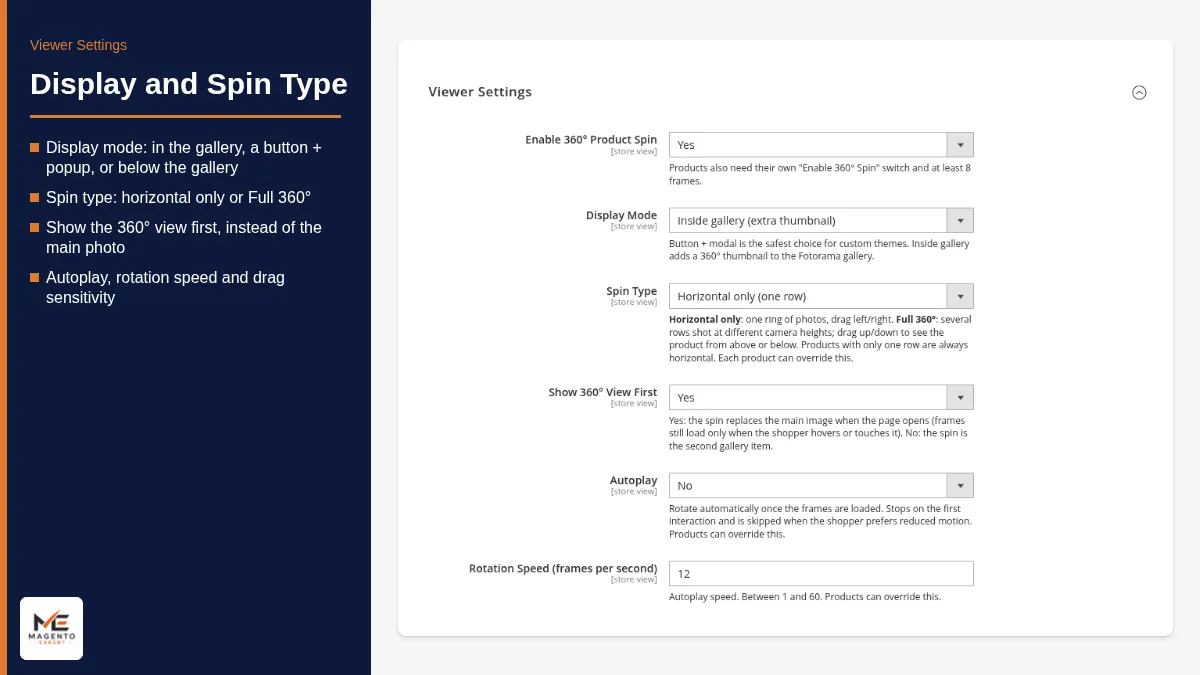
| Enable 360° Product Spin | Products also need their own "Enable 360° Spin" switch and at least 8 frames. |
| Display Mode | Button + modal is the safest choice for custom themes. Inside gallery adds a 360° thumbnail to the Fotorama gallery. |
| Spin Type | Horizontal only : one ring of photos, drag left/right. Full 360° : several rows shot at different camera heights; drag up/down to see the product from above or below. Products with only one row are always horizontal. Each product can overri |
| Show 360° View First | Yes: the spin replaces the main image when the page opens (frames still load only when the shopper hovers or touches it). No: the spin is the second gallery item. |
| Button Label | Text of the button that opens the viewer (button + modal mode). |
| Autoplay | Rotate automatically once the frames are loaded. Stops on the first interaction and is skipped when the shopper prefers reduced motion. Products can override this. |
| Rotation Speed (frames per second) | Autoplay speed. Between 1 and 60. Products can override this. |
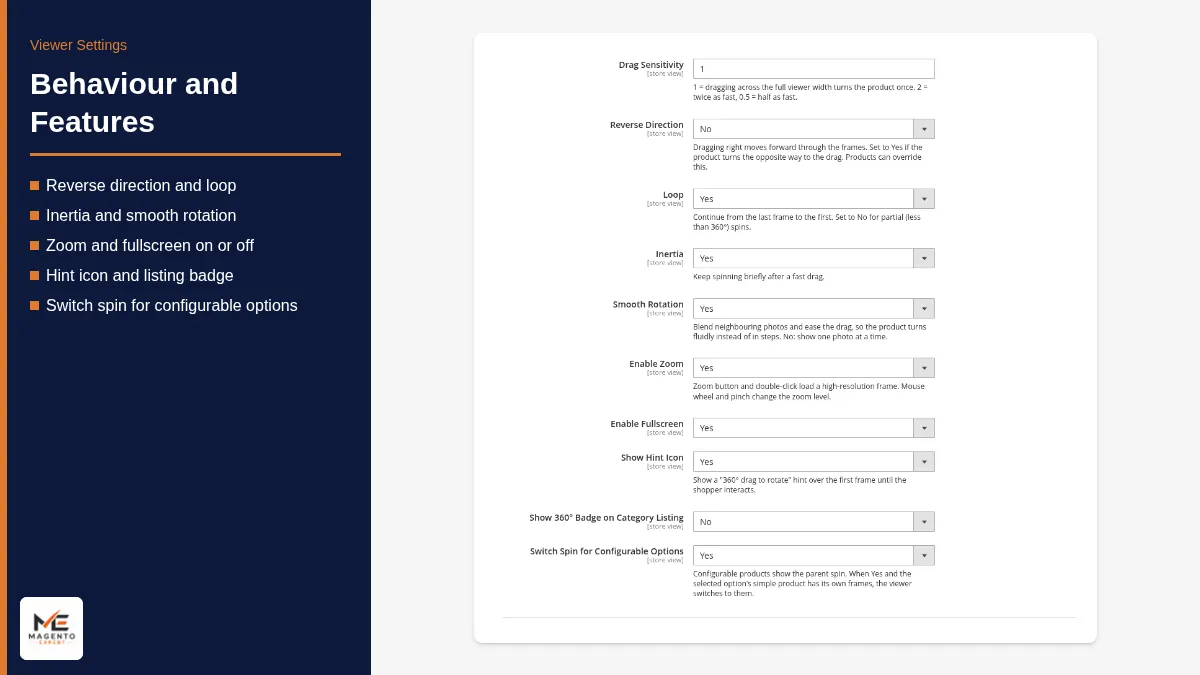
| Drag Sensitivity | 1 = dragging across the full viewer width turns the product once. 2 = twice as fast, 0.5 = half as fast. |
| Reverse Direction | Dragging right moves forward through the frames. Set to Yes if the product turns the opposite way to the drag. Products can override this. |
| Loop | Continue from the last frame to the first. Set to No for partial (less than 360°) spins. |
| Inertia | Keep spinning briefly after a fast drag. |
| Smooth Rotation | Blend neighbouring photos and ease the drag, so the product turns fluidly instead of in steps. No: show one photo at a time. |
| Enable Zoom | Zoom button and double-click load a high-resolution frame. Mouse wheel and pinch change the zoom level. |
| Enable Fullscreen | |
| Show Hint Icon | Show a "360° drag to rotate" hint over the first frame until the shopper interacts. |
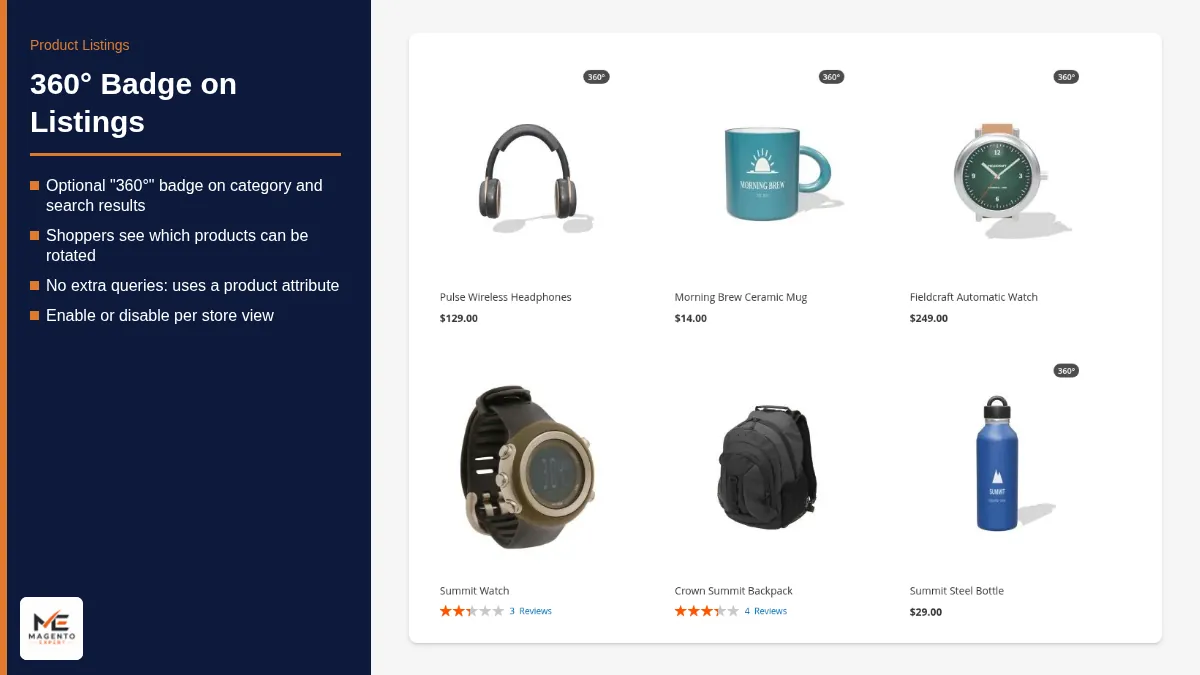
| Show 360° Badge on Category Listing | |
| Switch Spin for Configurable Options | Configurable products show the parent spin. When Yes and the selected option's simple product has its own frames, the viewer switches to them. |
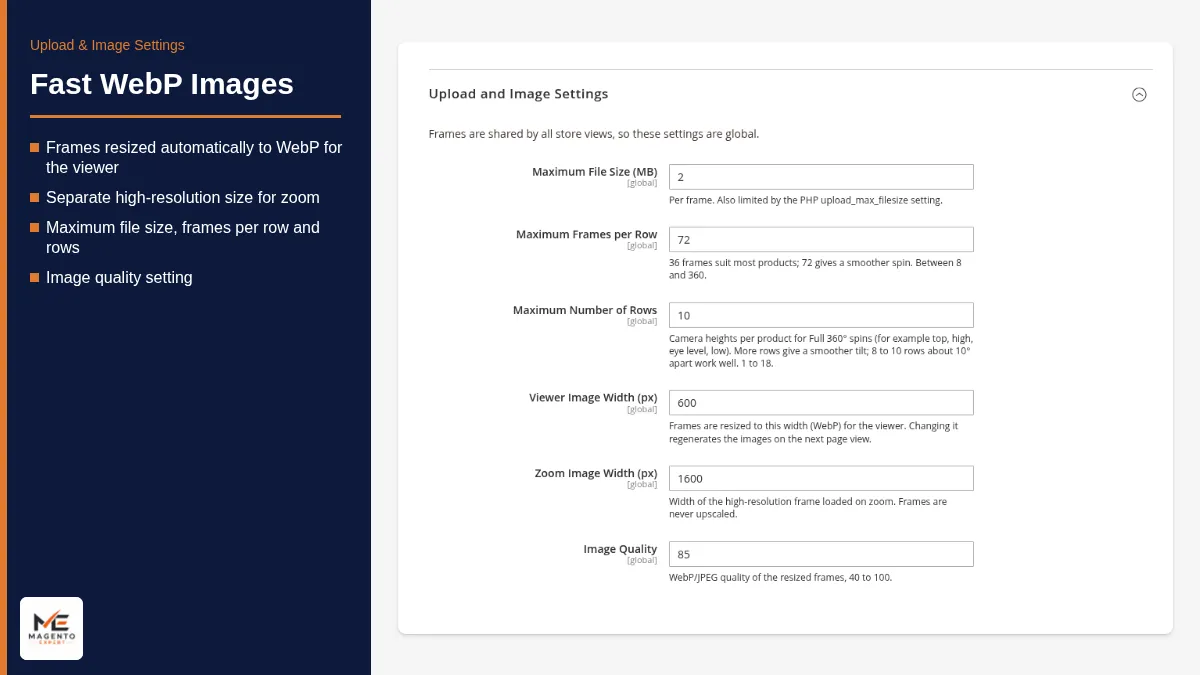
Upload and Image Settings 6
| Setting | Description |
|---|---|
| Maximum File Size (MB) | Per frame. Also limited by the PHP upload_max_filesize setting. |
| Maximum Frames per Row | 36 frames suit most products; 72 gives a smoother spin. Between 8 and 360. |
| Maximum Number of Rows | Camera heights per product for Full 360° spins (for example top, high, eye level, low). More rows give a smoother tilt; 8 to 10 rows about 10° apart work well. 1 to 18. |
| Viewer Image Width (px) | Frames are resized to this width (WebP) for the viewer. Changing it regenerates the images on the next page view. |
| Zoom Image Width (px) | Width of the high-resolution frame loaded on zoom. Frames are never upscaled. |
| Image Quality | WebP/JPEG quality of the resized frames, 40 to 100. |
Developer reference
REST API
| Method | Endpoint |
|---|---|
GET | /rest/V1/products/:sku/spin |
POST | /rest/V1/products/:sku/spin |
DELETE | /rest/V1/products/:sku/spin/:frameId |
GraphQL
ProductInterfacegainsspin_360
Cron jobs
| Job | Runs |
|---|---|
mage2expert_productspin_clean_tmp | daily at 03:30 (server time) |
Frequently asked questions
How much does 360 Product View cost?
Which Magento and PHP versions are supported?
Where do I configure 360 Product View?
Can I switch it off without uninstalling it?
Can the settings differ per store view?
Does it have an API?
Does it run background jobs?
Can it be customised for my store?
More Catalog & Storefront
Related extensions
Ajax Search Autocomplete
Instant search-as-you-type results with products, categories and pages shown in a fast dropdown.
Product Labels
Rule-based text or image badges such as “New” or “Sale” on product images, everywhere they appear in your store.
Hide Price
Hide prices and Add to Cart for guests or chosen customer groups and show a “Call for Price” button instead.
Have a Magento project in mind?
Tell me about your store and what you need. I reply to every enquiry within one business day.
Adobe Certified Expert
Adobe Commerce Developer certification, verified on Credly.
15+ years of Magento
From Magento 1 to Magento 2.4.x, Adobe Commerce and Hyvä.
62 Marketplace extensions
Each one reviewed and approved by Adobe.