
Product Grid Editor for Magento 2
Turn the admin Products grid into a fast inline editing workspace, without opening each product.
Why choose Product Grid Editor?
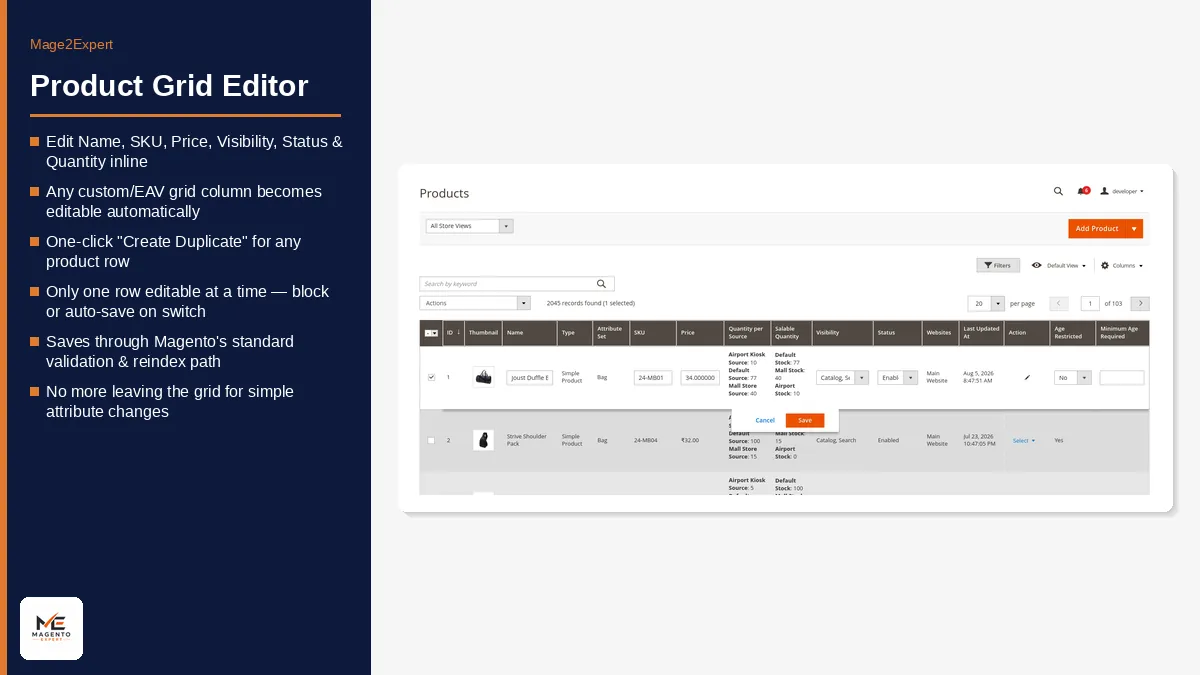
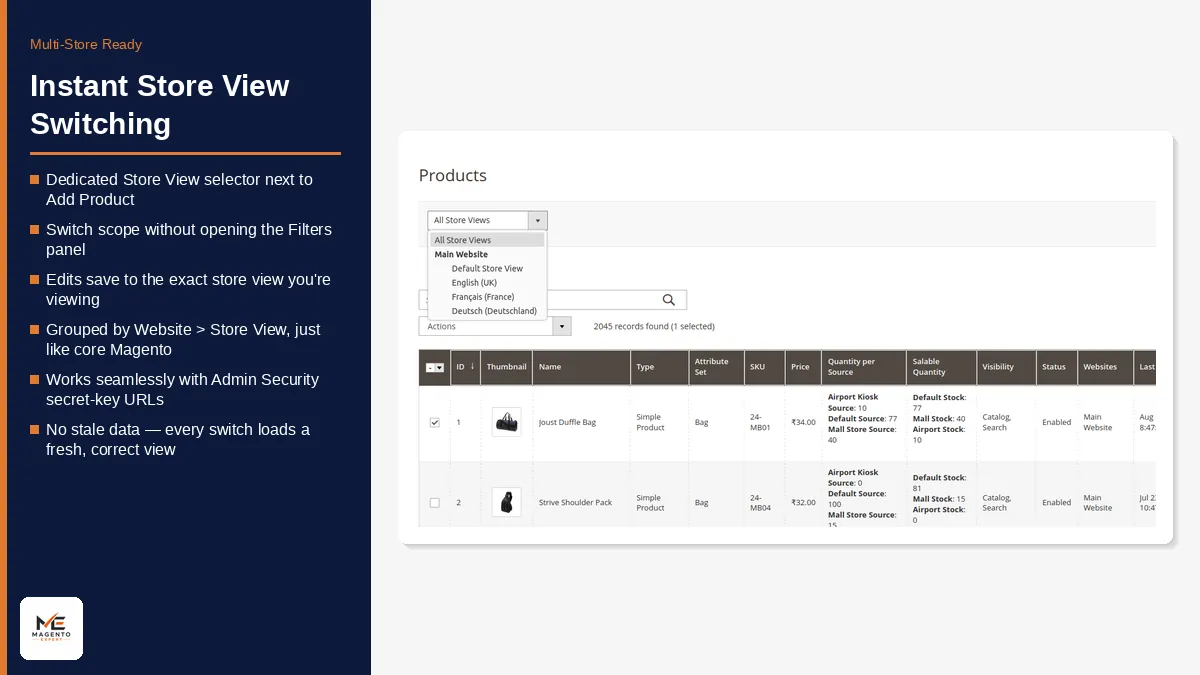
Product Grid Editor lets admins edit product names, prices, stock and other attributes directly in the Catalog > Products grid, without opening each product. It works per store view, supports custom attributes automatically and saves through Magento's normal validation, so data stays consistent. A duplicate-row action speeds up creating similar products.
Key features
- Inline Editing for Core Attributes
- Automatic Custom Attribute Support
- Create Duplicate Row Action
- Dedicated Store View Selector
- Single-Row-Edit Enforcement
- Standard Validation and Save Path
- Attribute-Set Aware Saving
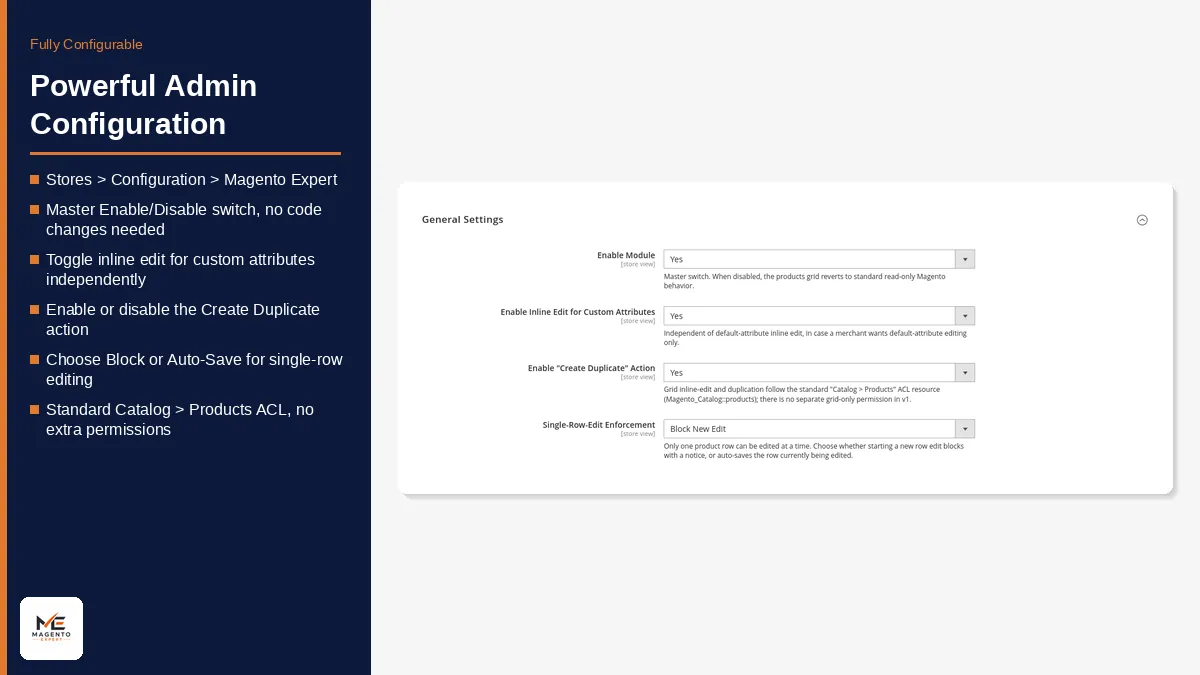
- Master Enable/Disable Switch
- Independent Feature Toggles
- Zero Core Code Modifications
At a glance
| Module name | Mage2Expert_ProductGridEditor |
|---|---|
| Composer package | mage2expert/module-product-grid-editor |
| Settings | Stores › Configuration › Magento Expert › Product Grid Editor (4 options) |
| Per store view settings | Yes |
| API | No custom endpoints (uses Magento's standard APIs) |
| PHP | 8.1, 8.2, 8.3, 8.4, 8.5 |
Installation
After purchasing on the Adobe Commerce Marketplace, install it with Composer using your Marketplace access keys:
composer require mage2expert/module-product-grid-editor
bin/magento module:enable Mage2Expert_ProductGridEditor
bin/magento setup:upgrade
bin/magento setup:di:compile
bin/magento setup:static-content:deploy -f
bin/magento cache:flush
Skip setup:di:compile and static-content:deploy if your store runs in developer mode.
Configuration reference
All 4 options under Stores › Configuration › Magento Expert › Product Grid Editor, grouped as they appear in the admin.
General Settings 4
| Setting | Description |
|---|---|
| Enable Module | Master switch. When disabled, the products grid reverts to standard read-only Magento behavior. |
| Enable Inline Edit for Custom Attributes | Independent of default-attribute inline edit, in case a merchant wants default-attribute editing only. |
| Enable "Create Duplicate" Action | Grid inline-edit and duplication follow the standard "Catalog > Products" ACL resource (Magento_Catalog::products); there is no separate grid-only permission in v1. |
| Single-Row-Edit Enforcement | Only one product row can be edited at a time. Choose whether starting a new row edit blocks with a notice, or auto-saves the row currently being edited. |
Frequently asked questions
How much does Product Grid Editor cost?
Which Magento and PHP versions are supported?
Where do I configure Product Grid Editor?
Can I switch it off without uninstalling it?
Can the settings differ per store view?
Can it be customised for my store?
More Admin & Tools
Related extensions
Better Admin Order Grid
Colour-coded statuses, a product quick view, extra filterable columns and mass status changes for the admin order grid.
Admin Action Logs
A searchable audit trail of every admin change, with one-click restore of edits and deleted records, login alerts and active sessions.
Category Import Export
Add, update, delete and export entire category trees in bulk using simple CSV files.
Have a Magento project in mind?
Tell me about your store and what you need. I reply to every enquiry within one business day.
Adobe Certified Expert
Adobe Commerce Developer certification, verified on Credly.
15+ years of Magento
From Magento 1 to Magento 2.4.x, Adobe Commerce and Hyvä.
62 Marketplace extensions
Each one reviewed and approved by Adobe.