Category Import Export for Magento 2
Add, update, delete and export entire category trees in bulk using simple CSV files.
Why choose Category Import Export?
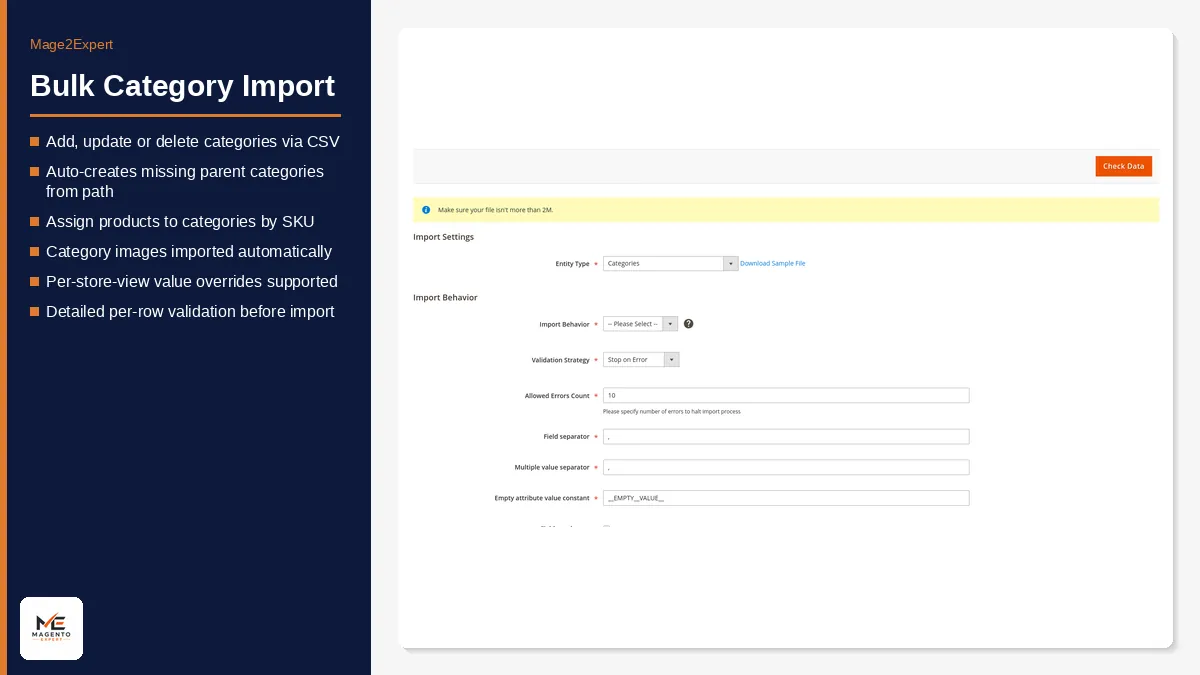
Category Import Export adds categories to Magento's standard import and export screens, so you can create, update or delete whole category trees from a CSV file. It handles parent categories, images, store-view values and product assignments by SKU, validates each row, and keeps a normal import history. Useful for migrations and large catalogue changes.
Key features
- Native Import/Export Integration
- Add, Update, or Delete in Bulk
- Automatic Parent Category Creation
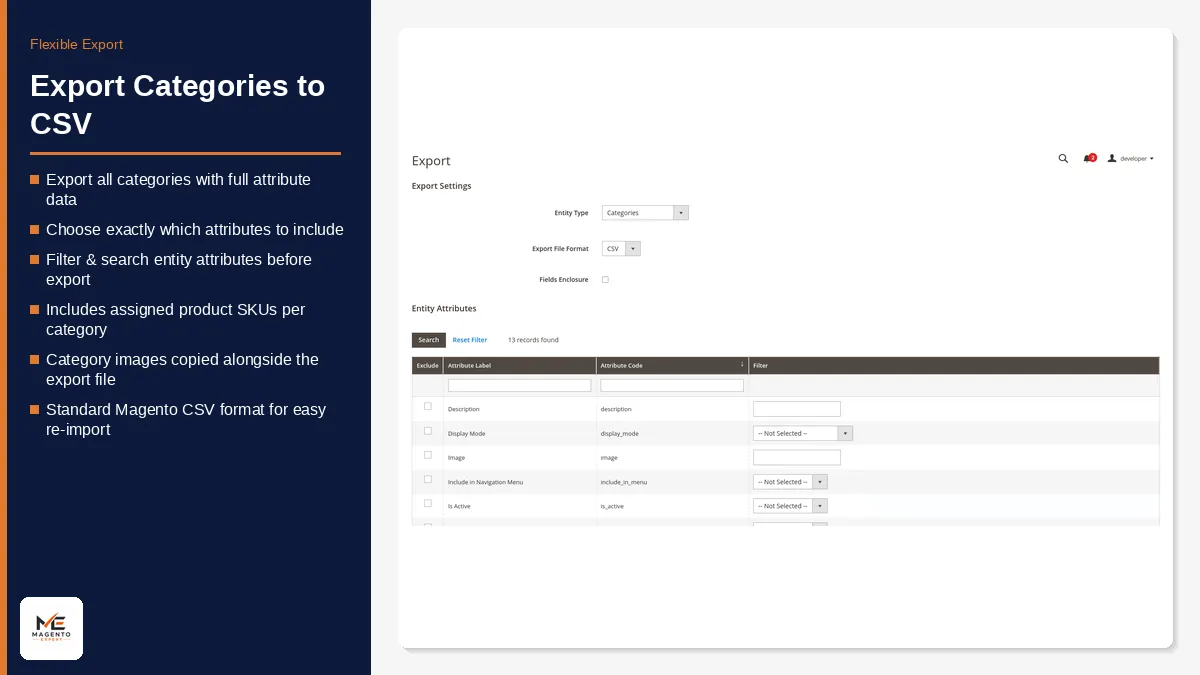
- Full Attribute Coverage
- Category Image Import & Export
- Product-to-Category Assignment by SKU
- Multi-Store Value Overrides
- Attribute Picker & Filters on Export
- Downloadable Sample File
- Detailed Per-Row Validation
- Native Import History
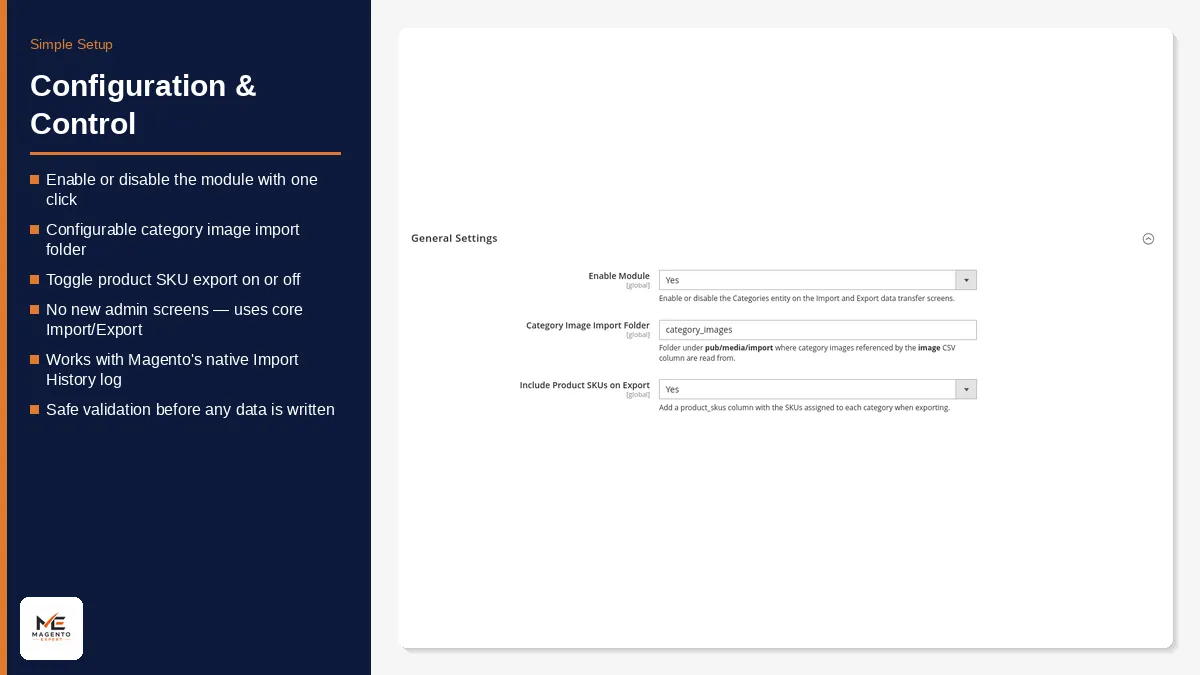
- Enable / Disable without Uninstalling
- Zero Core Code Modifications
At a glance
| Module name | Mage2Expert_CategoryImportExport |
|---|---|
| Composer package | mage2expert/module-category-import-export |
| Settings | Stores › Configuration › Mage2Expert › Category Import/Export (3 options) |
| Per store view settings | No (global or website level) |
| API | No custom endpoints (uses Magento's standard APIs) |
| PHP | 8.1, 8.2, 8.3, 8.4, 8.5 |
Installation
After purchasing on the Adobe Commerce Marketplace, install it with Composer using your Marketplace access keys:
composer require mage2expert/module-category-import-export
bin/magento module:enable Mage2Expert_CategoryImportExport
bin/magento setup:upgrade
bin/magento setup:di:compile
bin/magento setup:static-content:deploy -f
bin/magento cache:flush
Skip setup:di:compile and static-content:deploy if your store runs in developer mode.
Configuration reference
All 3 options under Stores › Configuration › Mage2Expert › Category Import/Export, grouped as they appear in the admin.
General Settings 3
| Setting | Description |
|---|---|
| Enable Module | Enable or disable the Categories entity on the Import and Export data transfer screens. |
| Category Image Import Folder | Folder under pub/media/import where category images referenced by the image CSV column are read from. |
| Include Product SKUs on Export | Add a product_skus column with the SKUs assigned to each category when exporting. |
Frequently asked questions
How much does Category Import Export cost?
Which Magento and PHP versions are supported?
Where do I configure Category Import Export?
Can I switch it off without uninstalling it?
Can it be customised for my store?
More Admin & Tools
Related extensions
Better Admin Order Grid
Colour-coded statuses, a product quick view, extra filterable columns and mass status changes for the admin order grid.
Admin Action Logs
A searchable audit trail of every admin change, with one-click restore of edits and deleted records, login alerts and active sessions.
Product Grid Editor
Turn the admin Products grid into a fast inline editing workspace, without opening each product.
Have a Magento project in mind?
Tell me about your store and what you need. I reply to every enquiry within one business day.
Adobe Certified Expert
Adobe Commerce Developer certification, verified on Credly.
15+ years of Magento
From Magento 1 to Magento 2.4.x, Adobe Commerce and Hyvä.
62 Marketplace extensions
Each one reviewed and approved by Adobe.