
Health Dashboard for Magento 2
One admin page for cron, queue consumers, indexers, cache, disk space and logs, without SSH access.
Why choose Health Dashboard?
Health Dashboard gives one admin page and a weighted health score for the parts of Magento that usually fail quietly: cron, message queue consumers, indexers, cache, disk space and logs. Thresholds and weights are configurable, metrics are recorded on a schedule, and email alerts tell you when something needs attention.
Key features
- Weighted Health Score
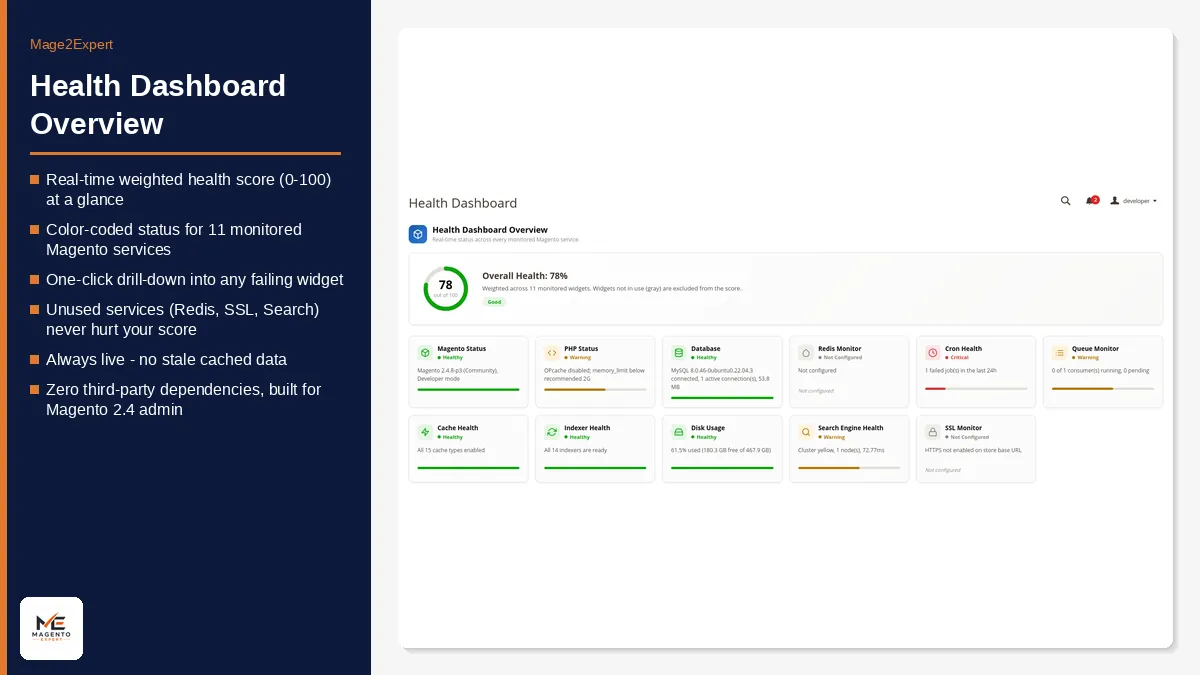
- Dashboard Overview
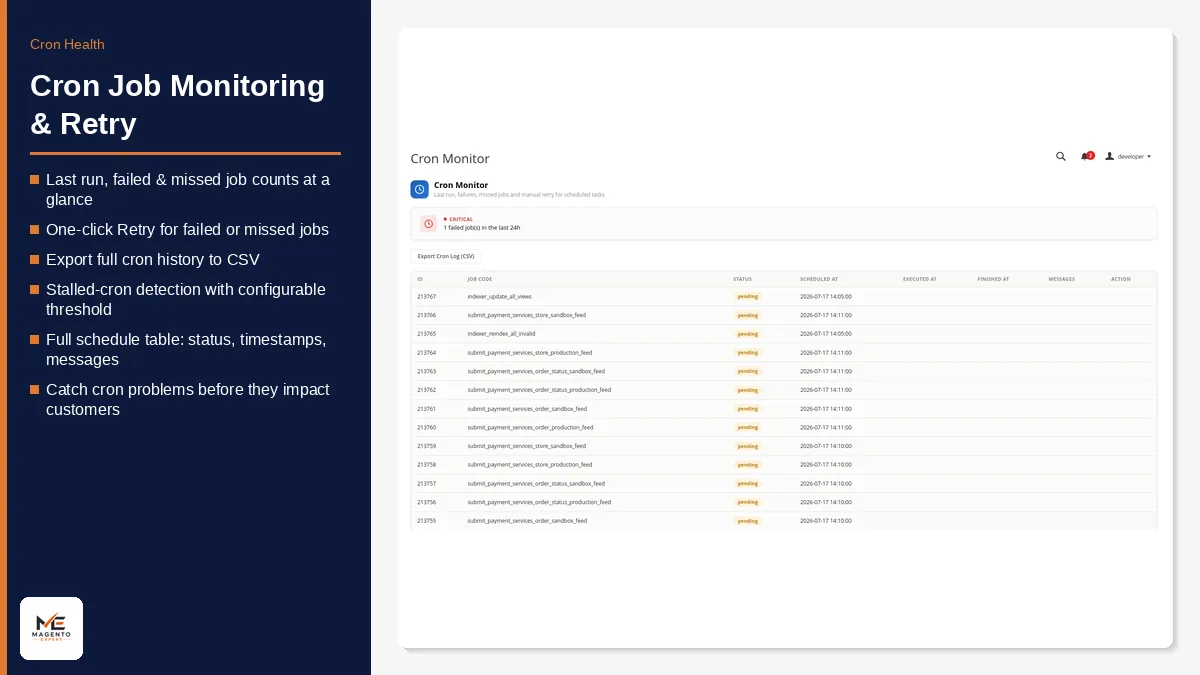
- Cron Monitor
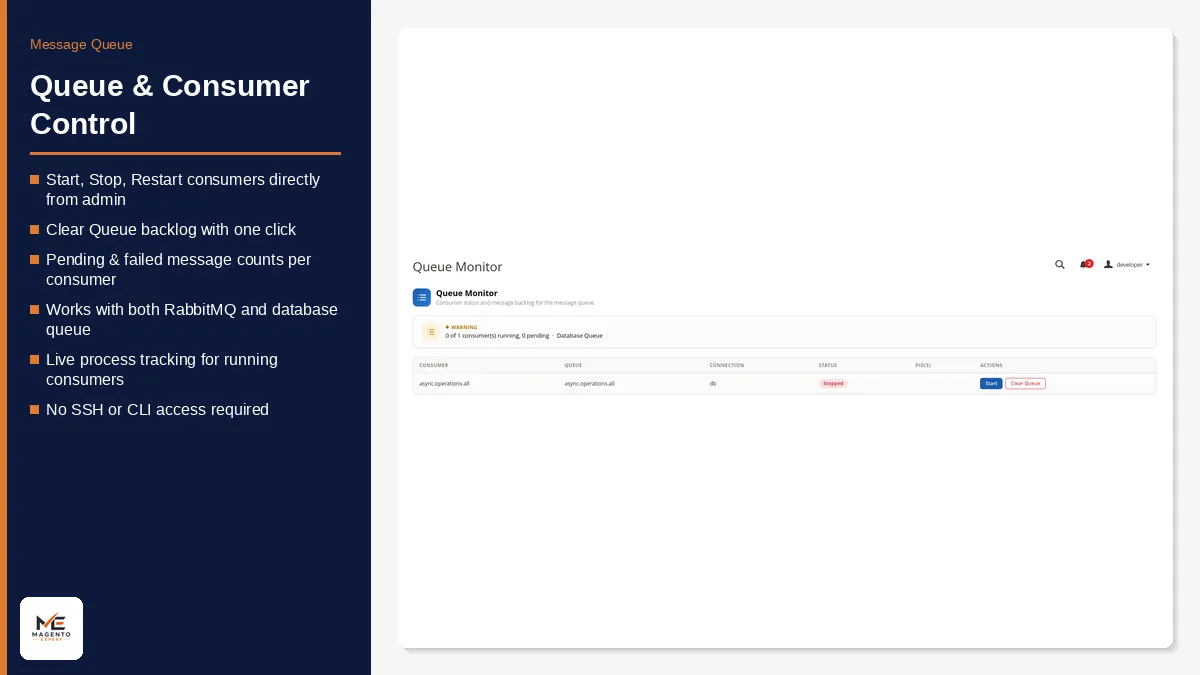
- Queue Monitor
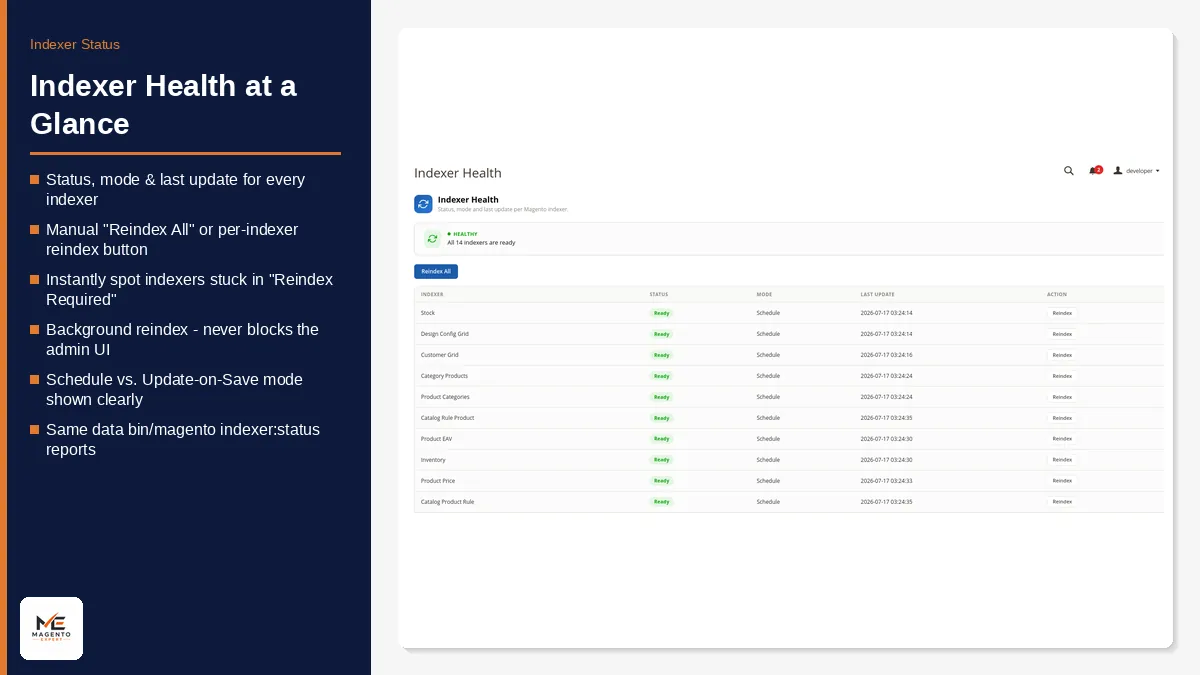
- Indexer Health
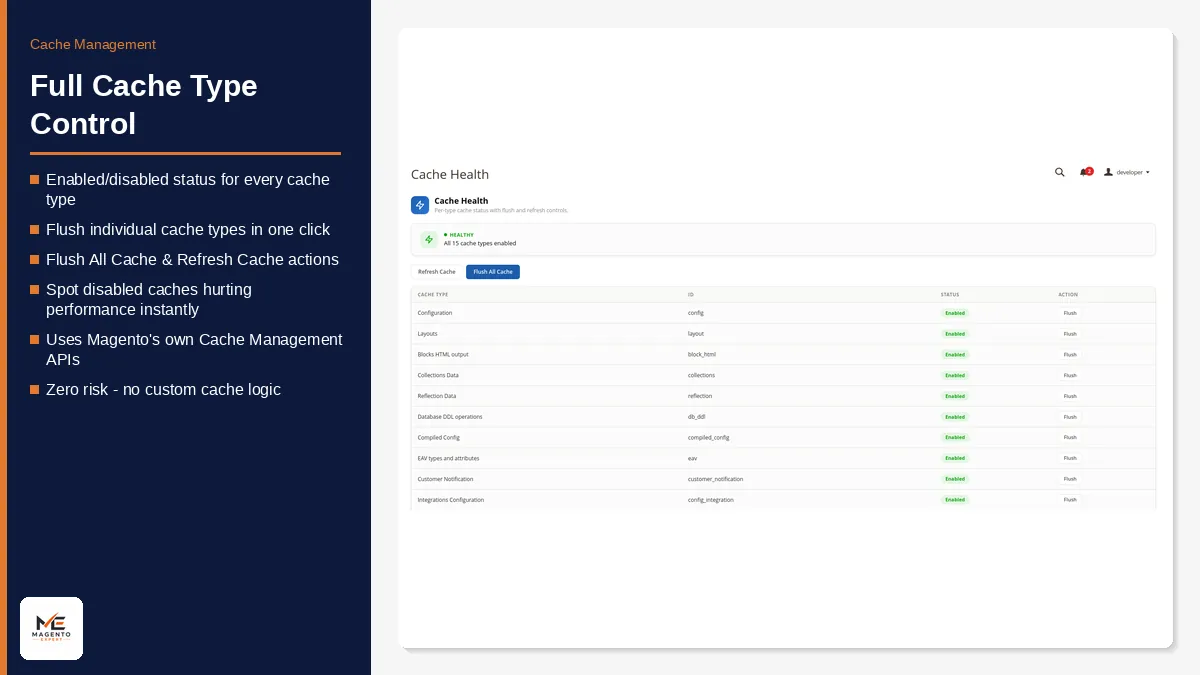
- Cache Health
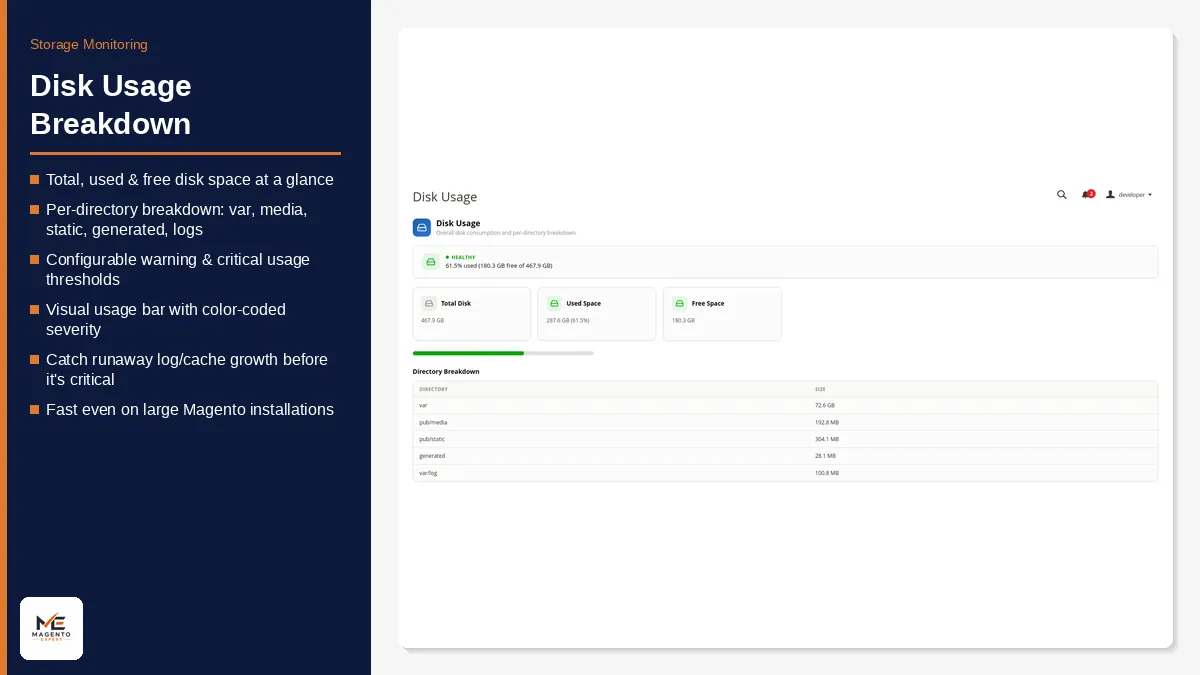
- Disk Usage Monitor
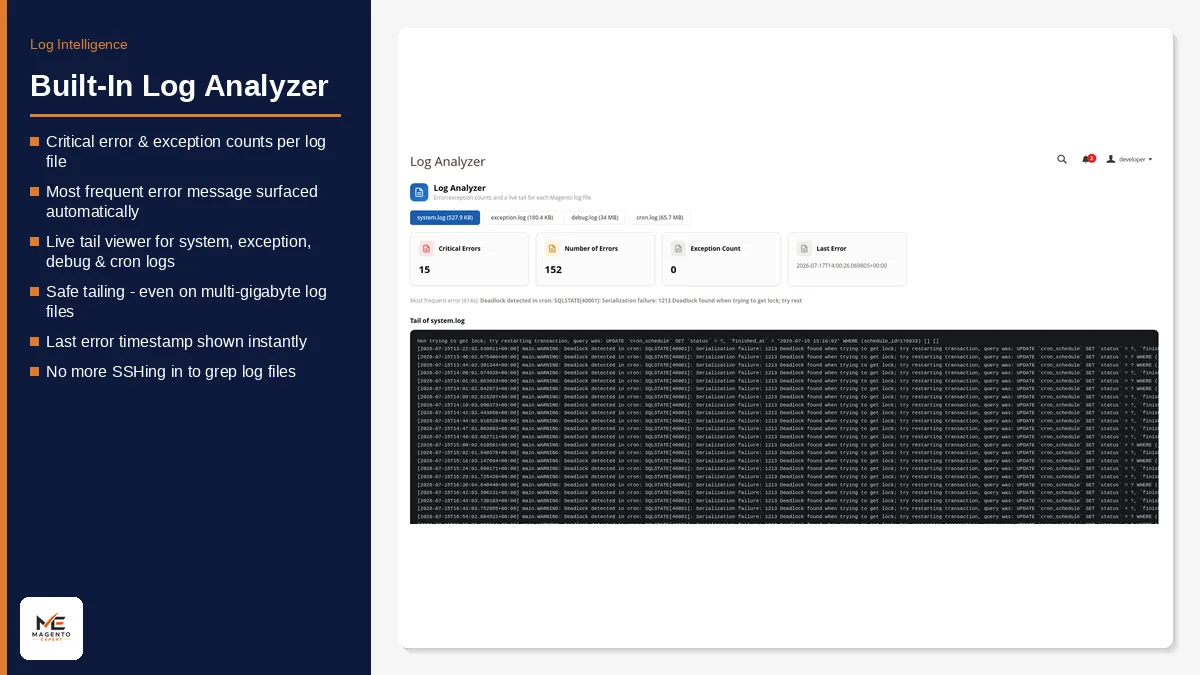
- Log Analyzer
- Email Alerts
- Automated Metrics Snapshots
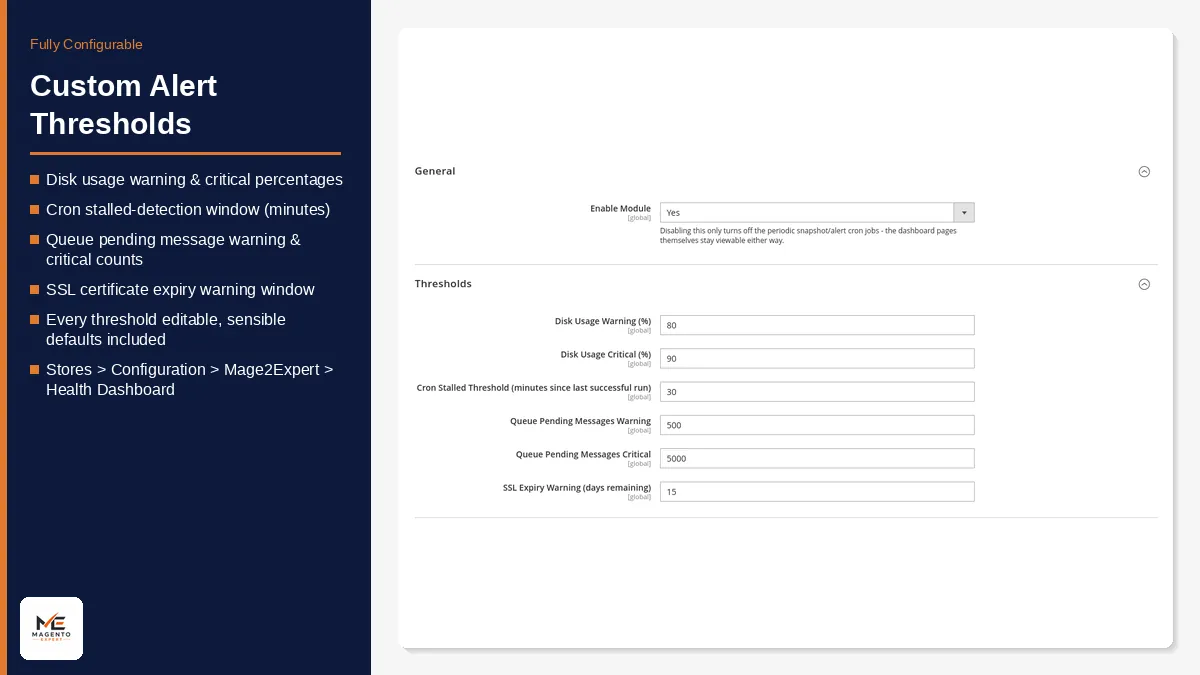
- Configurable Thresholds & Weights
- Full Magento ACL
- Extensible by Design
- Zero Core Code Modifications
At a glance
| Module name | Mage2Expert_HealthDashboard |
|---|---|
| Composer package | mage2expert/module-health-dashboard |
| Settings | Stores › Configuration › Magento Expert › Health Dashboard (22 options) |
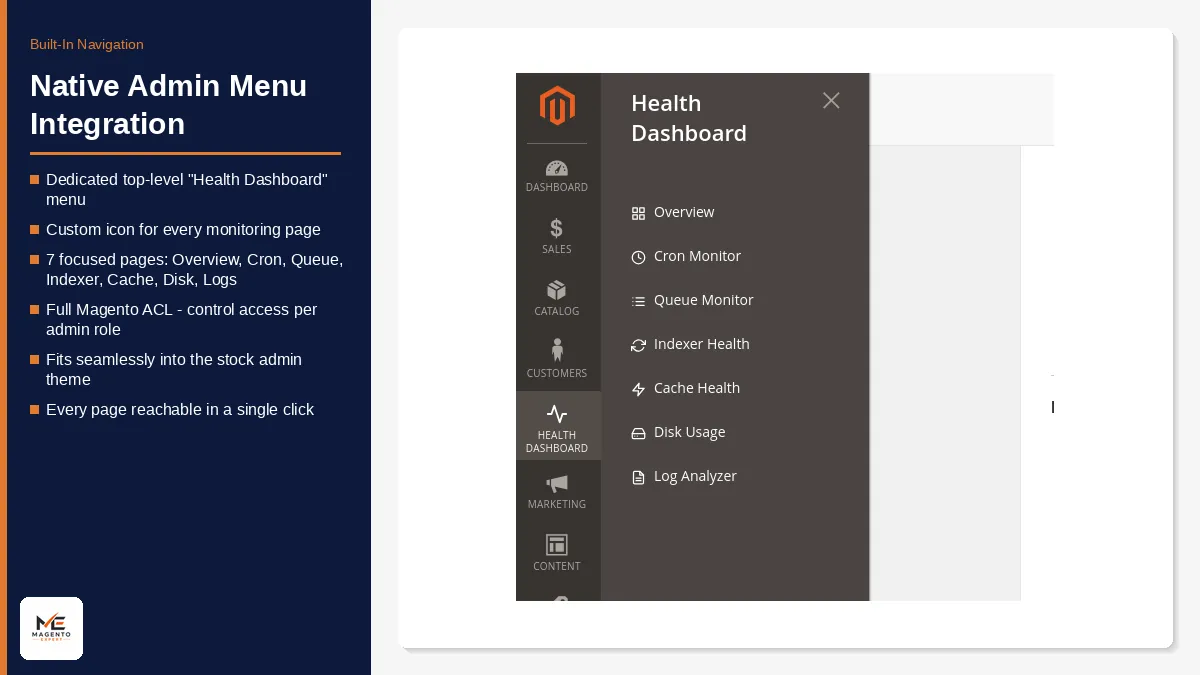
| Admin menu | Health Dashboard › Cache Health Health Dashboard › Cron Monitor Health Dashboard › Disk Usage Health Dashboard › Indexer Health Health Dashboard › Log Analyzer Health Dashboard › Overview Health Dashboard › Queue Monitor |
| Per store view settings | No (global or website level) |
| API | No custom endpoints (uses Magento's standard APIs) |
| Scheduled jobs | 2 cron jobs |
| PHP | 8.1, 8.2, 8.3, 8.4, 8.5 |
Installation
After purchasing on the Adobe Commerce Marketplace, install it with Composer using your Marketplace access keys:
composer require mage2expert/module-health-dashboard
bin/magento module:enable Mage2Expert_HealthDashboard
bin/magento setup:upgrade
bin/magento setup:di:compile
bin/magento setup:static-content:deploy -f
bin/magento cache:flush
Skip setup:di:compile and static-content:deploy if your store runs in developer mode.
Configuration reference
All 22 options under Stores › Configuration › Magento Expert › Health Dashboard, grouped as they appear in the admin.
General 1
| Setting | Description |
|---|---|
| Enable Module | Disabling this only turns off the periodic snapshot/alert cron jobs - the dashboard pages themselves stay viewable either way. |
Thresholds 6
| Setting | Description |
|---|---|
| Disk Usage Warning (%) | |
| Disk Usage Critical (%) | |
| Cron Stalled Threshold (minutes since last successful run) | |
| Queue Pending Messages Warning | |
| Queue Pending Messages Critical | |
| SSL Expiry Warning (days remaining) |
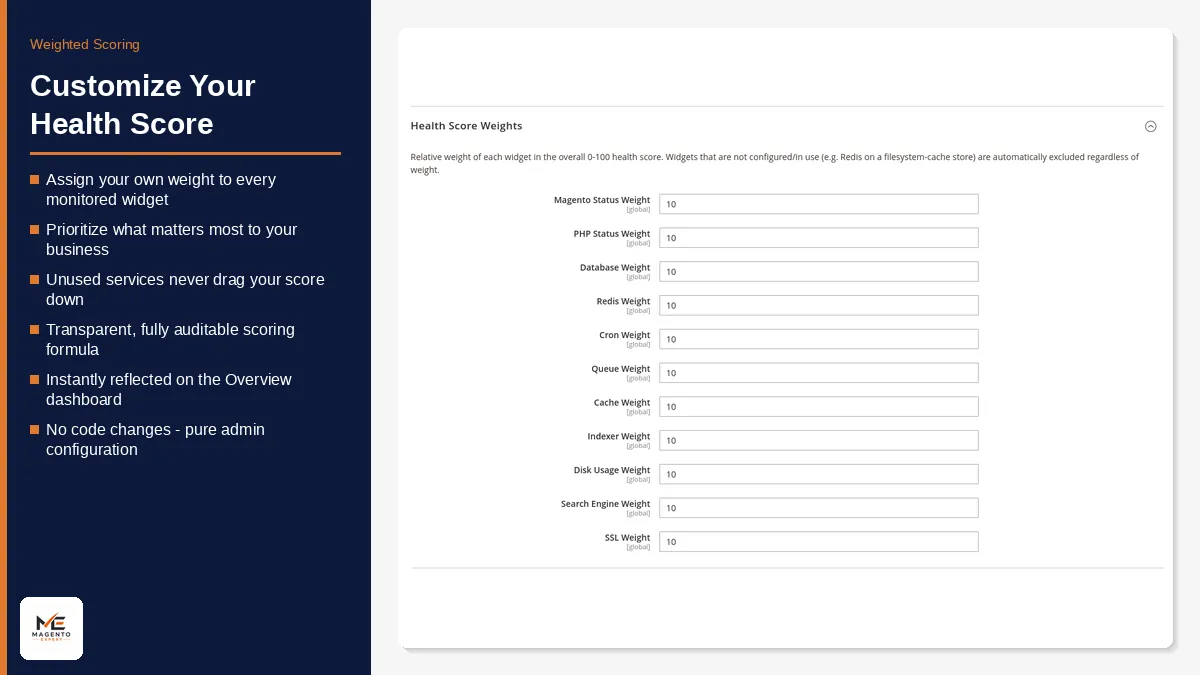
Health Score Weights 11
| Setting | Description |
|---|---|
| Magento Status Weight | |
| PHP Status Weight | |
| Database Weight | |
| Redis Weight | |
| Cron Weight | |
| Queue Weight | |
| Cache Weight | |
| Indexer Weight | |
| Disk Usage Weight | |
| Search Engine Weight | |
| SSL Weight |
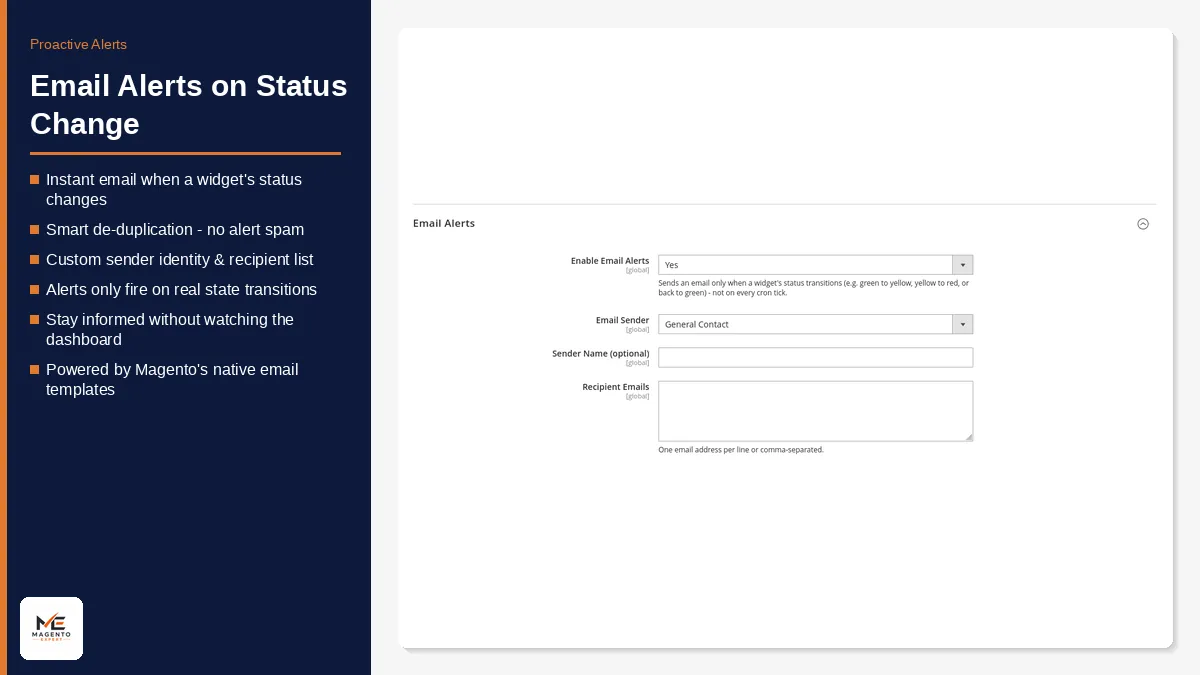
Email Alerts 4
| Setting | Description |
|---|---|
| Enable Email Alerts | Sends an email only when a widget's status transitions (e.g. green to yellow, yellow to red, or back to green) - not on every cron tick. |
| Email Sender | |
| Sender Name (optional) | |
| Recipient Emails | One email address per line or comma-separated. |
Developer reference
Cron jobs
| Job | Runs |
|---|---|
mage2expert_healthdashboard_collect_metrics | every 5 minutes |
mage2expert_healthdashboard_check_alerts | every 10 minutes |
Frequently asked questions
How much does Health Dashboard cost?
Which Magento and PHP versions are supported?
Where do I configure Health Dashboard?
Can I switch it off without uninstalling it?
Does it run background jobs?
Can it be customised for my store?
More Admin & Tools
Related extensions
Better Admin Order Grid
Colour-coded statuses, a product quick view, extra filterable columns and mass status changes for the admin order grid.
Admin Action Logs
A searchable audit trail of every admin change, with one-click restore of edits and deleted records, login alerts and active sessions.
Product Grid Editor
Turn the admin Products grid into a fast inline editing workspace, without opening each product.
Have a Magento project in mind?
Tell me about your store and what you need. I reply to every enquiry within one business day.
Adobe Certified Expert
Adobe Commerce Developer certification, verified on Credly.
15+ years of Magento
From Magento 1 to Magento 2.4.x, Adobe Commerce and Hyvä.
62 Marketplace extensions
Each one reviewed and approved by Adobe.