
Cron Scheduler for Magento 2
Full visibility and control over cron jobs from the admin panel, without SSH access.
Why choose Cron Scheduler?
Cron Scheduler shows every Magento cron job and its recent runs in the admin, with a visual timeline and a banner showing when cron last ran. You can run any job on demand, change a job's schedule, enable or disable jobs in bulk and get an email when a job fails, all without SSH access.
Key features
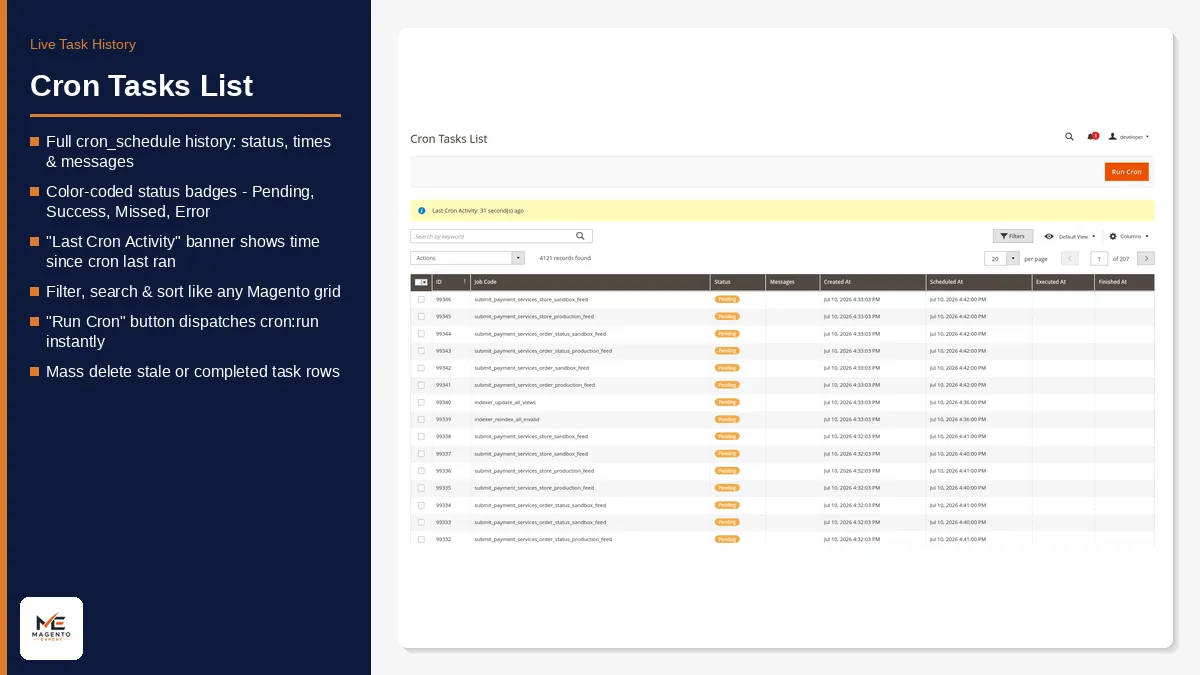
- Cron Tasks List
- Last Cron Activity Banner
- Run Cron
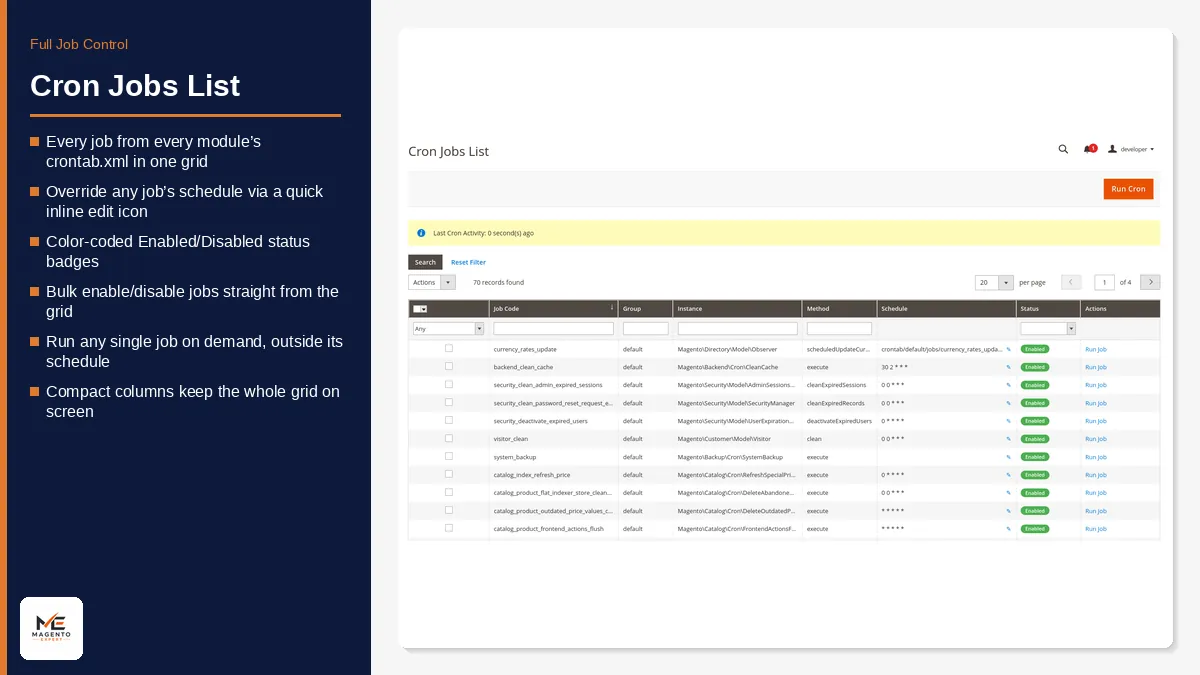
- Cron Jobs List
- Per-Job Schedule Overrides
- Bulk Enable / Disable
- Run Any Job On Demand
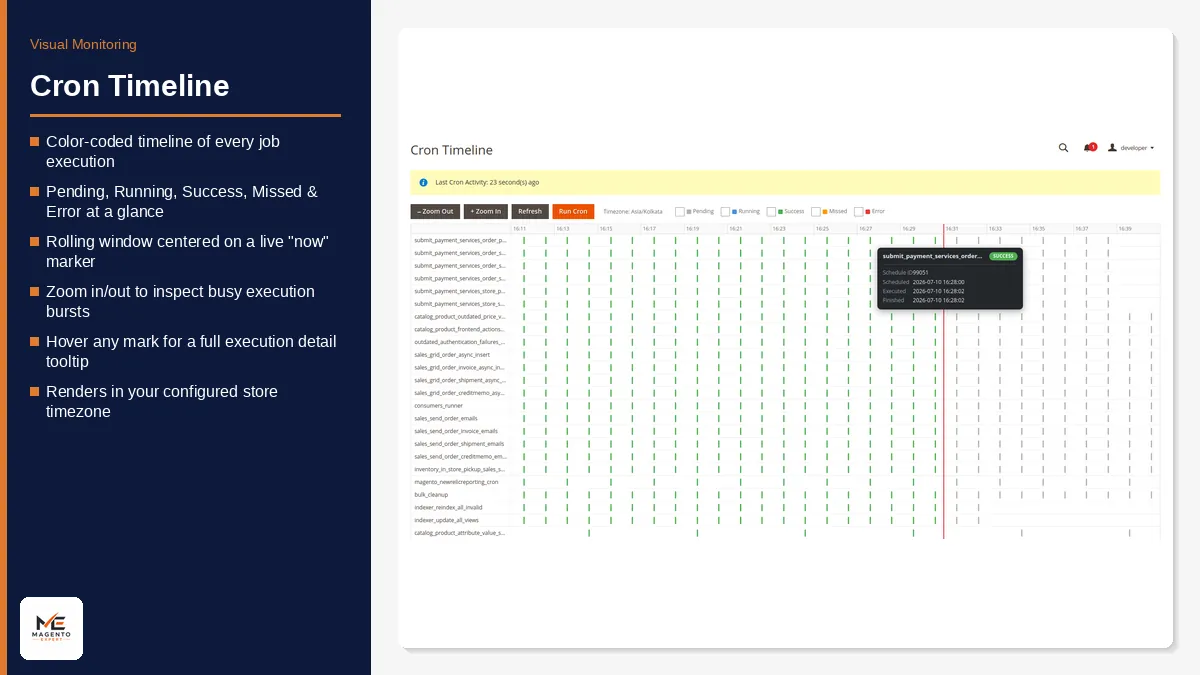
- Visual Cron Timeline
- Live "Now" Marker
- Store-Timezone Aware
- Automatic Failure Email Notifications
- Master Enable/Disable Switch
- ACL-Protected
- Zero Core Code Modifications
At a glance
| Module name | Mage2Expert_CronScheduler |
|---|---|
| Composer package | mage2expert/module-cron-scheduler |
| Settings | Stores › Configuration › Mage2Expert › Cron Scheduler (8 options) |
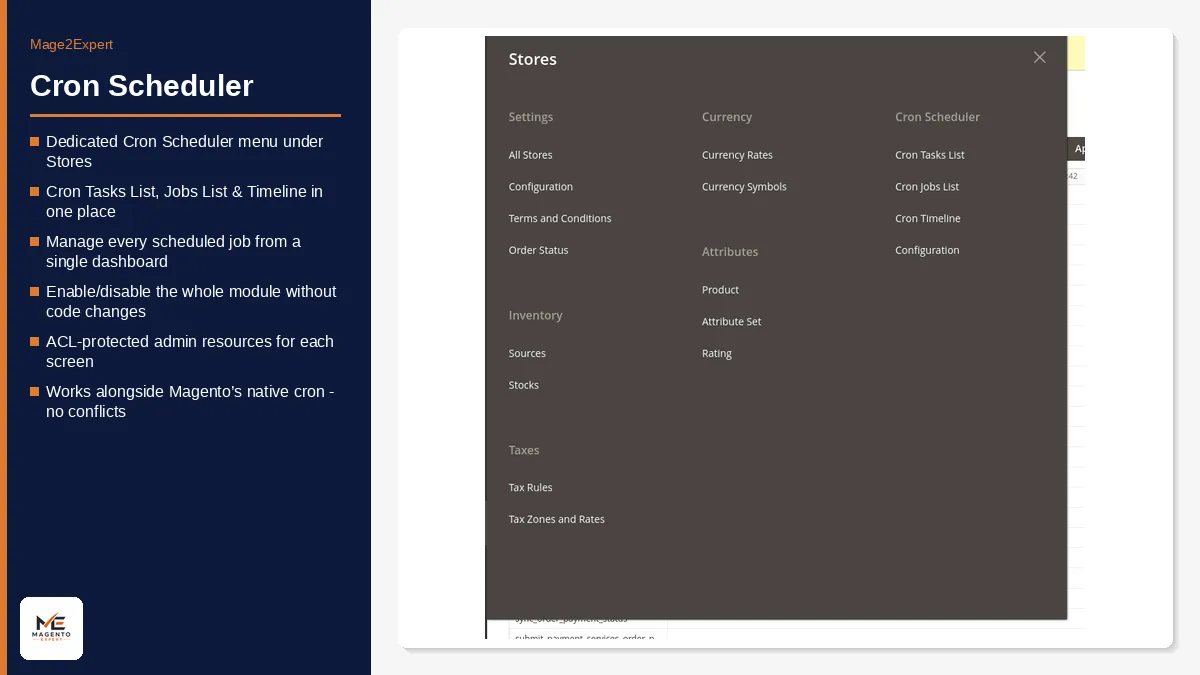
| Admin menu | Stores › Cron Scheduler › Configuration Stores › Cron Scheduler › Cron Jobs List Stores › Cron Scheduler › Cron Tasks List Stores › Cron Scheduler › Cron Timeline |
| Per store view settings | No (global or website level) |
| API | No custom endpoints (uses Magento's standard APIs) |
| Scheduled jobs | 1 cron job |
| CLI commands | mage2expert:cronscheduler:run-job |
| PHP | 8.1, 8.2, 8.3, 8.4, 8.5 |
Installation
After purchasing on the Adobe Commerce Marketplace, install it with Composer using your Marketplace access keys:
composer require mage2expert/module-cron-scheduler
bin/magento module:enable Mage2Expert_CronScheduler
bin/magento setup:upgrade
bin/magento setup:di:compile
bin/magento setup:static-content:deploy -f
bin/magento cache:flush
Skip setup:di:compile and static-content:deploy if your store runs in developer mode.
Configuration reference
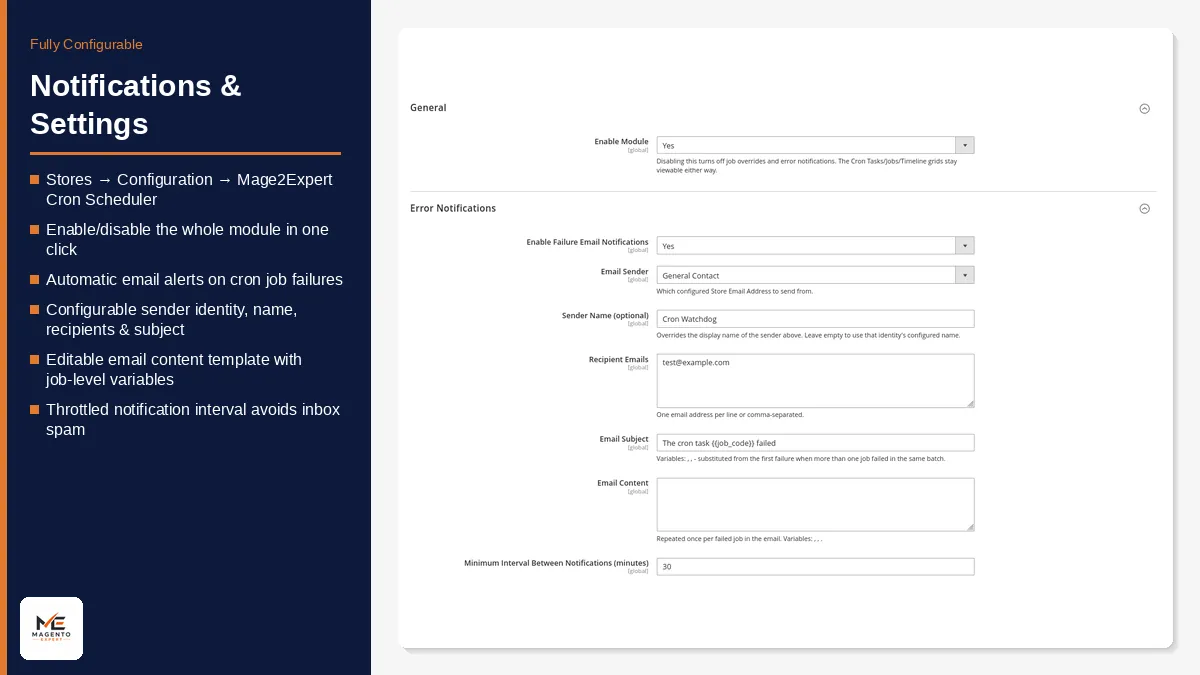
All 8 options under Stores › Configuration › Mage2Expert › Cron Scheduler, grouped as they appear in the admin.
General 1
| Setting | Description |
|---|---|
| Enable Module | Disabling this turns off job overrides and error notifications. The Cron Tasks/Jobs/Timeline grids stay viewable either way. |
Error Notifications 7
| Setting | Description |
|---|---|
| Enable Failure Email Notifications | |
| Email Sender | Which configured Store Email Address to send from. |
| Sender Name (optional) | Overrides the display name of the sender above. Leave empty to use that identity's configured name. |
| Recipient Emails | One email address per line or comma-separated. |
| Email Subject | Variables: {{job_code}}, {{executed_at}}, {{message}} - substituted from the first failure when more than one job failed in the same batch. |
| Email Content | Repeated once per failed job in the email. Variables: {{job_code}}, {{executed_at}}, {{message}}. |
| Minimum Interval Between Notifications (minutes) |
Developer reference
Cron jobs
| Job | Runs |
|---|---|
mage2expert_cronscheduler_notify_errors | every 5 minutes |
Command line
bin/magento mage2expert:cronscheduler:run-jobFrequently asked questions
How much does Cron Scheduler cost?
Which Magento and PHP versions are supported?
Where do I configure Cron Scheduler?
Can I switch it off without uninstalling it?
Does it run background jobs?
Can it be customised for my store?
More Admin & Tools
Related extensions
Better Admin Order Grid
Colour-coded statuses, a product quick view, extra filterable columns and mass status changes for the admin order grid.
Admin Action Logs
A searchable audit trail of every admin change, with one-click restore of edits and deleted records, login alerts and active sessions.
Product Grid Editor
Turn the admin Products grid into a fast inline editing workspace, without opening each product.
Have a Magento project in mind?
Tell me about your store and what you need. I reply to every enquiry within one business day.
Adobe Certified Expert
Adobe Commerce Developer certification, verified on Credly.
15+ years of Magento
From Magento 1 to Magento 2.4.x, Adobe Commerce and Hyvä.
62 Marketplace extensions
Each one reviewed and approved by Adobe.