Configurable Simple Details for Magento 2
Show the selected variant's own name, SKU, description, images and stock on configurable product pages, with a shareable URL per selection.
Why choose Configurable Simple Details?
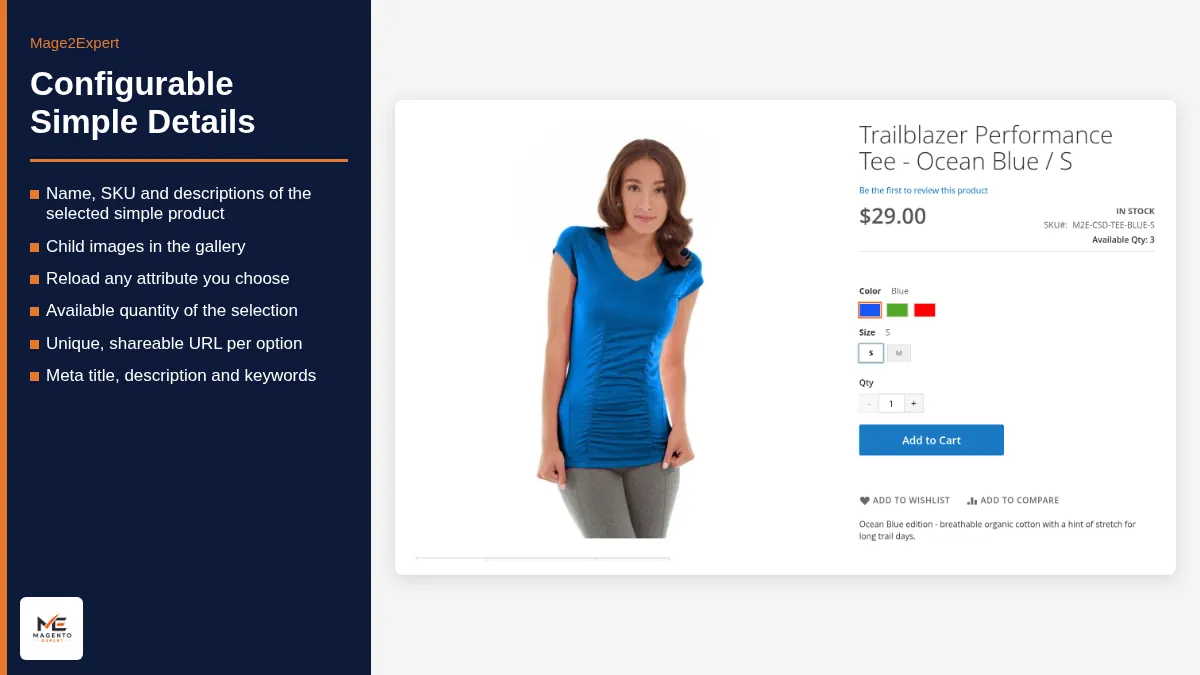
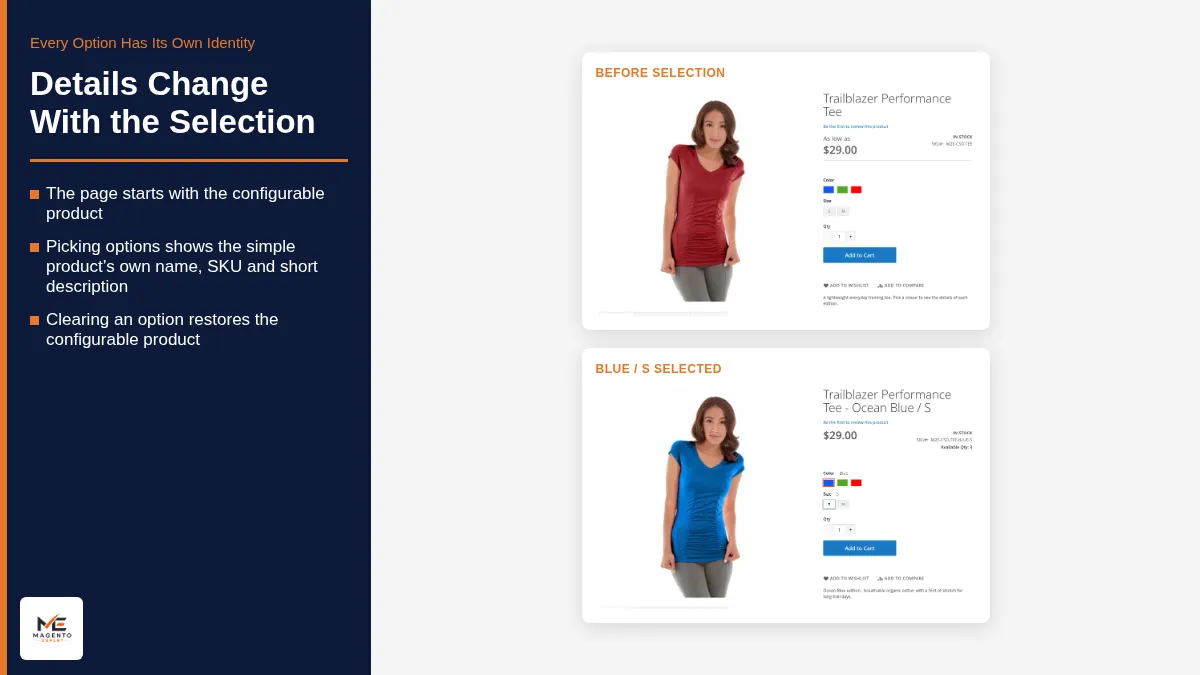
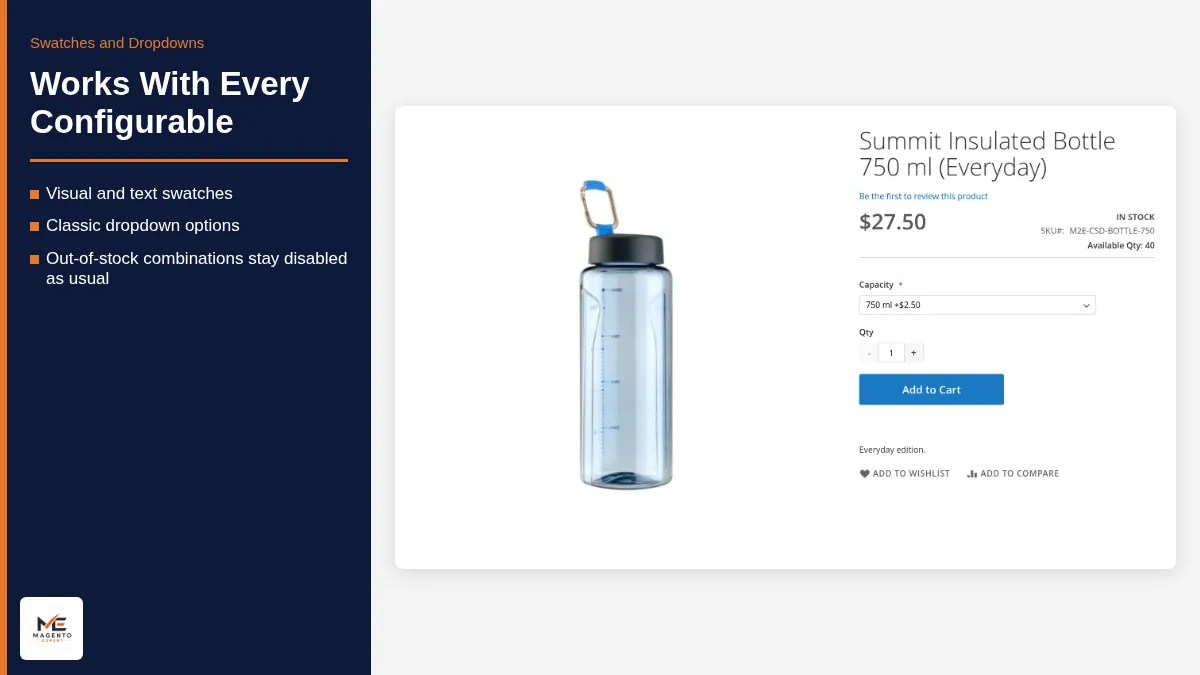
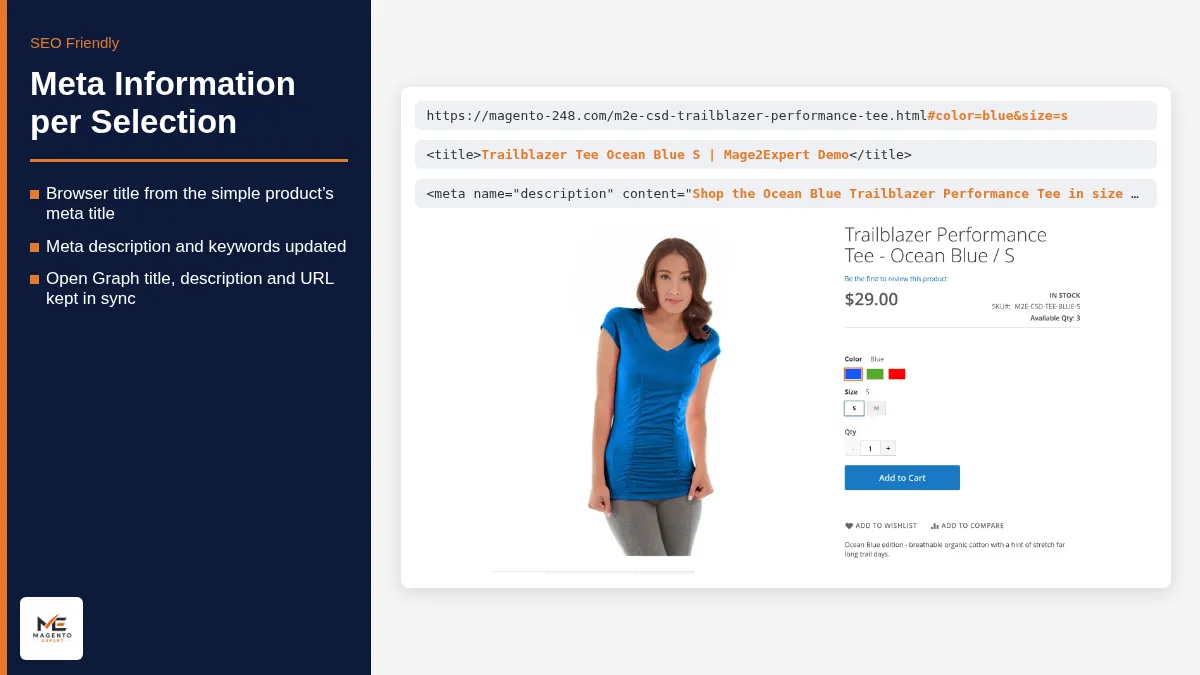
On a standard configurable product, picking a colour or size still shows the parent product's name, SKU, description and attributes. Configurable Simple Details swaps in the selected variant's own name, SKU, descriptions, images, chosen attributes, meta information and available quantity as soon as the options match a simple product, and brings the parent details back when an option is cleared. Every selection gets a shareable URL such as #color=blue&size=m that reopens the same choice, it works with both swatches and dropdowns, and you decide in the admin exactly which details are swapped.
Key features
- Name and SKU of the Selection
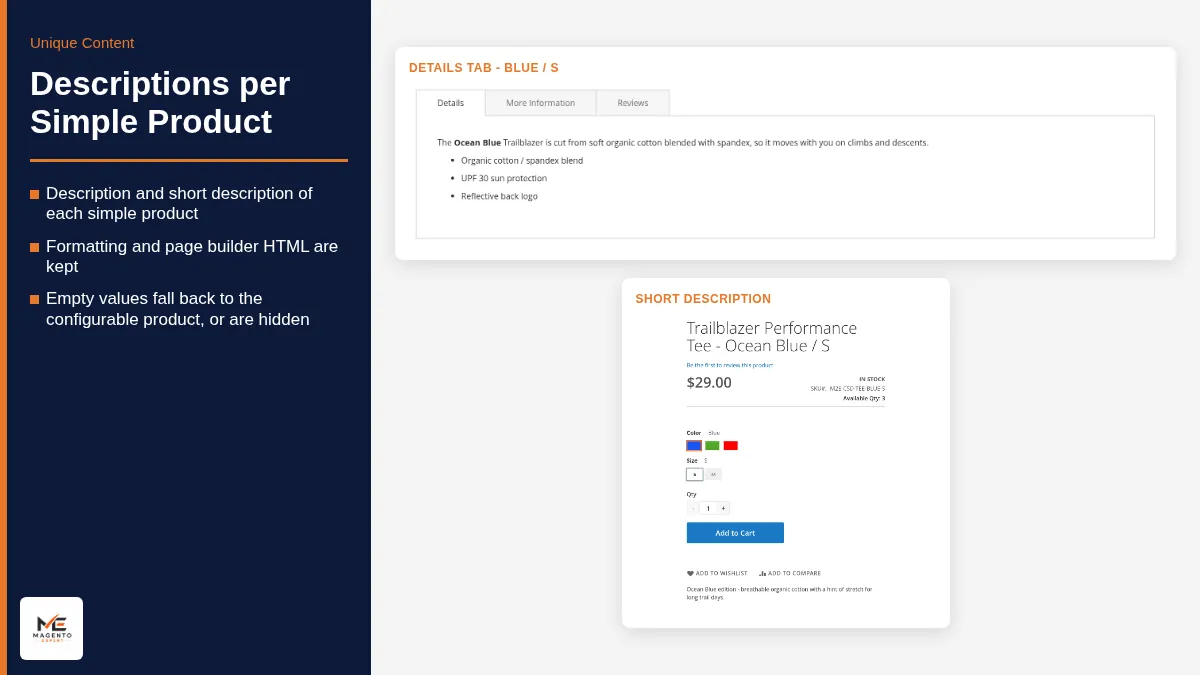
- Unique Descriptions
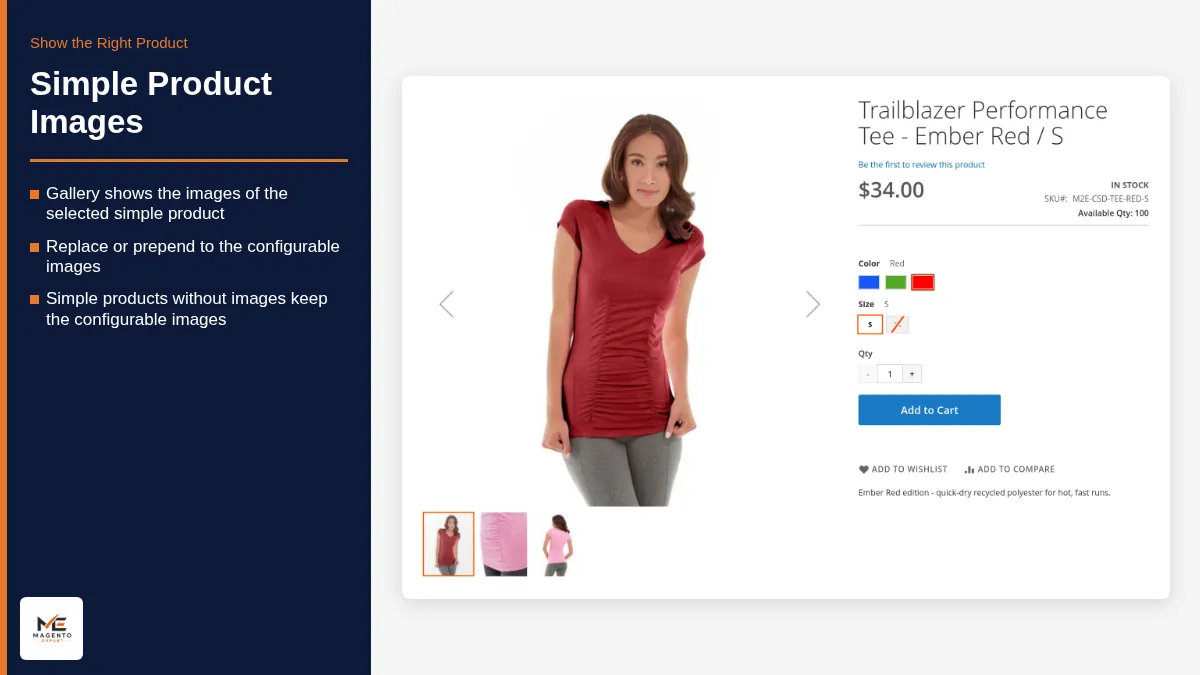
- Simple Product Images
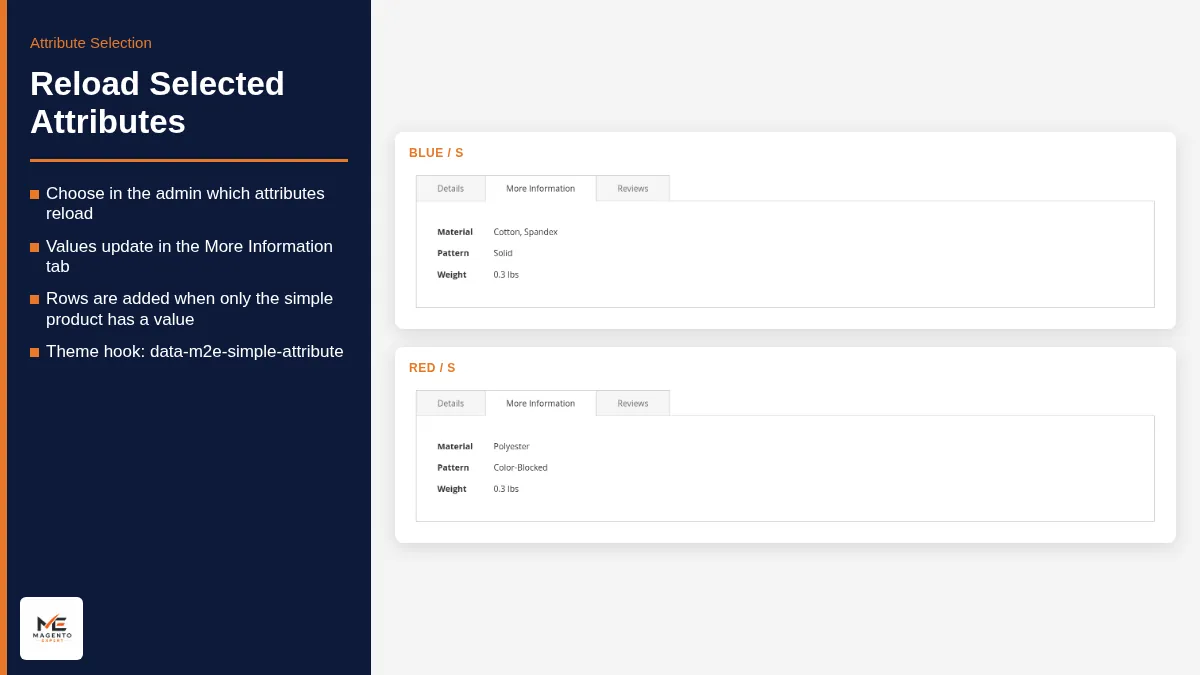
- Attribute Selection
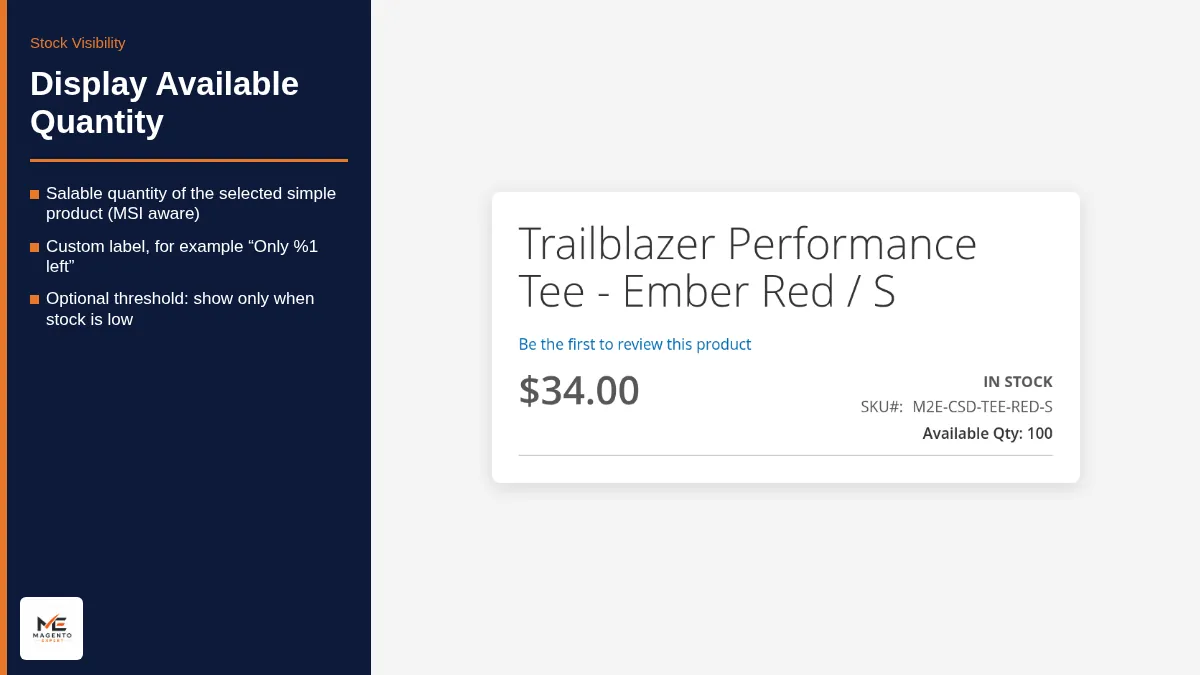
- Available Quantity
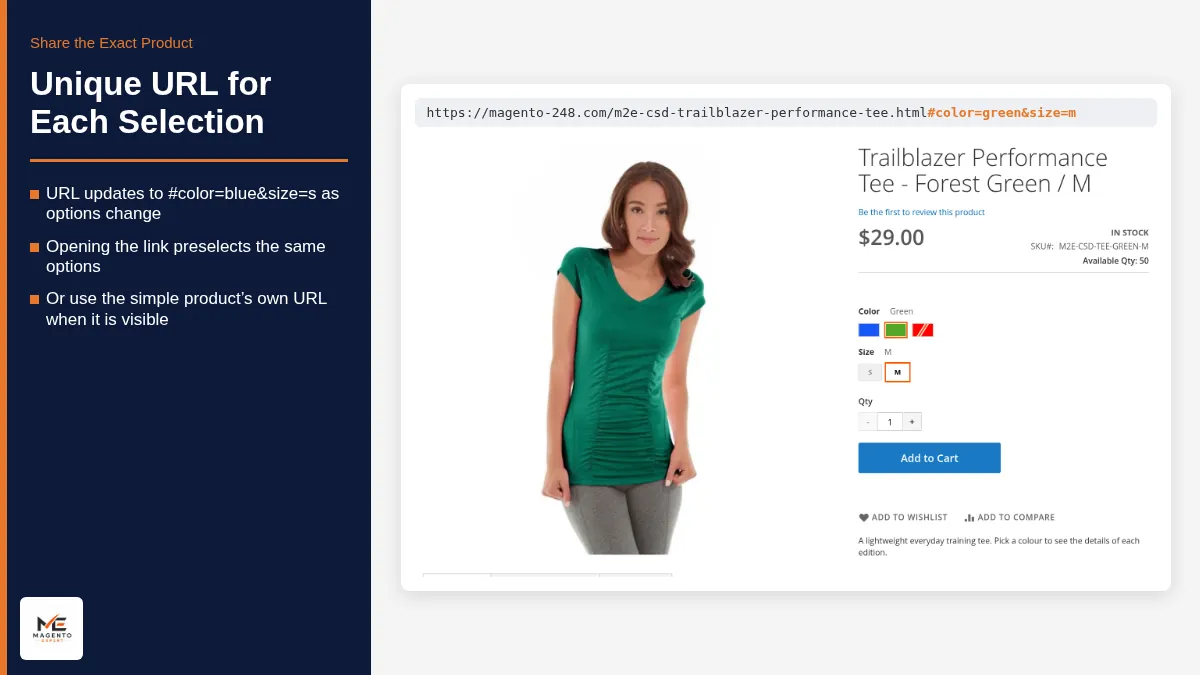
- Unique URL per Selection
- Preselect from URL
- Meta Information
- Configurable Value Fallback
- Preselect First Available Option
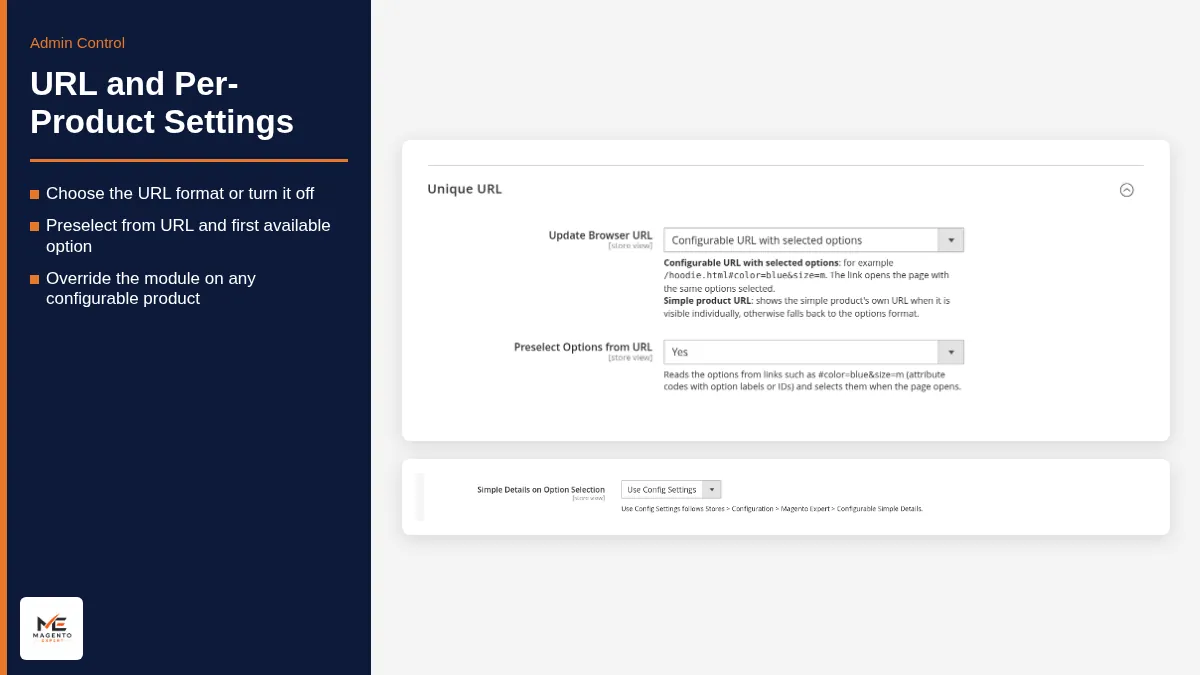
- Per-Product Override
- Swatches and Dropdowns
- Theme Hook and JavaScript Event
- Module Enable/Disable Switch
At a glance
| Module name | Mage2Expert_ConfigSimpleDetails |
|---|---|
| Composer package | mage2expert/module-config-simple-details |
| Settings | Stores › Configuration › Magento Expert › Configurable Simple Details (17 options) |
| Per store view settings | Yes |
| API | No custom endpoints (uses Magento's standard APIs) |
| PHP | 8.1, 8.2, 8.3, 8.4, 8.5 |
Installation
After purchasing on the Adobe Commerce Marketplace, install it with Composer using your Marketplace access keys:
composer require mage2expert/module-config-simple-details
bin/magento module:enable Mage2Expert_ConfigSimpleDetails
bin/magento setup:upgrade
bin/magento setup:di:compile
bin/magento setup:static-content:deploy -f
bin/magento cache:flush
Skip setup:di:compile and static-content:deploy if your store runs in developer mode.
Configuration reference
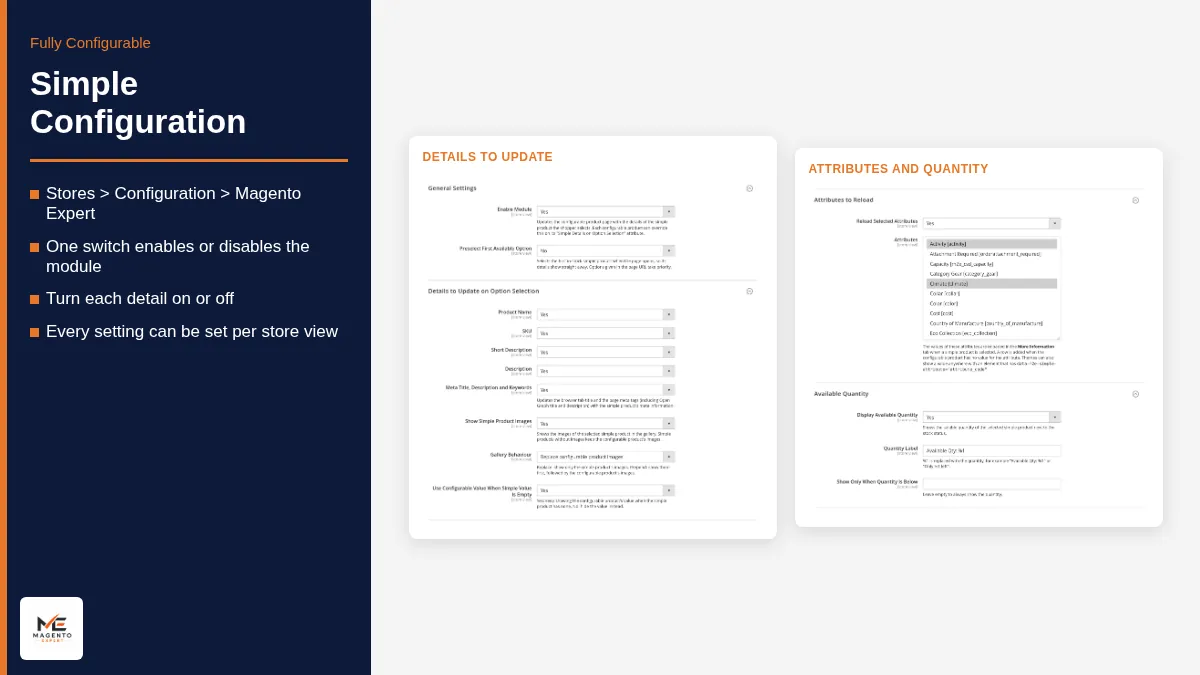
All 17 options under Stores › Configuration › Magento Expert › Configurable Simple Details, grouped as they appear in the admin.
General Settings 2
| Setting | Description |
|---|---|
| Enable Module | Updates the configurable product page with the details of the simple product the shopper selects. Each configurable product can override this on its "Simple Details on Option Selection" attribute. |
| Preselect First Available Option | Selects the first in-stock simple product when the page opens, so its details show straight away. Options given in the page URL take priority. |
Details to Update on Option Selection 8
| Setting | Description |
|---|---|
| Product Name | |
| SKU | |
| Short Description | |
| Description | |
| Meta Title, Description and Keywords | Updates the browser tab title and the page meta tags (including Open Graph title and description) with the simple product's meta information. |
| Show Simple Product Images | Shows the images of the selected simple product in the gallery. Simple products without images keep the configurable product's images. |
| Gallery Behaviour | Replace: show only the simple product's images. Prepend: show them first, followed by the configurable product's images. |
| Use Configurable Value When Simple Value Is Empty | Yes: keep showing the configurable product's value when the simple product has none. No: hide the value instead. |
Attributes to Reload 2
| Setting | Description |
|---|---|
| Reload Selected Attributes | |
| Attributes | The values of these attributes are reloaded in the More Information tab when a simple product is selected. A row is added when the configurable product has no value for the attribute. Themes can also show a value anywhere with an element th |
Available Quantity 3
| Setting | Description |
|---|---|
| Display Available Quantity | Shows the salable quantity of the selected simple product next to the stock status. |
| Quantity Label | %1 is replaced with the quantity, for example "Available Qty: %1" or "Only %1 left". |
| Show Only When Quantity Is Below | Leave empty to always show the quantity. |
Unique URL 2
| Setting | Description |
|---|---|
| Update Browser URL | Configurable URL with selected options : for example /hoodie.html#color=blue&size=m . The link opens the page with the same options selected. Simple product URL : shows the simple product's own URL when it is visible individually, otherwise |
| Preselect Options from URL | Reads the options from links such as #color=blue&size=m (attribute codes with option labels or IDs) and selects them when the page opens. |
Frequently asked questions
How much does Configurable Simple Details cost?
Which Magento and PHP versions are supported?
Where do I configure Configurable Simple Details?
Can I switch it off without uninstalling it?
Can the settings differ per store view?
Can it be customised for my store?
More Catalog & Storefront
Related extensions
Ajax Search Autocomplete
Instant search-as-you-type results with products, categories and pages shown in a fast dropdown.
360 Product View
Turn a series of ordinary product photos into an interactive 360° view, so shoppers can turn the product around before they buy.
Product Labels
Rule-based text or image badges such as “New” or “Sale” on product images, everywhere they appear in your store.
Have a Magento project in mind?
Tell me about your store and what you need. I reply to every enquiry within one business day.
Adobe Certified Expert
Adobe Commerce Developer certification, verified on Credly.
15+ years of Magento
From Magento 1 to Magento 2.4.x, Adobe Commerce and Hyvä.
62 Marketplace extensions
Each one reviewed and approved by Adobe.