
Web Push Notifications for Magento 2
Browser push notifications for your Magento store, built on Google's Firebase Cloud Messaging (FCM).
Why choose Web Push Notifications?
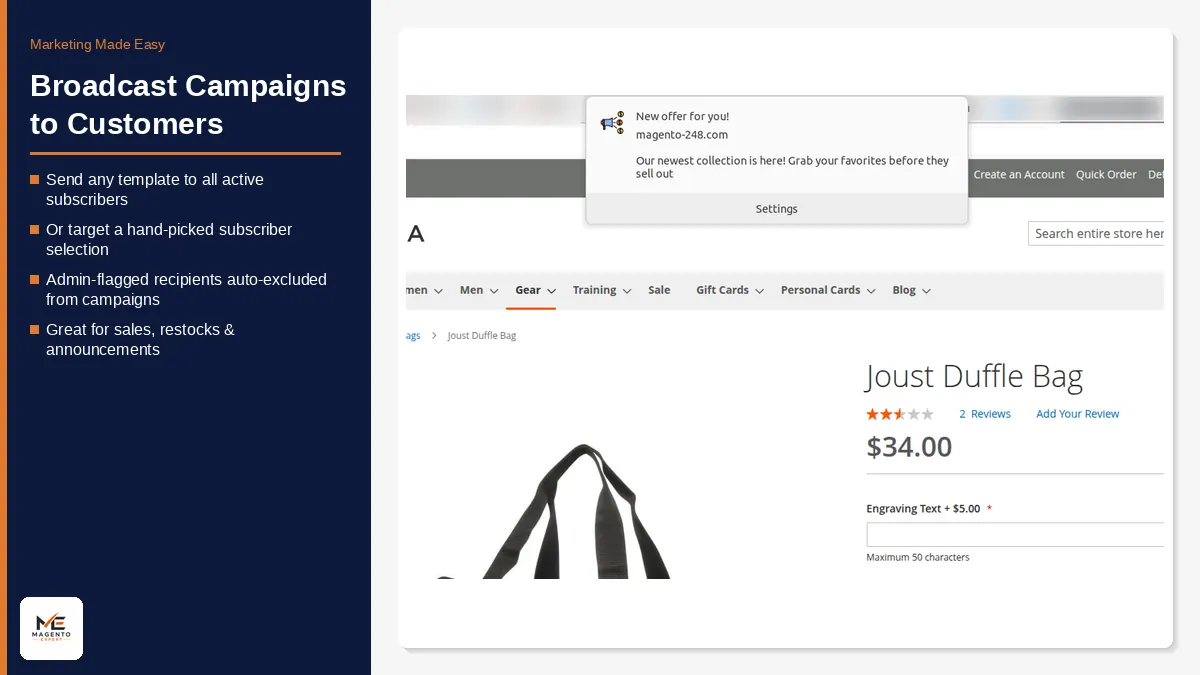
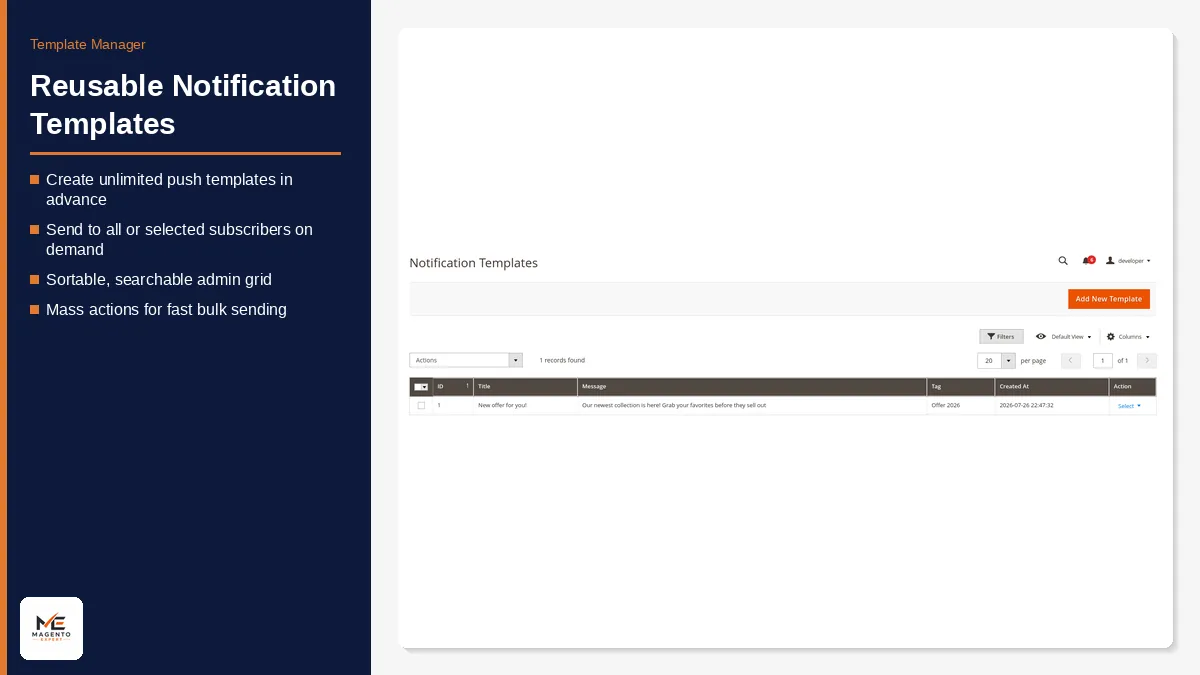
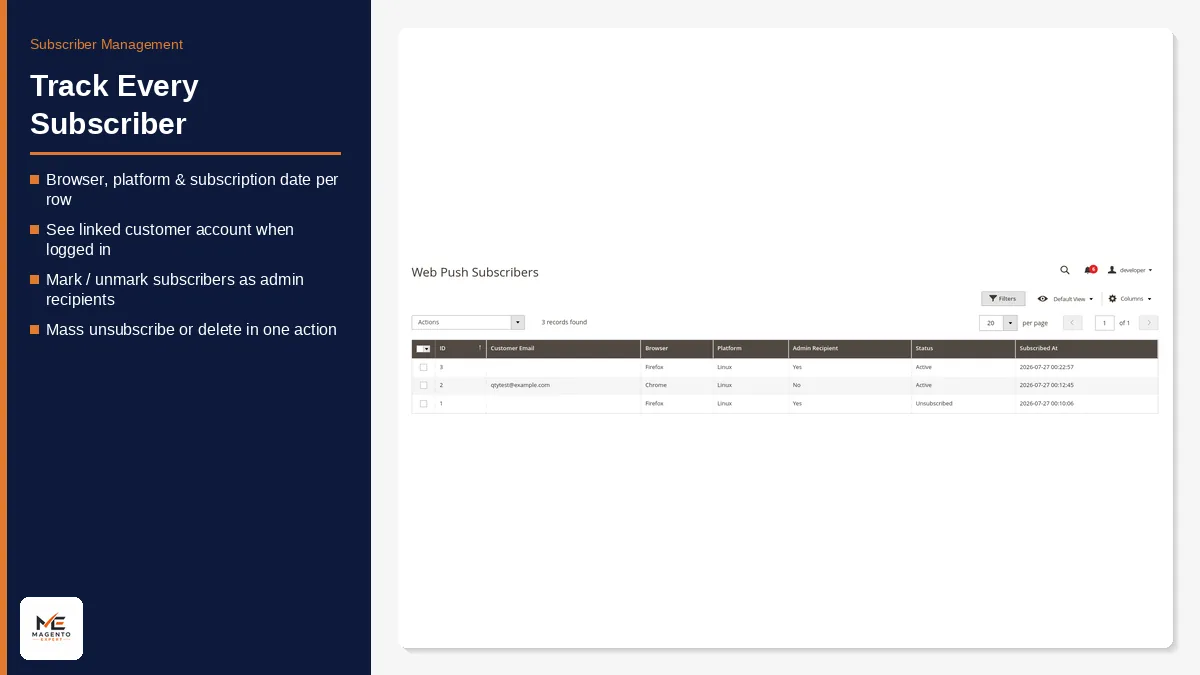
Web Push Notifications sends browser push messages to shoppers and admins through Firebase Cloud Messaging. Admins can be alerted to new orders and reviews, customers can receive order status updates, and you can send manual marketing campaigns to subscribers. Templates, subscribers and a delivery log are all managed from the admin.
Key features
- Real Browser Push Notifications
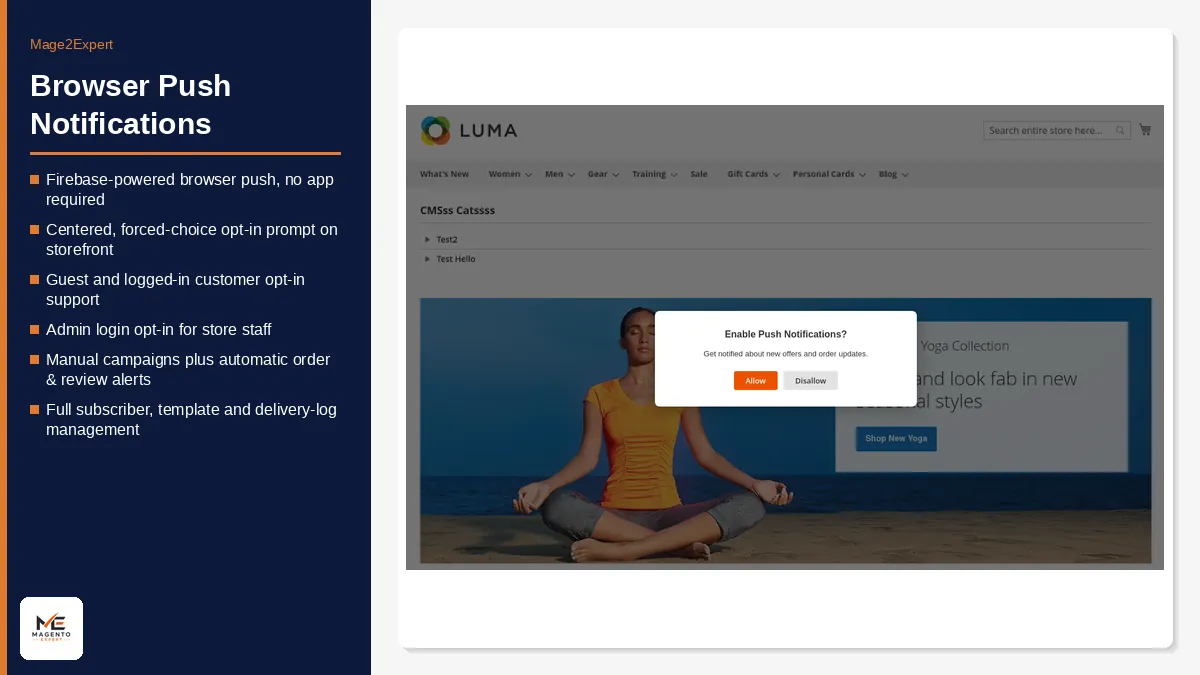
- Forced-Choice Opt-in Prompt
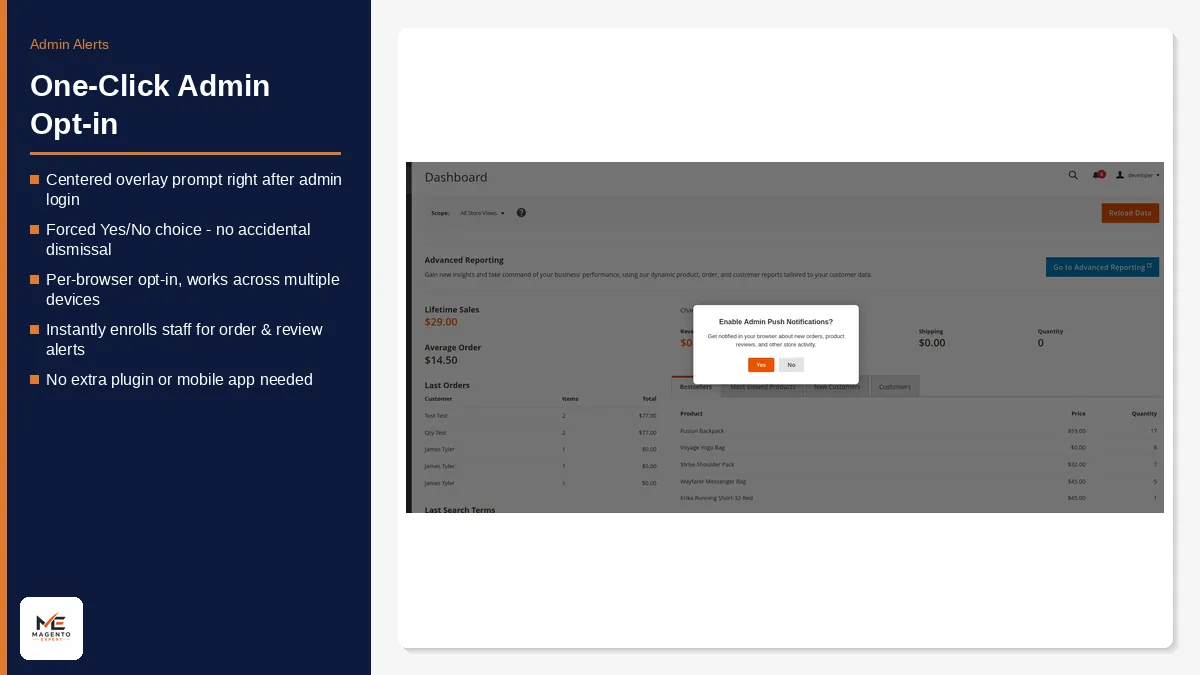
- Admin Login Opt-in
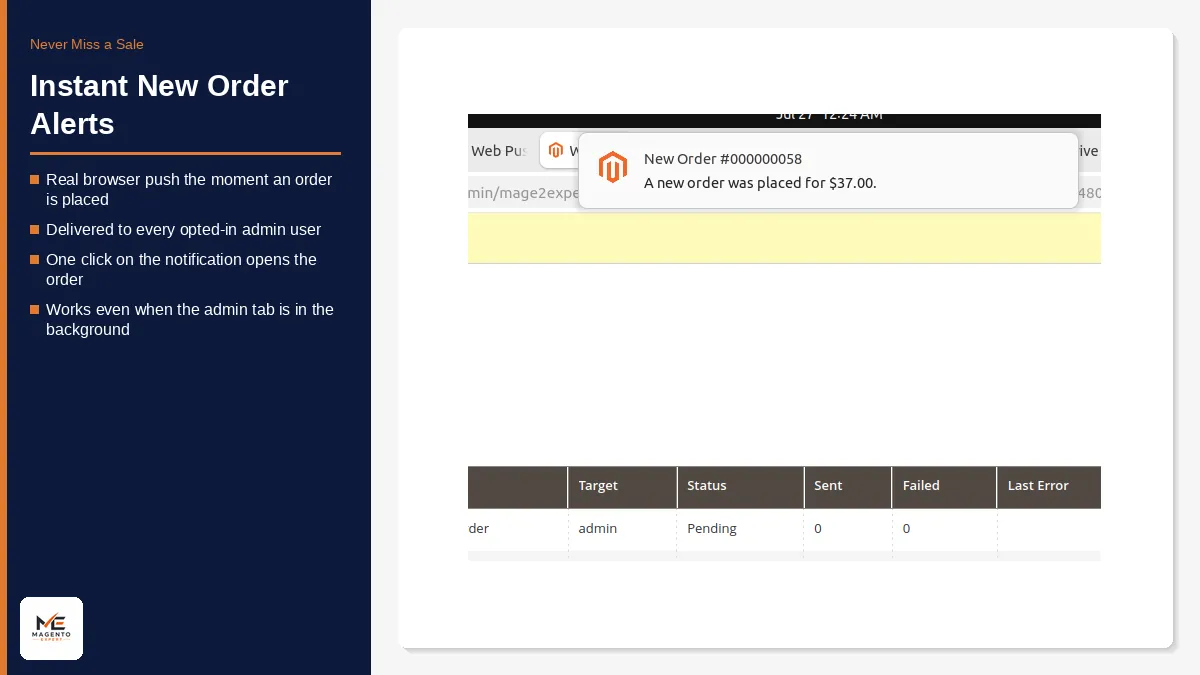
- Automatic New Order Alerts
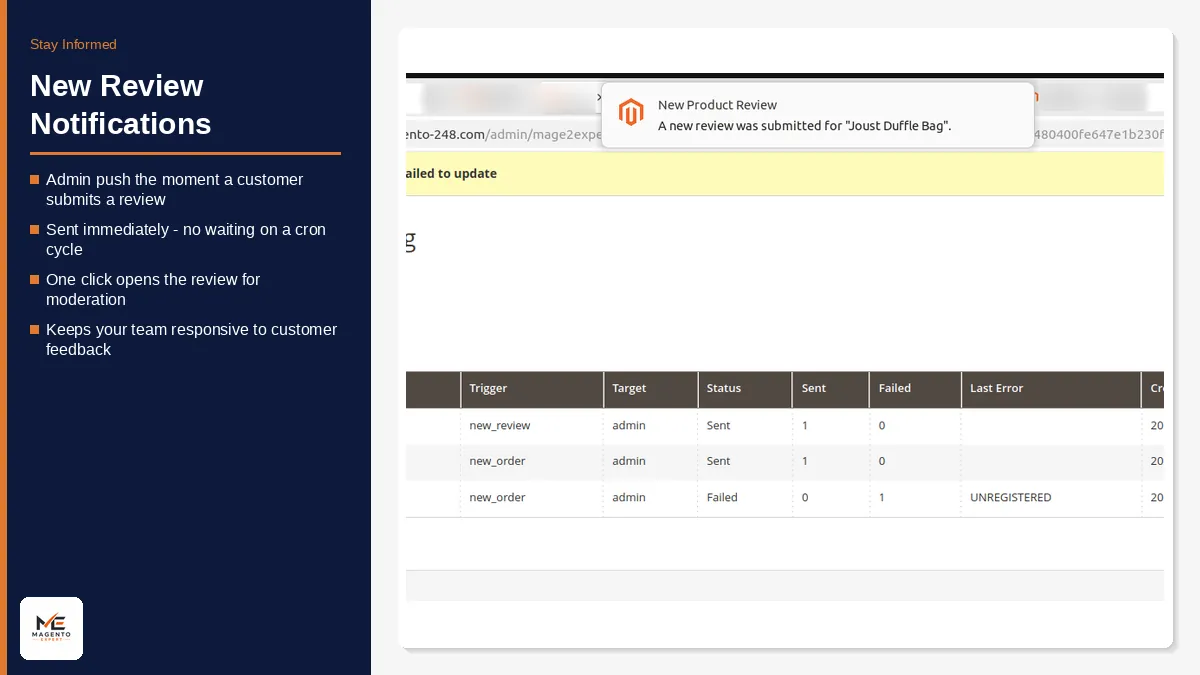
- Automatic New Review Alerts
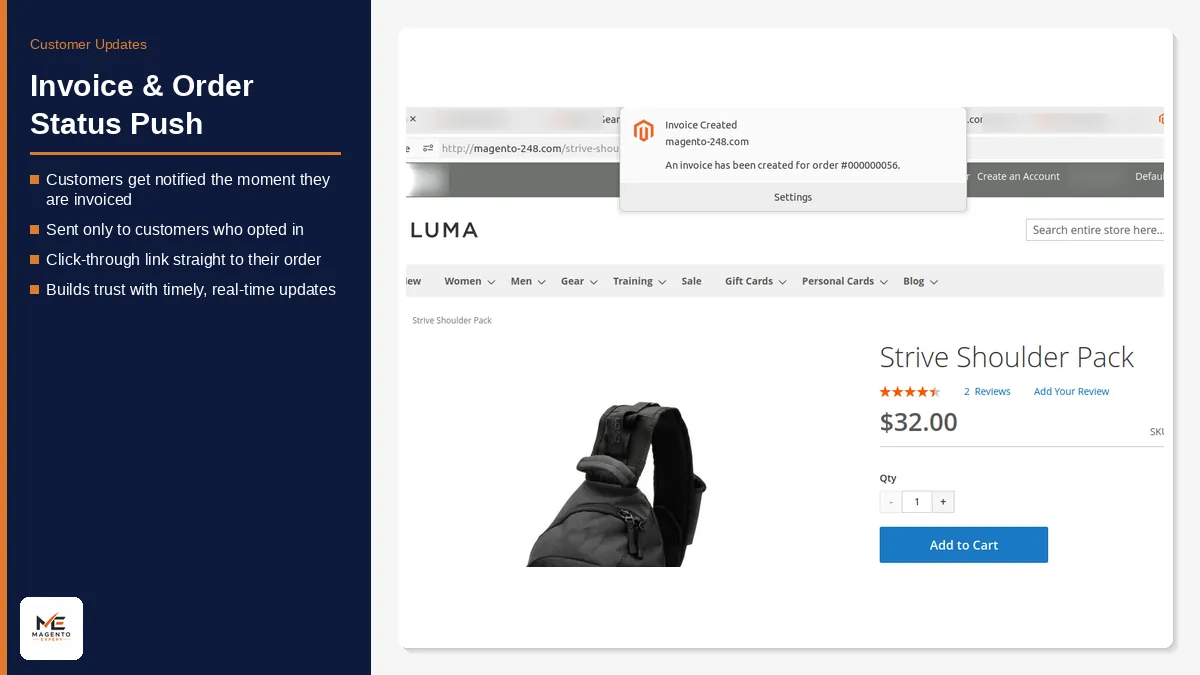
- Automatic Customer Order Updates
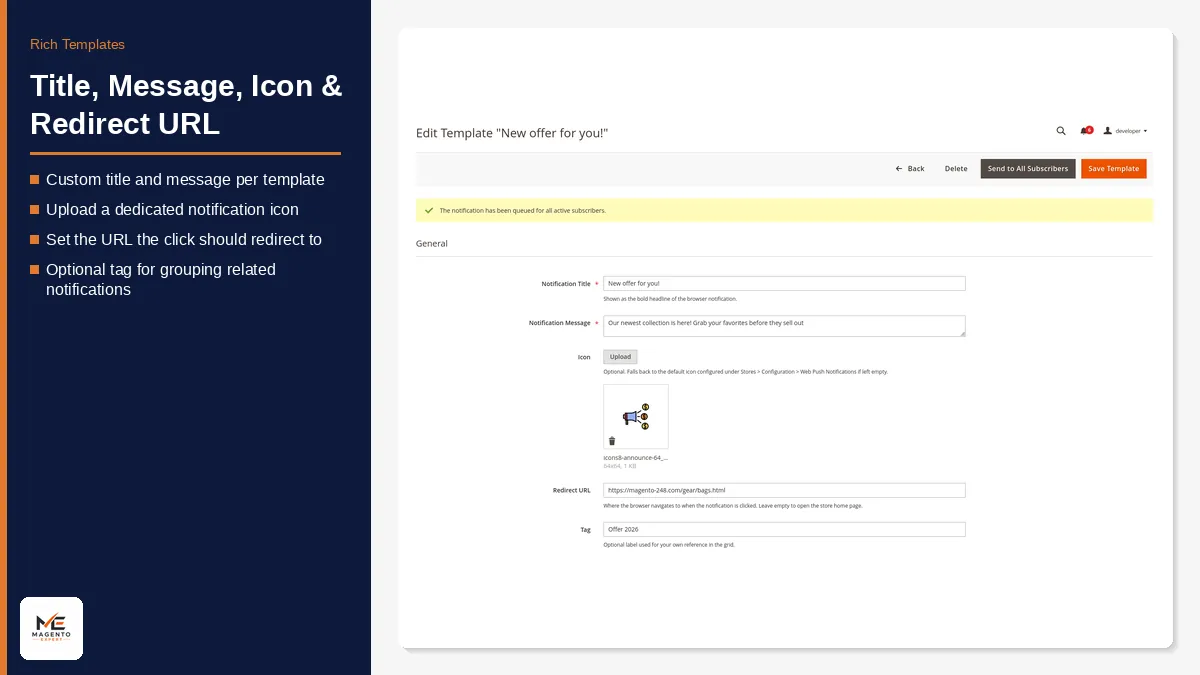
- Notification Templates
- Manual Marketing Campaigns
- Subscriber Management
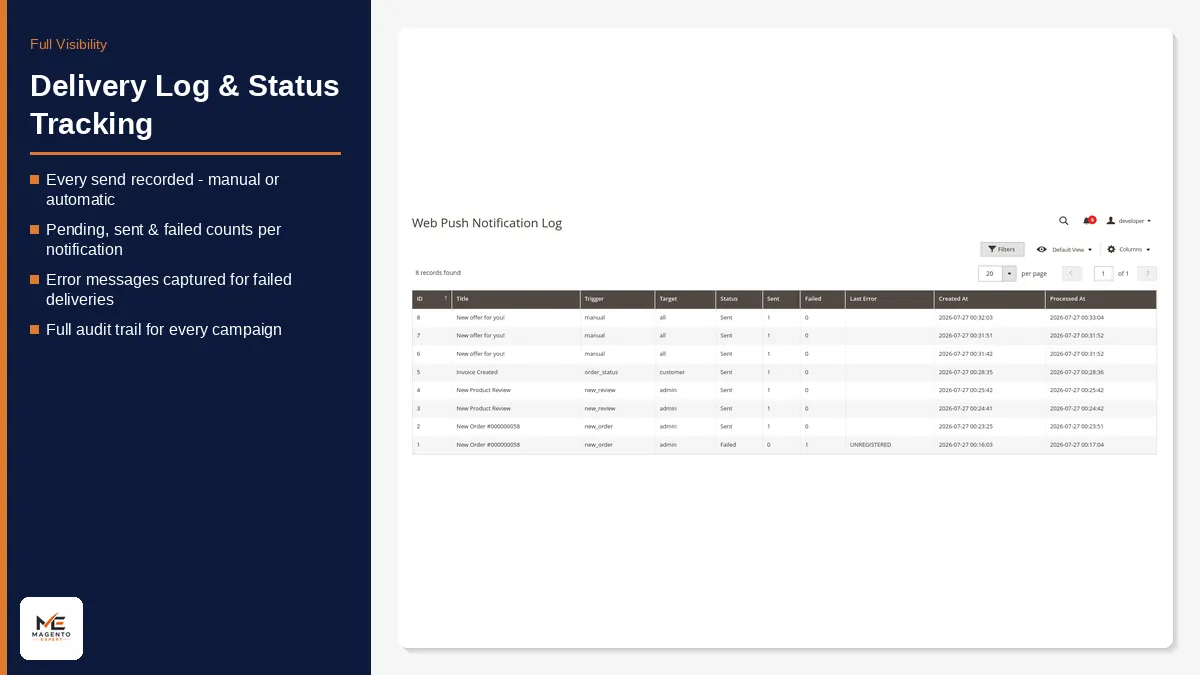
- Delivery Log
- Guest and Customer Support
- Enable / Disable without Uninstalling
At a glance
| Module name | Mage2Expert_WebPush |
|---|---|
| Composer package | mage2expert/module-web-push |
| Settings | Stores › Configuration › Mage2Expert › Web Push Notifications (19 options) |
| Admin menu | Marketing › Web Push › Notification Log Marketing › Web Push › Notification Templates Marketing › Web Push › Subscribers |
| Per store view settings | Yes |
| API | No custom endpoints (uses Magento's standard APIs) |
| Scheduled jobs | 1 cron job |
| PHP | 8.1, 8.2, 8.3, 8.4, 8.5 |
Installation
After purchasing on the Adobe Commerce Marketplace, install it with Composer using your Marketplace access keys:
composer require mage2expert/module-web-push
bin/magento module:enable Mage2Expert_WebPush
bin/magento setup:upgrade
bin/magento setup:di:compile
bin/magento setup:static-content:deploy -f
bin/magento cache:flush
Skip setup:di:compile and static-content:deploy if your store runs in developer mode.
Configuration reference
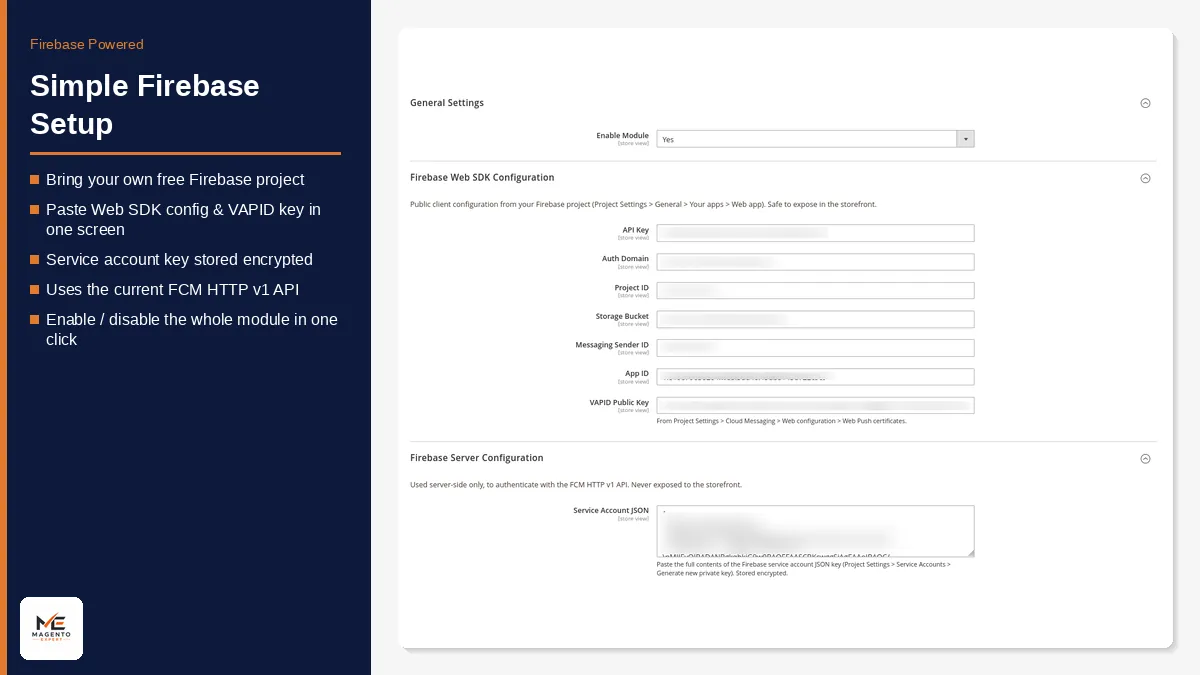
All 19 options under Stores › Configuration › Mage2Expert › Web Push Notifications, grouped as they appear in the admin.
General Settings 1
| Setting | Description |
|---|---|
| Enable Module |
Firebase Web SDK Configuration 7
| Setting | Description |
|---|---|
| API Key | |
| Auth Domain | |
| Project ID | |
| Storage Bucket | |
| Messaging Sender ID | |
| App ID | |
| VAPID Public Key | From Project Settings > Cloud Messaging > Web configuration > Web Push certificates. |
Firebase Server Configuration 1
| Setting | Description |
|---|---|
| Service Account JSON | Paste the full contents of the Firebase service account JSON key (Project Settings > Service Accounts > Generate new private key). Stored encrypted. |
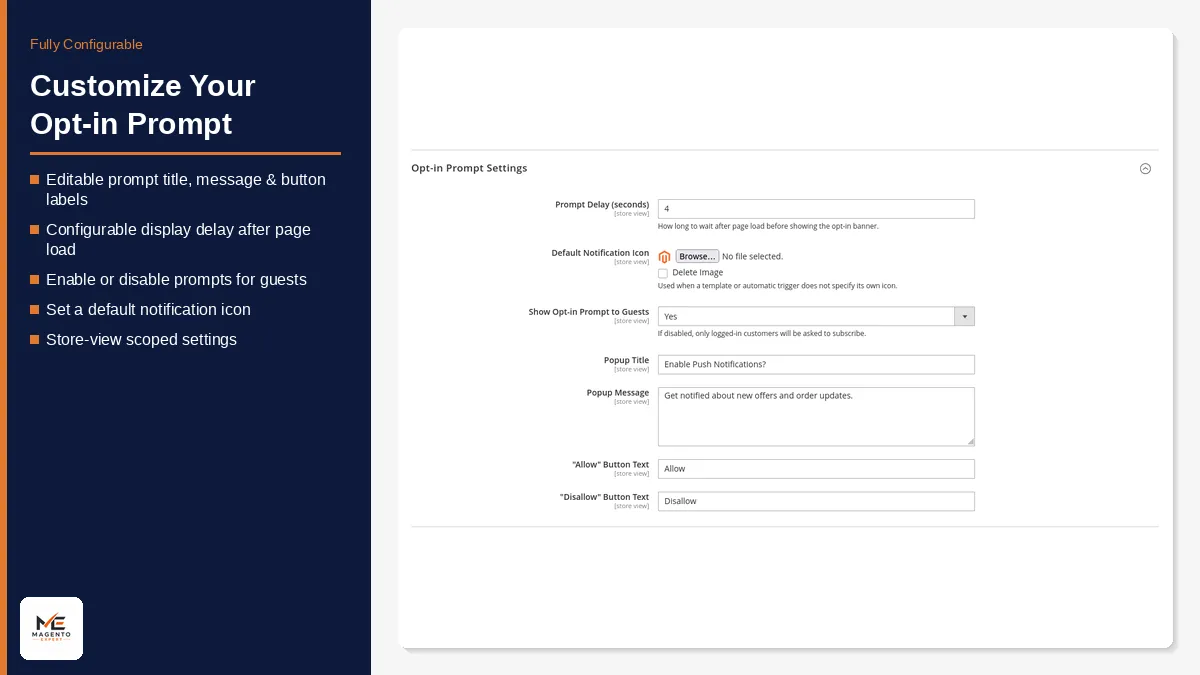
Opt-in Prompt Settings 7
| Setting | Description |
|---|---|
| Prompt Delay (seconds) | How long to wait after page load before showing the opt-in banner. |
| Default Notification Icon | Used when a template or automatic trigger does not specify its own icon. |
| Show Opt-in Prompt to Guests | If disabled, only logged-in customers will be asked to subscribe. |
| Popup Title | |
| Popup Message | |
| "Allow" Button Text | |
| "Disallow" Button Text |
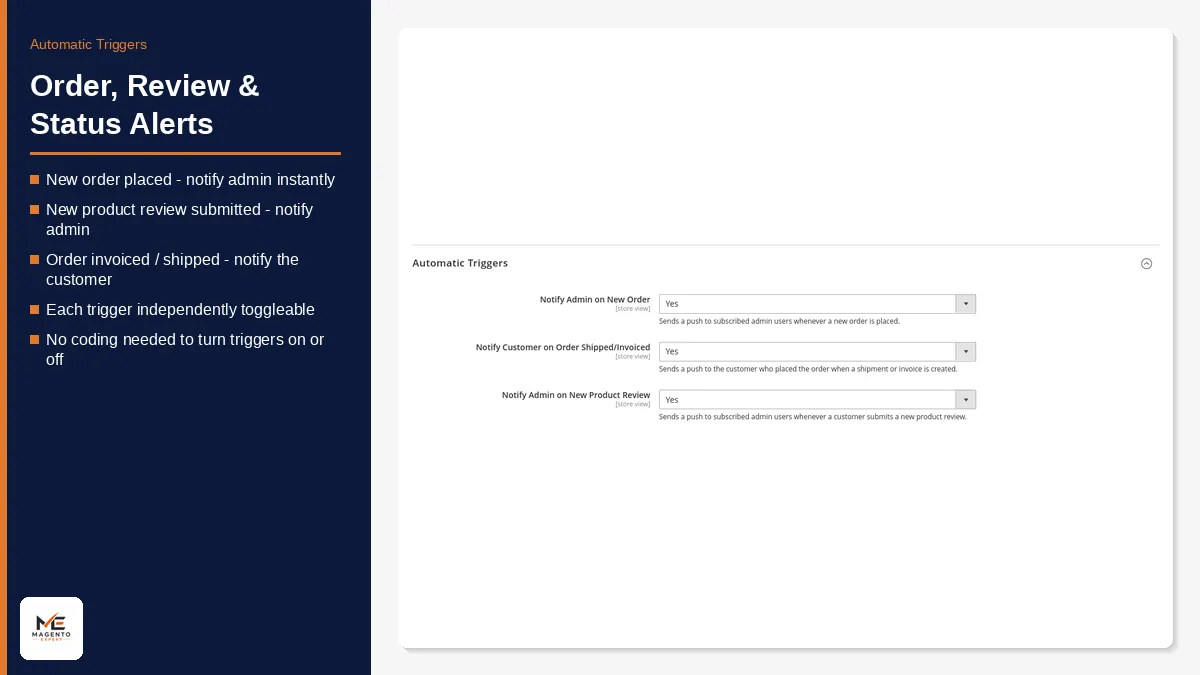
Automatic Triggers 3
| Setting | Description |
|---|---|
| Notify Admin on New Order | Sends a push to subscribed admin users whenever a new order is placed. |
| Notify Customer on Order Shipped/Invoiced | Sends a push to the customer who placed the order when a shipment or invoice is created. |
| Notify Admin on New Product Review | Sends a push to subscribed admin users whenever a customer submits a new product review. |
Developer reference
Cron jobs
| Job | Runs |
|---|---|
mage2expert_webpush_process_queue | every 1 minutes |
Frequently asked questions
How much does Web Push Notifications cost?
Which Magento and PHP versions are supported?
Where do I configure Web Push Notifications?
Can I switch it off without uninstalling it?
Can the settings differ per store view?
Does it run background jobs?
Can it be customised for my store?
More Marketing
Related extensions
Reward Points
Reward customers with points for purchases and actions, redeemable as discounts on future orders.
Gift Card
A virtual gift card product type with balance management. Customers buy a gift card and spend the balance at checkout.
Coupon Suggestions
Show customers the coupons that are valid for their cart, right at the discount field on cart and checkout.
Have a Magento project in mind?
Tell me about your store and what you need. I reply to every enquiry within one business day.
Adobe Certified Expert
Adobe Commerce Developer certification, verified on Credly.
15+ years of Magento
From Magento 1 to Magento 2.4.x, Adobe Commerce and Hyvä.
62 Marketplace extensions
Each one reviewed and approved by Adobe.