Order Success Page Feedback Form for Magento 2
Collect customer feedback right on the order success page, while the purchase experience is fresh.
Why choose Order Success Page Feedback Form?
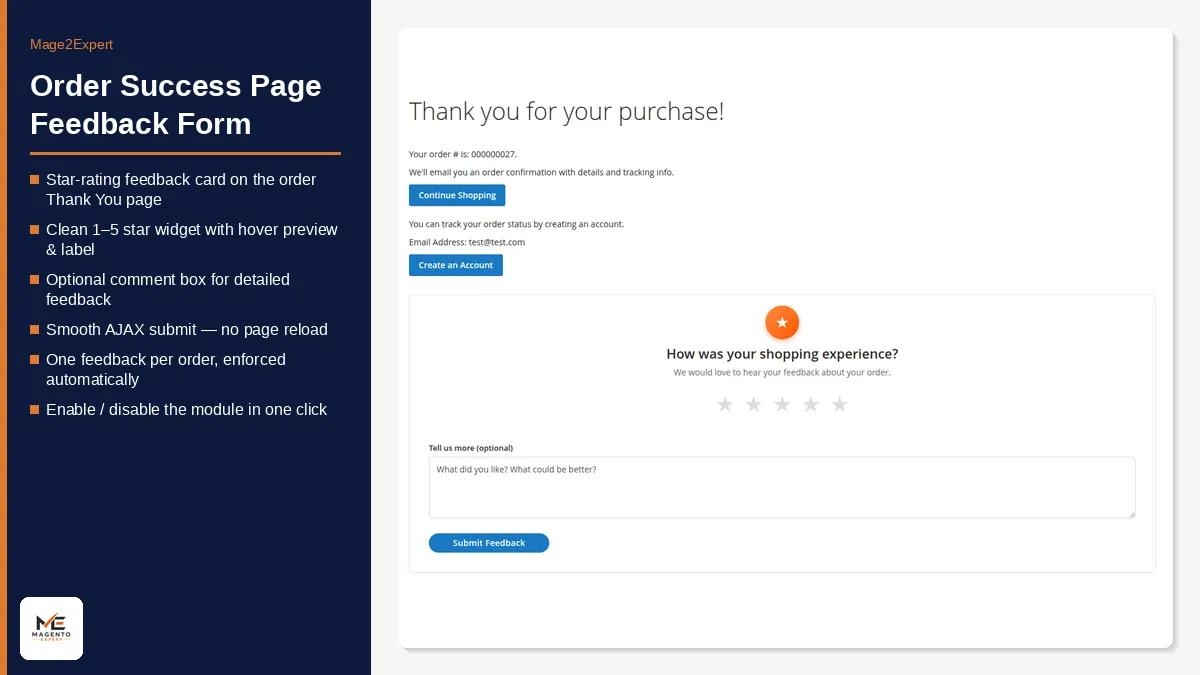
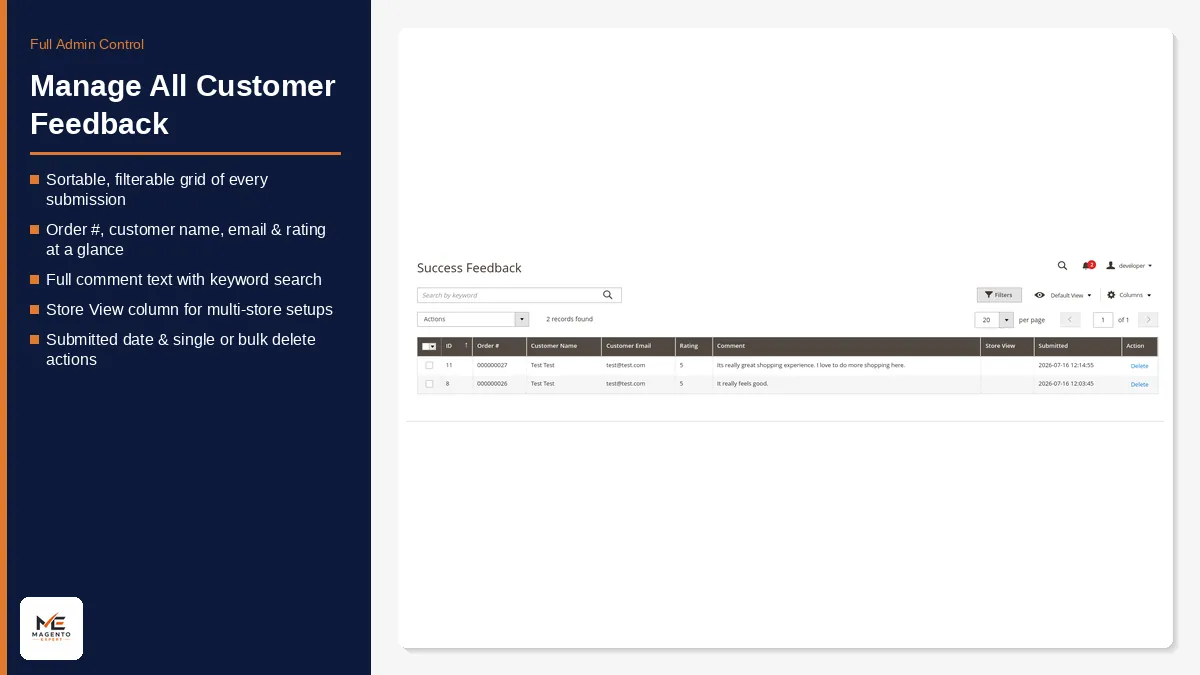
Order Success Page Feedback Form adds a short star rating and comment card to the order confirmation page, the moment when customers are most willing to answer. Each order can submit feedback once, submissions are saved without a page reload, and they appear in an admin grid with optional email alerts. The title, description and whether a comment is required are all configurable.
Key features
- Order Success Page Feedback Card
- 1–5 Star Rating Widget
- Optional or Required Comment Box
- AJAX Submission with Loading State
- One Feedback per Order
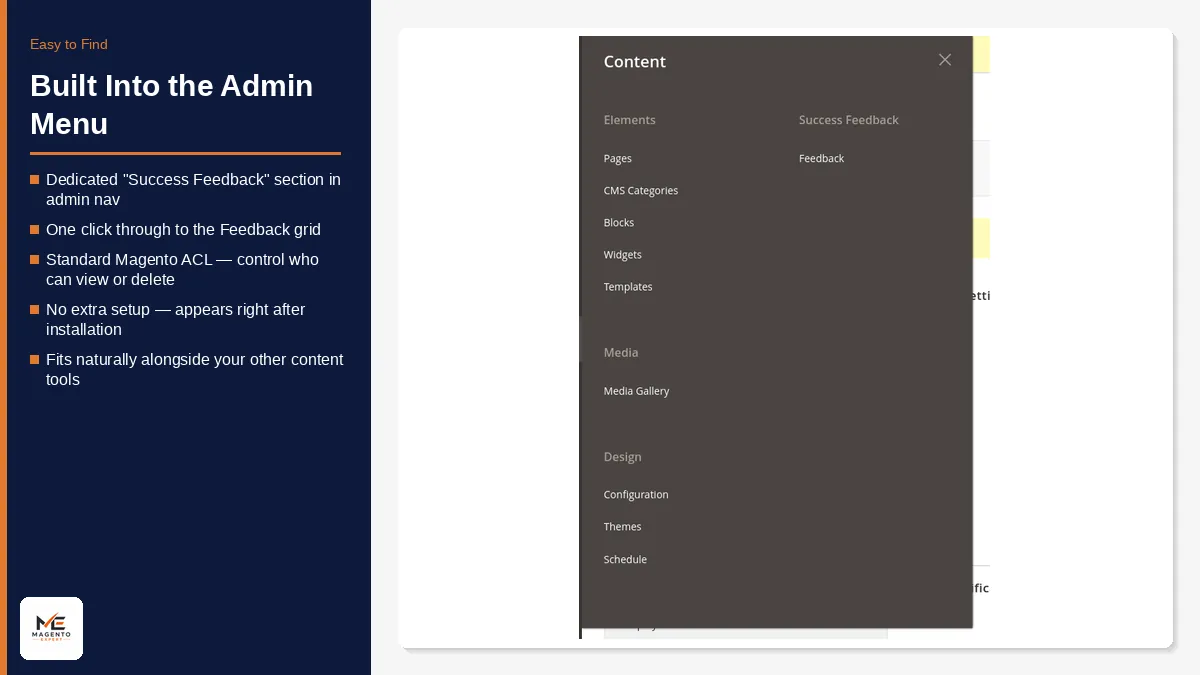
- Dedicated Admin Feedback Grid
- Standard Magento ACL
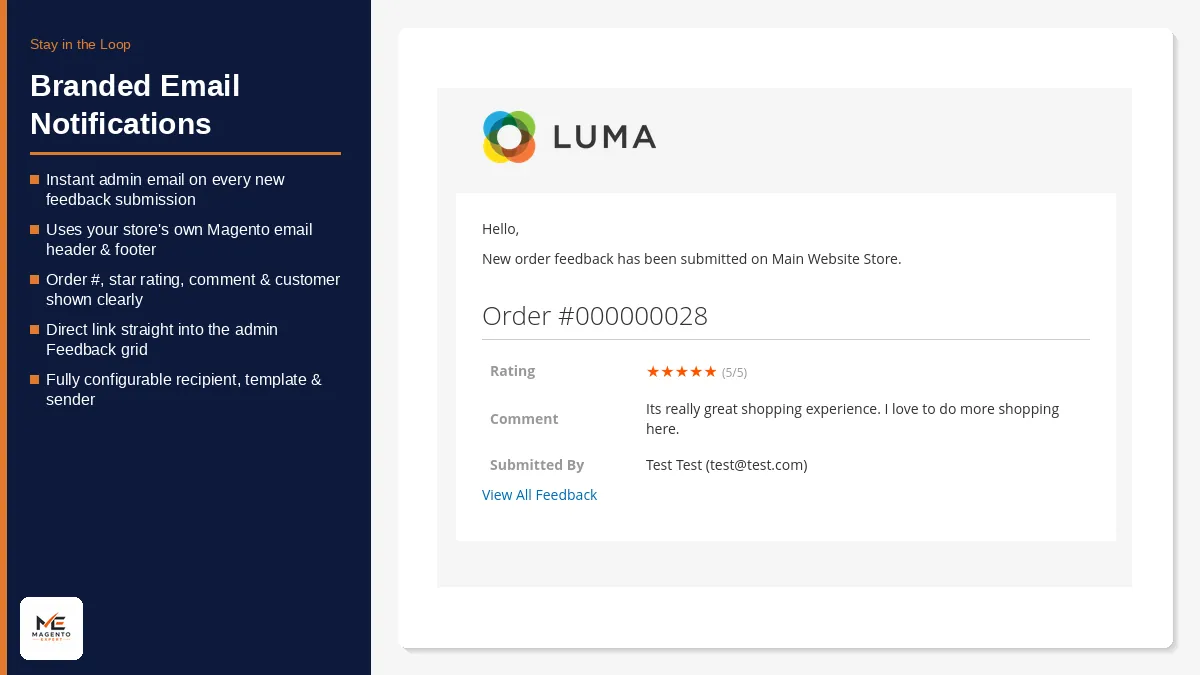
- Branded Admin Email Notifications
- Configurable Notification Template & Sender
- Custom Form Title & Description
- Store-View Scope Throughout
- Enable / Disable without Uninstalling
- Zero Core Code Modifications
At a glance
| Module name | Mage2Expert_SuccessFeedback |
|---|---|
| Composer package | mage2expert/module-success-feedback |
| Settings | Stores › Configuration › Mage2Expert › Success Feedback (8 options) |
| Admin menu | Content › Success Feedback › Feedback |
| Per store view settings | Yes |
| API | No custom endpoints (uses Magento's standard APIs) |
| PHP | 8.1, 8.2, 8.3, 8.4, 8.5 |
Installation
After purchasing on the Adobe Commerce Marketplace, install it with Composer using your Marketplace access keys:
composer require mage2expert/module-success-feedback
bin/magento module:enable Mage2Expert_SuccessFeedback
bin/magento setup:upgrade
bin/magento setup:di:compile
bin/magento setup:static-content:deploy -f
bin/magento cache:flush
Skip setup:di:compile and static-content:deploy if your store runs in developer mode.
Configuration reference
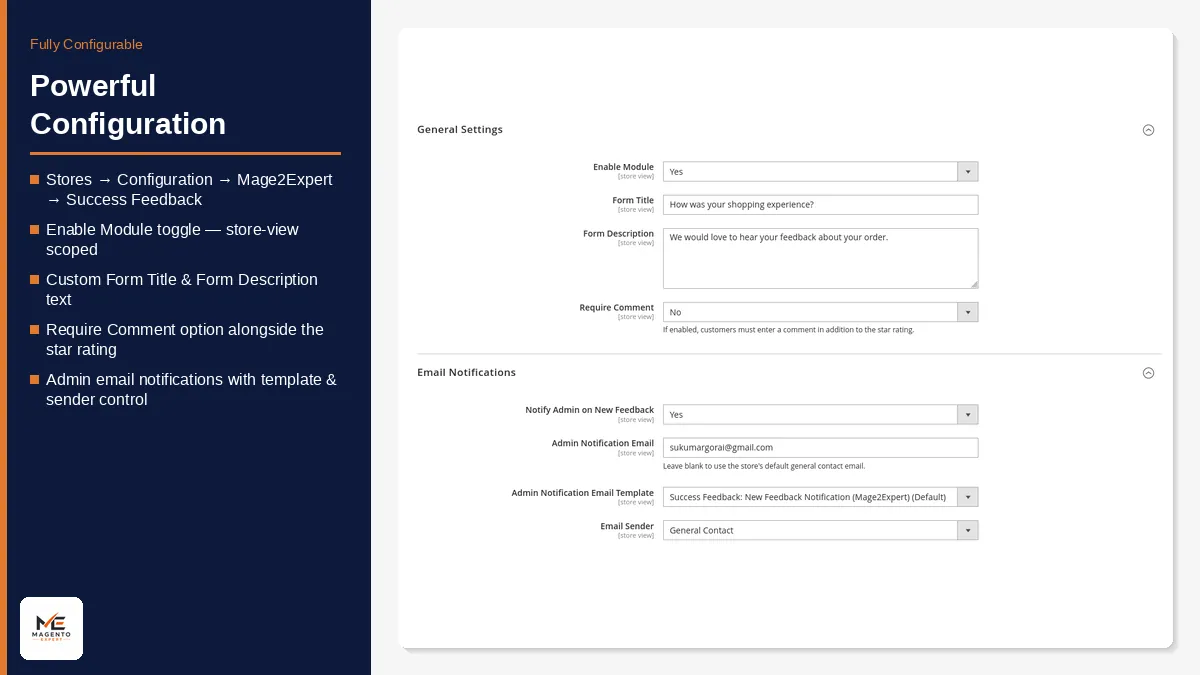
All 8 options under Stores › Configuration › Mage2Expert › Success Feedback, grouped as they appear in the admin.
General Settings 4
| Setting | Description |
|---|---|
| Enable Module | |
| Form Title | |
| Form Description | |
| Require Comment | If enabled, customers must enter a comment in addition to the star rating. |
Email Notifications 4
| Setting | Description |
|---|---|
| Notify Admin on New Feedback | |
| Admin Notification Email | Leave blank to use the store's default general contact email. |
| Admin Notification Email Template | |
| Email Sender |
Frequently asked questions
How much does Order Success Page Feedback Form cost?
Which Magento and PHP versions are supported?
Where do I configure Order Success Page Feedback Form?
Can I switch it off without uninstalling it?
Can the settings differ per store view?
Can it be customised for my store?
More Checkout & Cart
Related extensions
One Step Checkout
A fast, single-page checkout built with Alpine.js, with fewer steps and fewer abandoned carts.
Quick Order
A bulk-ordering page where buyers search by SKU, paste a SKU list or upload a CSV, then add everything to the cart in one click.
Flat Rates
Offer multiple, conditional flat-rate shipping methods instead of Magento's single fixed-price flat rate.
Have a Magento project in mind?
Tell me about your store and what you need. I reply to every enquiry within one business day.
Adobe Certified Expert
Adobe Commerce Developer certification, verified on Credly.
15+ years of Magento
From Magento 1 to Magento 2.4.x, Adobe Commerce and Hyvä.
62 Marketplace extensions
Each one reviewed and approved by Adobe.