Why choose Social Share?
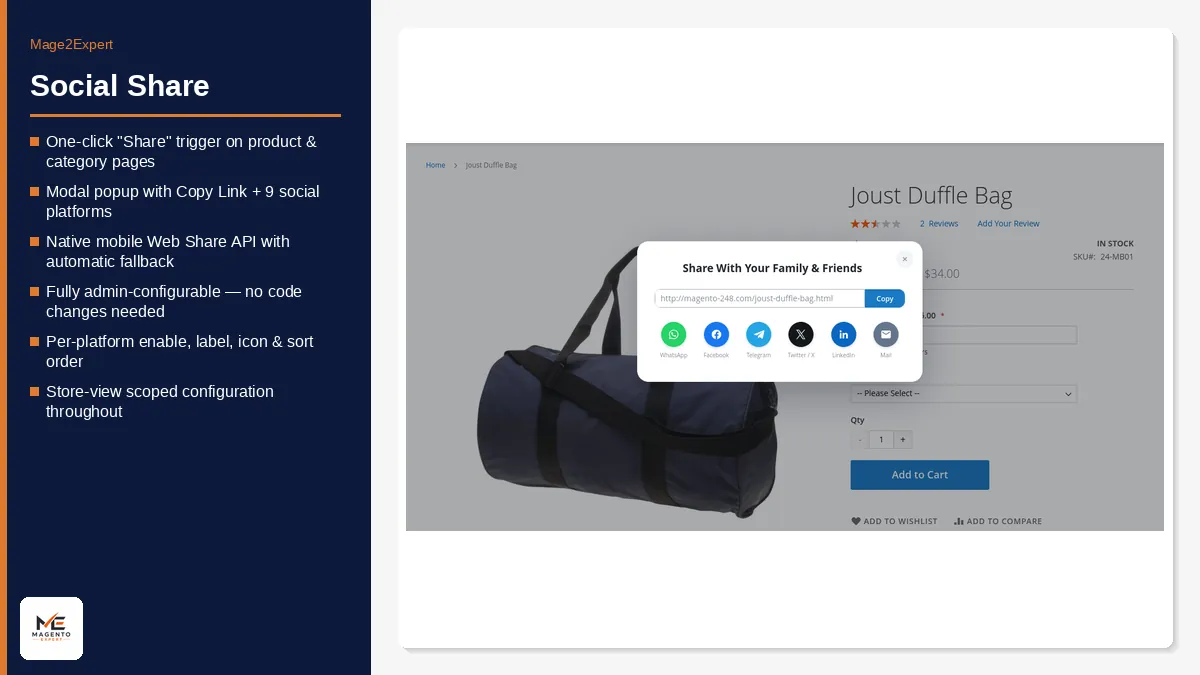
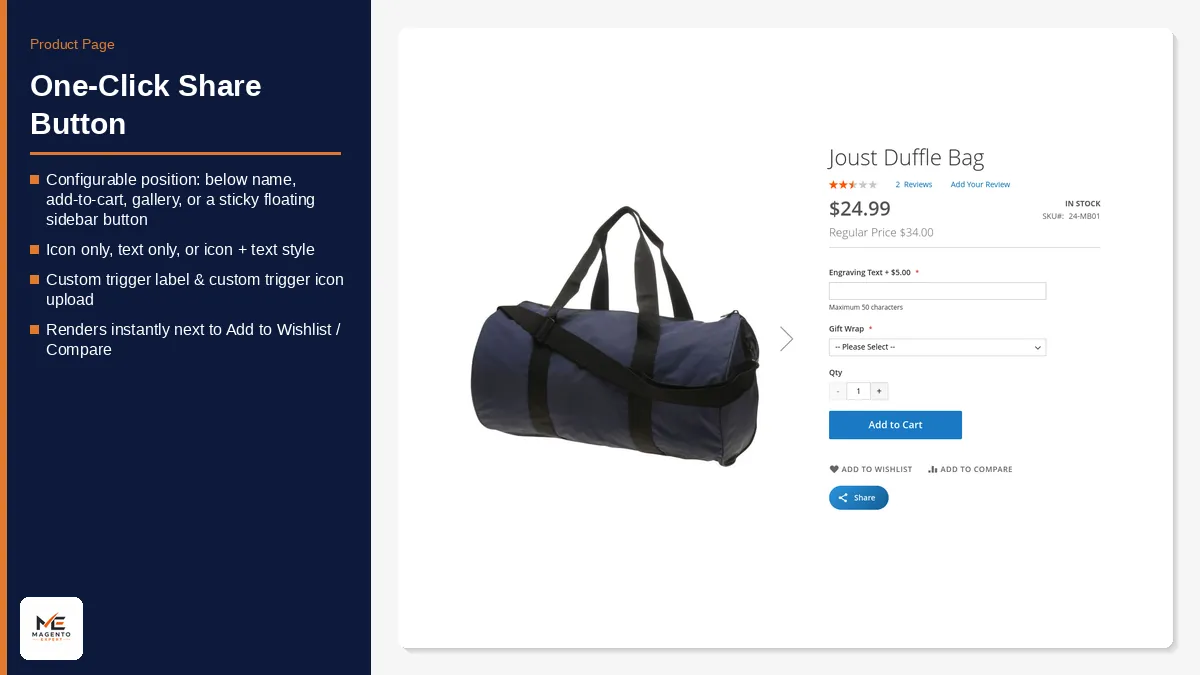
Social Share adds a Share button and popup to product and category pages. Shoppers can share to WhatsApp, Facebook, Messenger, Telegram, X, LinkedIn, Pinterest or email, copy the link, or print the page, and on phones the native share sheet is used where available. Every platform, icon and piece of text can be configured per store view.
Key features
- One-Click Share Trigger
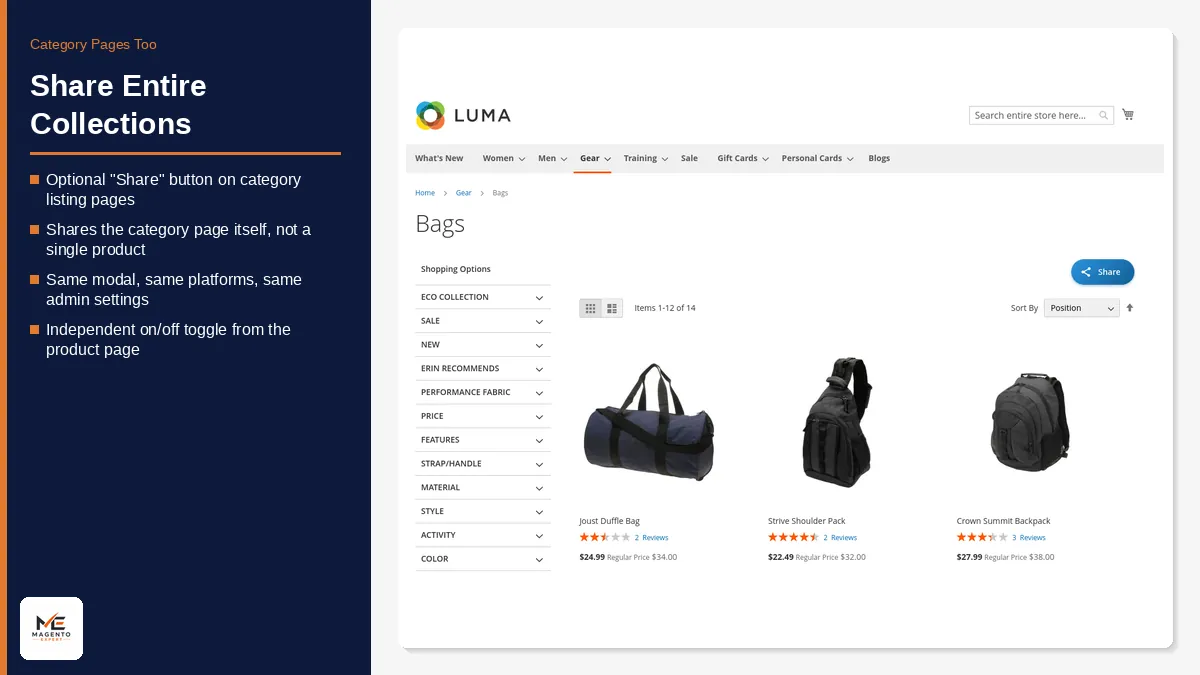
- Category Page Sharing
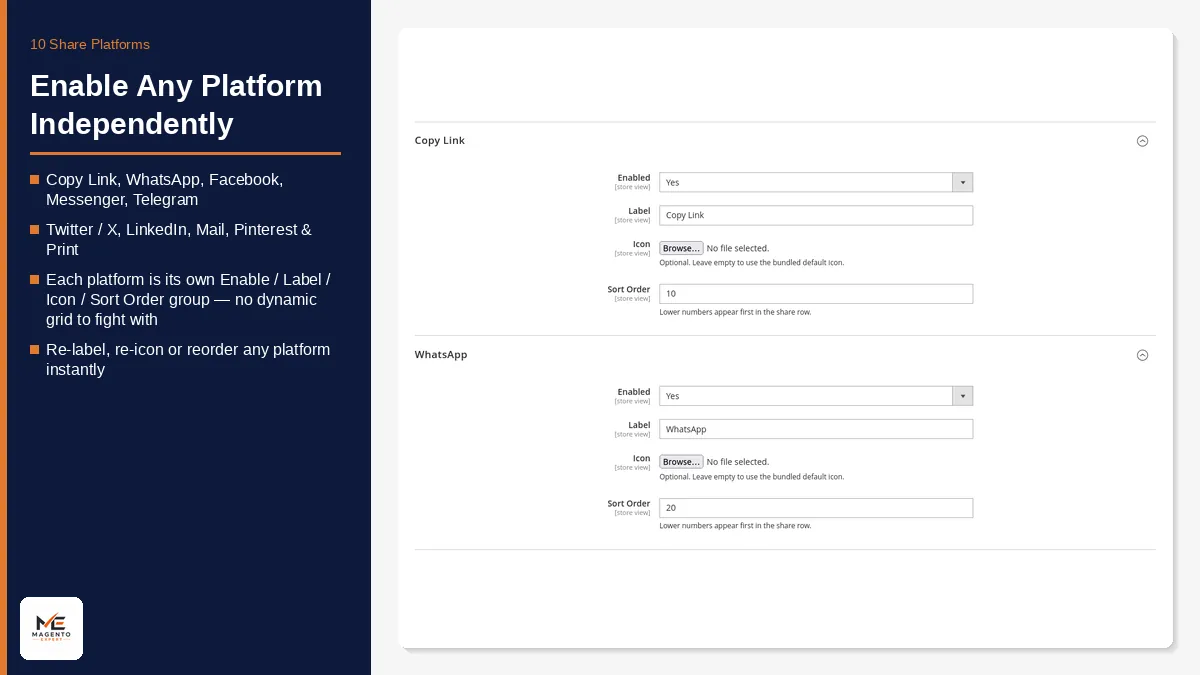
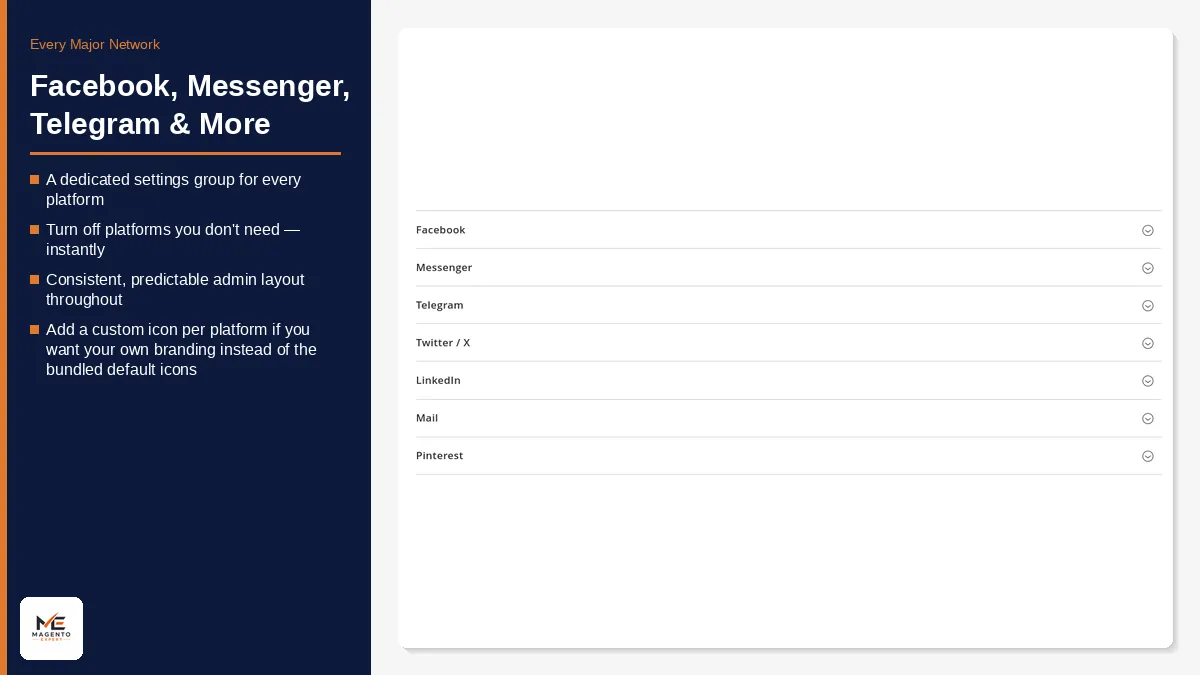
- 10 Share Platforms, Individually Controlled
- Custom Icons Per Platform
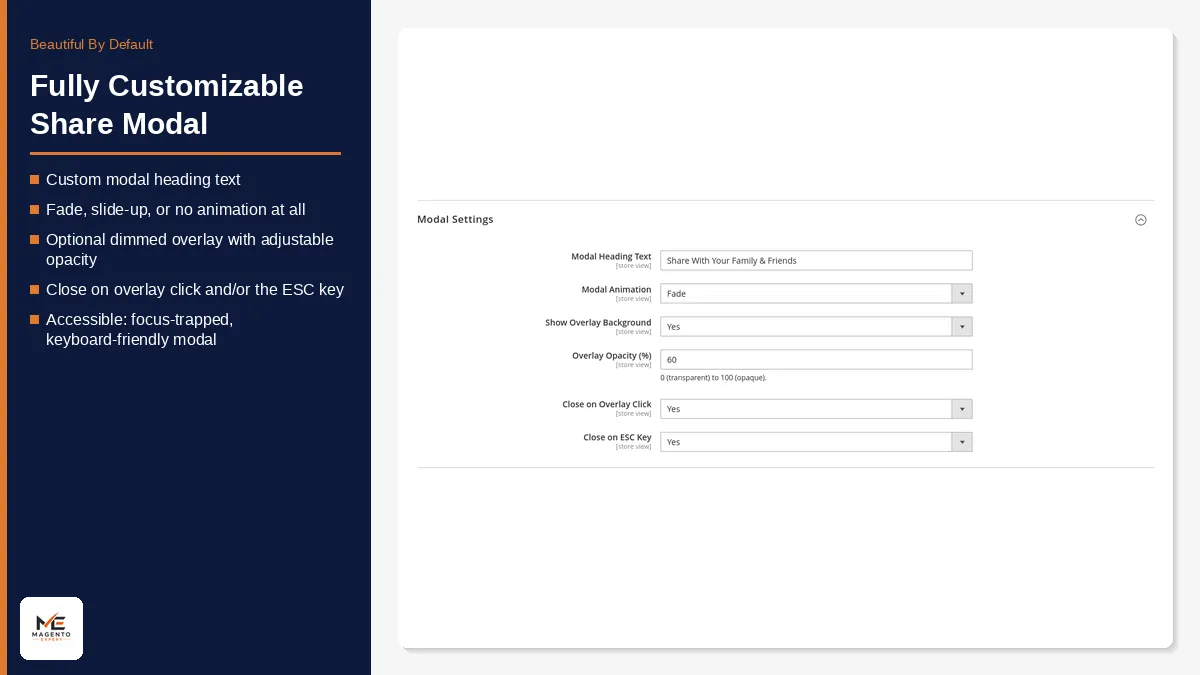
- Configurable Share Modal
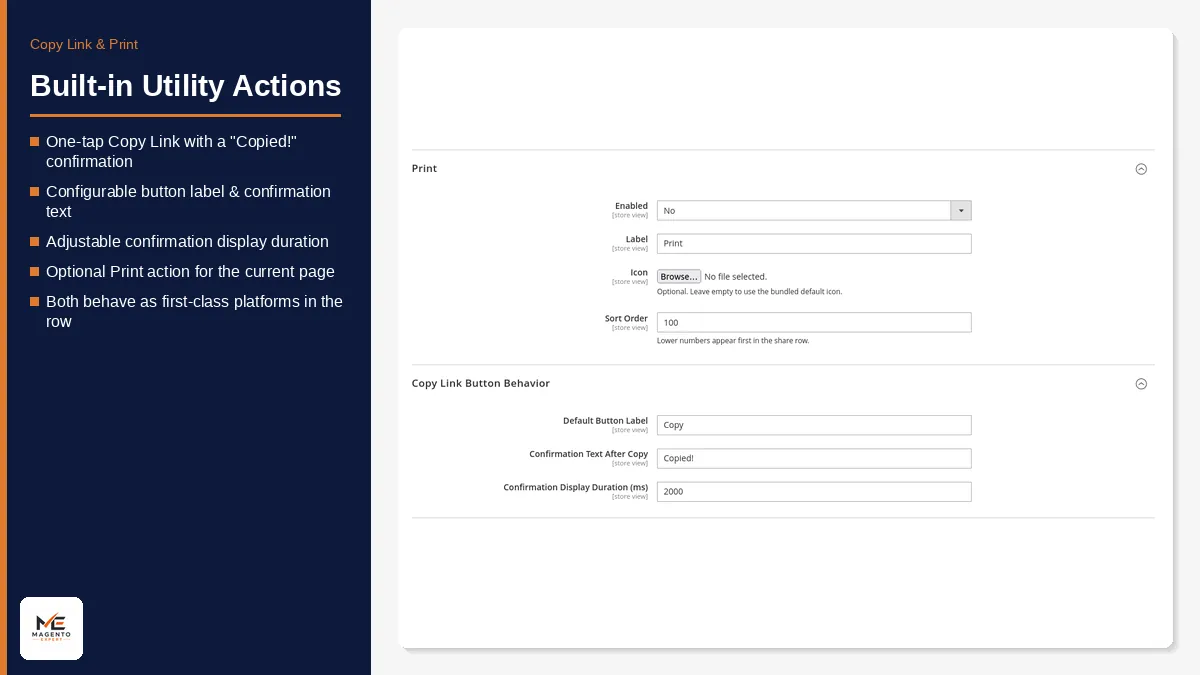
- Copy Link with Confirmation
- Customizable Share Text
- Native Mobile Web Share API
- Accessible Modal
- Platform-Specific Controls
- Store-View Scope Throughout
- Enable / Disable Without Losing Settings
- Zero Core Code Modifications
At a glance
| Module name | Mage2Expert_SocialShare |
|---|
| Composer package | mage2expert/module-social-share |
|---|
| Settings | Stores › Configuration › Mage2Expert › Social Share (61 options) |
|---|
| Per store view settings | Yes |
|---|
| API | No custom endpoints (uses Magento's standard APIs) |
|---|
| PHP | 8.1, 8.2, 8.3, 8.4, 8.5 |
|---|
Installation
After purchasing on the Adobe Commerce Marketplace, install it with Composer using your Marketplace access keys:
composer require mage2expert/module-social-share
bin/magento module:enable Mage2Expert_SocialShare
bin/magento setup:upgrade
bin/magento setup:di:compile
bin/magento setup:static-content:deploy -f
bin/magento cache:flush
Skip setup:di:compile and static-content:deploy if your store runs in developer mode.
Configuration reference
All 61 options under Stores › Configuration › Mage2Expert › Social Share, grouped as they appear in the admin.
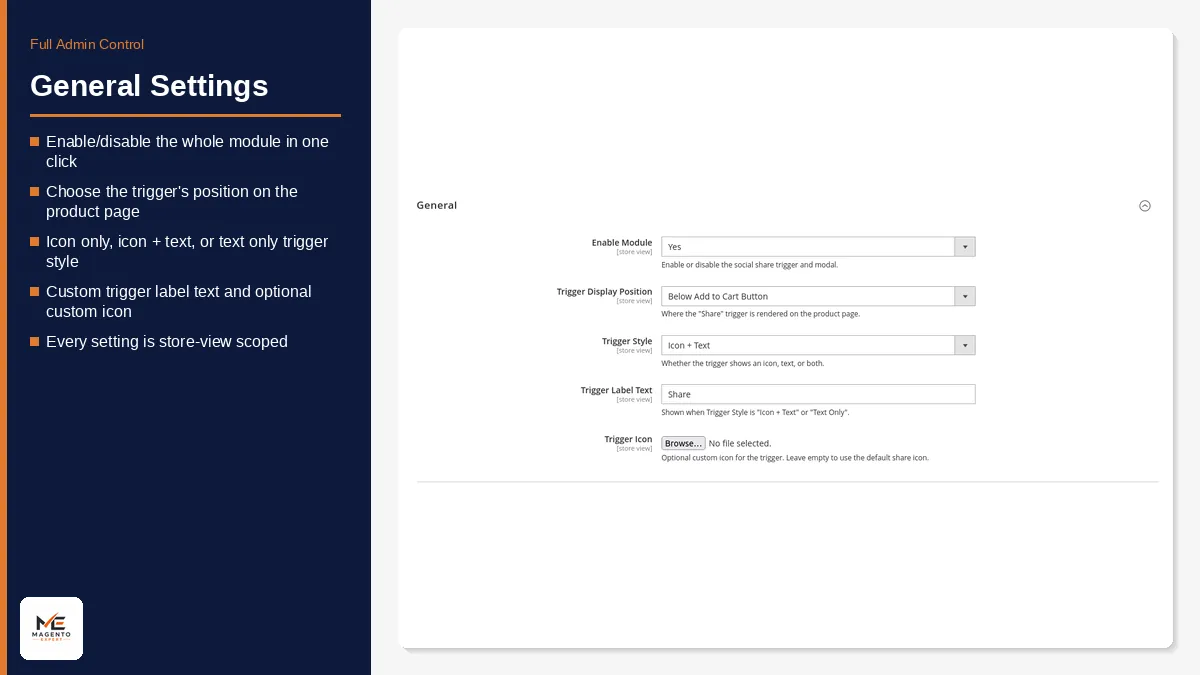
General 5
| Setting | Description |
|---|
| Enable Module | Enable or disable the social share trigger and modal. |
| Trigger Display Position | Where the "Share" trigger is rendered on the product page. |
| Trigger Style | Whether the trigger shows an icon, text, or both. |
| Trigger Label Text | Shown when Trigger Style is "Icon + Text" or "Text Only". |
| Trigger Icon | Optional custom icon for the trigger. Leave empty to use the default share icon. |
Modal Settings 6
| Setting | Description |
|---|
| Modal Heading Text | |
| Modal Animation | |
| Show Overlay Background | |
| Overlay Opacity (%) | 0 (transparent) to 100 (opaque). |
| Close on Overlay Click | |
| Close on ESC Key | |
Copy Link 4
| Setting | Description |
|---|
| Enabled | |
| Label | |
| Icon | Optional. Leave empty to use the bundled default icon. |
| Sort Order | Lower numbers appear first in the share row. |
WhatsApp 4
| Setting | Description |
|---|
| Enabled | |
| Label | |
| Icon | Optional. Leave empty to use the bundled default icon. |
| Sort Order | Lower numbers appear first in the share row. |
Facebook 4
| Setting | Description |
|---|
| Enabled | |
| Label | |
| Icon | Optional. Leave empty to use the bundled default icon. |
| Sort Order | Lower numbers appear first in the share row. |
Messenger 4
| Setting | Description |
|---|
| Enabled | |
| Label | |
| Icon | Optional. Leave empty to use the bundled default icon. |
| Sort Order | Lower numbers appear first in the share row. |
Telegram 4
| Setting | Description |
|---|
| Enabled | |
| Label | |
| Icon | Optional. Leave empty to use the bundled default icon. |
| Sort Order | Lower numbers appear first in the share row. |
Twitter / X 4
| Setting | Description |
|---|
| Enabled | |
| Label | |
| Icon | Optional. Leave empty to use the bundled default icon. |
| Sort Order | Lower numbers appear first in the share row. |
LinkedIn 4
| Setting | Description |
|---|
| Enabled | |
| Label | |
| Icon | Optional. Leave empty to use the bundled default icon. |
| Sort Order | Lower numbers appear first in the share row. |
Mail 4
| Setting | Description |
|---|
| Enabled | |
| Label | |
| Icon | Optional. Leave empty to use the bundled default icon. |
| Sort Order | Lower numbers appear first in the share row. |
Pinterest 4
| Setting | Description |
|---|
| Enabled | |
| Label | |
| Icon | Optional. Leave empty to use the bundled default icon. |
| Sort Order | Lower numbers appear first in the share row. |
Print 4
| Setting | Description |
|---|
| Enabled | |
| Label | |
| Icon | Optional. Leave empty to use the bundled default icon. |
| Sort Order | Lower numbers appear first in the share row. |
Copy Link Button Behavior 3
| Setting | Description |
|---|
| Default Button Label | |
| Confirmation Text After Copy | |
| Confirmation Display Duration (ms) | |
Content / Text Templates 2
| Setting | Description |
|---|
| Share Text Template | Supported variables: {product_name} , {product_url} , {price} , {special_price} , {short_description} |
| Email Subject Template | Used only for the Mail share option, which requires a separate subject and body. |
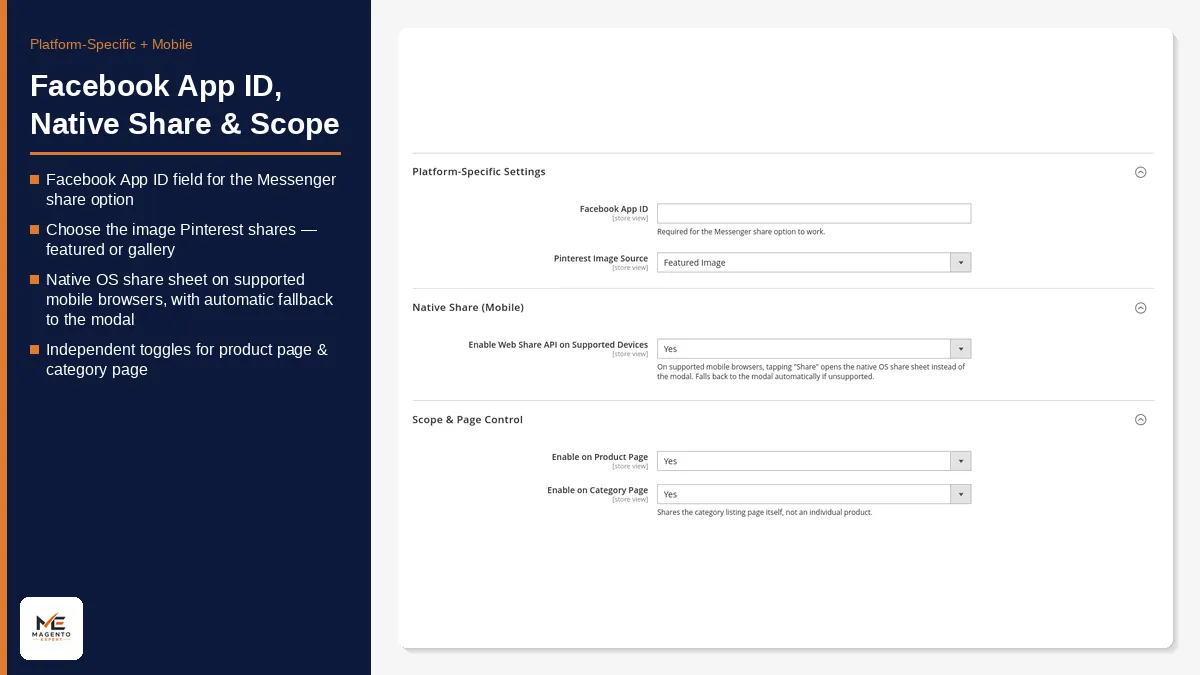
Platform-Specific Settings 2
| Setting | Description |
|---|
| Facebook App ID | Required for the Messenger share option to work. |
| Pinterest Image Source | |
Native Share (Mobile) 1
| Setting | Description |
|---|
| Enable Web Share API on Supported Devices | On supported mobile browsers, tapping "Share" opens the native OS share sheet instead of the modal. Falls back to the modal automatically if unsupported. |
Scope & Page Control 2
| Setting | Description |
|---|
| Enable on Product Page | |
| Enable on Category Page | Shares the category listing page itself, not an individual product. |
Frequently asked questions
How much does Social Share cost?
Social Share costs $29 USD as a one-off purchase on the Adobe Commerce Marketplace.
Which Magento and PHP versions are supported?
Magento Open Source and Adobe Commerce 2.4.x. It is developed and tested on Magento 2.4.8, and supports PHP 8.1, 8.2, 8.3, 8.4, 8.5.
Where do I configure Social Share?
In the Magento admin under Stores › Configuration › Mage2Expert › Social Share. It has 61 options, grouped into 17 sections.
Can I switch it off without uninstalling it?
Yes. Set "Enable Module" to No under Stores › Configuration › Mage2Expert › Social Share. Your settings and data are kept.
Can the settings differ per store view?
Yes. Many options can be set per website and store view, so multi-store and multi-language setups can behave differently.
Can it be customised for my store?
Yes. As the developer of Social Share, I can adapt it to your workflow or build related features. Email me with what you need.