
Recent Sales Notification for Magento 2
Social-proof notifications that show real recent purchases to build trust and urgency, with REST & GraphQL support.
Why choose Recent Sales Notification?
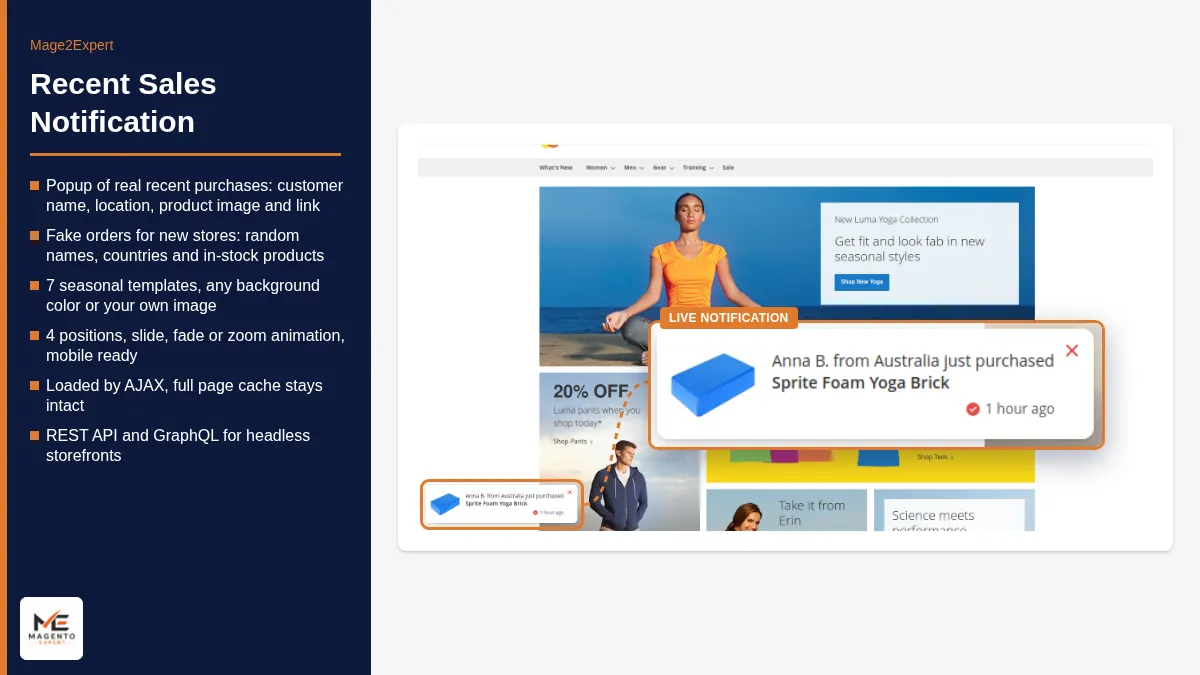
Recent Sales Notification shows a small popup about real recent purchases, such as a shortened customer name and the product they bought, to give new visitors confidence that people are buying. Names can be shortened for privacy, text and design are customisable with seasonal templates, and you control timing, position and animation. It works with full page cache and exposes its data through REST and GraphQL.
Key features
- Real Recent Orders
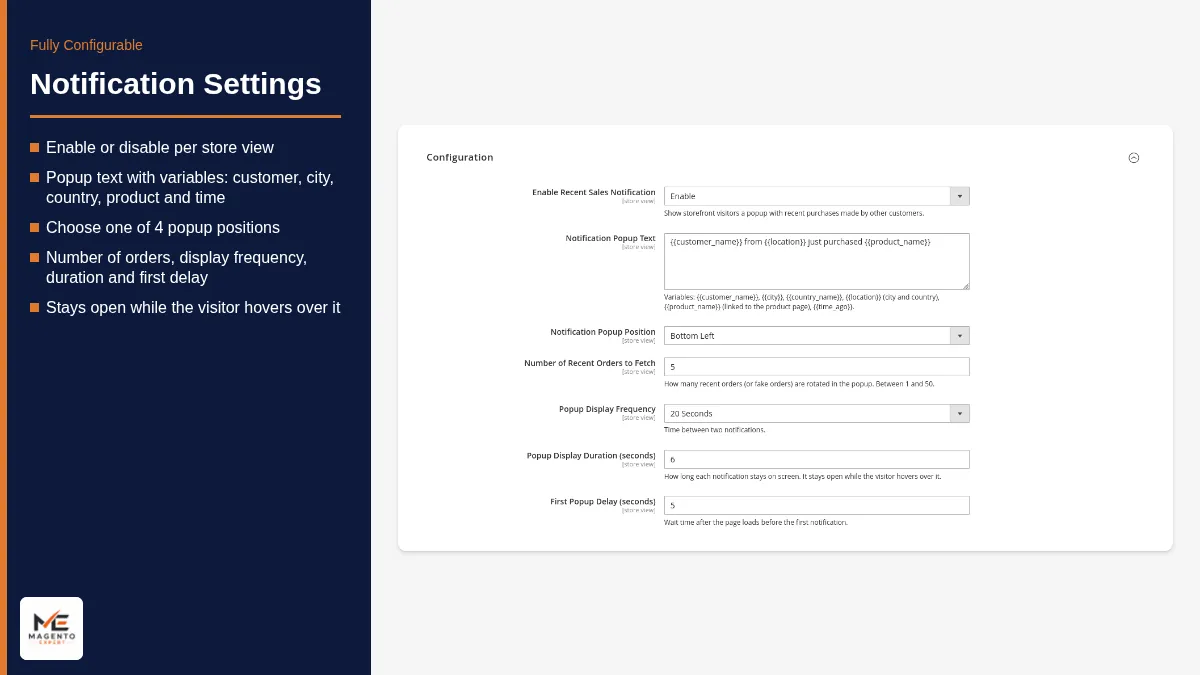
- Customizable Popup Text
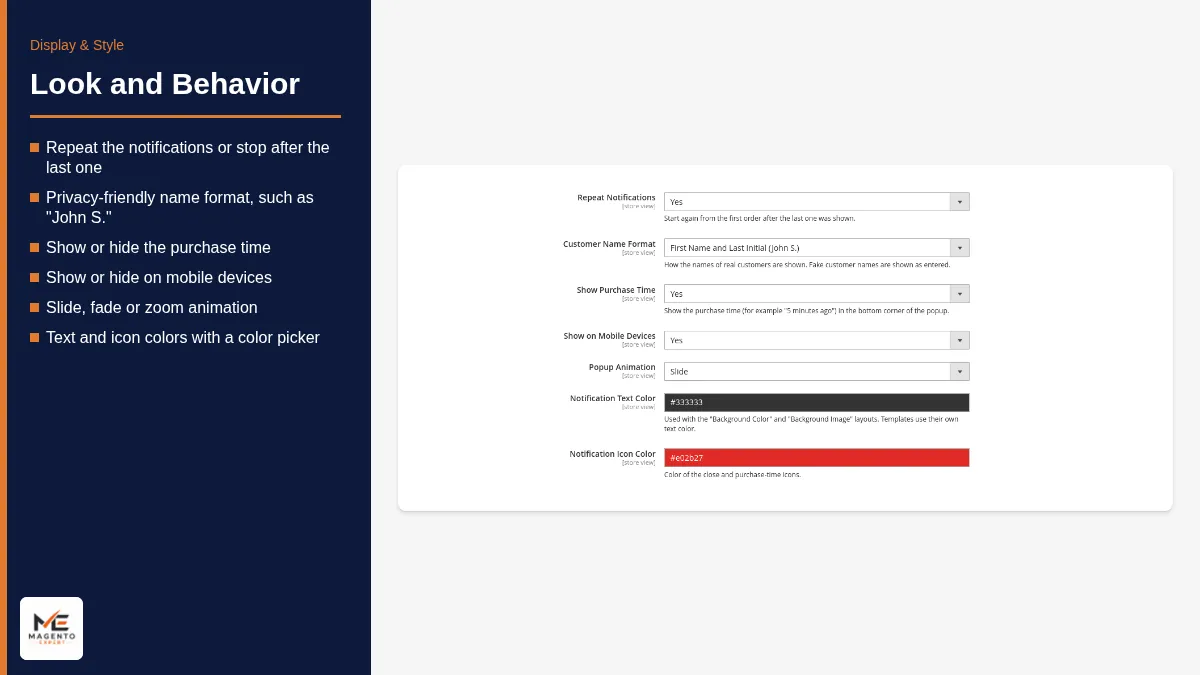
- Privacy-Friendly Names
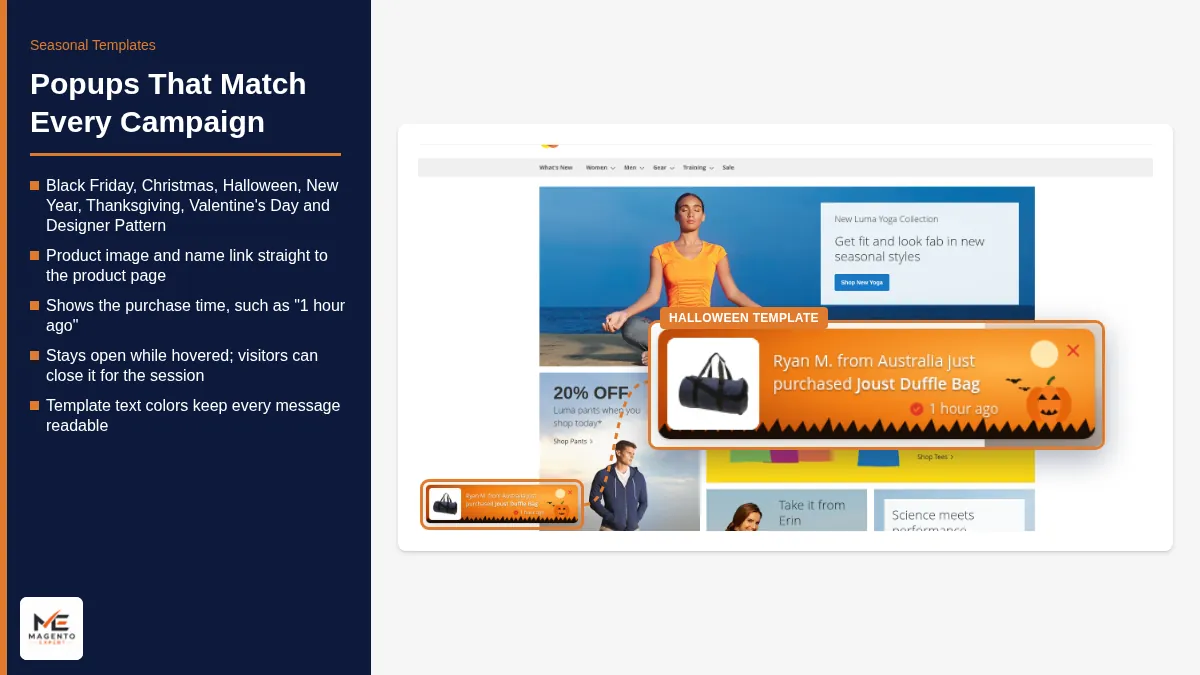
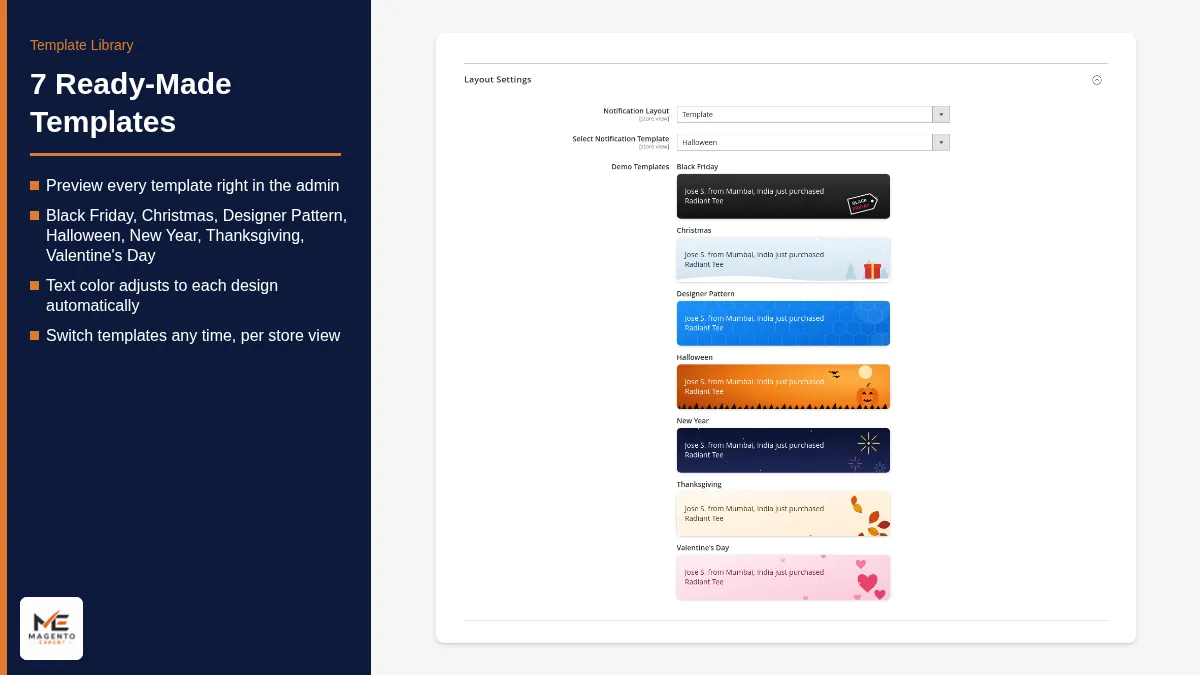
- Seven Seasonal Templates
- Custom Background Color or Image
- Flexible Timing
- Four Positions and Three Animations
- Pause on Hover
- Session-Based Close Button
- Fake Orders for New Stores
- Mobile Ready
- Cache Friendly
- REST API and GraphQL
- Store View Scope and Master Switch
At a glance
| Module name | Mage2Expert_RecentSales |
|---|---|
| Composer package | mage2expert/module-recent-sales |
| Settings | Stores › Configuration › Mage2Expert › Recent Sales Notification (27 options) |
| Per store view settings | Yes |
| API | REST: 1 endpoint; GraphQL: 1 operations |
| PHP | 8.1, 8.2, 8.3, 8.4, 8.5 |
Installation
After purchasing on the Adobe Commerce Marketplace, install it with Composer using your Marketplace access keys:
composer require mage2expert/module-recent-sales
bin/magento module:enable Mage2Expert_RecentSales
bin/magento setup:upgrade
bin/magento setup:di:compile
bin/magento setup:static-content:deploy -f
bin/magento cache:flush
Skip setup:di:compile and static-content:deploy if your store runs in developer mode.
Configuration reference
All 27 options under Stores › Configuration › Mage2Expert › Recent Sales Notification, grouped as they appear in the admin.
Configuration 14
| Setting | Description |
|---|---|
| Enable Recent Sales Notification | Show storefront visitors a popup with recent purchases made by other customers. |
| Notification Popup Text | Variables: {{customer_name}}, {{city}}, {{country_name}}, {{location}} (city and country), {{product_name}} (linked to the product page), {{time_ago}}. |
| Notification Popup Position | |
| Number of Recent Orders to Fetch | How many recent orders (or fake orders) are rotated in the popup. Between 1 and 50. |
| Popup Display Frequency | Time between two notifications. |
| Popup Display Duration (seconds) | How long each notification stays on screen. It stays open while the visitor hovers over it. |
| First Popup Delay (seconds) | Wait time after the page loads before the first notification. |
| Repeat Notifications | Start again from the first order after the last one was shown. |
| Customer Name Format | How the names of real customers are shown. Fake customer names are shown as entered. |
| Show Purchase Time | Show the purchase time (for example "5 minutes ago") in the bottom corner of the popup. |
| Show on Mobile Devices | |
| Popup Animation | |
| Notification Text Color | Used with the "Background Color" and "Background Image" layouts. Templates use their own text color. |
| Notification Icon Color | Color of the close and purchase-time icons. |
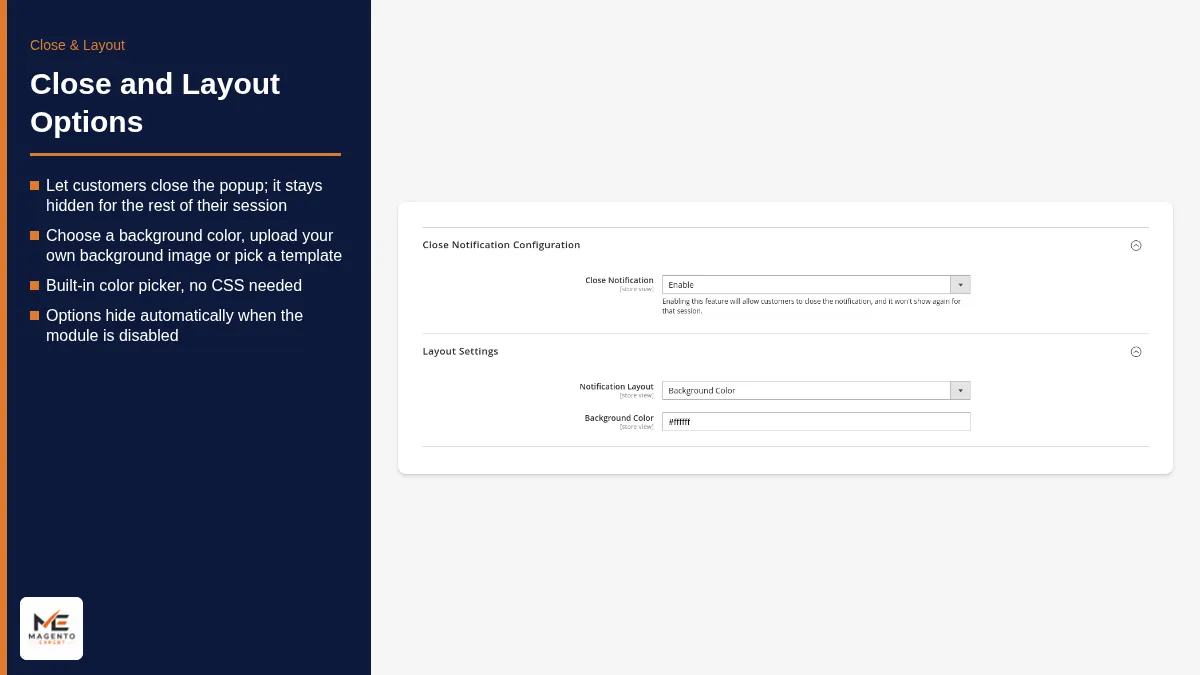
Close Notification Configuration 1
| Setting | Description |
|---|---|
| Close Notification | Enabling this feature will allow customers to close the notification, and it won't show again for that session. |
Layout Settings 5
| Setting | Description |
|---|---|
| Notification Layout | |
| Background Color | |
| Background Image | Allowed file types: jpg, jpeg, gif, png, webp. Recommended size: 720 x 220 px. |
| Select Notification Template | |
| Demo Templates |
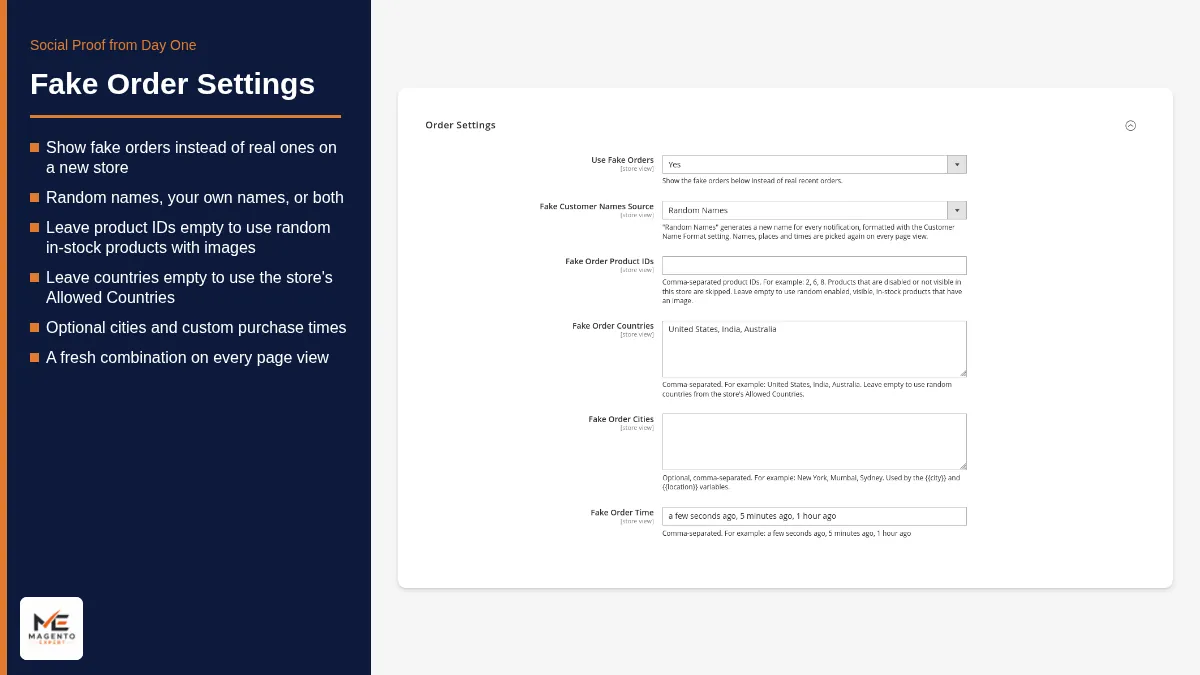
Order Settings 7
| Setting | Description |
|---|---|
| Use Fake Orders | Show the fake orders below instead of real recent orders. |
| Fake Customer Names Source | "Random Names" generates a new name for every notification, formatted with the Customer Name Format setting. Names, places and times are picked again on every page view. |
| Fake Customer Names | Comma-separated, shown as entered. For example: Anika Walker, Jose Sexton, Maurice Randall |
| Fake Order Product IDs | Comma-separated product IDs. For example: 2, 6, 8. Products that are disabled or not visible in this store are skipped. Leave empty to use random enabled, visible, in-stock products that have an image. |
| Fake Order Countries | Comma-separated. For example: United States, India, Australia. Leave empty to use random countries from the store's Allowed Countries. |
| Fake Order Cities | Optional, comma-separated. For example: New York, Mumbai, Sydney. Used by the {{city}} and {{location}} variables. |
| Fake Order Time | Comma-separated. For example: a few seconds ago, 5 minutes ago, 1 hour ago |
Developer reference
REST API
| Method | Endpoint |
|---|---|
GET | /rest/V1/mage2expert/recent-sales |
GraphQL
- Query
mage2expertRecentSales
Frequently asked questions
How much does Recent Sales Notification cost?
Which Magento and PHP versions are supported?
Where do I configure Recent Sales Notification?
Can I switch it off without uninstalling it?
Can the settings differ per store view?
Does it have an API?
Can it be customised for my store?
More Marketing
Related extensions
Reward Points
Reward customers with points for purchases and actions, redeemable as discounts on future orders.
Gift Card
A virtual gift card product type with balance management. Customers buy a gift card and spend the balance at checkout.
Coupon Suggestions
Show customers the coupons that are valid for their cart, right at the discount field on cart and checkout.
Have a Magento project in mind?
Tell me about your store and what you need. I reply to every enquiry within one business day.
Adobe Certified Expert
Adobe Commerce Developer certification, verified on Credly.
15+ years of Magento
From Magento 1 to Magento 2.4.x, Adobe Commerce and Hyvä.
62 Marketplace extensions
Each one reviewed and approved by Adobe.