Quantity Control for Magento 2
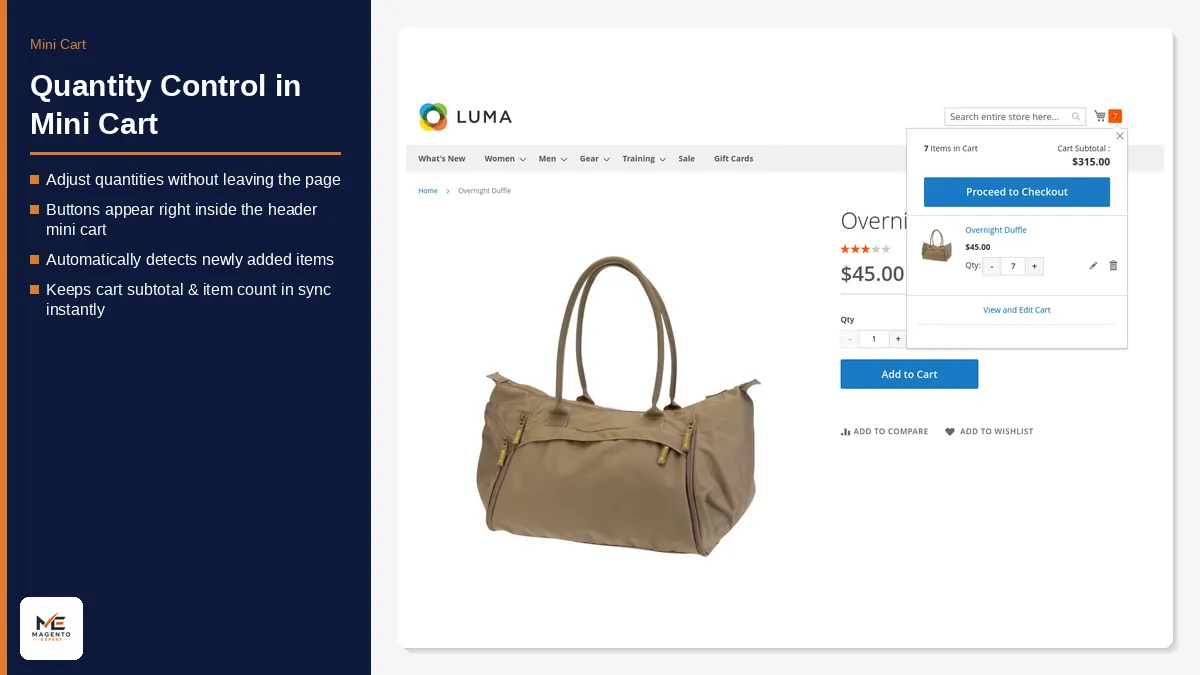
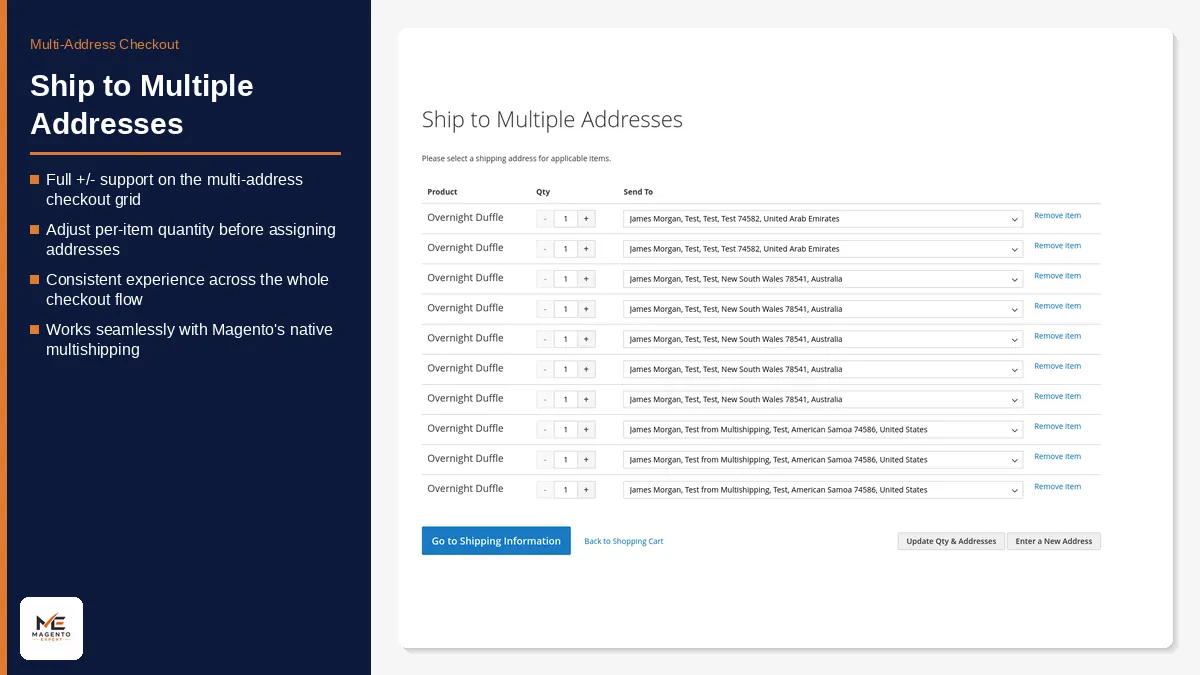
Theme-matched plus and minus quantity buttons on the product page, cart, mini cart and multi-address checkout.
Why choose Quantity Control?
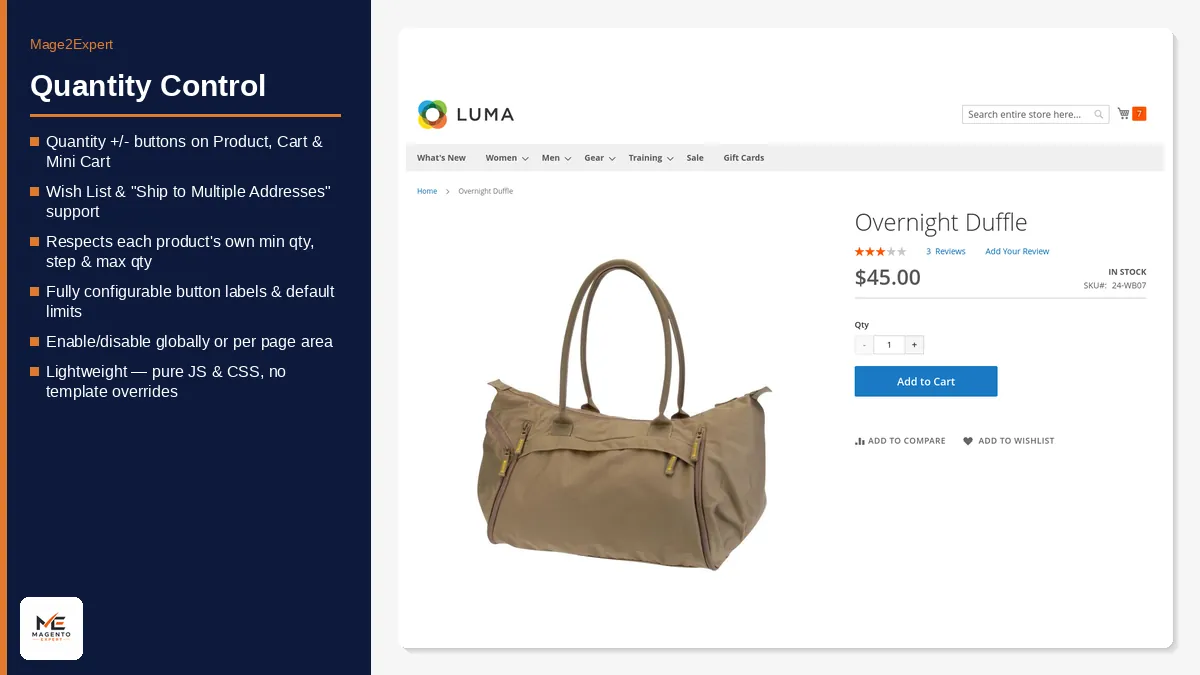
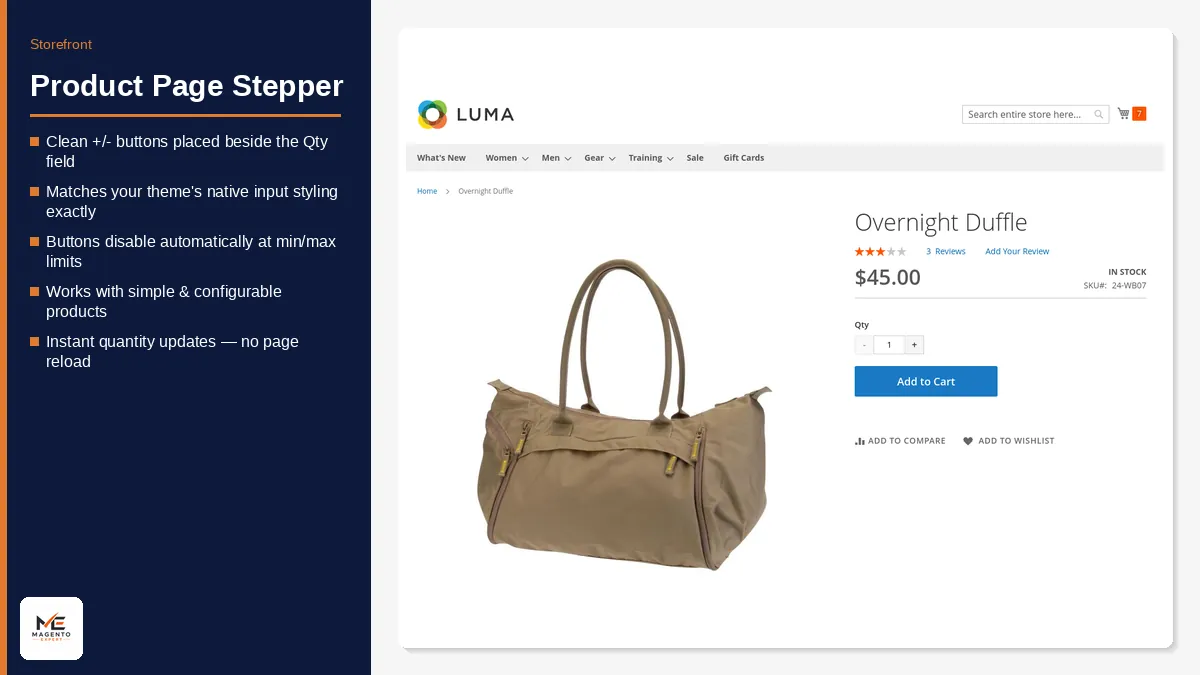
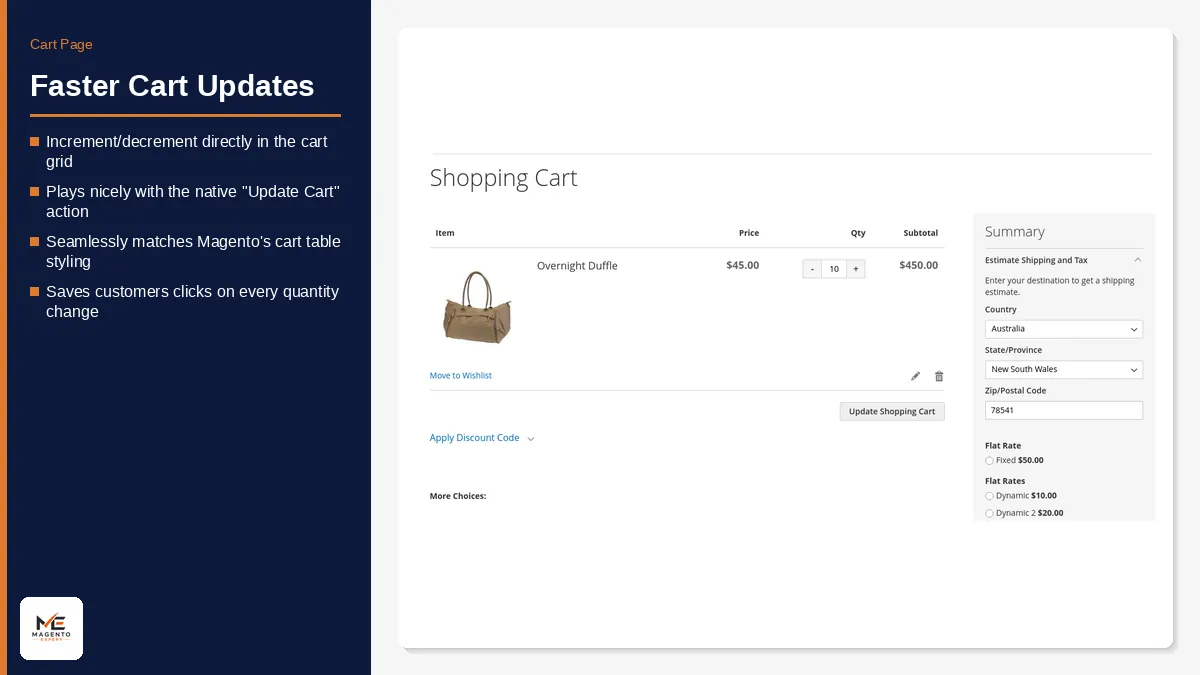
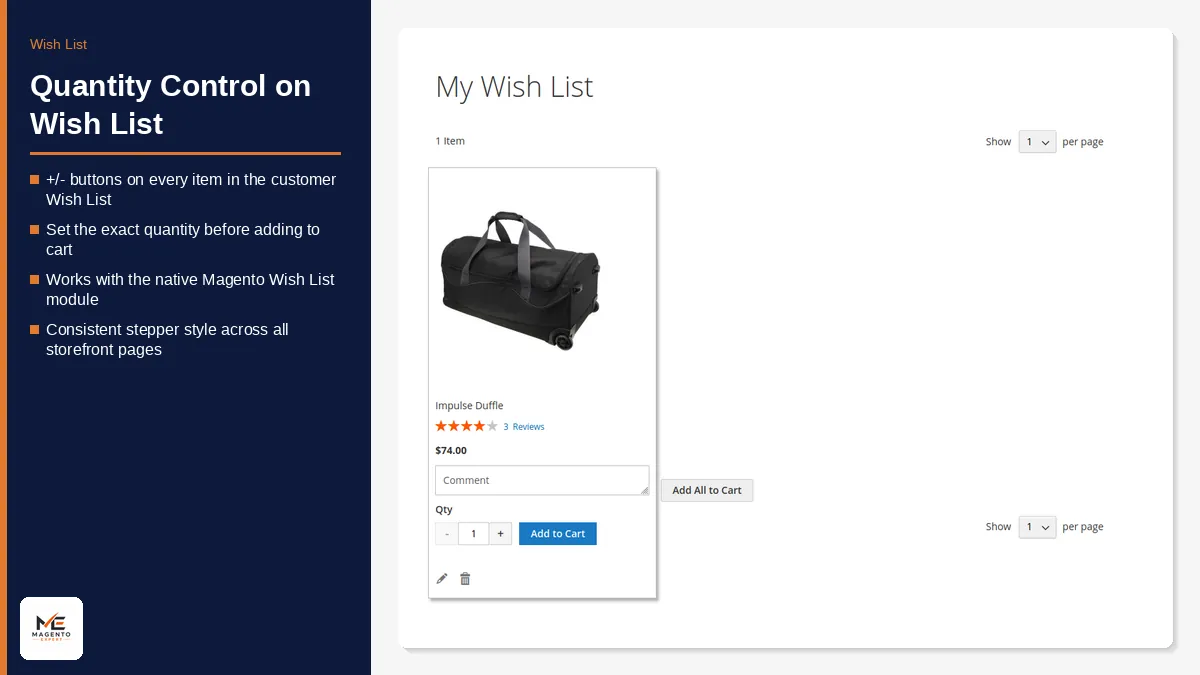
Quantity Control adds plus and minus buttons to quantity fields on the product page, the cart, the mini cart and the multi-address checkout. The buttons respect each product's minimum, maximum and increment settings and disable themselves at the limits, so shoppers cannot enter a quantity the store will reject. They inherit your theme's styling and labels can be changed per store view.
Key features
- Quantity Stepper Buttons
- Four Independent Display Areas
- Product-Aware Quantity Limits
- Configurable Fallback Defaults
- Automatic Button Disabling
- Custom Button Labels
- Master Enable / Disable Switch
- Theme-Matched Styling
- Store-View Scoped Configuration
- Zero Core Code Modifications
At a glance
| Module name | Mage2Expert_QuantityControl |
|---|---|
| Composer package | mage2expert/module-quantity-control |
| Settings | Stores › Configuration › Magento Expert › Quantity Control (11 options) |
| Per store view settings | Yes |
| API | No custom endpoints (uses Magento's standard APIs) |
| PHP | 8.1, 8.2, 8.3, 8.4, 8.5 |
Installation
After purchasing on the Adobe Commerce Marketplace, install it with Composer using your Marketplace access keys:
composer require mage2expert/module-quantity-control
bin/magento module:enable Mage2Expert_QuantityControl
bin/magento setup:upgrade
bin/magento setup:di:compile
bin/magento setup:static-content:deploy -f
bin/magento cache:flush
Skip setup:di:compile and static-content:deploy if your store runs in developer mode.
Configuration reference
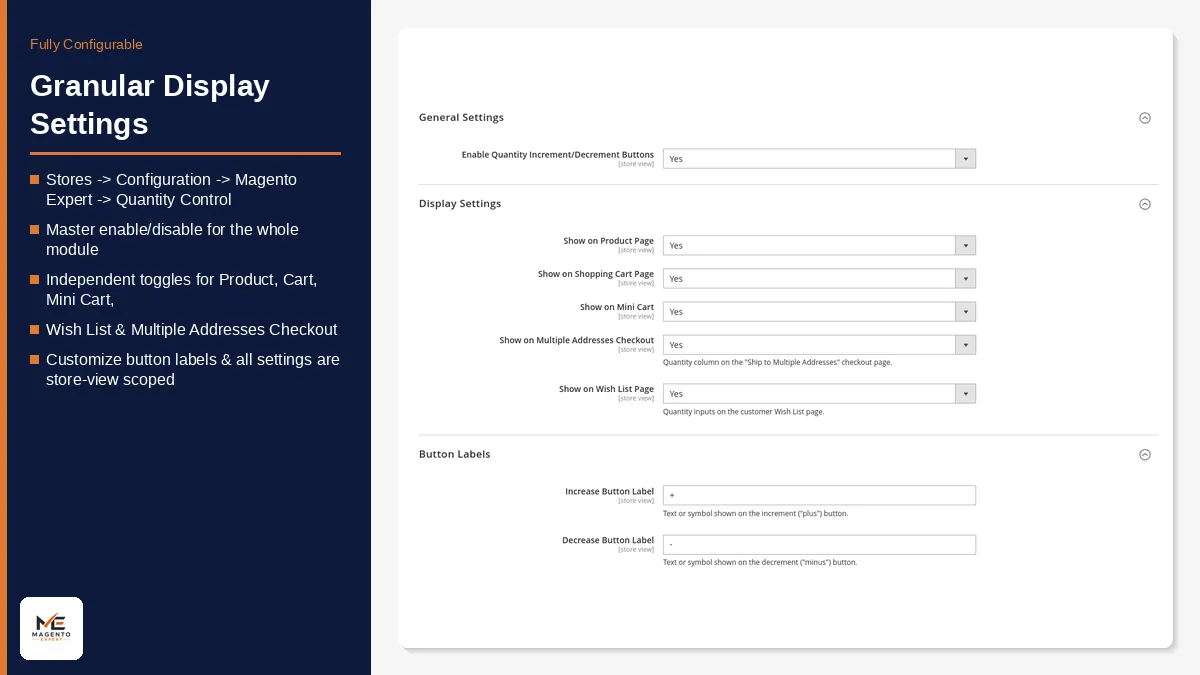
All 11 options under Stores › Configuration › Magento Expert › Quantity Control, grouped as they appear in the admin.
General Settings 1
| Setting | Description |
|---|---|
| Enable Quantity Increment/Decrement Buttons |
Display Settings 5
| Setting | Description |
|---|---|
| Show on Product Page | |
| Show on Shopping Cart Page | |
| Show on Mini Cart | |
| Show on Multiple Addresses Checkout | Quantity column on the "Ship to Multiple Addresses" checkout page. |
| Show on Wish List Page | Quantity inputs on the customer Wish List page. |
Button Labels 2
| Setting | Description |
|---|---|
| Increase Button Label | Text or symbol shown on the increment ("plus") button. |
| Decrease Button Label | Text or symbol shown on the decrement ("minus") button. |
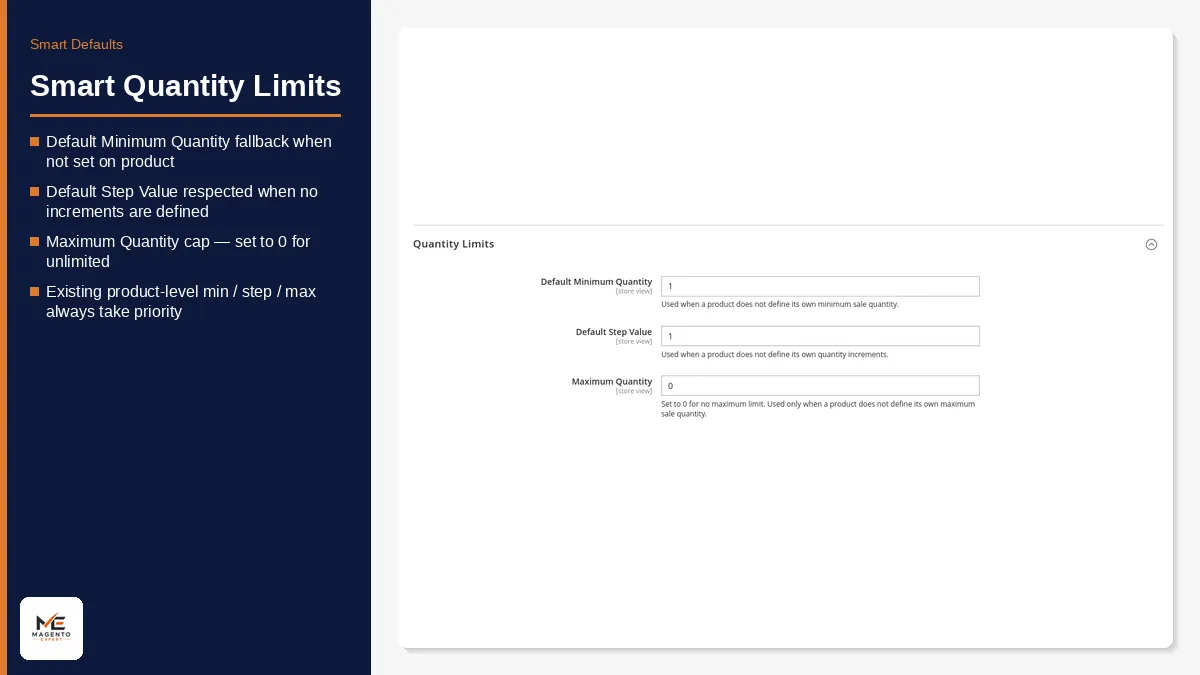
Quantity Limits 3
| Setting | Description |
|---|---|
| Default Minimum Quantity | Used when a product does not define its own minimum sale quantity. |
| Default Step Value | Used when a product does not define its own quantity increments. |
| Maximum Quantity | Set to 0 for no maximum limit. Used only when a product does not define its own maximum sale quantity. |
Frequently asked questions
How much does Quantity Control cost?
Which Magento and PHP versions are supported?
Where do I configure Quantity Control?
Can I switch it off without uninstalling it?
Can the settings differ per store view?
Can it be customised for my store?
More Checkout & Cart
Related extensions
One Step Checkout
A fast, single-page checkout built with Alpine.js, with fewer steps and fewer abandoned carts.
Quick Order
A bulk-ordering page where buyers search by SKU, paste a SKU list or upload a CSV, then add everything to the cart in one click.
Flat Rates
Offer multiple, conditional flat-rate shipping methods instead of Magento's single fixed-price flat rate.
Have a Magento project in mind?
Tell me about your store and what you need. I reply to every enquiry within one business day.
Adobe Certified Expert
Adobe Commerce Developer certification, verified on Credly.
15+ years of Magento
From Magento 1 to Magento 2.4.x, Adobe Commerce and Hyvä.
62 Marketplace extensions
Each one reviewed and approved by Adobe.