Limit Cart Quantity for Magento 2
Control how many items a customer can carry in the shopping cart at once, with clear messages when a limit is reached.
Why choose Limit Cart Quantity?
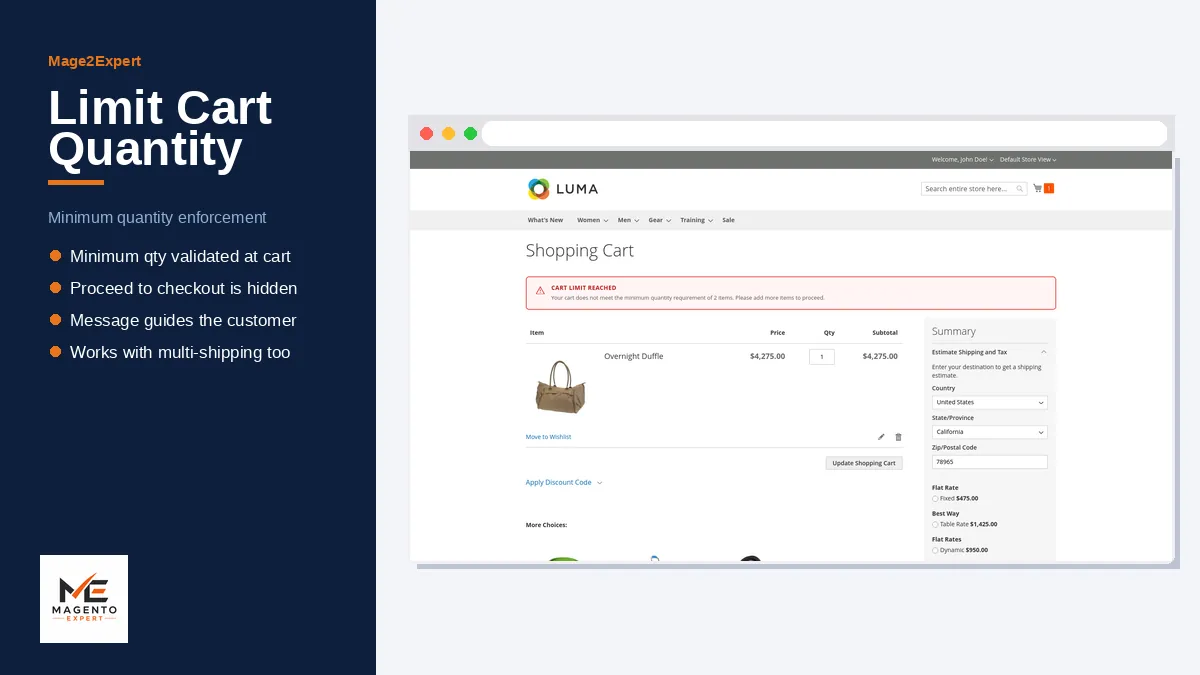
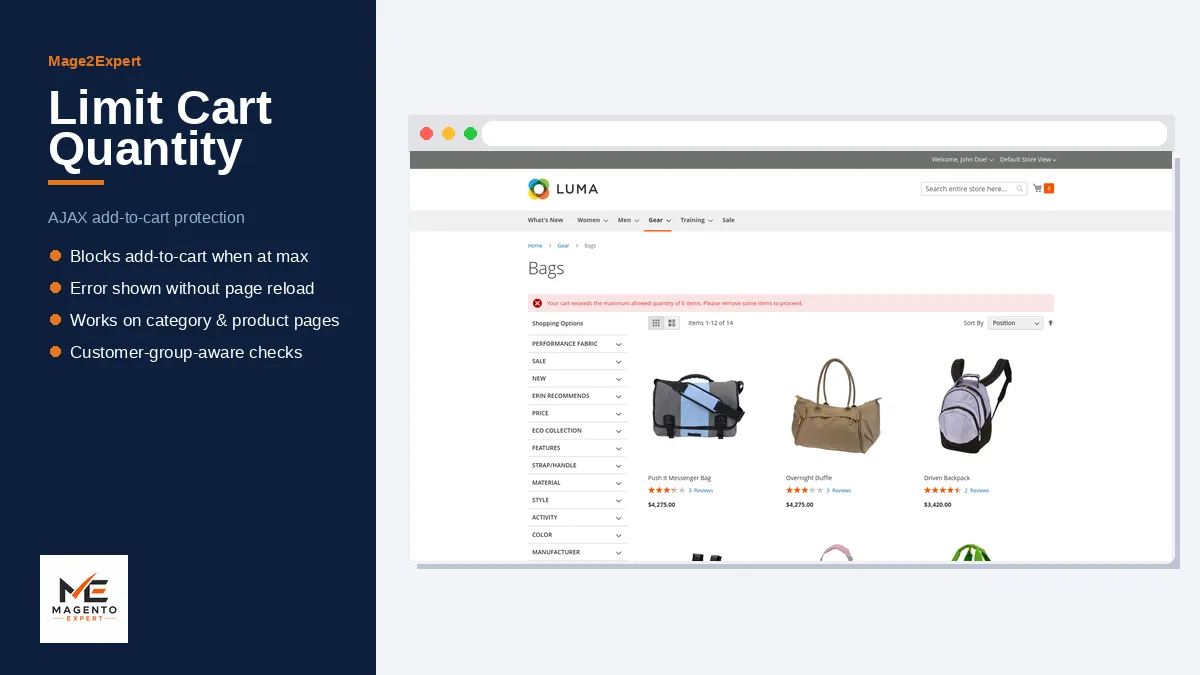
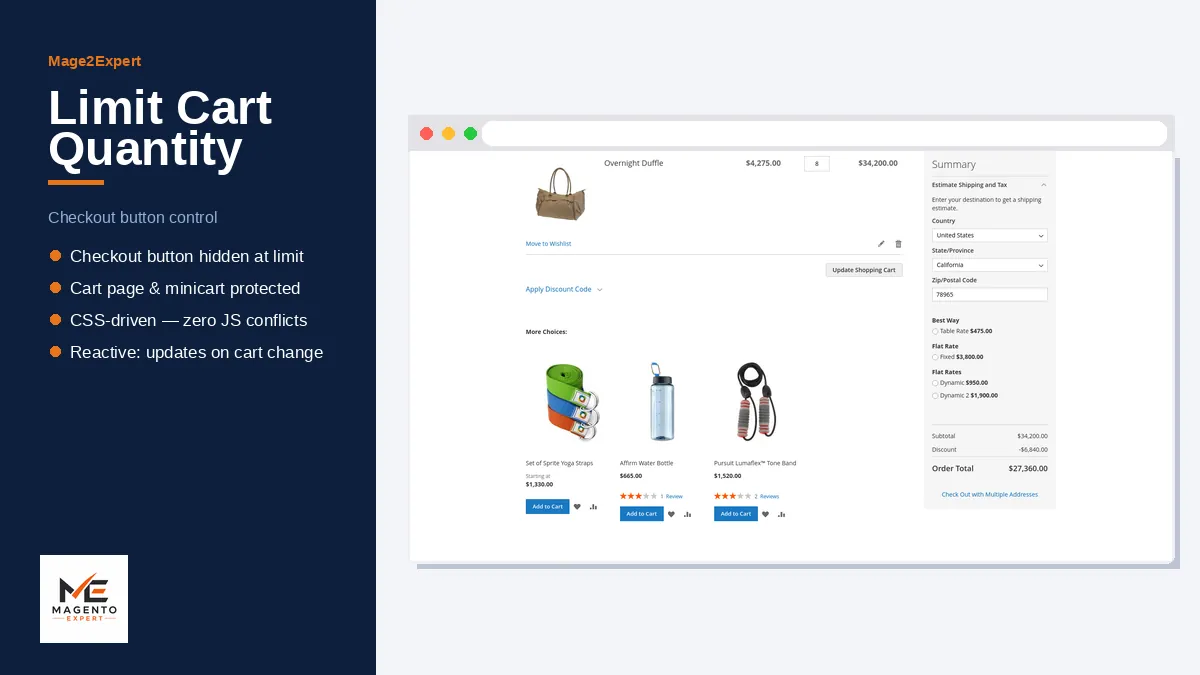
Limit Cart Quantity sets a minimum and maximum number of items a customer can have in the cart, globally or per customer group. The limits are checked when products are added (including AJAX add-to-cart), on the cart page, at checkout and on multi-address checkout, so they cannot be bypassed. Error messages are editable and can differ per store view.
Key features
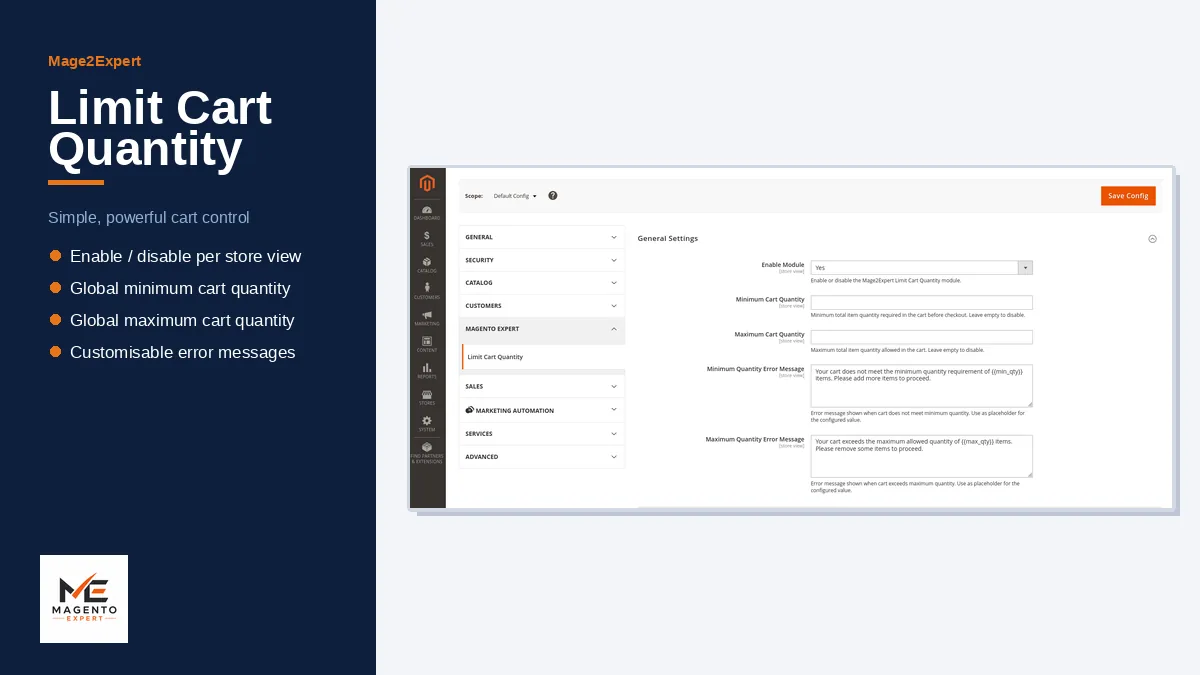
- Global Minimum Cart Quantity
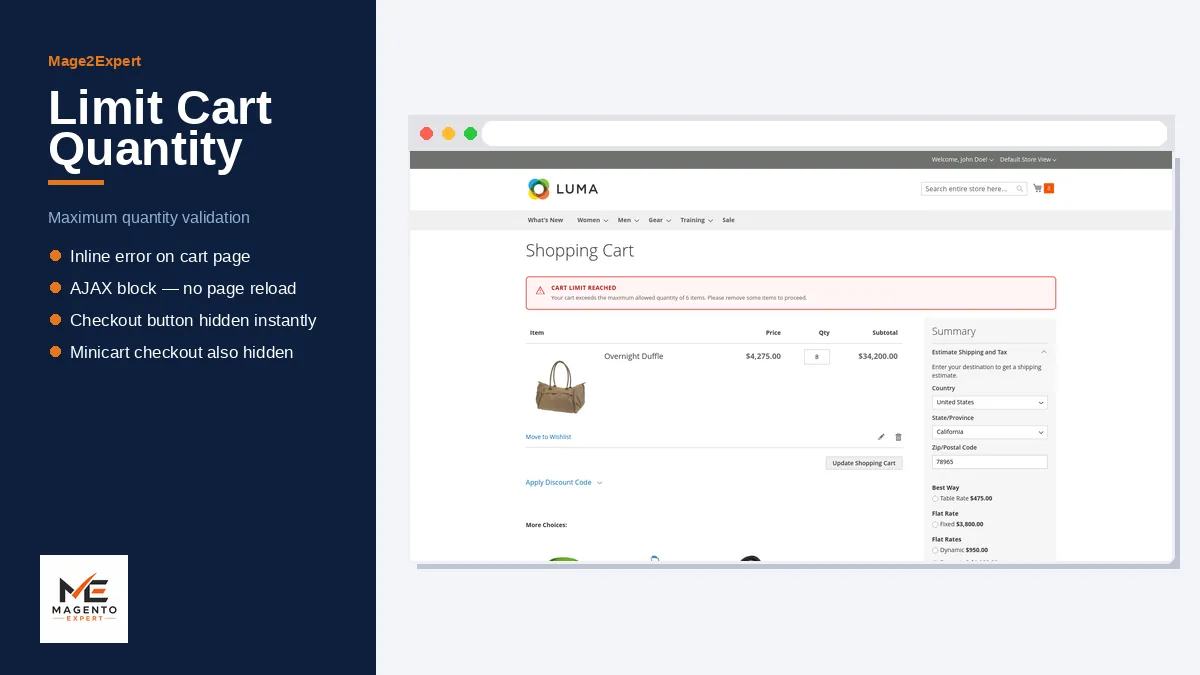
- Global Maximum Cart Quantity
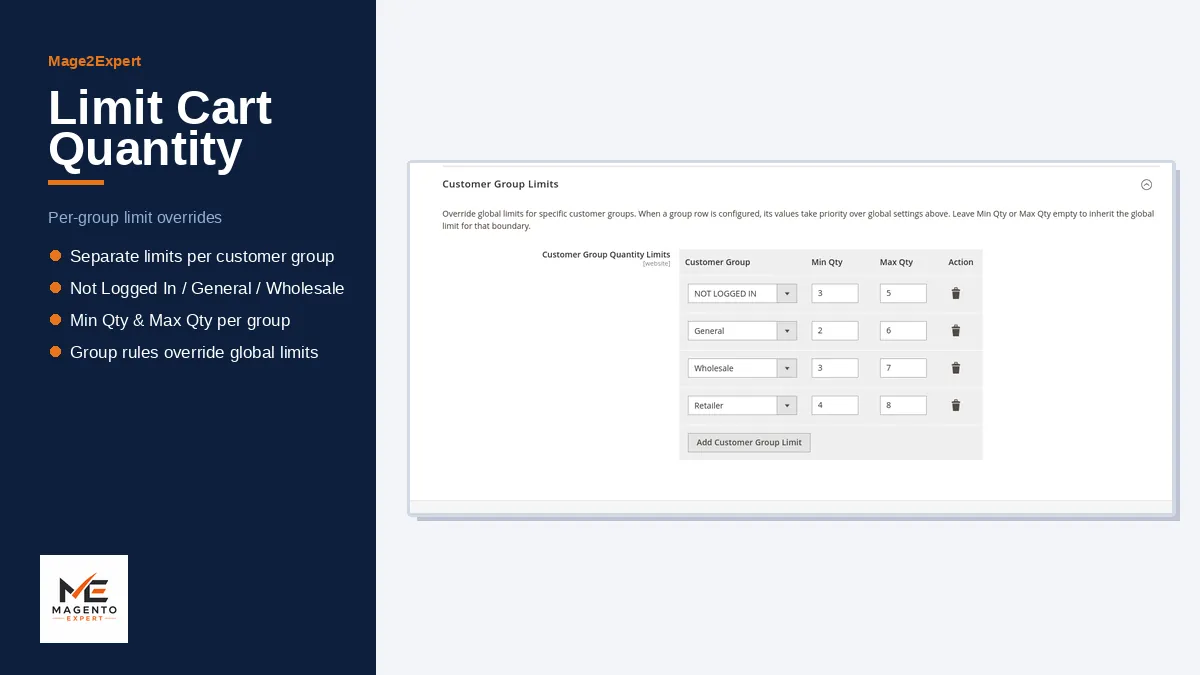
- Customer Group Quantity Overrides
- AJAX Add-to-Cart Protection
- Cart-Page Validation Notice
- Checkout Button Control
- Checkout Submission Guard
- Multi-Shipping Checkout Protection
- Customisable Error Messages
- Store-View Scope
- Enable / Disable without Uninstalling
- Zero Core Code Modifications
At a glance
| Module name | Mage2Expert_LimitCart |
|---|---|
| Composer package | mage2expert/module-limit-cart |
| Settings | Stores › Configuration › Magento Expert › Limit Cart Quantity (6 options) |
| Per store view settings | Yes |
| API | No custom endpoints (uses Magento's standard APIs) |
| PHP | 8.1, 8.2, 8.3, 8.4, 8.5 |
Installation
After purchasing on the Adobe Commerce Marketplace, install it with Composer using your Marketplace access keys:
composer require mage2expert/module-limit-cart
bin/magento module:enable Mage2Expert_LimitCart
bin/magento setup:upgrade
bin/magento setup:di:compile
bin/magento setup:static-content:deploy -f
bin/magento cache:flush
Skip setup:di:compile and static-content:deploy if your store runs in developer mode.
Configuration reference
All 6 options under Stores › Configuration › Magento Expert › Limit Cart Quantity, grouped as they appear in the admin.
General Settings 5
| Setting | Description |
|---|---|
| Enable Module | Enable or disable the Mage2Expert Limit Cart Quantity module. |
| Minimum Cart Quantity | Minimum total item quantity required in the cart before checkout. Leave empty to disable. |
| Maximum Cart Quantity | Maximum total item quantity allowed in the cart. Leave empty to disable. |
| Minimum Quantity Error Message | Error message shown when cart does not meet minimum quantity. Use {{min_qty}} as placeholder for the configured value. |
| Maximum Quantity Error Message | Error message shown when cart exceeds maximum quantity. Use {{max_qty}} as placeholder for the configured value. |
Customer Group Limits 1
| Setting | Description |
|---|---|
| Customer Group Quantity Limits |
Frequently asked questions
How much does Limit Cart Quantity cost?
Which Magento and PHP versions are supported?
Where do I configure Limit Cart Quantity?
Can I switch it off without uninstalling it?
Can the settings differ per store view?
Can it be customised for my store?
More Checkout & Cart
Related extensions
One Step Checkout
A fast, single-page checkout built with Alpine.js, with fewer steps and fewer abandoned carts.
Quick Order
A bulk-ordering page where buyers search by SKU, paste a SKU list or upload a CSV, then add everything to the cart in one click.
Flat Rates
Offer multiple, conditional flat-rate shipping methods instead of Magento's single fixed-price flat rate.
Have a Magento project in mind?
Tell me about your store and what you need. I reply to every enquiry within one business day.
Adobe Certified Expert
Adobe Commerce Developer certification, verified on Credly.
15+ years of Magento
From Magento 1 to Magento 2.4.x, Adobe Commerce and Hyvä.
62 Marketplace extensions
Each one reviewed and approved by Adobe.