Free Gift for Magento 2
Automatically add free gift products to the cart based on rules, cart value or products purchased.
Why choose Free Gift?
A free gift is one of the most effective ways to lift average order value: "spend $X more and get a free gift" gives shoppers a clear reason to add one more item. Free Gift adds the gift product automatically as soon as the cart meets your conditions, and removes it if the cart no longer qualifies.
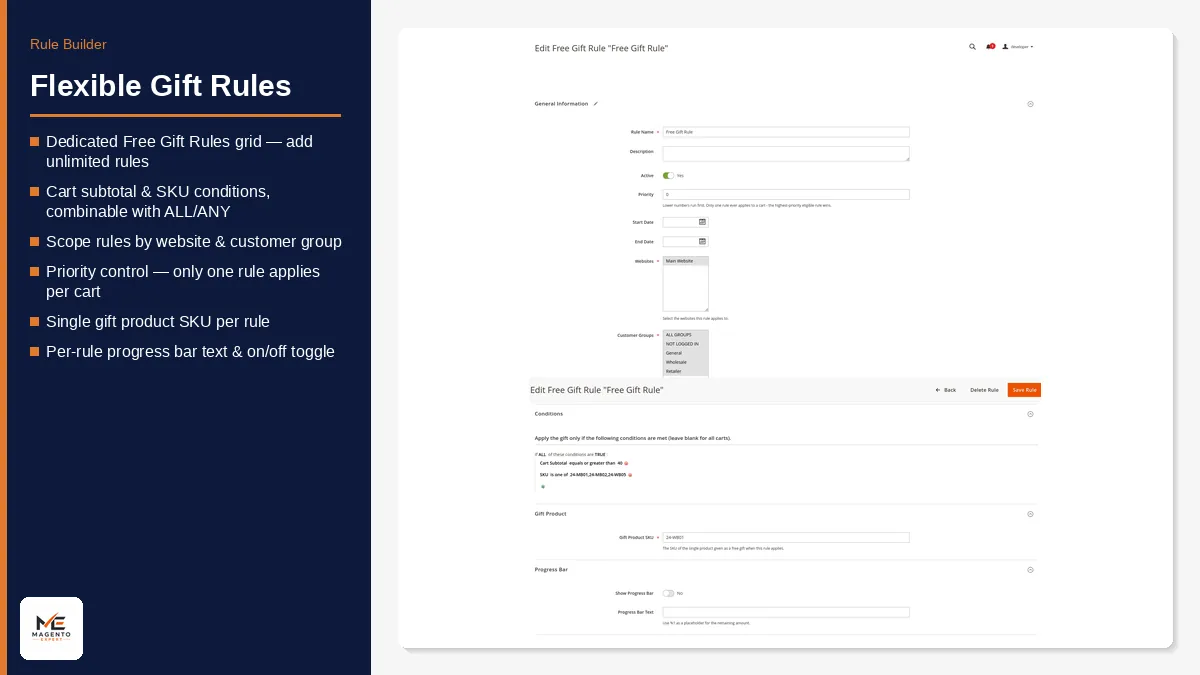
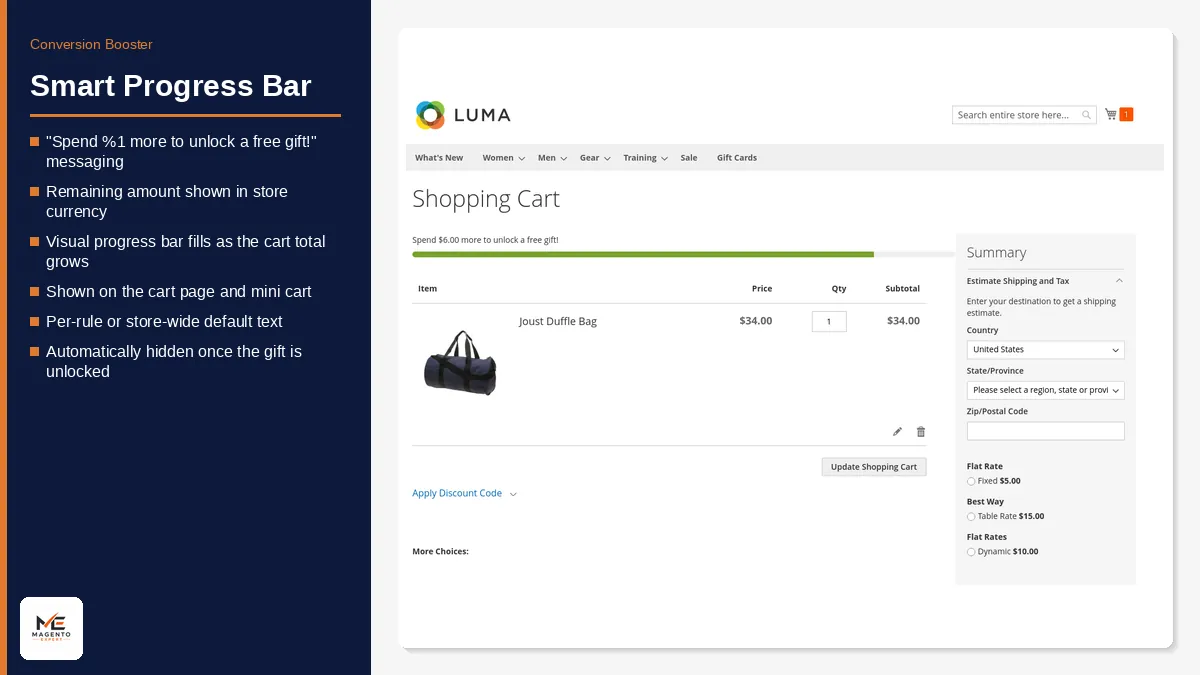
Create unlimited rules by subtotal, SKUs or both, scope them by website and customer group, set priorities, and show a live progress bar so shoppers can see how close they are. Best for: spend-and-save promotions, seasonal campaigns and loyalty perks.
Key features
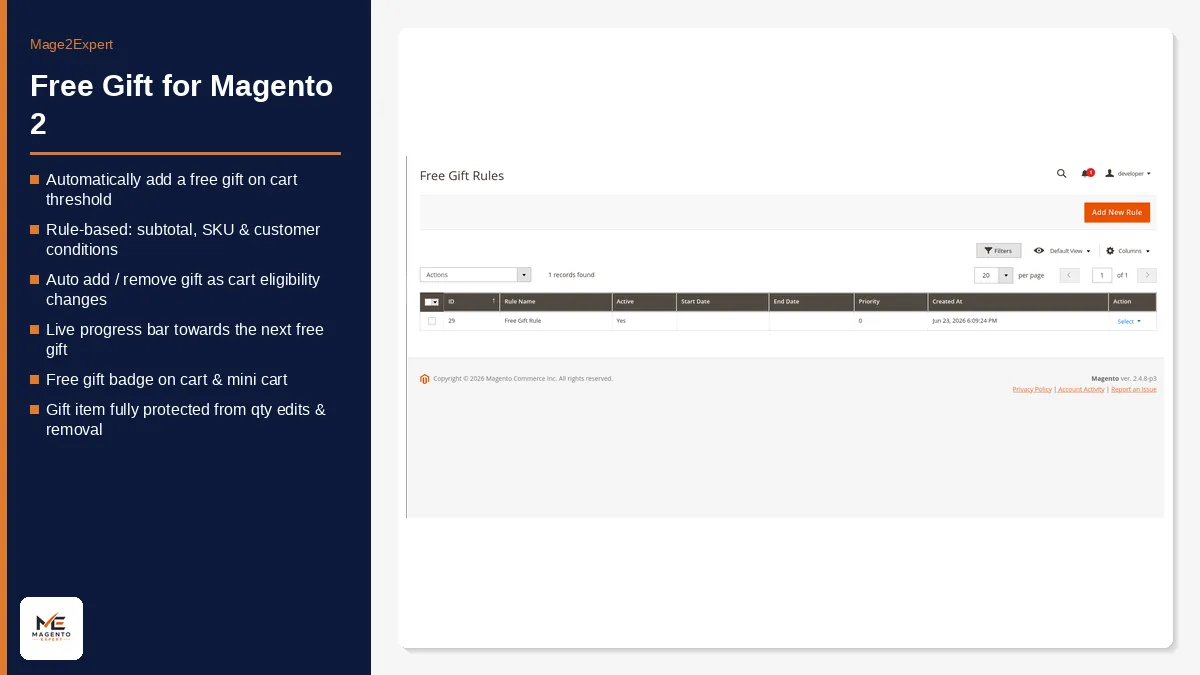
- Unlimited Free Gift Rules
- Flexible Conditions
- Website & Customer Group Scoping
- Rule Priority
- Fully Automatic Gift Management
- Live Progress Bar
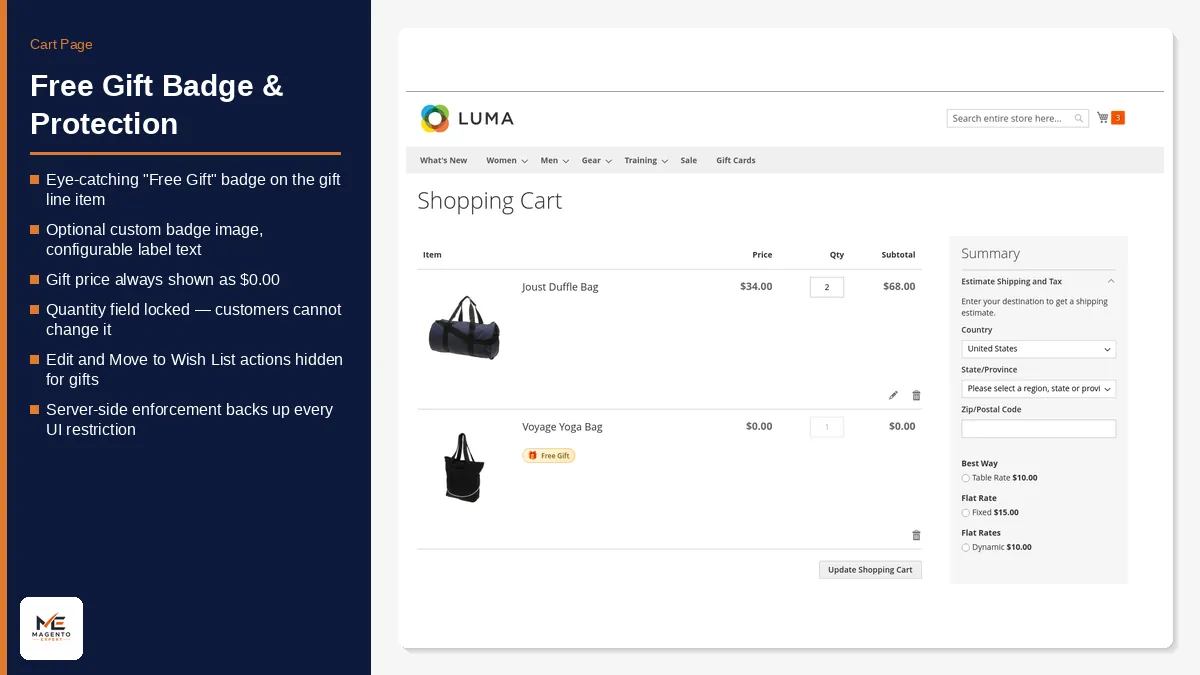
- Configurable Free Gift Badge
- Gift Protection
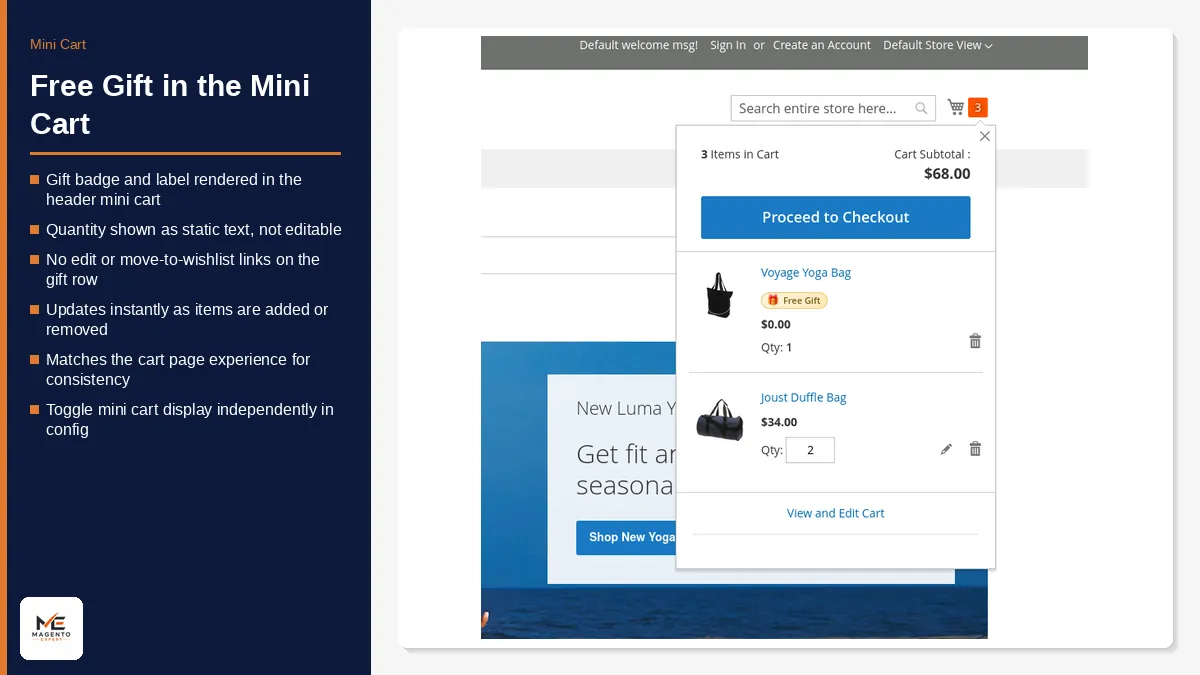
- Mini Cart Integration
- Store-View Scoped Configuration
- REST API Endpoint
- Enable / Disable without Uninstalling
- Zero Core Code Modifications
At a glance
| Module name | Mage2Expert_FreeGift |
|---|---|
| Composer package | mage2expert/module-free-gift |
| Settings | Stores › Configuration › Magento Expert › Free Gift (7 options) |
| Admin menu | Marketing › Promotions › Free Gift Rules |
| Per store view settings | Yes |
| API | REST: 1 endpoint |
| PHP | 8.1, 8.2, 8.3, 8.4, 8.5 |
Installation
After purchasing on the Adobe Commerce Marketplace, install it with Composer using your Marketplace access keys:
composer require mage2expert/module-free-gift
bin/magento module:enable Mage2Expert_FreeGift
bin/magento setup:upgrade
bin/magento setup:di:compile
bin/magento setup:static-content:deploy -f
bin/magento cache:flush
Skip setup:di:compile and static-content:deploy if your store runs in developer mode.
Configuration reference
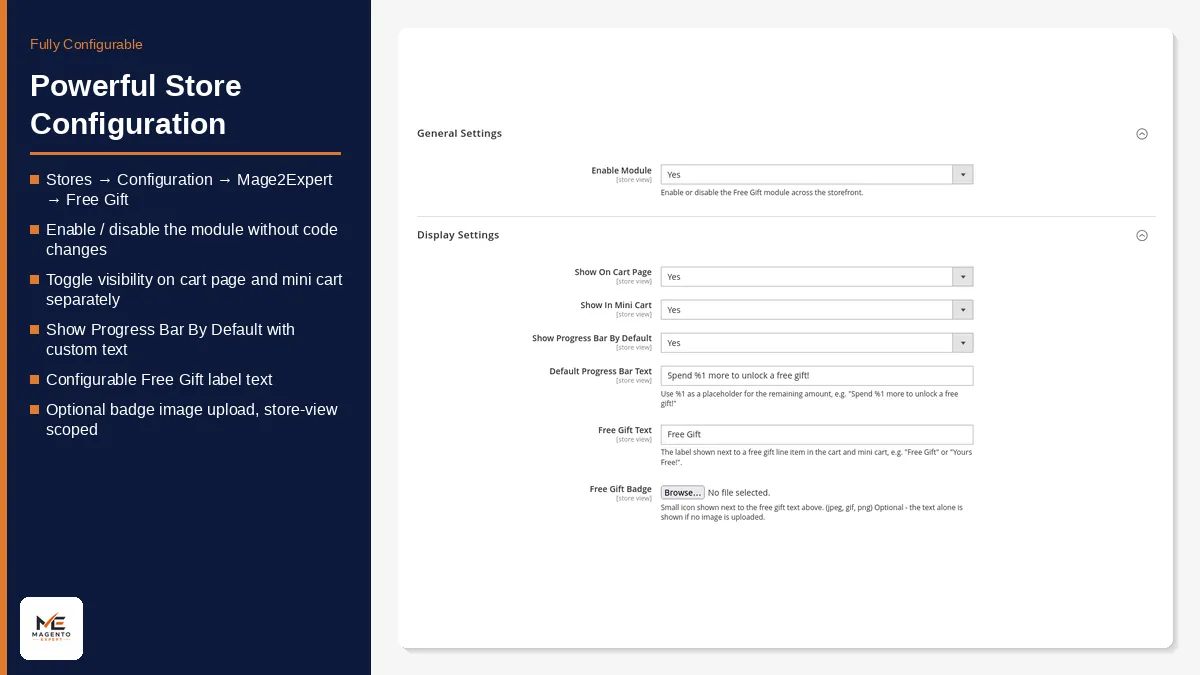
All 7 options under Stores › Configuration › Magento Expert › Free Gift, grouped as they appear in the admin.
General Settings 1
| Setting | Description |
|---|---|
| Enable Module | Enable or disable the Free Gift module across the storefront. |
Display Settings 6
| Setting | Description |
|---|---|
| Show On Cart Page | |
| Show In Mini Cart | |
| Show Progress Bar By Default | |
| Default Progress Bar Text | Use %1 as a placeholder for the remaining amount, e.g. "Spend %1 more to unlock a free gift!" |
| Free Gift Text | The label shown next to a free gift line item in the cart and mini cart, e.g. "Free Gift" or "Yours Free!". |
| Free Gift Badge | Small icon shown next to the free gift text above. (jpeg, gif, png) Optional - the text alone is shown if no image is uploaded. |
Developer reference
REST API
| Method | Endpoint |
|---|---|
GET | /rest/V1/freegift/carts/:cartId/gifts |
Frequently asked questions
How much does Free Gift cost?
Which Magento and PHP versions are supported?
Where do I configure Free Gift?
Can I switch it off without uninstalling it?
Can the settings differ per store view?
Does it have an API?
Can it be customised for my store?
More Marketing
Related extensions
Reward Points
Reward customers with points for purchases and actions, redeemable as discounts on future orders.
Gift Card
A virtual gift card product type with balance management. Customers buy a gift card and spend the balance at checkout.
Coupon Suggestions
Show customers the coupons that are valid for their cart, right at the discount field on cart and checkout.
Have a Magento project in mind?
Tell me about your store and what you need. I reply to every enquiry within one business day.
Adobe Certified Expert
Adobe Commerce Developer certification, verified on Credly.
15+ years of Magento
From Magento 1 to Magento 2.4.x, Adobe Commerce and Hyvä.
62 Marketplace extensions
Each one reviewed and approved by Adobe.