
Delivery Date for Magento 2
Let customers choose a delivery date, time slot and arrival comment at checkout, with cut-off times, holidays and blocked weekdays.
Why choose Delivery Date?
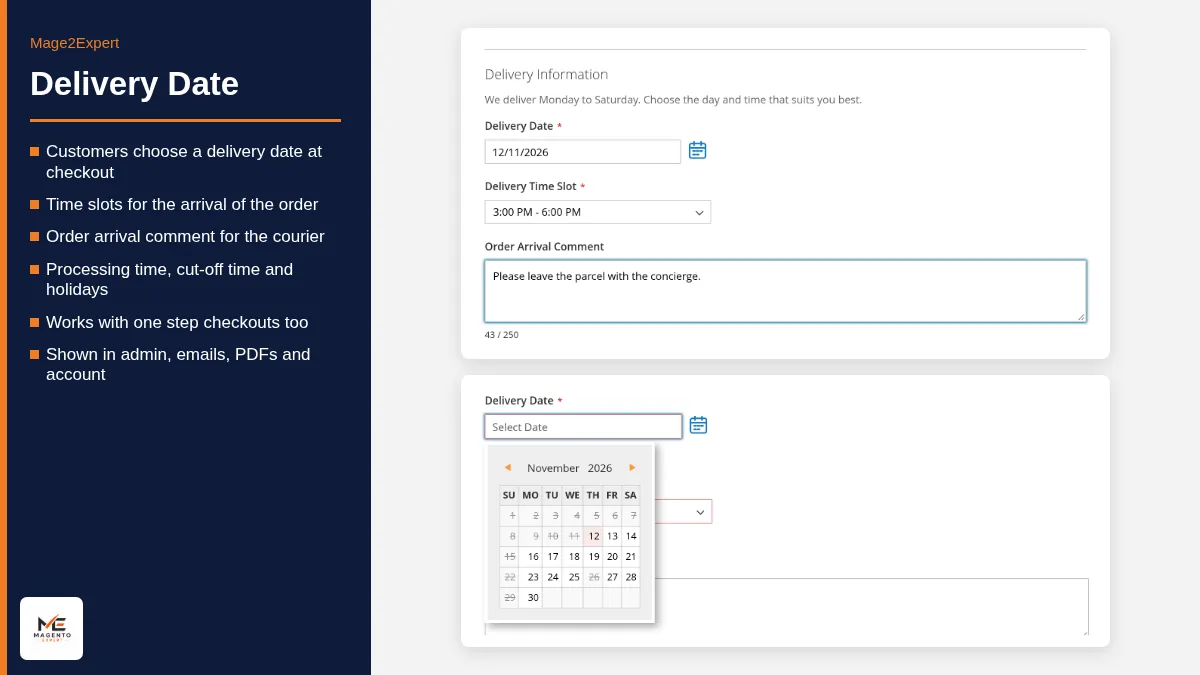
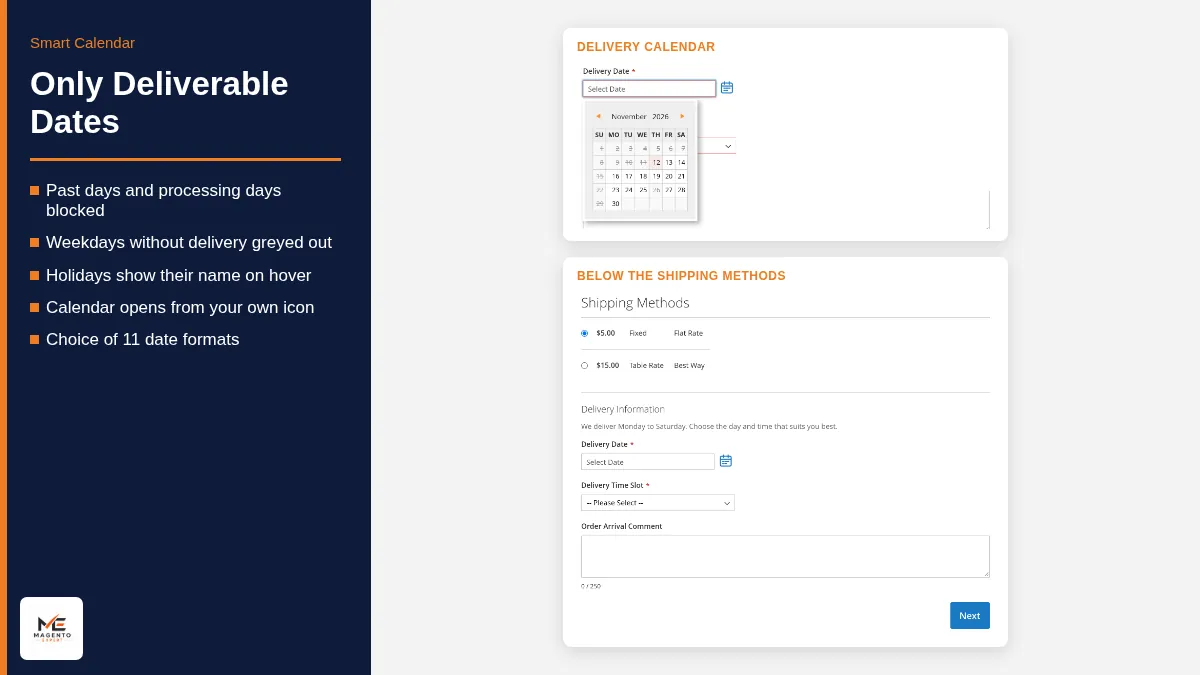
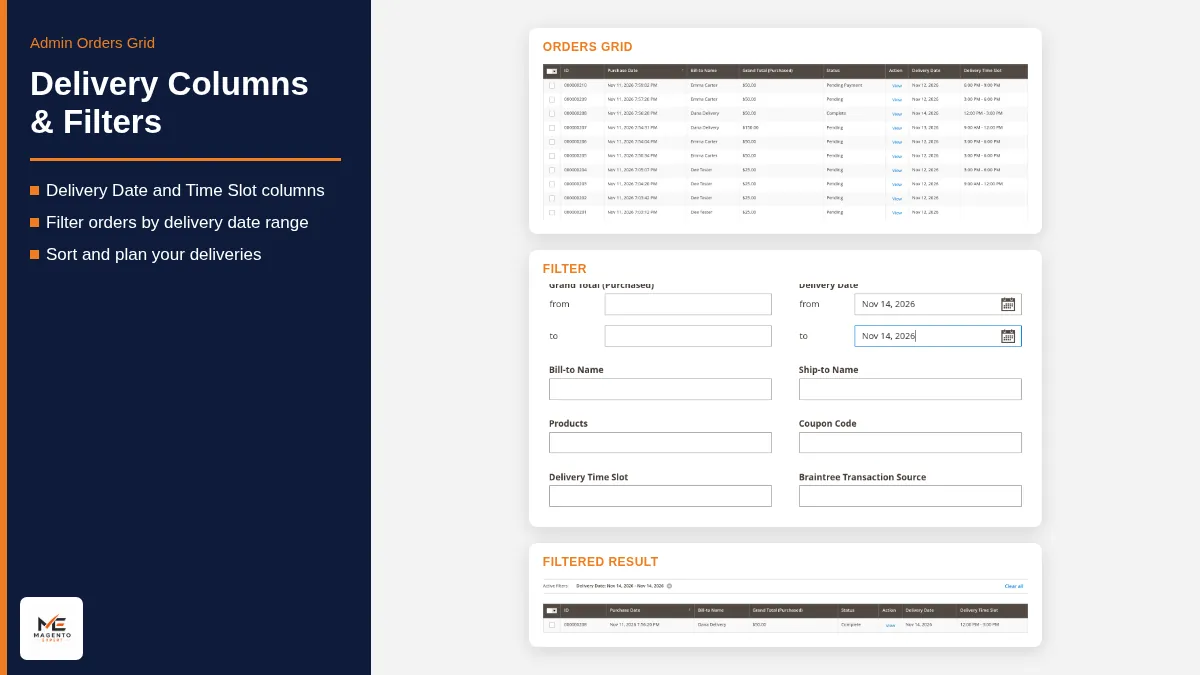
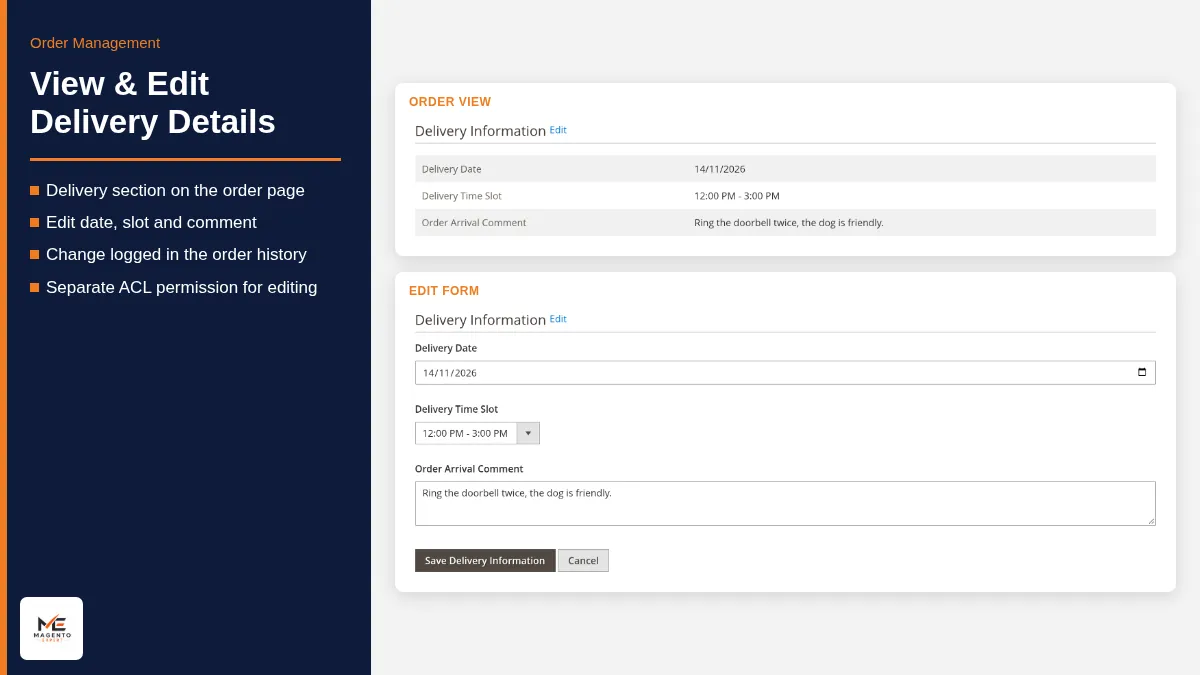
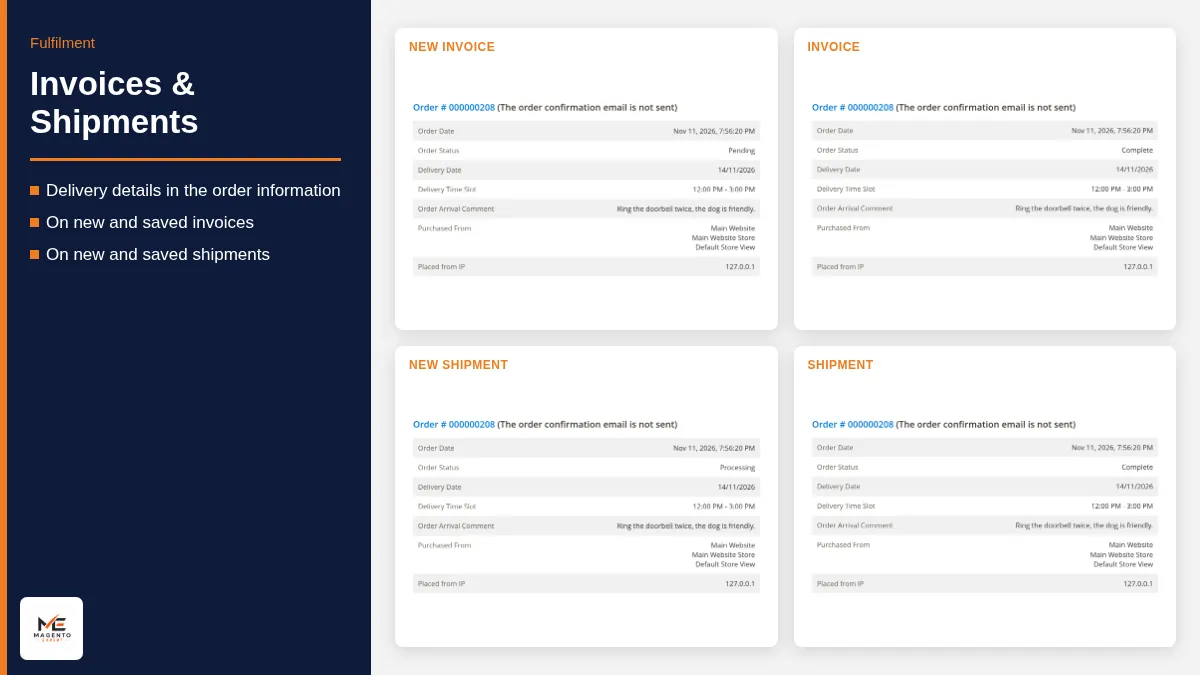
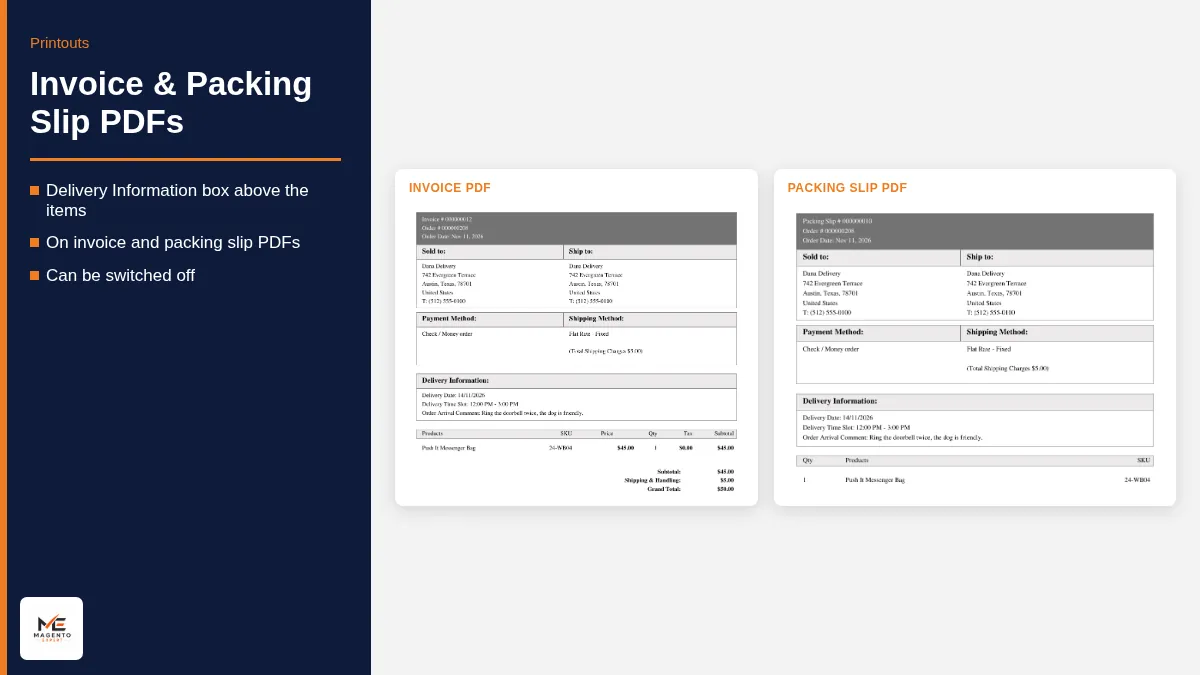
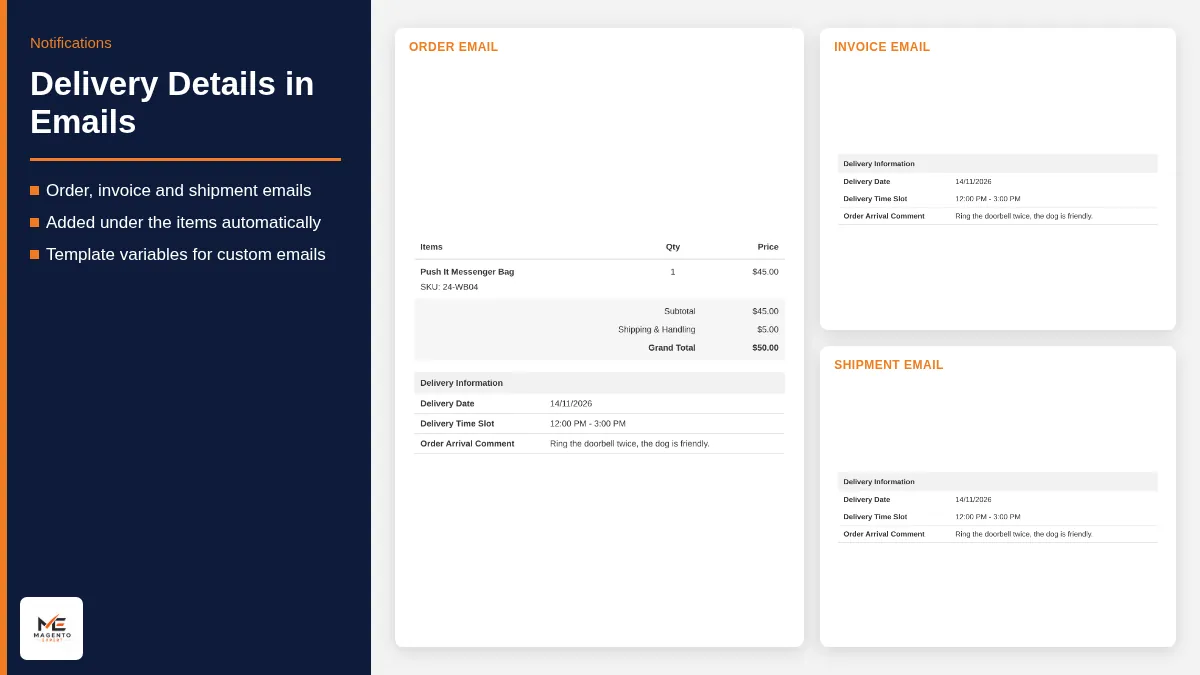
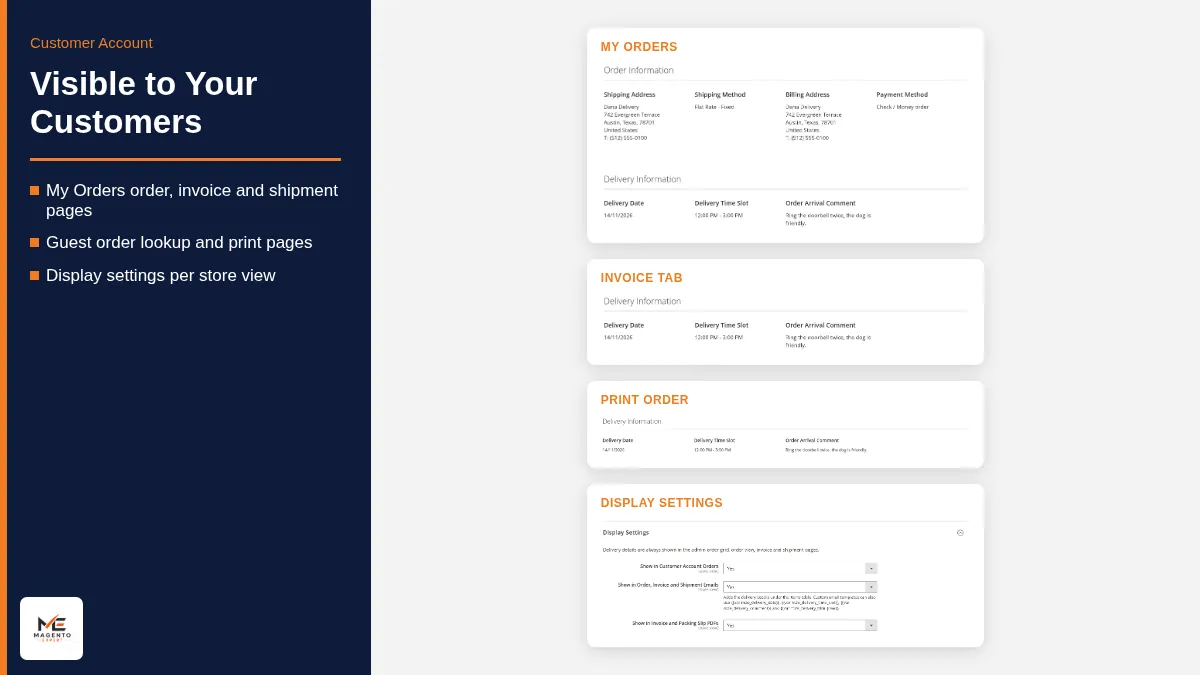
Delivery Date lets shoppers pick when their order arrives: a date from a calendar that only offers days you can deliver on, an optional time slot, and an arrival note for the courier. You set the processing time, a same-day cut-off, how far ahead customers can book, weekdays without deliveries and holidays. The details then follow the order everywhere: the admin orders grid, the order page, invoices and packing slip PDFs, order emails and the customer account. It works on the default checkout and on one step checkouts, and headless storefronts can use it through the REST API.
Key features
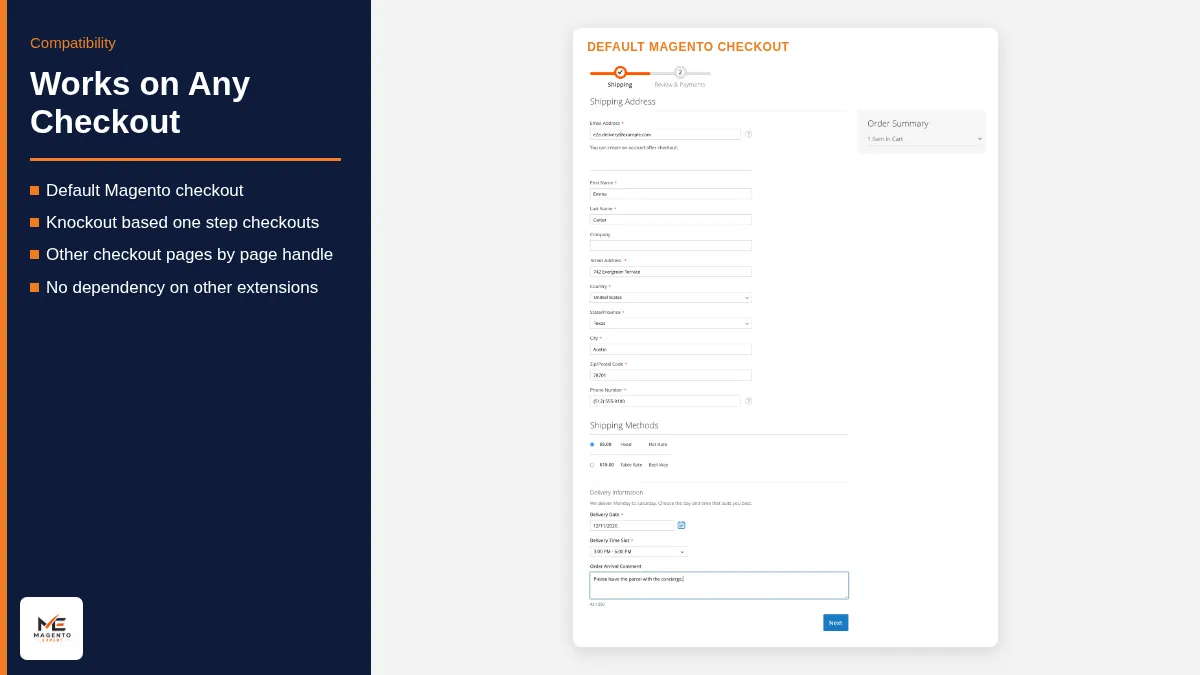
- Delivery date calendar
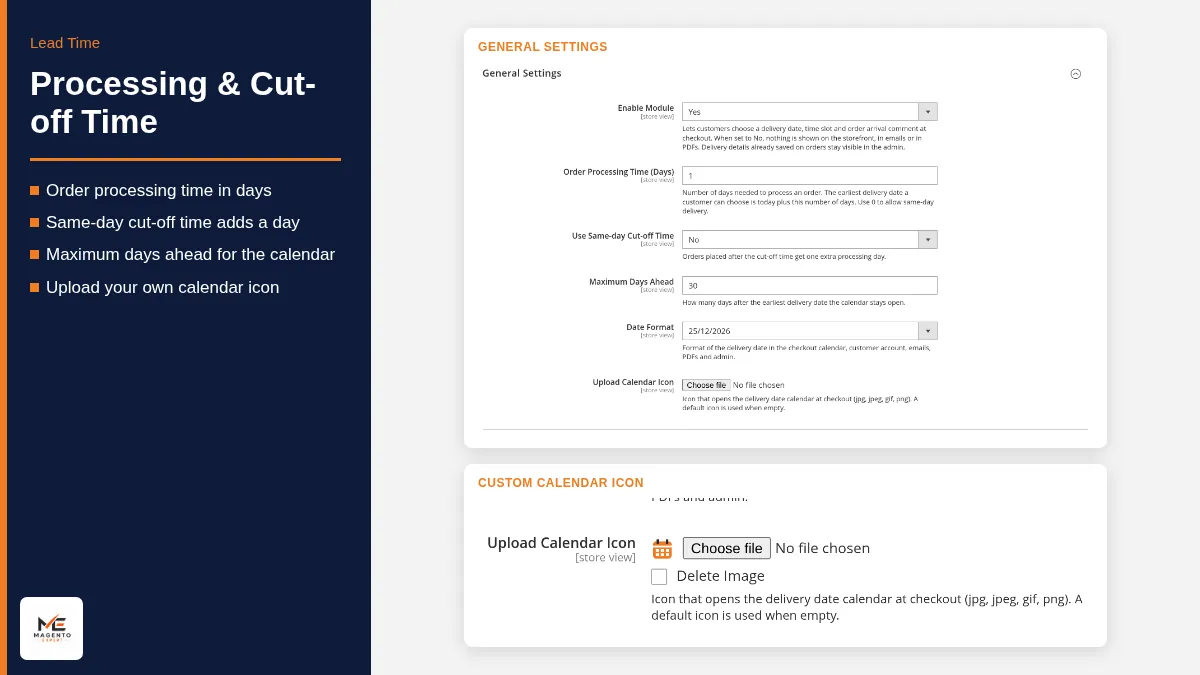
- Processing time and cut-off
- Booking window
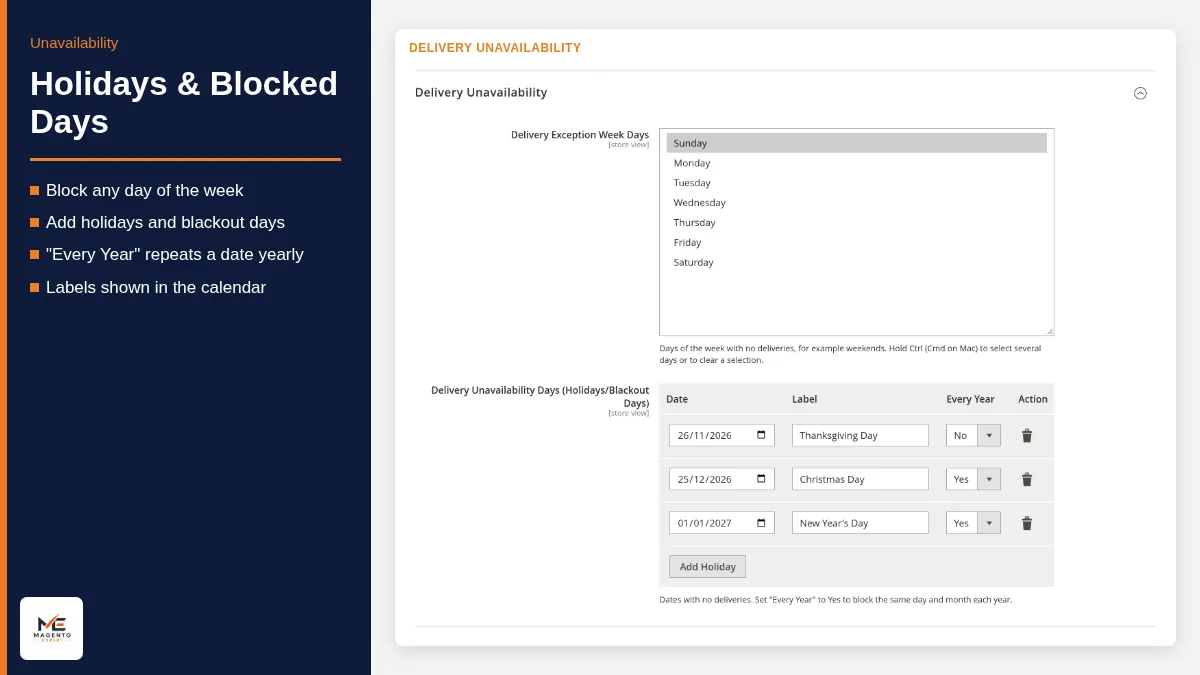
- Blocked weekdays
- Holidays and blackout days
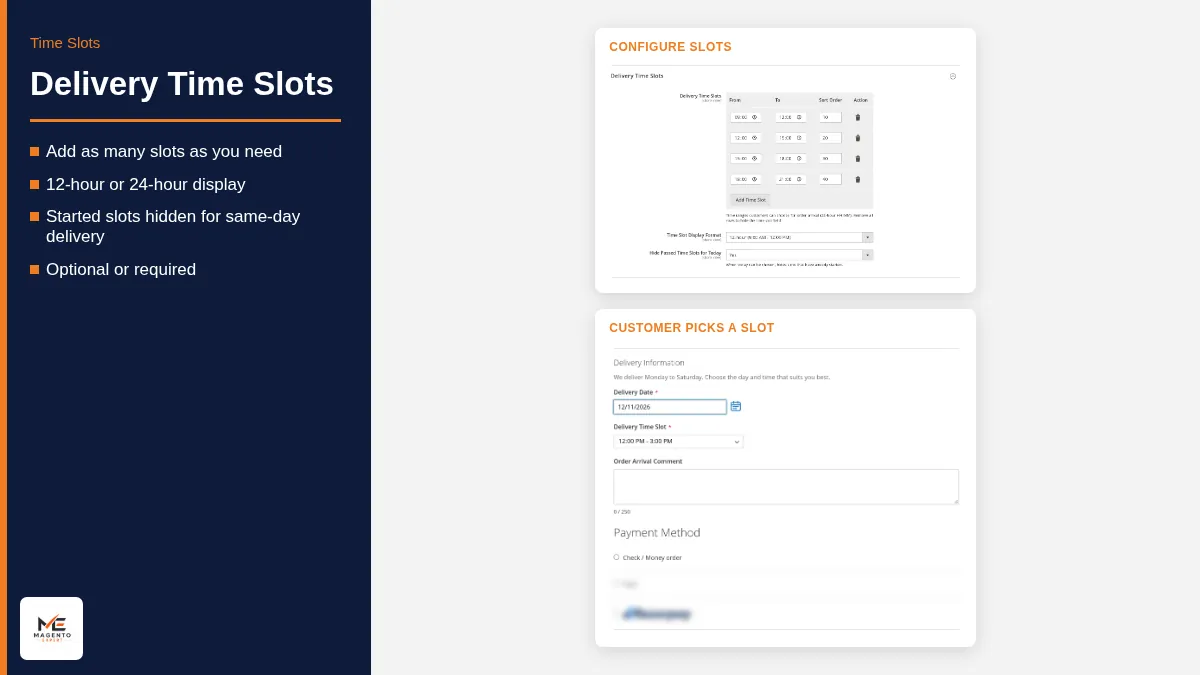
- Delivery time slots
- Arrival comments
- Works with one step checkouts
- Orders grid columns
- Emails and PDF invoices
- REST API
At a glance
| Module name | Mage2Expert_DeliveryDate |
|---|---|
| Composer package | mage2expert/module-delivery-date |
| Settings | Stores › Configuration › Magento Expert › Delivery Date (31 options) |
| Per store view settings | Yes |
| API | No custom endpoints (uses Magento's standard APIs) |
| PHP | 8.1, 8.2, 8.3, 8.4, 8.5 |
Installation
After purchasing on the Adobe Commerce Marketplace, install it with Composer using your Marketplace access keys:
composer require mage2expert/module-delivery-date
bin/magento module:enable Mage2Expert_DeliveryDate
bin/magento setup:upgrade
bin/magento setup:di:compile
bin/magento setup:static-content:deploy -f
bin/magento cache:flush
Skip setup:di:compile and static-content:deploy if your store runs in developer mode.
Configuration reference
All 31 options under Stores › Configuration › Magento Expert › Delivery Date, grouped as they appear in the admin.
General Settings 7
| Setting | Description |
|---|---|
| Enable Module | Lets customers choose a delivery date, time slot and order arrival comment at checkout. When set to No, nothing is shown on the storefront, in emails or in PDFs. Delivery details already saved on orders stay visible in the admin. |
| Order Processing Time (Days) | Number of days needed to process an order. The earliest delivery date a customer can choose is today plus this number of days. Use 0 to allow same-day delivery. |
| Use Same-day Cut-off Time | Orders placed after the cut-off time get one extra processing day. |
| Cut-off Time | Uses the store's timezone (hours, minutes, seconds). |
| Maximum Days Ahead | How many days after the earliest delivery date the calendar stays open. |
| Date Format | Format of the delivery date in the checkout calendar, customer account, emails, PDFs and admin. |
| Upload Calendar Icon | Icon that opens the delivery date calendar at checkout (jpg, jpeg, gif, png). A default icon is used when empty. |
Checkout Integration 6
| Setting | Description |
|---|---|
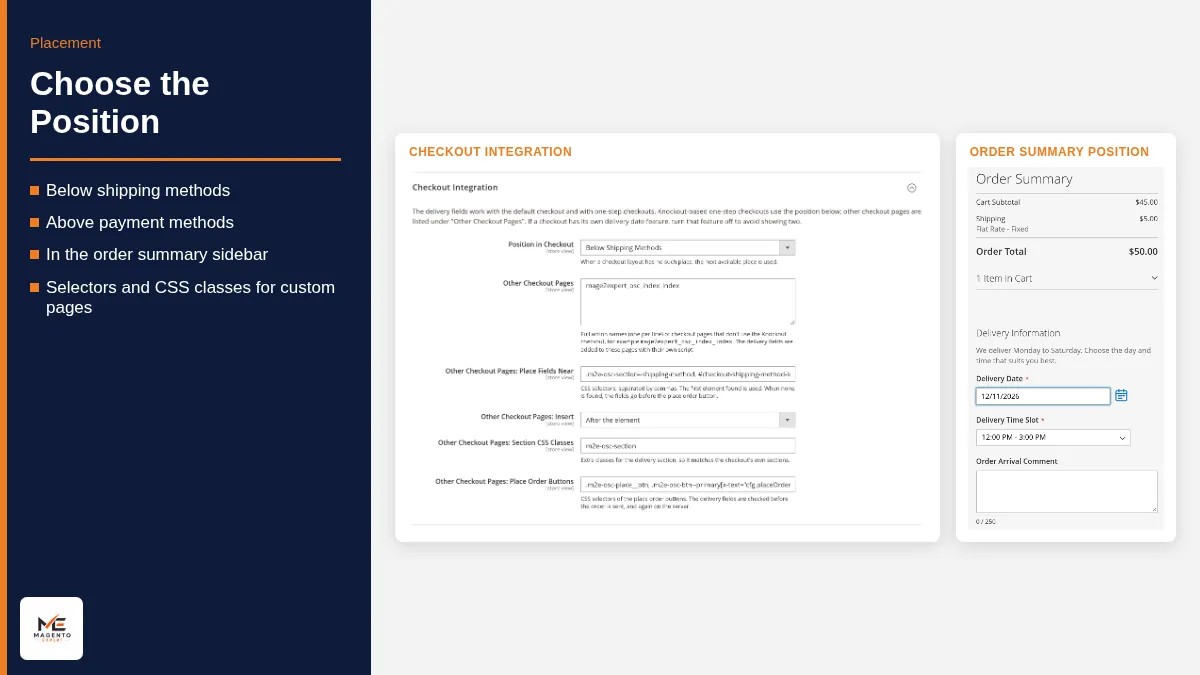
| Position in Checkout | When a checkout layout has no such place, the next available place is used. |
| Other Checkout Pages | Full action names (one per line) of checkout pages that don't use the Knockout checkout, for example mage2expert_osc_index_index . The delivery fields are added to these pages with their own script. |
| Other Checkout Pages: Place Fields Near | CSS selectors, separated by commas. The first element found is used. When none is found, the fields go before the place order button. |
| Other Checkout Pages: Insert | |
| Other Checkout Pages: Section CSS Classes | Extra classes for the delivery section, so it matches the checkout's own sections. |
| Other Checkout Pages: Place Order Buttons | CSS selectors of the place order buttons. The delivery fields are checked before the order is sent, and again on the server. |
Delivery Unavailability 2
| Setting | Description |
|---|---|
| Delivery Exception Week Days | Days of the week with no deliveries, for example weekends. Hold Ctrl (Cmd on Mac) to select several days or to clear a selection. |
| Delivery Unavailability Days (Holidays/Blackout Days) | Dates with no deliveries. Set "Every Year" to Yes to block the same day and month each year. |
Delivery Time Slots 3
| Setting | Description |
|---|---|
| Delivery Time Slots | Time ranges customers can choose for order arrival (24-hour HH:MM). Remove all rows to hide the time slot field. |
| Time Slot Display Format | |
| Hide Passed Time Slots for Today | When today can be chosen, hides slots that have already started. |
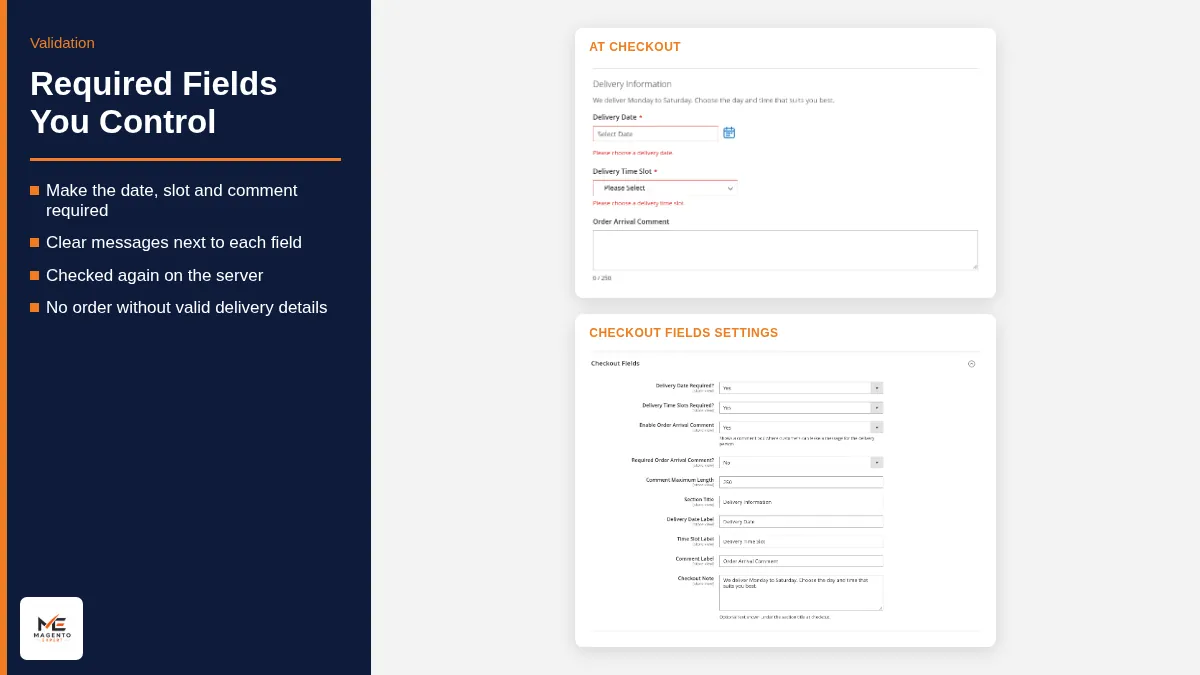
Checkout Fields 10
| Setting | Description |
|---|---|
| Delivery Date Required? | |
| Delivery Time Slots Required? | |
| Enable Order Arrival Comment | Shows a comment box where customers can leave a message for the delivery person. |
| Required Order Arrival Comment? | |
| Comment Maximum Length | |
| Section Title | |
| Delivery Date Label | |
| Time Slot Label | |
| Comment Label | |
| Checkout Note | Optional text shown under the section title at checkout. |
Display Settings 3
| Setting | Description |
|---|---|
| Show in Customer Account Orders | |
| Show in Order, Invoice and Shipment Emails | Adds the delivery details under the items table. Custom email templates can also use {{var m2e_delivery_date}}, {{var m2e_delivery_time_slot}}, {{var m2e_delivery_comment}} and {{var m2e_delivery_html|raw}}. |
| Show in Invoice and Packing Slip PDFs |
Frequently asked questions
How much does Delivery Date cost?
Which Magento and PHP versions are supported?
Where do I configure Delivery Date?
Can I switch it off without uninstalling it?
Can the settings differ per store view?
Can it be customised for my store?
More Checkout & Cart
Related extensions
One Step Checkout
A fast, single-page checkout built with Alpine.js, with fewer steps and fewer abandoned carts.
Quick Order
A bulk-ordering page where buyers search by SKU, paste a SKU list or upload a CSV, then add everything to the cart in one click.
Flat Rates
Offer multiple, conditional flat-rate shipping methods instead of Magento's single fixed-price flat rate.
Have a Magento project in mind?
Tell me about your store and what you need. I reply to every enquiry within one business day.
Adobe Certified Expert
Adobe Commerce Developer certification, verified on Credly.
15+ years of Magento
From Magento 1 to Magento 2.4.x, Adobe Commerce and Hyvä.
62 Marketplace extensions
Each one reviewed and approved by Adobe.